
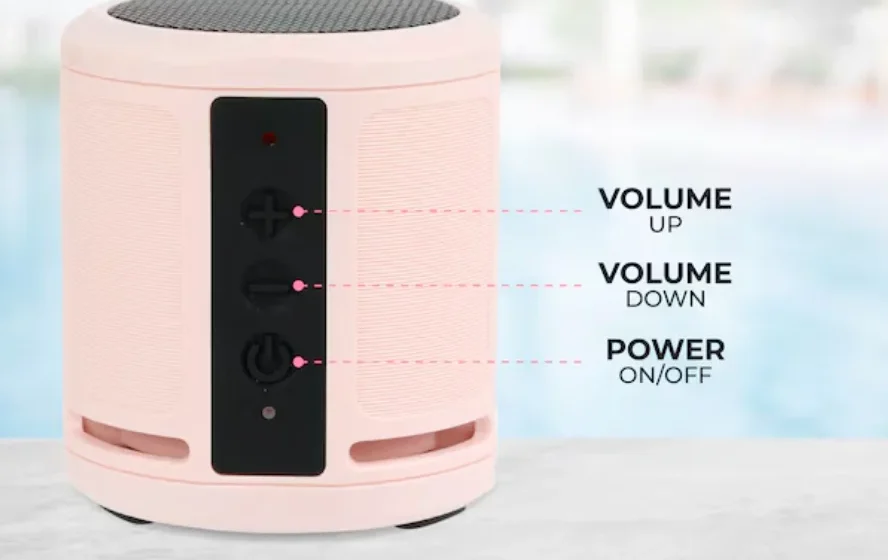

Altec IMW1020 HydraMicro Everythingproof Wireless Speaker
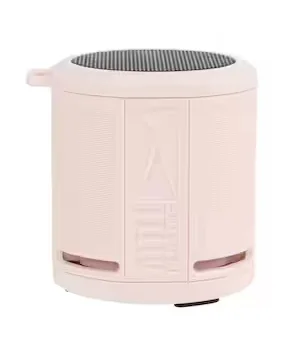
In the Box
- IMW1020 HydraMicro Everythingproof™ Wireless Speaker
- USB-C Charging Cable
- Strap
A Closer Look
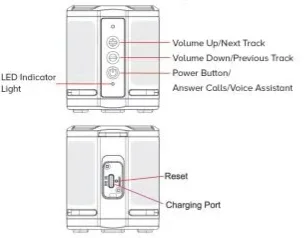
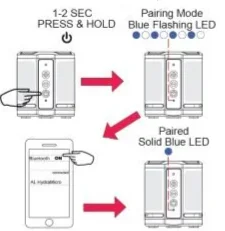
Powering On/Bluetooth Pairing
True Wireless Pairing
- Turn on the first speaker and connect it with a Bluetooth compatible device.
- Turn on the second speaker and press and hold its power and + buttons for 1-2 seconds.
- Press and hold the + buttons for 1-2 seconds on the first speaker. The first speaker will now connect to the second so they both play in sync. The indicator LEDs will illuminate green.
To end TWS, press & hold the power button on either speaker.
Answering Calls
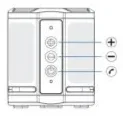
PRESS
- + Volume Up
- – Volume Down
- Answer Call/End Call
PRESS & HOLD
Ignore Call
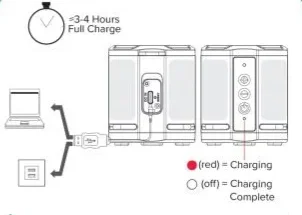
Charging
Speaker Controls
PRESS
- (Power) Play/Pause
- + Volume Up
- – Volume Down
- (Power) Answer & End Call
PRESS & HOLD (2 sec)
- (Power) On/Off
- + Next Track
- – Previous Track
- (Power) Reject Incoming Call
Voice Assistant/Reset
Press x2 (Power)
To activate the Voice Assistant (Siri or Google Assistant) when connected to the phone.
Reset- Press & Hold Volume – & +
Disconnect Bluetooth: Press and hold for five seconds, and the speaker will beep
Reset all connections: Press and hold for ten seconds, and the speakers will power off. All pairing information is reset.
Overall battery performance varies depending on use settings and environmental conditions. For further Information, please visit www.alteclansing.com
12 Month Limited Warranty
All Altec Lansing products come with a 12-month limited warranty from the date of their original purchase.
Contact Information
Sakar International Inc.
195 Carter Drive, Edison, New Jersey 08817, USA
855-292-4087
For more Manuals by Altec Lansing, visit ManualsLibraryy
Altec IMW1020 HydraMicro Everythingproof Wireless Speaker-FAQs
How do I pair my Altec IMW1020 Bluetooth speaker?
Turn the speaker on and press the Bluetooth button for 5–8 seconds until the LED flashes blue and red. This indicates the speaker is in pairing mode. Select it from your phone’s Bluetooth list to connect.
How do I set up the Altec Lansing Bluetooth speaker for the first time?
Power on the speaker, place it in pairing mode, open your phone’s Bluetooth settings, and choose the speaker name from the available devices.
How do I know when my Altec speaker is fully charged?
A solid red light means the speaker is charging. When the light turns off, the battery is fully charged. A flashing red light indicates low battery.
Why is my Altec speaker blinking blue?
A blinking blue LED means the speaker is ready to pair. A steady blue light confirms it’s successfully connected to a device.
Can I use my HydraMicro speaker while it’s charging?
Yes, you can listen while charging. However, wireless functions may be limited on some models during charging.
Why is my Bluetooth speaker not finding devices?
Check that Bluetooth is enabled, the devices are close together, and they use a compatible Bluetooth profile. Restarting both devices can help.
How do I reset my Altec Lansing speaker?
Turn the speaker off. Then press and hold the Power + Bluetooth buttons together for 5–10 seconds until the LED blinks to confirm a reset.
Is the Altec HydraMicro waterproof?
Yes. The HydraMicro is IP67-rated, meaning it is waterproof, shockproof, snowproof, and designed for rugged outdoor use.