
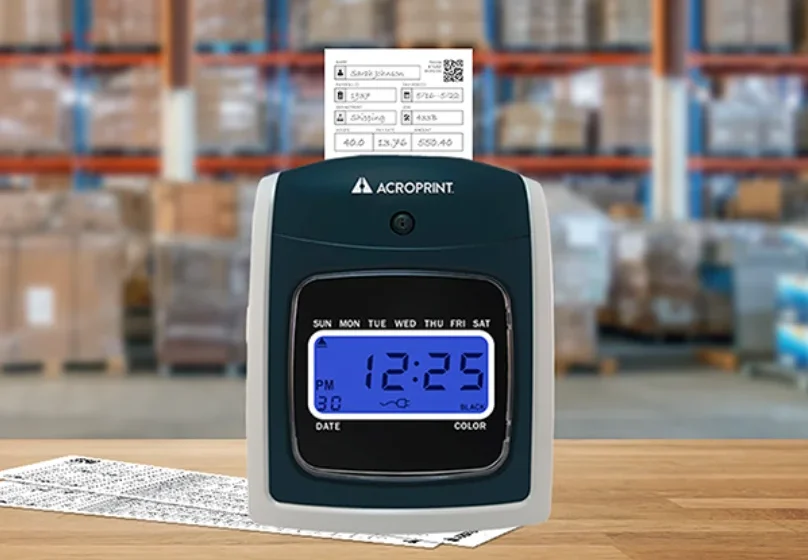

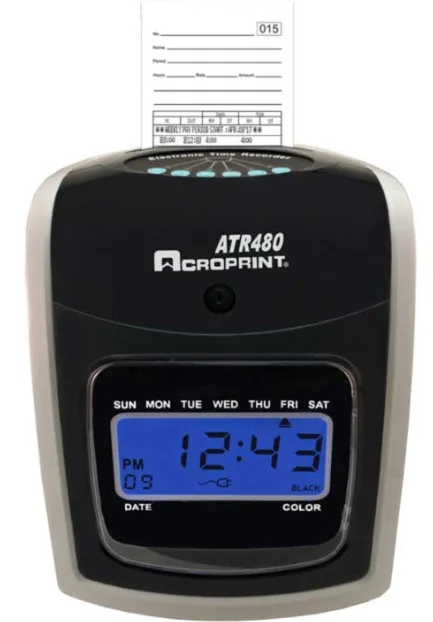
Acroprint ATR480 Totalizing Time Clock Machine
FEATURES
- Automatically calculates time between punches & totals time in hours and minutes.
- Saves you time preparing for payroll; totals employees’ hours worked.
- Handles up to 50 employees on weekly, bi-weekly, semi-monthly, or monthly pay periods.
- Two-color printing, showing early and late punches, makes time card editing easy.
- Calculates actual/rounded time and can automatically deduct break time for totals.
- Time can be printed in standard AM/PM hours or military format.
- Requires ATR481 time cards.
- Offers an internal alarm or uses an external bell/ horn to signal shift start/end or breaks.
- The unit may be wall or table-mounted.
- Includes battery backup for use during power outages.
ATR480 BUNDLE INCLUDES
- ATR480 Clock with Backup Battery Installed
- (250) ATR481 2-Sided Time Cards
- (2) 10-Slot Expanding Time Card Racks
- (2) Clock Red/Black Ribbons (1 Installed, 1 Replacement)
- (4) Clock Cover Keys on Key Ring
SPECIFICATIONS
- Clock: Digital Display
- Time Base: Quartz Crystal
- Operating Temperature: 0°C to 40°C (32°F to 104°F)
- Humidity: 10-60% RH
- Printer: Dot Matrix
- Power Input: 100 – 240 VAC, 50/60 Hz
ORDERING GUIDE
- ATR480 01-0285-000
- ATR480 Bundle 01-0285-001
RIBBON
- Replacement Ribbon 39-0127 -002
TIME CARDS
- ATR480 Time Cards 09-911 5-000 (Pack of 50)
TIME CARD RACKS
- 10 Pocket 81 -0121 -000
- 25 Pocket 81-0120-000
SIGNAL DEVICES
- 4″ Bell 64-0104-000 (120v/60Hz)
- 8″ Bell 64-0105-000 (120v/60Hz)
- Grille Horn 64-0103-000 (120v/60Hz)
- External Relay Box 01 -0230-000 (24v)
For more manuals by Acroprint, visit ManualsLibraryy
Acroprint ATR480 Totalizing Time Clock Machine- FAQs
Why does my time clock display show 88:88?
A display showing 88:88 indicates that the clock is ready to be set. Use the rear buttons—left for hours, right for minutes—to set the correct time.
How do I adjust the time if my clock is running fast or slow?
Open the settings menu and manually adjust the hour and minute. Ensure the correct time zone is selected to keep the clock accurate.
Can I manually set an atomic-synchronized clock?
Yes. Hold the SET button for a few seconds to enter manual mode. Use the same button to advance the time. Avoid moving the hands physically.
Does the ATR480 adjust for Daylight Saving Time automatically?
Most modern Acroprint clocks auto-adjust for DST when the feature is enabled. If not, manually move the clock forward or backward by one hour during DST changes.
Is it safe to move clock hands backward?
Avoid turning the hands backward on any clock unless the manufacturer states it is safe. Doing so may damage internal mechanisms.
Why is my atomic clock not showing the correct time?
Weak signal reception or low batteries are the most common causes. Try placing the clock near a window and away from electronics like routers or TVs.
Why is my clock losing time?
Dirty or corroded battery contacts can cause time loss. Remove the battery and clean the contacts before reinstalling.
Do atomic clocks change the time automatically?
Yes. Atomic clocks synchronize with WWVB radio signals and automatically adjust for DST and date changes.
How fast does an atomic clock reset?
It may take up to five nights to fully synchronize, depending on signal strength and atmospheric conditions.
What does ‘DP2’ mean on digital clocks?
DP2 typically refers to the display format option, such as showing hours, minutes, and seconds or an alternate time layout.