
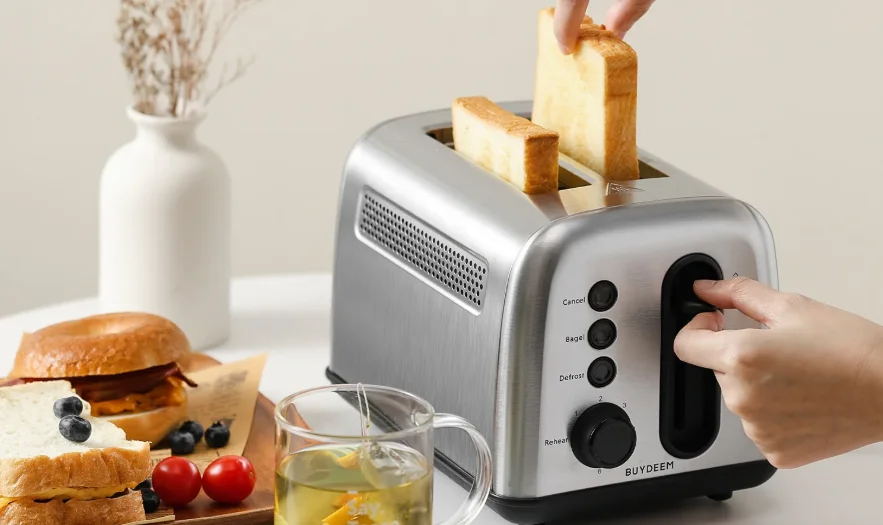

BUYDEEM DT420 Retro 2-Slice Metal Toaster
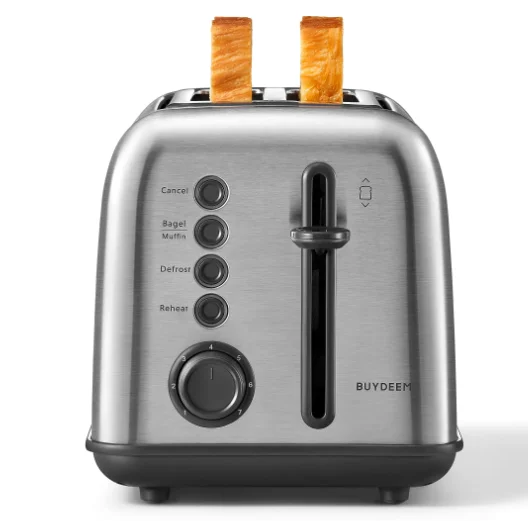
IMPORTANT SAFEGUARDS
When using an electrical appliance, basic safety precautions should always be taken, including the following:
- Read all instructions.
- Always unplug from the outlet when not in use and before cleaning. Allow to cool before cleaning or handling.
- Do not touch hot surfaces. Use handles or knobs.
- To protect against electrical shock, do not place any part of the toaster in water or other liquids. See instructions for cleaning.
- Close supervision is necessary when any appliance is used by or near children.
- Do not operate any appliance with a damaged cord or plug, or after the appliance has malfunctioned or has been dropped or damaged in any way, or if it is not operating properly. Return the toaster to the store or retailer where purchased for examination or repair.
- The use of accessory attachments not recommended by BUYDEEM may cause injury.
- Do not use outdoors.
- Do not let the cord hang over the edge of the table or countertop or touch hot surfaces.
- Do not place the toaster on or near a hot gas or electric burner or in a heated oven.
- Do not use this toaster for anything other than its intended use.
- Oversized foods, metal foil packages, or utensils must not be inserted in the toaster, as they may involve a risk of fire or electric shock.
- A fire may occur if the toaster is covered or touching flammable materials, such as curtains, draperies, or walls, when in operation.
- Do not attempt to dislodge food when the toaster is plugged into an electrical outlet.
- To avoid the possibility of fire, do not leave the toaster unattended during use.
- To disconnect, push the Cancel button, then remove the plug from the wall.
- Do not operate your appliance in an appliance garage or under a wall cabinet. Materials. When storing in an appliance garage, always unplug the unit from the electrical outlet. Not doing so could create a risk of fire, especially if the appliance touches the walls of the garage or the door touches the unit as it closes.
- When heating toaster pastries, always use the lightest toast color setting.
- Do not immerse in water.
- For household use only.
- For the first use, please set the browning control to 6 to bake the empty toaster for 2–3 times. Smoke and odors are normal because they are from the heat evaporation of the protective oil of machine components. Please do not put any food in the toaster slots during the process.
- WARNING – To prevent electric shock, unplug before cleaning.
A short power-supply cord is provided to reduce the risks resulting from becoming entangled in or tripping over a longer cord. Longer extension cords are available and may be used if care is exercised in their use. If a long extension cord is used, the marked electrical rating of the extension cord should be at least as great as the electrical rating of the appliance.
The extension cord should be a grounding-type 3-wire, and the longer cord should be arranged so that it will not drape over the countertop or table-top where it can be pulled on by children or tripped over unintentionally. This appliance has a polarized plug (one blade is wider than the other). To reduce the risk of electric shock, this plug will fit in a polarized outlet only one way. If the plug does not fit fully in the outlet, reverse the plug. If it still does not fit, contact a qualified electrician. Do not modify the plug in any way.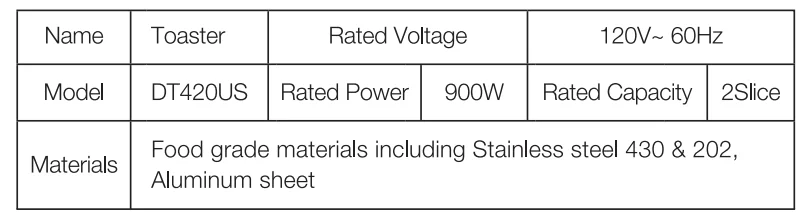
FEATURES AND BENEFITS
1. Toasting Slots
Toaster slots toast a variety of items.
2. Cancel Button
Interrupts the toasting process.
3. Extra-Lift Carriage Control Lever
Bring the toast close to the top of the toaster, making it easy to remove the smallest items.
4. Bagel Button
Customized baking program for bagels. LED lights when selected.
5. Defrost Button
Defrosts and toasts frozen bread. LED lights when selected.
6. Browning Control / Reheat Function
Slide lever sets the selected shade. 6 Browning levels toast from light to dark. Reheats without browning or toasting.
7. Cord Storage
Takes up excess cord and keeps the countertop neat.
8. Slide-out Crumb Tray
Pulls out to clean crumbs that collect in the bottom of the toaster.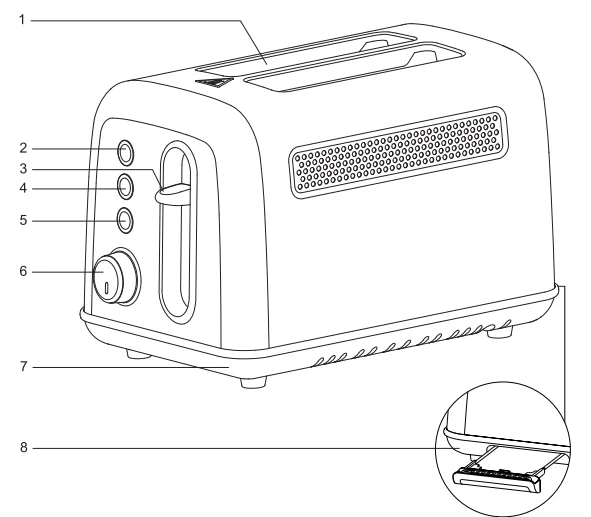
USE AND CARE
Unwind the power cord. Make sure the crumb tray is in place, and there is nothing in the toaster slots.
1. Insert Slice(s) of Bread
Be sure that the carriage is in the up position.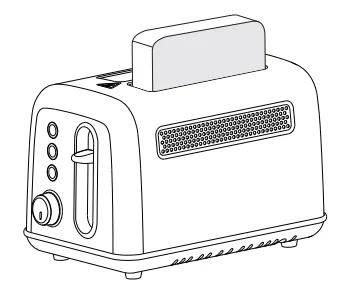
2. Set the Browning Control
Slide the lever to the desired position: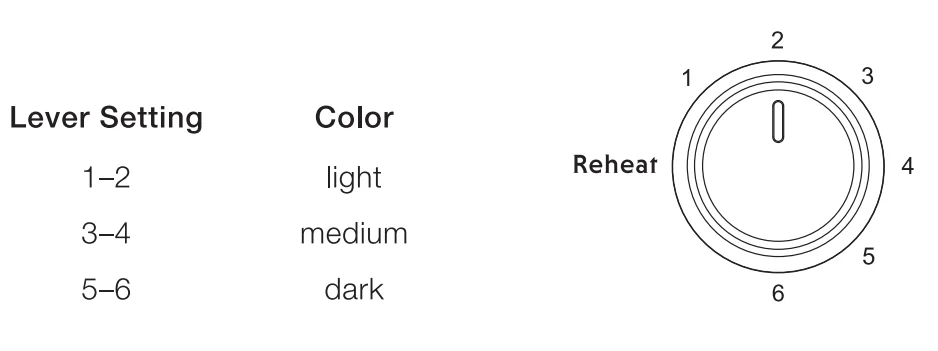
3. To Begin Toasting
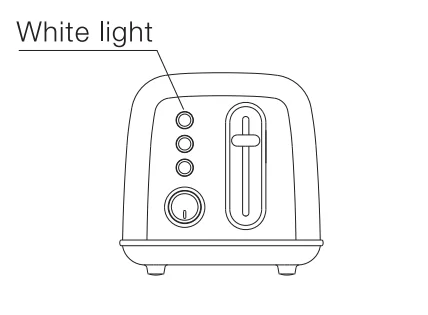
Press the carriage control lever until it locks into the down position. NOTE: The Cancel button will illuminate with a white light when the toaster is in operation.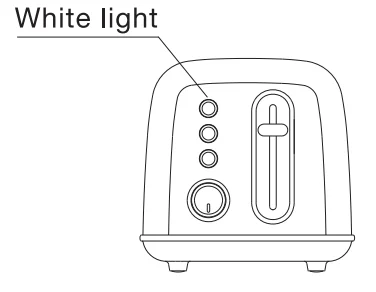
Some Notes on Browning:
Toasting is a combination of cooking and drying the bread. Therefore, differences in moisture level from one bread to another could result in different toasting times. Pay attention to the state of the bread during use to avoid burning.
- For slightly dry bread, use a lower setting than you do for daily use.
- For very fresh bread or whole-wheat bread, use a higher setting than you do for daily use.
- Breads with a very uneven surface (such as English muffins) require a higher toast setting.
- Thickly cut pieces of bread (including bagels) will take longer to toast, since more moisture must be evaporated from the bread before toasting can occur. Very thick pieces may need to be toasted twice.
- When toasting raisin or other fruit breads, remove any loose raisins, etc., from the surface of the bread before placing it into the toaster. This will help prevent fruit pieces from falling into the toaster or sticking on the guide wires in the slot.
- Before toasting bagels, slice each bagel into two halves.
- Frozen Waffles, Pancakes, French Toast, and Frozen Bagels: These items should be warmed before toasting, using the Defrost function. Select your preferred browning shade. Press the carriage lever and then select Defrost. For example, when toasting a frozen bagel, select the browning level, press the carriage lever, then the Bagel button and Defrost. White Bagel and Defrost lights indicate these features are active.
- Toaster Pastries: Exercise caution with toaster pastries; the filling can become quite hot, long before the surface of the pastry becomes browned. Never leave toaster pastries unattended while toasting or warming.
Bagel Button
The Bagel button is a customized baking program tailored to the characteristics of the bagel.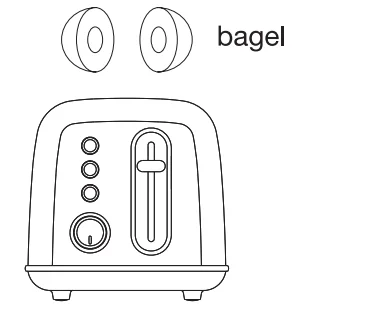
- Insert slice(s) of bread or halved bagels. Be sure that the carriage is in the up position, and put the cut side of the bagel in the middle of the slots.
- Set the browning control.
- Press the carriage lever until it locks into position.

- Press Bagel Button. White LED indicates the bagel feature is activated.
To Stop Cycle:
When the cycle is complete, the toaster will raise the bread. If you wish to stop the cycle before it is finished, simply press the Cancel button to finish the toasting. After use, please unplug your toaster from the electrical outlet.
Defrost Button
The Defrost button is designed to first defrost and then toast the bread, which extends the toasting cycle slightly.
- Insert slice(s) of bread. Be sure that the carriage lever is in the up position.
- Set the Browning control.
- Press the carriage control lever until it locks into position.
- Press the Defrost button. White LED indicates the feature is activated.
NOTE: The Defrost function cannot be activated once the knob turns to the Reheat function.
Reheat Function
The reheat feature allows you to reheat bread without browning or toasting.
- Turn the knob to the reheat function.
- Insert slice(s) of bread. Be sure that the carriage lever is in the up position.
Press the carriage control lever until it locks into position.
NOTE: The Cancel button will illuminate with a white light when the toaster is in operation.
To Stop Cycle:
When the cycle is complete, the toaster will raise the bread. If you wish to stop the cycle before it is finished, simply press the Cancel button to finish the toasting. After use, please unplug your toaster from the electrical outlet.
Tips:
- Never force foods into the toasting slot. Foods should fit freely between the guide wires.
- Do not place buttered bread in a toaster, as this could create a fire hazard.
- Uneven toasting is usually due to bread slices of uneven thickness.
- After use, unplug your toaster from the electrical outlet.
CLEANING AND MAINTENANCE
Always allow the toaster to cool completely before cleaning.
- Always unplug the toaster from the electrical outlet.
- Do not use abrasive cleansers. Simply wipe the exterior with a clean, damp cloth and dry thoroughly. Apply any cleaning agent to a cloth, not to the toaster, before cleaning.
- To remove crumbs, slide out the crumb tray and discard crumbs. Wipe clean and replace. Never operate the toaster without the crumb tray in place.
- To remove any pieces of bread remaining in the toaster, turn the toaster upside down and gently shake. Never insert any hard or sharp instruments into the slot, as this could damage the toaster and cause a safety hazard.
- Never wrap the cord around the outside of the toaster. Use the cord storage cleats on the underside of the toaster.
- Any other servicing should be performed by an authorized service representative.
Warranty and service instructions.
- If the product is damaged, please contact the after-sales customer service center of the selling channel or send it to the service maintenance place for repair.
- The warranty is limited to the product defects and damage caused by correct use according to the instruction manual. Damage caused by improper use or other non-product quality issues will be charged for maintenance.
- If you need more information or service, please contact the after-sales center of the purchase channel, or visit the BUYDEEM website: buydeemglobal.com.
- No free maintenance is allowed if the fault is caused by failure to operate according to the user manual.
- Damage caused by improper use, storage, and maintenance.
- Damage caused by assembly, disassembly, and repair by our company’s non-designated maintenance department.
- Damage caused by force majeure.
In order to protect the customer’s interests, BUYDEEM reserves the right to modify the product features and the components so as to ensure the normal use of the product.
For More Manuals By Buydeem, Visit ManualsLibraryy
BUYDEEM DT420 Retro 2-Slice Metal Toaster-FAQS
What do the buttons and settings on the BUYDEEM DT420 do?
The BUYDEEM DT420 features intuitive controls for perfect toast every time. The browning dial adjusts from light (1) to dark (6), controlling toast time—lower numbers mean shorter cycles (e.g., 1 ≈ 1.5 minutes). The defrost button thaws and toasts frozen bread or waffles in one step. Use the reheat button to warm cooled toast without extra browning.
How do I use the BUYDEEM DT420 toaster for the first time?
Before first use, remove stickers, wipe the exterior with a damp cloth, and run 2-3 empty cycles on the highest setting. This burns off manufacturing residue, which may cause a harmless “new” smell. Place on a flat, stable surface away from edges, plug into a 120V outlet, and you’re ready—no bread needed initially.
How do I operate the BUYDEEM DT420 2-slice toaster step by step?
Plug in and select your browning level (1-6). Insert 1-2 slices into the slots (one per slot max), push the lever down, and choose defrost or reheat if needed. The toaster automatically pops up when done. For best results, use standard bread sizes that fit easily.
How do I clean my BUYDEEM DT420 toaster?
Unplug and cool completely. Shake out loose crumbs, then empty and wipe the crumb tray weekly. Use a soft brush for stuck bits—never submerge in water. Wipe the retro metal exterior with a damp cloth and mild soap. Avoid harsh cleaners to preserve the finish. BUYDEEM recommends this routine for longevity.
Should I unplug the BUYDEEM DT420 when not in use?
Yes—always unplug after use, even when off. This prevents fire risks from standby power and extends the toaster’s 6-8 year lifespan. Toasters like the DT420 use 650-1600W but only briefly, so energy waste is minimal when unplugged.
Why isn’t my BUYDEEM DT420 toaster working?
Check the outlet with another appliance, ensure the lever is fully down, and verify no crumbs block the mechanism. Run an empty cycle to test. If issues persist (e.g., uneven toasting or no heat), clean thoroughly or contact BUYDEEM support—these fix most common problems.
Can the BUYDEEM DT420 toast one slice or frozen items?
Absolutely—toast one slice by placing it in one slot only. The snowflake defrost button handles frozen bread or waffles perfectly, extending the cycle to thaw then crisp. Experiment with browning levels for your preference.
What’s the expected lifespan and power use of the BUYDEEM DT420?
This durable retro toaster lasts 6-8 years with regular cleaning. It uses about 750-850W per cycle (0.1 kWh per use), making it energy-efficient for quick morning routines.