
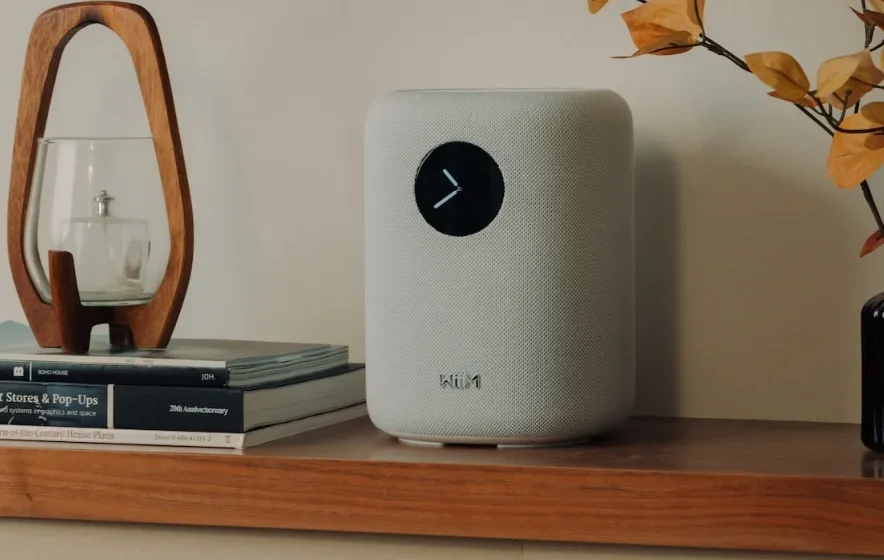

WiiM Sound Smart Speaker
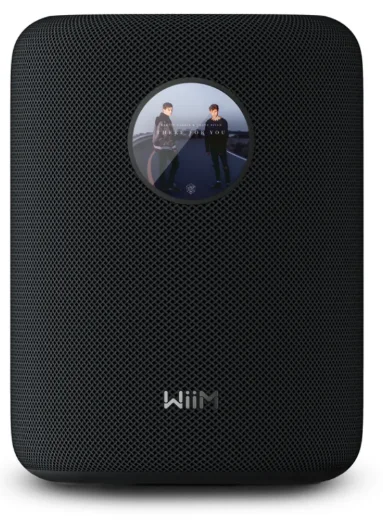
What You’ll Need
To integrate the WiiM Sound with your WiiM system, you’ll need:
- A WiiM Sound
- A smartphone or tablet
- Wi-Fi connection
- (Optional) Ethernet connection
- (Optional) An external audio source
Step-by-Step Setup Guide
Unbox the WiiM Sound
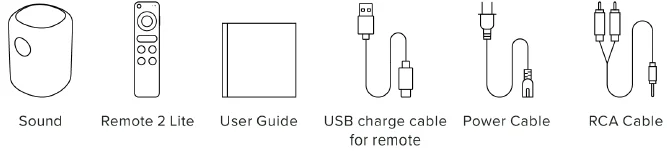
Open the box, and you’ll find the following items inside.
What’s inside
Power on the WiiM Sound
Connect the WiiM Sound to a power source using the provided power cable. The WiiM Sound will automatically power on.
Download the WiiM Home App
Use your smartphone or tablet to scan the following QR code to download the WiiM Home app. The app will be used to set up and configure the WiiM Sound.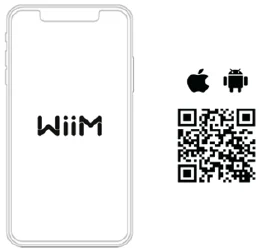
Set Up the WiiM Sound through the WiiM Home App
Follow the video tutorial below to complete the setup.
Alternatively, follow the text instructions below to complete the setup:
- Open the WiiM Home app on your smartphone or tablet.
- When your device automatically appears in the app, tap Set Up to start the process.

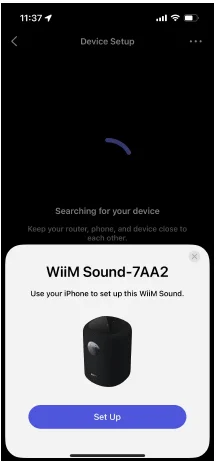
Note: If your WiiM device doesn’t appear automatically, go to the Devices tab and tap Add Device in the top-right corner to trigger the setup page.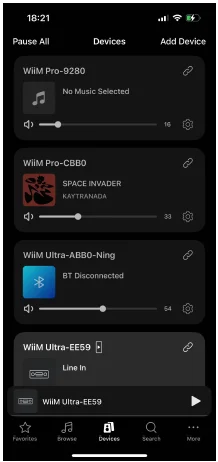
- Follow the on-screen instructions to complete the setup process.
During setup, you’ll complete these main steps:
- Connect the WiiM Sound to the Wi-Fi network.
- Check for firmware updates.
- Pair the WiiM Voice Remote 2. For detailed instructions, see How to Set Up Your WiiM Voice Remote 2 (https://faq.wiimhome.com/en/support/solutions/articles/72000643602)
- Perform Roomfit correction. For detailed instructions, see How to Perform RoomFit™ to Calibrate Your WiiMSound for Your Room (https://faq.wiimhome.com/en/support/solutions/articles/72000649397)
- Watch the animation to learn screen gestures.
- Select the default playback screen. For detailed instructions, see How to Customize Playback Screen on the WiiM Sound (https://faq.wiimhome.com/en/support/solutions/articles/72000649314)
- Select a wallpaper for the standby screen. For detailed instructions, see How to Customize Standby ScreenWallpaper on the WiiM Sound (https://faq.wiimhome.com/en/support/solutions/articles/72000649293)
Play Music and Enjoy Deep Bass
Now, stream your favorite music and radio stations through the WiiM Home app or your preferred apps over Wi-Fi or Bluetooth, and enjoy seamless, high-quality playback.
Alternatively, connect an external audio source (e.g., an amplified turntable, CD player, or MP3 player) to the WiiM Sound‘s AUX In port for local playback.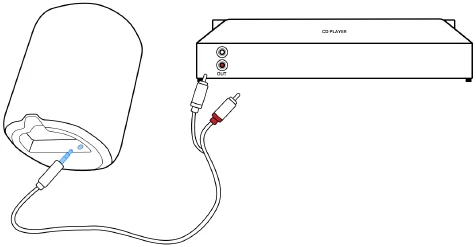
Control the WiiM Sound through Its Touch Screen
Once the WiiM Sound is set up, you can use its touch screen to view the playback information and control the device. For details, see WiiM Sound Display Guide — Features & Gesture Controls (https://faq.wiimhome.com/en/support/solutions/articles/72000649193)
Tips and Troubleshooting
Playback Issues
If you experience playback issues (e.g., network streaming dropouts), see General Troubleshooting Guide for WiiM Playback Issues (https://faq.wiimhome.com/en/support/solutions/articles/72000646272) for solutions.
Wi-Fi Connection
Ensure your Wi-Fi signal is strong in the location where you set up the WiiM Sound for a stable streaming experience.
Ethernet Connection (Optional)
For added stability, you can connect the WiiM Sound to your network with an Ethernet cable instead of Wi-Fi.
Device Not Connecting
If the WiiM Sound is not connecting to your Wi-Fi, try restarting your router and the WiiM Sound. For details, see Troubleshooting: How to Resolve Wi-Fi Connection Issues During WiiM Setup
(https://faq.wiimhome.com/en/support/solutions/articles/72000640508)
(https://faq.wiimhome.com/en/support/solutions/articles/72000640508)
For more Manuals by WiiM, visit ManualsLibraryy
WiiM Sound Smart Speaker-FAQs
What is a smart speaker?
A smart speaker is a voice-enabled audio device that connects to the internet and lets you play music, ask questions, control smart home devices, and get updates using voice commands.
How does a smart speaker work?
Smart speakers use built-in microphones and noise-cancellation technology to hear voice commands. They process your request through cloud services and respond with audio or actions.
What are the benefits of using a smart speaker?
Smart speakers offer hands-free music playback, weather and news updates, alarms and timers, smart home control, voice calling, and multi-room audio support.
Does WiiM make a smart speaker?
Yes, WiiM manufactures the WiiM Sound Smart Speaker, designed for high-quality audio, smart streaming, and flexible multi-room and home-cinema setups.
What is the WiiM Sound Smart Speaker used for?
It is used for streaming music, enhancing TV audio, creating multi-room sound systems, and controlling audio playback through voice or mobile apps.
Does the WiiM Sound speaker use Wi-Fi?
Yes, the WiiM Sound Smart Speaker primarily uses Wi-Fi for high-resolution music streaming and stable multi-room playback.
Does the WiiM Sound support Bluetooth?
Yes, it also supports Bluetooth, allowing direct wireless playback from phones, tablets, or laptops when Wi-Fi is unavailable.
Can the WiiM Sound control smart home devices?
Yes, when paired with a compatible voice assistant, it can control supported smart devices such as lights, plugs, and TVs.