
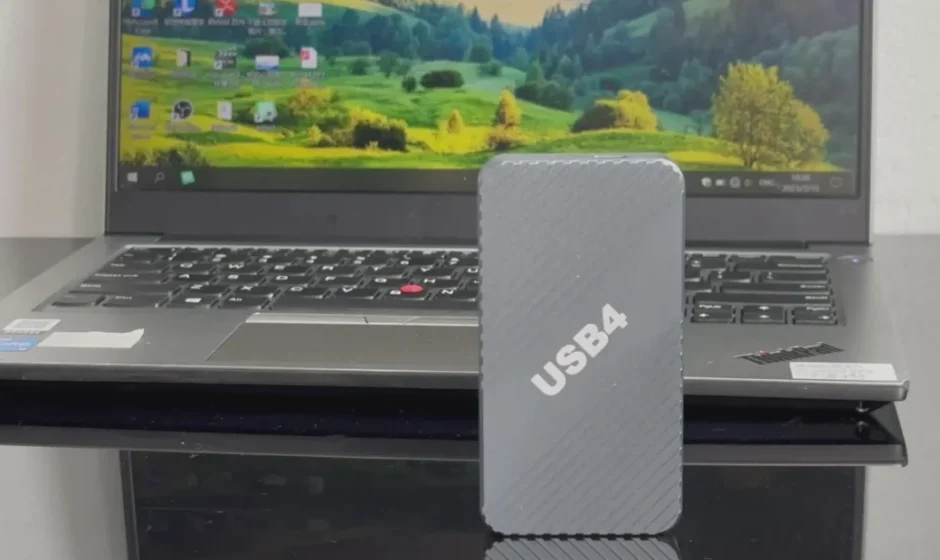

VCOM 40Gbps Thunderbolt NVMe Enclosure
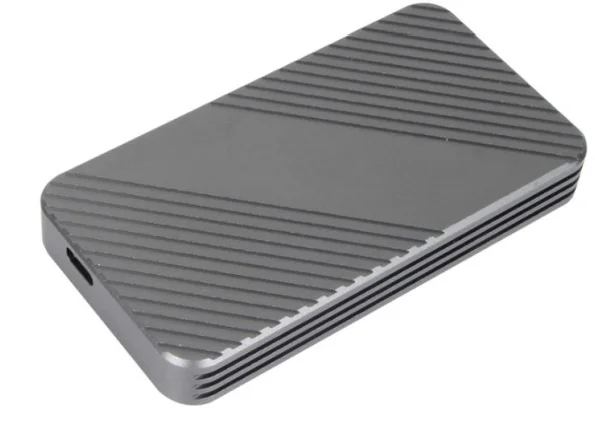
Product Description
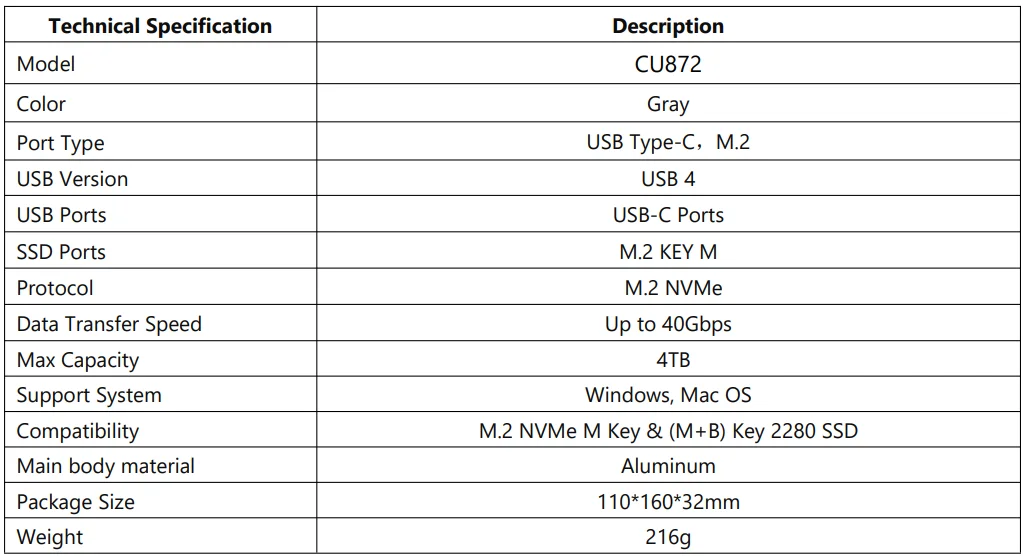
The CU872 USB4 SSD Enclosure is designed to accommodate M.2 PCI-E NVMe SSDs, offering high-speed data transfer rates of up to 40Gbps. It is compatible with USB4 and Thunderbolt 3 devices, providing a fast and reliable solution for external storage and data backup.
The VCOM 40Gbps Thunderbolt NVMe Enclosure is a high-performance storage solution designed to unlock the full potential of your NVMe SSD with blazing Thunderbolt speeds. Engineered for professionals, creators, and power users, this sleek and robust enclosure supports up to 40Gbps data transfer rates, allowing you to move large files, edit high-resolution video, and run demanding applications directly from the enclosure with minimal latency.
Built with a durable aluminum housing for efficient heat dissipation, the VCOM Thunderbolt NVMe Enclosure keeps your drive cool under heavy workloads while maintaining a compact and portable form factor. Its plug-and-play design makes installation quick and effortless: simply insert your NVMe SSD and connect to your Mac, Windows PC, or compatible workstation via Thunderbolt 3/4 for immediate high-speed performance without the need for additional drivers.
Featuring wide compatibility with a range of NVMe SSDs, this enclosure offers flexibility for expanding your existing storage or creating a fast external workspace. Whether you’re backing up data, transferring large media libraries, or working on multimedia projects on the go, the **VCOM 40Gbps Thunderbolt NVMe Enclosure** delivers reliable, ultra-fast storage performance in a professional-grade package.
Tech Specs
Features
- High-speed Data Transfer: Adopting USB 4 technology, it supports up to 40Gbps data transfer speed, ensuring stable and efficient data transfer.
- Portability: Convert an idle SSD into a removable hard drive, making it easy to carry important data and expand your life’s enjoyment.
- Compatibility: Compatible with M.2 PCI-E NVMe SSD, USB4, and Thunderbolt 3 devices
- Elegant Design: Ultra-thin aluminium alloy case design is both stylish and durable for heat dissipation.
- Thermal Management: Integrated heatsink design provides optimal heat dissipation for high-speed running NVMe SSDs.
- Plug and Play: Supports hot-plugging for simple installation without additional drivers.
- No additional Power Supply: Powered bythe USB port of the computer, no additional power supply required.
Application Environment
- Data Transfer and Backup: With its high-speed transmission, it can be used to quickly transfer data from one device to another or to back up important data.
- Mobile Storage Solution: Due to its compact size and portability, it can be used as a mobile hard disc, which is convenient for users to move and store data between different devices.
- System Boot Disk: A boot disk can be created for system installation, maintenance,e or recovery, especially useful when multiple system environments need to be booted quickly.
- Video Editing and Processing: For users who need to work with a large number of video files, the high-speed read/write performance provided by the M.2 NVMe HDD enclosure can significantly improve work efficiency.
- Game Storage: For gamers, games can be installed in the M.2 NVMe HDD enclosure to enjoy a fast loading and running game experience.
- Enterprise Data Management: In an enterprise environment, M.2 NVMe HDD enclosures can be used for fast data transfer and backup to improve data management efficiency.
- Server Storage Expansion: In server environments, M.2 NVMe HDD enclosures can be used as storage expansion to provide additional storage space and high-speed data access.
Important Notice
- Compatibility Note: Make sure your M.2 SSD is compatible with the PCI-E NVMe protocol and that the host device USB interface supports USB 4 or higher for optimal performance.
- Avoid using USB extension cables: The quality of USB extension cables can be faulty, which may result in data synchronisation errors and affect the normal operation of the removable drive. If the USB port on the front of the chassis is not working properly, it is most likely a power issue, so you should try plugging the portable drive into the USB port on the rear panel of the motherboard.
- Operation Precautions: Please avoid using excessive force when inserting or removing the SSD to avoid damaging the chassis or the SSD.
- Storage Advice: Store the chassis in a cool, dry place away from direct sunlight and humidity.
For more manuals by VCOM, visit ManualsLibraryy
VCOM 40Gbps Thunderbolt NVMe Enclosure- FAQs
How does an NVMe enclosure work?
An NVMe enclosure is a protective case that lets you use an internal NVMe SSD as external storage. Once installed, it connects to your computer or device through USB-C or Thunderbolt for fast data access.
What is the VCOM 40Gbps Thunderbolt NVMe Enclosure used for?
The VCOM enclosure allows you to convert an NVMe SSD into a high-speed portable drive, ideal for data transfer, backups, video editing, and professional workloads.
How do I install an NVMe SSD into the enclosure?
Open the enclosure, insert the NVMe SSD into the slot at an angle, secure it with the provided screw or latch, and close the cover properly.
How do I set up an NVMe drive after installation?
Connect the enclosure to your device, then format the SSD through your operating system so it’s ready for use.
Do I need to format a new NVMe SSD?
Yes. New NVMe drives usually need formatting before first use so your system can recognize and store data on them.
Can I use an NVMe enclosure as external storage?
Yes. Once installed and formatted, the enclosure works like a portable external SSD.
Do NVMe enclosures need extra cooling?
Not always. NVMe drives are designed to handle heat, but heavy use may cause thermal throttling. Built-in heatsinks or thermal pads help maintain performance.
How long does an NVMe SSD typically last?
Most NVMe SSDs last between 7 to 10 years, depending on usage, workload, and storage conditions.