
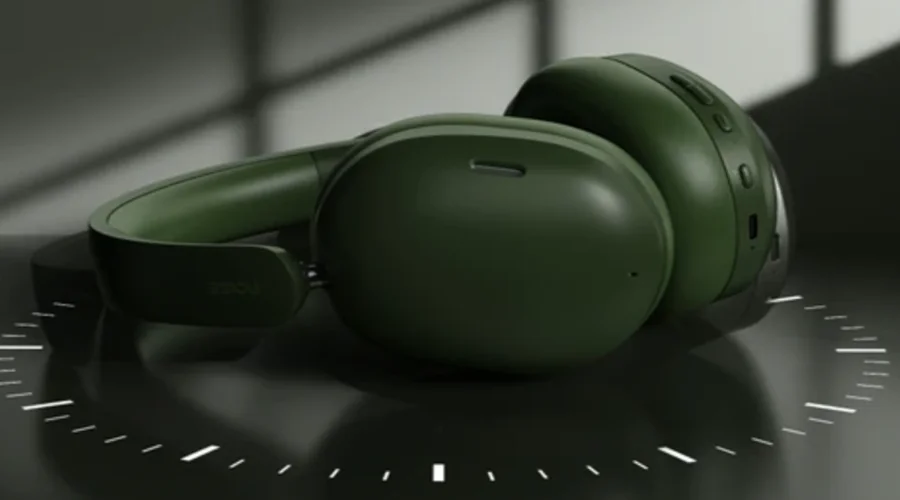

Noise Airwave Max XR Headphone
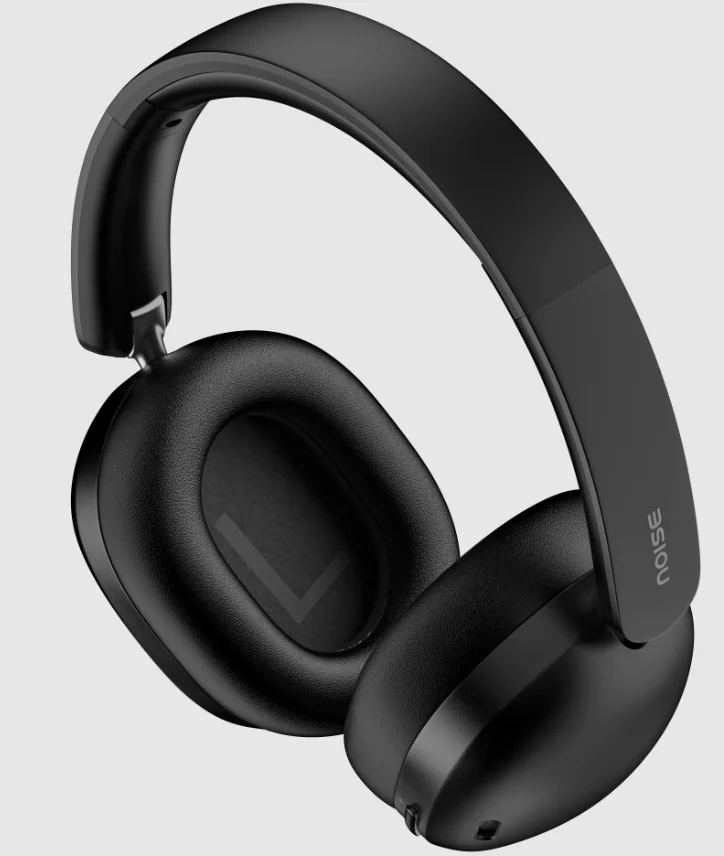
PACKAGE CONTENTS
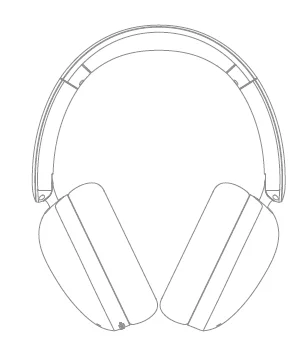
- Noise Airwave Max XR x 1
- User Manual x 1

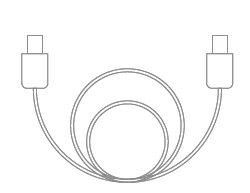
- Audio cable x 1
PRODUCT OVERVIEW
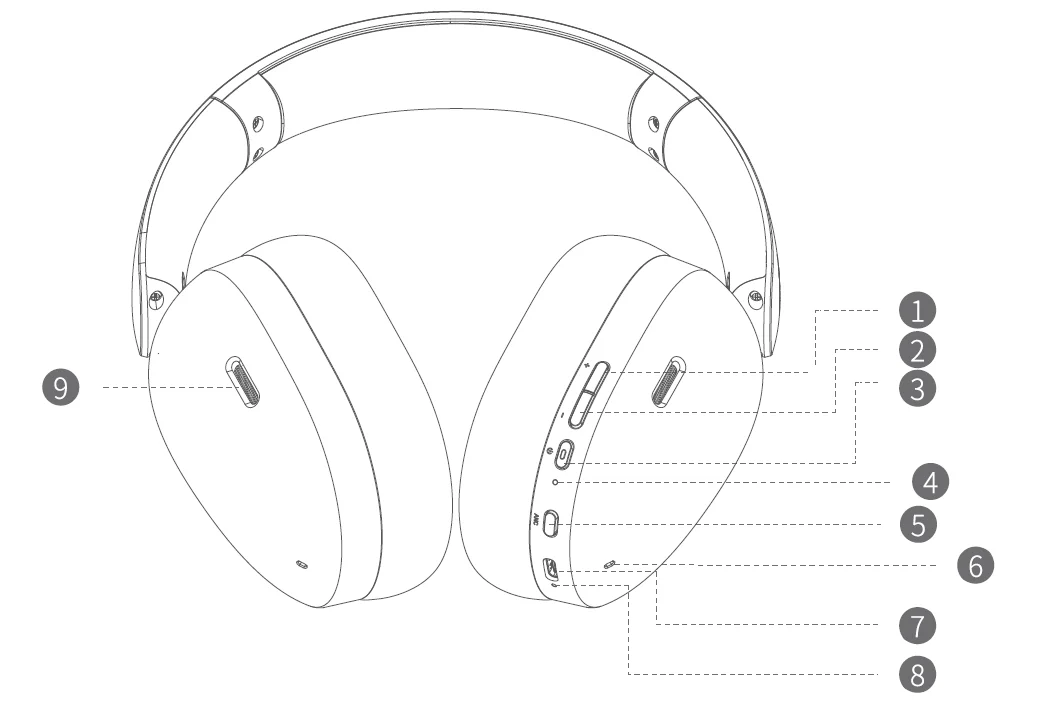
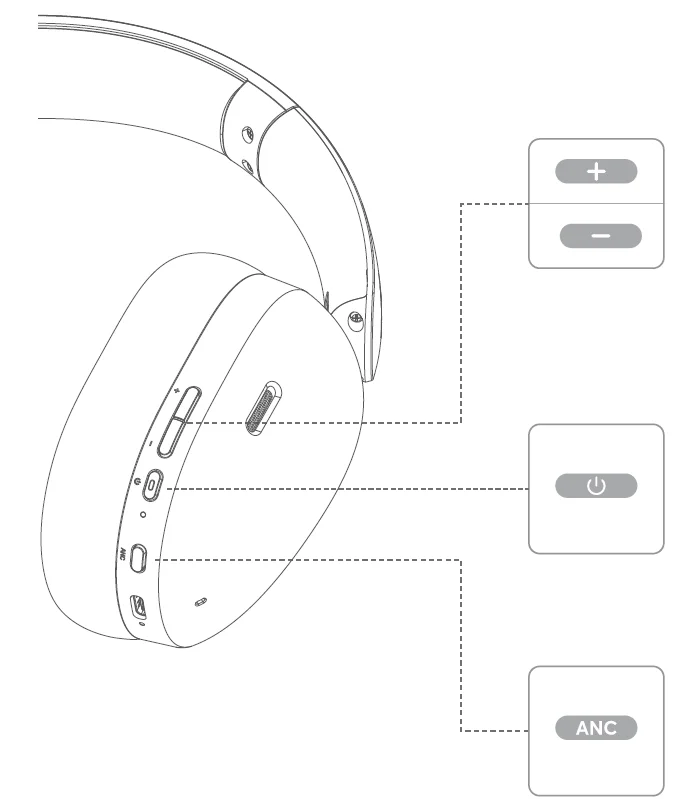
- Volume Up/Next Track
- Volume Down/ Previous Track
- Multi-function Button
- Bluetooth Indicator
- ANC Button
- Microphone for Call
- USB-CPort
- Charging Indicator
- Ventilation Tuning Hole
WEAR & ADJUST
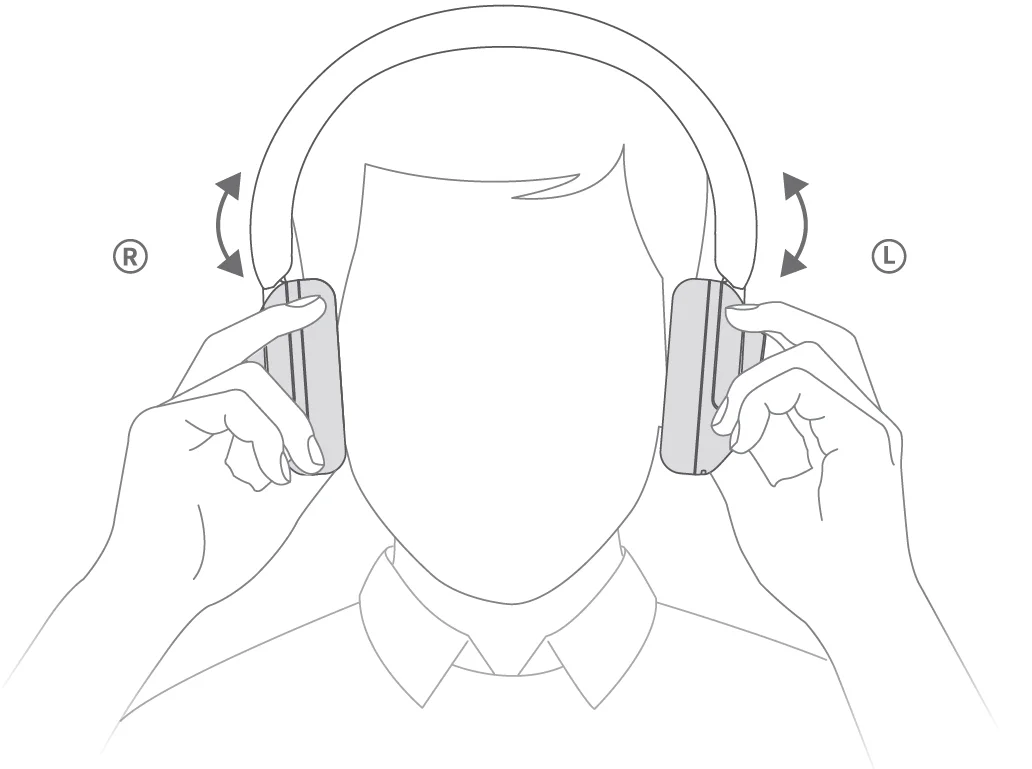
Adjust the headphone to properly fit your head, and match the L/R earcups with your L/R ears respectively.
PAIRING
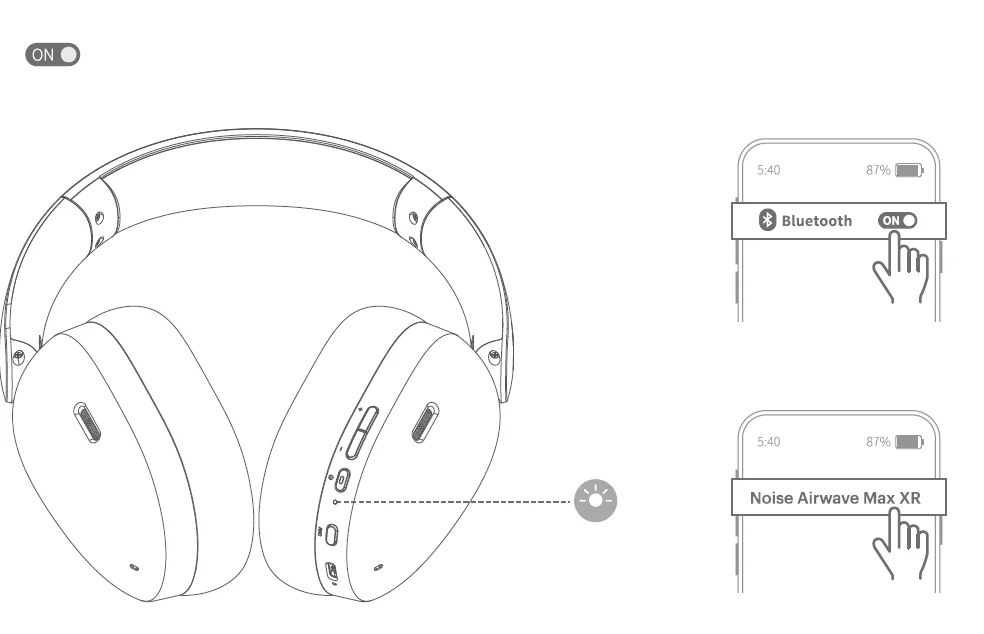
After powering on, it will automatically enter pairing mode, and the white indicator on the right headphone will flash quickly. Search for “Noise Airweve Max XR” for a match, and when the connection is successful, the light will turn on for 1 second and off for 1 second.
Note: The headphone will automatically power off if the connection is not complete within 10 minutes.
SPECIFICATIONS
- Product Name Noise: Airwave Max XR
- Bluetooth Version: V6.0
- Max. RF Output Power: 10dBM
- Transmission Distance: 10m/33ft Max (no blocking)
- Bluetooth Profile: A2DP/HFP/AVRCP/AVCTP/SPP
- Codecs: AAC/SBC
- Frequency Response: 20Hz~20kHz
- Charging Port: Type-C
- Battery Type: Polymer lithium-ion battery
- Battery Capacity: 750mAh 3.7v (2.775 Wh)
- Limited Charging Voltage: 4.28V
- Charging Input: 750mA
- Charging Time: 2h
- Operating Time: 120h
CHARGING
2 hours to fully charge.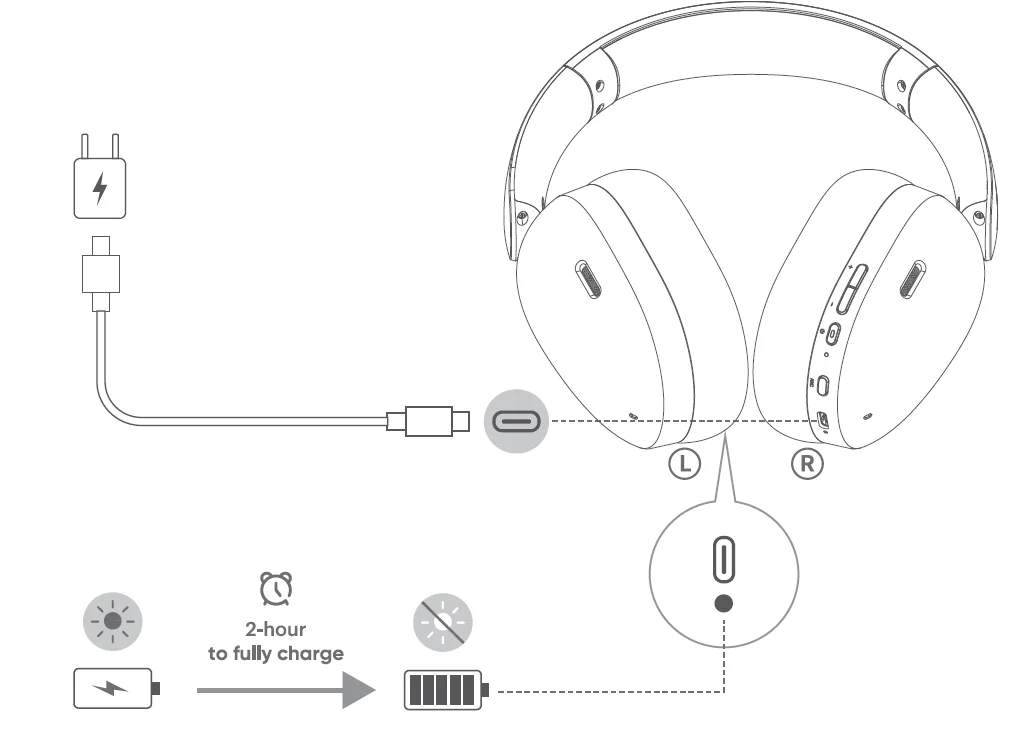
Note: low power mode is indicated by a red light that blinks for 1 second. Please charge in time.
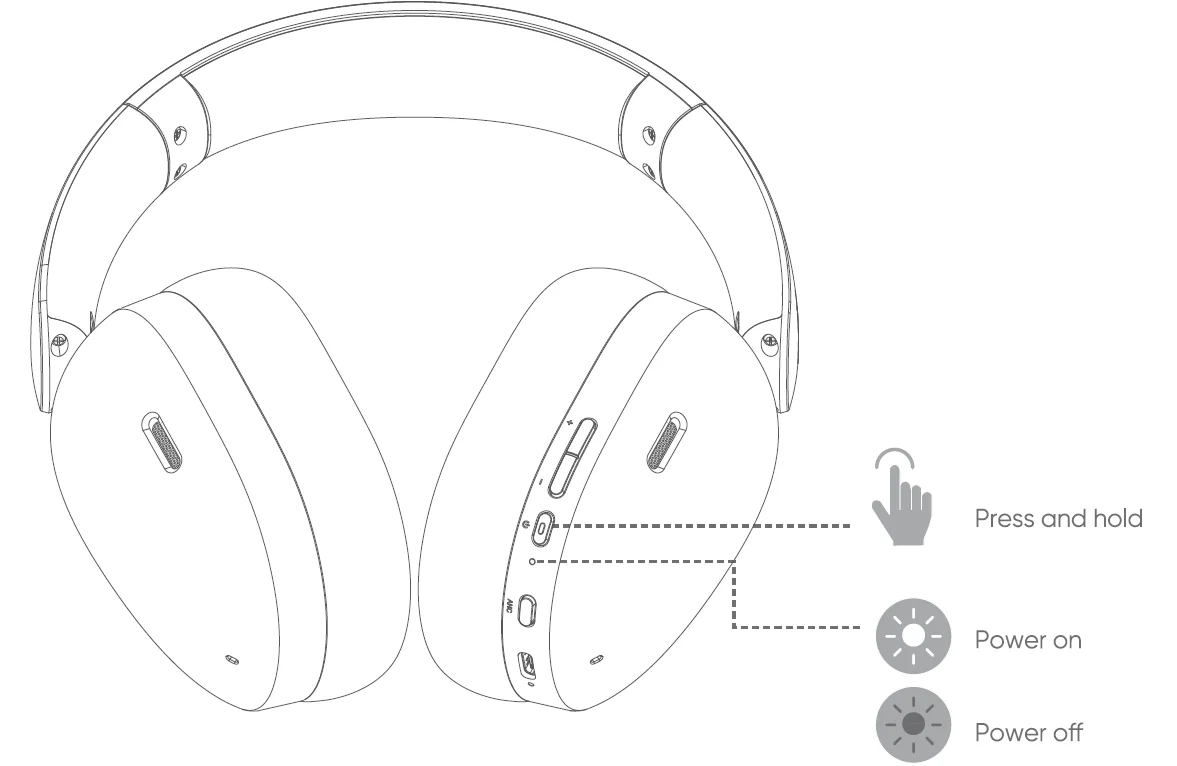
POWER ON
Press and hold for 2 seconds till the white indicator turns on for 1 second
POWER OFF
Press and holdfor 3 seconds till the red indicator turns on for 1 second.
ANC BUTTON CONTROLS
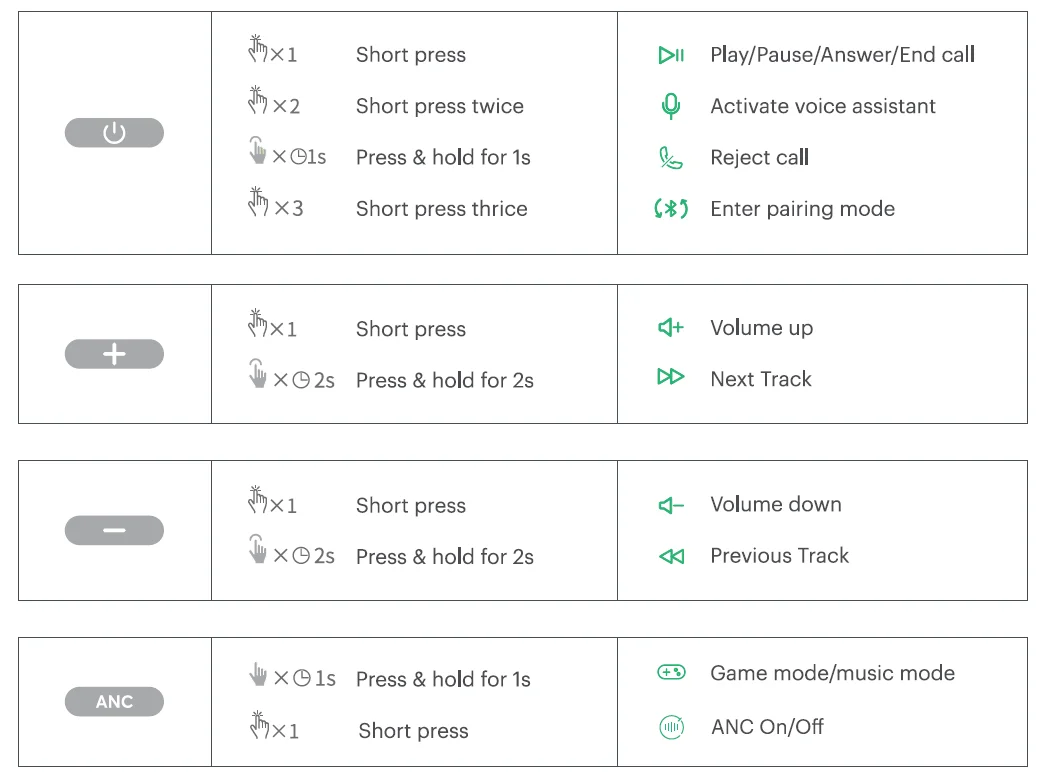
Short Press: Cycle through HANC off/ANC on
Press and Hold for 1 second: Switch between music & gaming mode {powering off or charging will restore the headphones to the default music mode).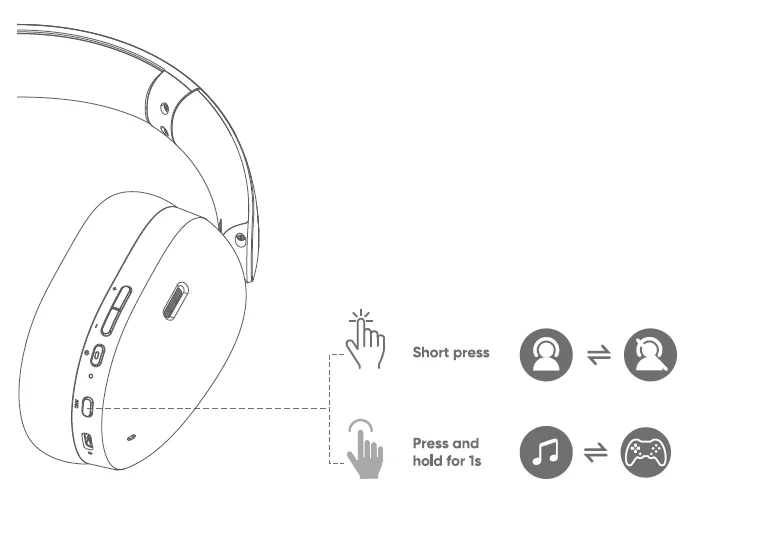
FORCE PAIRING
When powered on, short-press thefor 3 times to force the headphone into pairing mode. The white Bluetooth indicator will flash quickly.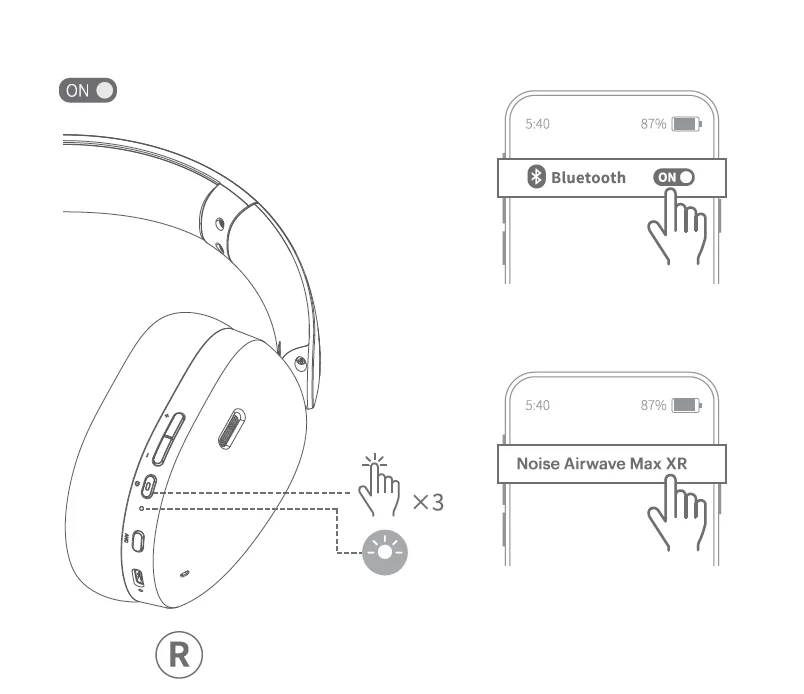
VOLUME BUTTON/POWER BUTTON CONTROLS
RESET
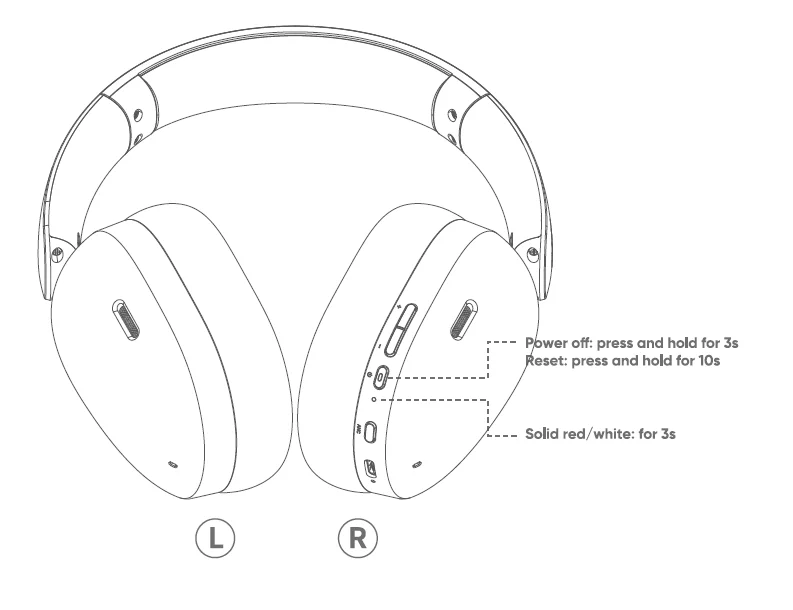
- Turn it off: Press and hold the _. power button for 3 seconds.
- Resetting: Press and hold the power button for 10 seconds. The red/white indicator would be on for 3 seconds, indicating that the reset is completed.

CONNECT TO A NEW DEVICE (DUAL CONNECTION
Turn on your first phone’s Bluetooth, search for “Noise Airwave Max XR• and make a pair connection. Complete pairing with the 1st phone (or tablet/computer). Short press the power button for 3 times to put the headphones into pairing mode. Connect to”Noise Airwave Max XR” in the Bluetooth list of your second device.
Note: The headphone can only play music from one device at a time. There may be a momentary delay when switching devices due to different brands/versions and their compatibility.
If one of the devices disconnects after dual connections, the headphones will remain connected to the other device and will attempt to reconnect to the disconnected device within 10 minutes.
WIRED PLAYBACK
Use the included audio cable to connect the headphones to your device and control audio playback on it.
Note: The USB-C audio cable included with this product only supports audio transmission and should not be used for charging.
Some phones are limited by the system version, and you may not be able to use the headphones button and the microphone functions in wired mode.
WARRANTY
The warranty covers your Noise product, including accessories, against manufacturing defects (if any) for 1 year from the date of purchase. Things that are not covered in the warranty are listed below:
- Unauthorised tampering, modifications or repairs of the product.
- Physical damage of the product on the account of abuse, handling, storage, installation or testing including any use that is not by the product manual or documentation or any other instruction provided along with the Noise product.
For further information on product replacement/refund-related queries, please refer to the terms and conditions mentioned in our online return policy section on www.gonoise.com.
REGISTER YOUR WARRANTY
www.gonoise.com/pageswarranty-registration
CUSTOMER QUERY
For any assistance, please reach out to us at support. gonoise.in
SAFETY FOR YOU AND YOUR NOISE AIRWAVE MAX XR
Follow these tips to get the best out of your new “Noise Airwave Max XR.”
 Do not expose the headphones to liquids, moisture, or humidity as they have electronics and batteries inside.
 Do not use abrasive cleaning solvents to clean your new headphones. Wipe them down with a slightly damp cloth if and when necessary.
 Do not expose the headphone to extremely high or low temperatures, as this may damage the battery or even deform the plastic parts.
 Do not throw the headphones in a fire to dispose of them. The internal battery may explode.
 Pay attention to your surroundings and never wear any headphones while riding, driving, or walking in traffic.
 Do not try to disassemble your headphones. There are no user- serviceable parts inside it.
 Avoid dropping the headphones and keep them away from sharp objects such as keys in your pockets.
 Only charge your headphones from a 5V/1A port,s such as phones, laptops, or PC chargers.
 Avoid listening to music at a high volume, or you may permanently damage your hearing.




For more manuals by GoNoise, visit ManualsLibraryy
Noise Airwave Max XR Headphone-FAQs
What is the Noise Airwave Max XR headphone?
The Noise Airwave Max XR is a wireless over-ear headphone designed for immersive audio, long battery life, low-latency gaming, and comfortable everyday use.
What is the price of Noise Airwave Max XR headphones?
The price may vary by seller and offers, but Noise Airwave Max series headphones typically fall in the mid-range premium category in India.
Does Noise Airwave Max XR support low-latency or gaming mode?
Yes, the Airwave Max XR supports low-latency mode, making it suitable for gaming and video streaming with minimal audio delay.
What is the difference between ANC and ENC?
ANC blocks surrounding sounds during music playback, while ENC improves call clarity by reducing background noise picked up by the microphone.
Does the Noise Airwave Max XR have a microphone?
Yes, it comes with a built-in microphone with environmental noise reduction for clearer voice calls.
Which Bluetooth version does Noise Airwave Max XR use?
It uses Bluetooth 5.0 or above, ensuring better range, faster connectivity, and improved power efficiency.
Does Noise Airwave Max XR support dual pairing?
Yes, dual pairing allows you to connect the headphones to two devices at the same time and switch seamlessly between them.
How long does the Noise Airwave Max XR battery last?
The headphones offer extended battery life, delivering up to several days of playback on a single charge, depending on usage and ANC settings.