
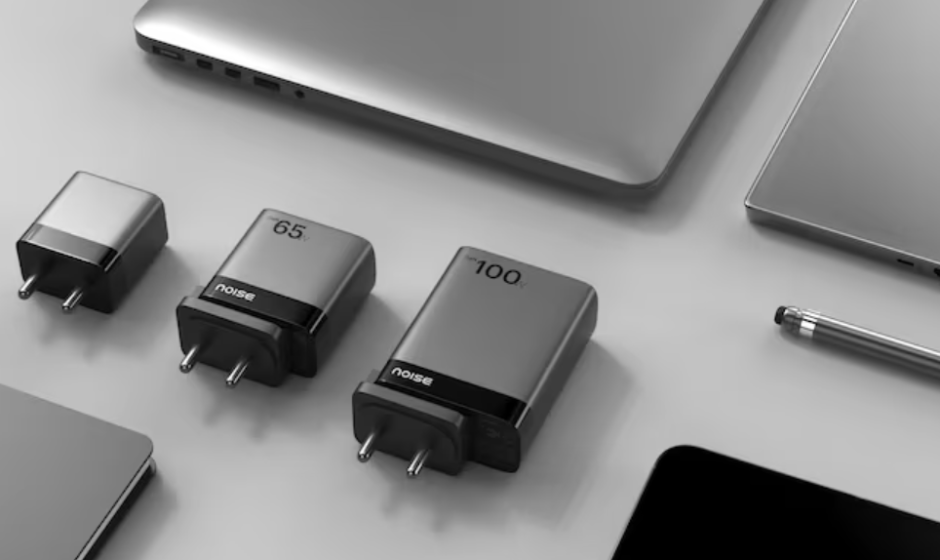

Noise Power Series 100W GaN Adapter
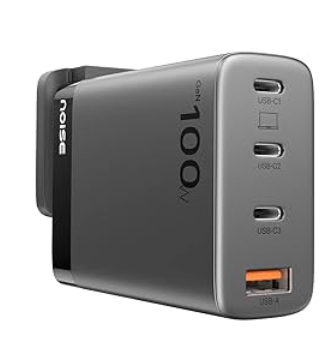
WHAT’S IN THE BOX
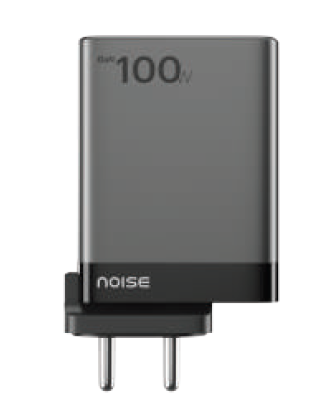
- Noise Power Series 100W GaN Adapter x 1
- User manual x 1
- Warranty card x 1
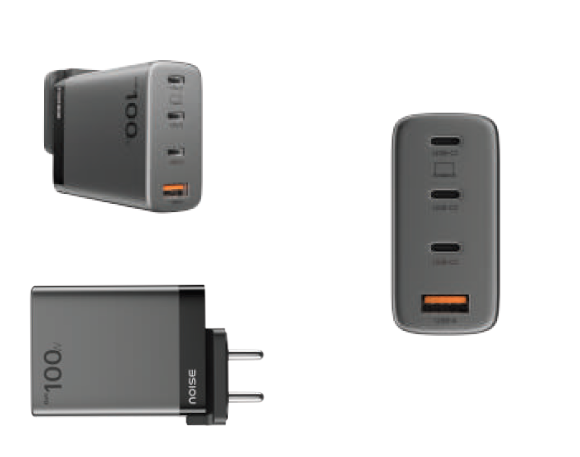
PRODUCT APPEARANCE AND STRUCTURE
HOW TO USE THE NOISE POWER ADAPTER
- Plug the adapter into the socket
- Connect a charging cable (not included with this product) at one end to the adapter and your device/s at the other end
- Disconnect the device/s after it has been fully charged
Tip: For the fastest and safest charge, use a Noise Power Series cable or your device’s original cable.
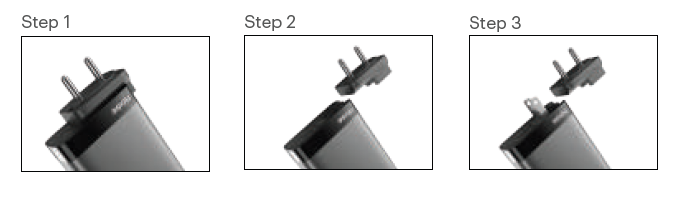
How to use the US Pin in the Noise Power Adapter?
- Detach the India Pin: Gently slide the India pin outward from the adapter.
- Extend the US Pin: Pull up the US pin by lifting it from its recessed position.
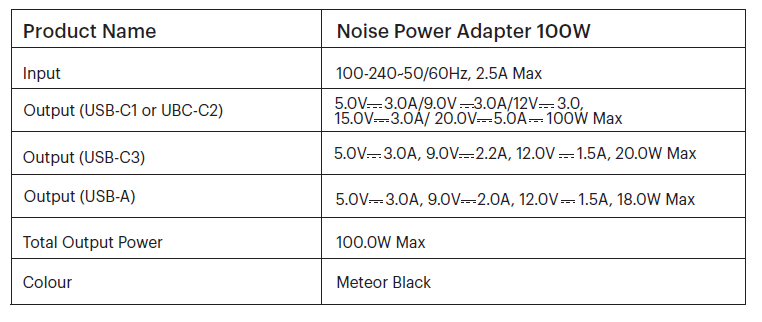
PERFORMANCE INDEX
FEATURES
- Advanced 100W adapter with fast-charging technology
- Compact form factor with a size reduction of 30-50% than traditional adapters
- GaN (Gallium Nitride) technology for efficient power delivery and low heat generation
- Intelligent power management for optimal charging speeds
- USB-C1, USB-C2, USB-C3, and USB-A ports for versatile device compatibility
- Built-in protection against overcharging
- Sleek metallic finish with a premium look and feel
- Lightweight and portable design for hassle-free travel
- Global compatibility with India and the US pins
TROUBLESHOOTING
- For optimum performance, please use the adapter after carefully going through this user manual
- Please plug the adapter into an AC socket with a rated voltage of 100-240V.
- Do not use the adapter with any product that is not in conformity with the rated specifications of this adapter.
- If the adapter stops working suddenly, it may be due to an incident of overcurrent, overtemperature, overvoltage, or short-circuit protection. In this case, please unplug the connected device(s). Reconnect your device(s) after 30 seconds, and the adapter will resume normal functioning.
DISPOSAL AND RECYCLING INFORMATION
Electrical and electronic devices may not be disposed of with domestic waste. Consumers are obliged by law to return the electrical and electronic devices at the end of their service lives to the public collection points set up for this purpose or the point of sale. Details of this are defined by the national law of the respective country. By recycling, reusing materials or other forms of utilizing old devices, you are making an important contribution to protecting our environment.
SAFETY INSTRUCTIONS
- Do not place the adapter close to any sources of heat such as fire, stove, candles, etc.
- Please ensure that no form of liquid is spilt on the adapter. (Any such spill of any liquid on the adapter voids the warranty on the product.)
- The disconnection from line voltage is made by AC plug.
- In case of broken plugs, the product must be disposed of.
- If you want to clean the product, only use a dry cloth or brush.
- The socket-outlet shall be installed near the equipment and shall be easily accessible.
- The power supply is not intended to be repaired by service personnel in case of failure or component defect (the product can be disposed of).
- For the fastest and safest charge, use a Noise Power Series cable or your device’s original cable.
CUSTOMER SUPPORT
If you experience any problem with the adapter, please contact us at support.gonoise.in
For more manuals by GoNoise, visit ManualsLibraryy
Noise Power Series 100W GaN Adapter-FAQs
How can I check if my GaN charger is original?
An original GaN charger is compact, well-finished, and stays relatively cool during use. Always check branding, packaging quality, and official certifications.
How do I know if my Noise 100W GaN adapter is fast charging?
Your device should display “Fast Charging,” “Super Fast Charging,” or “PD Charging.” Using a compatible USB-C cable is essential.
How much time does a 100W charger take to charge devices?
Charging time depends on the device. Smartphones can reach 50% in about 30 minutes, while laptops may fully charge in 1.5–2 hours.
Does a GaN charger heat up during charging?
GaN chargers generate less heat than traditional chargers due to higher efficiency, making them safer and cooler during operation.
Can I use a 100W charger with my phone safely?
Yes. The adapter delivers only the power your phone requires, thanks to smart power negotiation.
Will a 100W charger damage my battery?
No. Devices regulate how much power they draw, so excess wattage is never forced into the battery.
How can I tell if fast charging is working properly?
Check your device’s charging message or charging speed. If charging feels slow, inspect the cable and power source.
How do I reset a GaN charger?
Unplug the charger from the wall and disconnect all cables. Let it sit for 5 minutes, then plug it back in.