
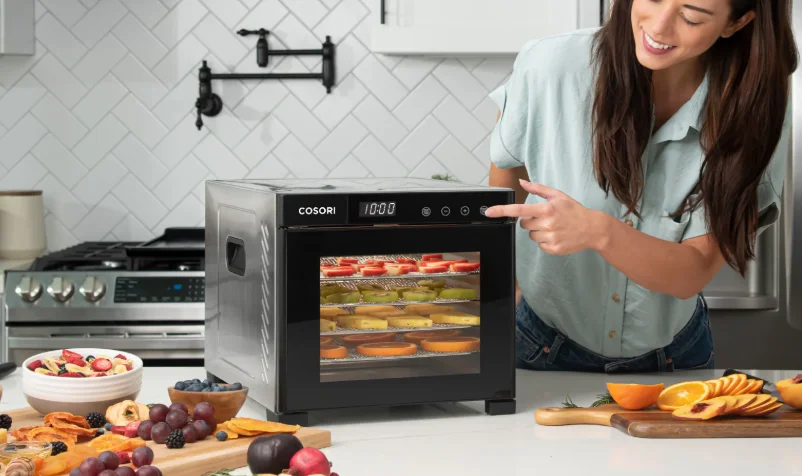

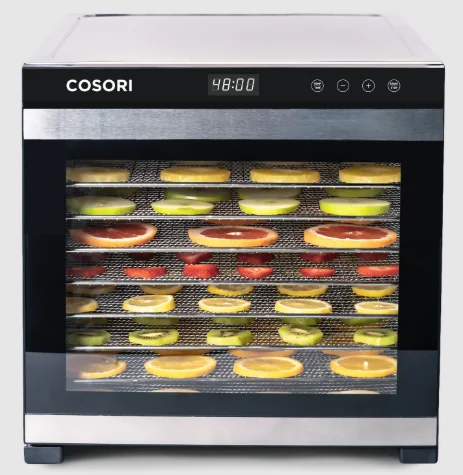
COSORI CFD-P101-SUS Premium Pro 10-Tray Food Dehydrator
IMPORTANT SAFEGUARDS
General Safety
- Do not touch hot surfaces. Use handles.
- Be cautious when handling the back of the dehydrator. This area will be hotter than the rest of the dehydrator.
- Do not immerse the cord, plug, or housing in water or other liquids.
- Closely supervise children near the dehydrator.
- Unplug when not in use, and before cleaning. Allow to cool completely before putting on or taking off parts.
- Do not use the dehydrator if it is damaged, not working, or if the cord or plug is damaged. Contact Customer Support (see page 13).
- Using third-party parts or accessories may cause injuries.
- Do not use outdoors.
- Do not place on a stove, near gas or electric burners, or in a heated oven.
- Be extremely cautious when moving the dehydrator or removing trays if they contain hot liquid, oil, or grease.
- To disconnect, press START/STOP to turn off the dehydrator, then remove the plug from the wall outlet.
- Keep the dehydrator away from flammable materials (curtains, tablecloths, etc). Use on a flat, stable, heat-resistant surface away from heat sources and liquids.
- Do not store anything on top of the dehydrator while in use.
- Avoid contact with moving parts. Never place any object into the openings in the screen protecting the dehydrator fan.
- This dehydrator is not to be used by persons (including children) with reduced physical, sensory, or mental capabilities, or a lack of experience and knowledge, unless they have been given supervision or instruction concerning use of the appliance by a person responsible for their safety.
- This dehydrator is not intended to be operated by means of an external timer or separate remote-control system.
- Only use the dehydrator as directed in this manual.
- Not for commercial use. Household use only.
Care & Maintenance
- Do not clean housing with metal scouring pads. Metal fragments can break off the pad and touch electrical parts, creating a risk of electric shock.
- Do not run the dehydrator for more than 48 hours at a time. After 48 hours, unplug and allow to cool for 2 hours before using again.
GETTING TO KNOW YOUR DEHYDRATOR
Your Cosori Dehydrator features an automatic fan, which circulates warm air horizontally to evenly and quickly dry food. Dried foods are a great treat to snack on because they keep most of their nutritional value and flavor. Dehydrating is the perfect way to preserve snacks, fruit, vegetables, bread, and even flowers.
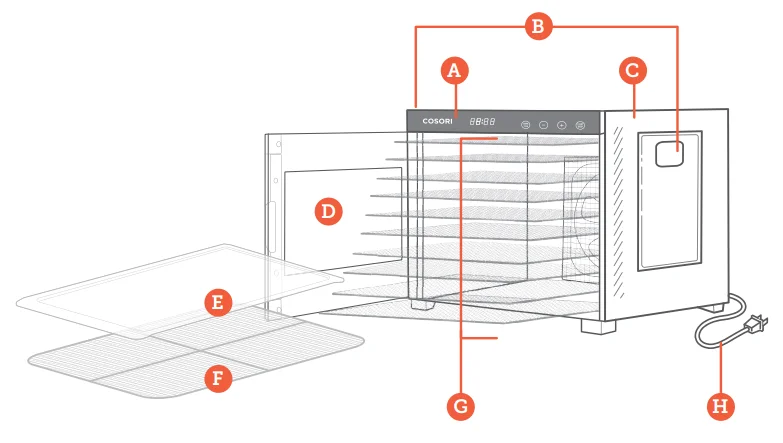
Food Dehydrator Diagram
- A. Control Panel
- B. Handles
- C. Housing
- D. Door
- E. Fruit Roll Sheet
- F. Mesh Screen
- G. Trays
- H. Power Cord
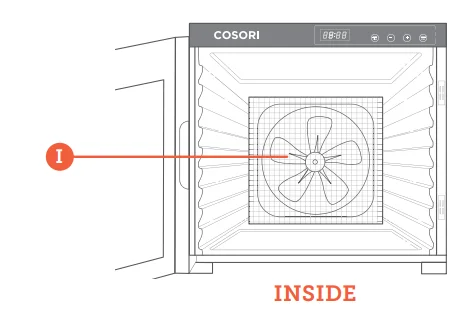
- I. Fan


CONTROL PANEL
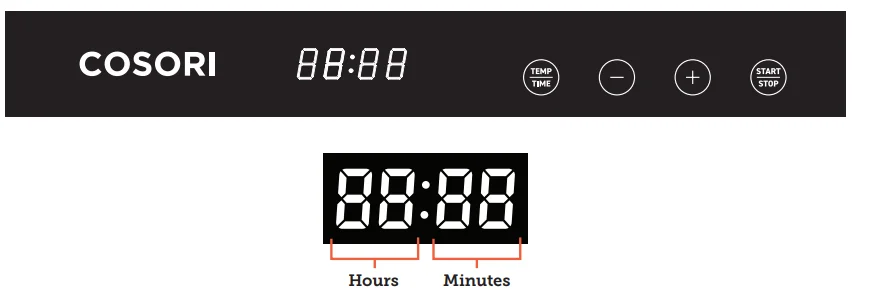
Controls
- Press START/STOP to start or stop the dehydrator.
- Press TEMP/TIME once and use the + and – buttons to change the temperature.
- Press TEMP/TIME a second time and use the + and – buttons to change the time.
BEFORE FIRST USE
Setting Up
- Remove all packaging from the dehydrator and its accessories.
- Clean the housing, trays, and tray liners with a damp cloth. Note: The trays are dishwasher-safe. Do not wash the mesh screen or fruit roll sheet in a dishwasher.
- Place the dehydrator on a solid, level surface. Plug in. Place the trays inside the dehydrator.
- Run the dehydrator for 30 minutes at 165°F, without adding any food. Make sure that the room has sufficient ventilation in case the dehydrator produces any smoke or smells. This is normal.
- Rinse the trays with water. Dry all parts.
Note: You only need to do this the first time you use the dehydrator.
USING YOUR DEHYDRATOR
Operation
Note: Use the dehydrator in a warm, dry room, and place it on a stable, level, heat-resistant surface. Depending on the humidity in the air and the moisture in the food, dehydration times may vary.
- Place food on trays. Rearrange the trays to fit thicker food items. The trays can safely hold 7.7 lb/3.5 kg of food. Avoid overloading the trays or overlapping food. Close the dehydrator door. Note: To avoid scratching the inside of your dehydrator, insert the tray with the smooth side of the frame facing down (Figure 1.1).
- Plug in. The dehydrator will beep, and the display will show “88:88”. The dehydrator will switch to standby mode after 3 seconds, and the display will show “–:–“.
- Press TEMP/TIME to choose temperature. The temperature will blink on the display, and the + or – buttons will light up. Use + or – to change the temperature (95°–165°F). Note: Temperature changes in 1°F increments. Press and hold + or – to change the temperature rapidly.
- Press TEMP/TIME again to choose the time. The time will blink on the display, and the + and – buttons will light up. Use + or – to change the time (0:30–48:00). Note: Time changes in 30-minute increments. Press and hold + or – to change the time rapidly.
- Press START/STOP to start dehydrating. The dehydrator will start heating. START/STOP will stay lit, and the other buttons will turn off. Temperature and time will cycle on the display every 3 seconds. Note: If you press START/STOP again to stop dehydration, the timer countdown will reset, and the dehydrator will go into standby mode.
- Optionally, you can change the time and temperature at any time by pressing TEMP/TIME.
- When the timer finishes, the display will show “End,” and the heat will turn off. The dehydrator will beep 5 times, and the fan will stop.
- Use a kitchen towel, heat-resistant glove, or oven mitt to handle the trays.
Note: The dehydrator will always remember your previous temperature and time settings.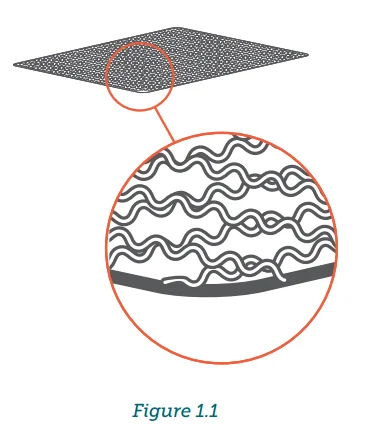
Accessories
The dehydrator comes with 2 accessories, a fruit roll sheet and a mesh screen.
Fruit Roll Sheet
- Use for making fruit rolls and strips from fresh, frozen, or canned fruit. You can also use this sheet for pouring purée onto a tray.
- This sheet can also be placed on the bottom of the dehydrator to catch any dripping liquids, to make cleaning easier.
Mesh Screen
- Use for foods that shrink when dried. This screen will prevent them from falling through the tray grates.
How to Use Accessories
- Place the accessory on a dehydrator tray. Place food on the accessory.
- Once the food is dehydrated, remove the tray and lift the accessory out of the tray.
- Remove food. Bending the screen helps remove sticky foods.
Sounds
- To turn sounds on or off, wait for the display to show “–:–” and press and hold + for 5 seconds until it beeps 1 time.
Overheat Protection
- Overheating is rare. If the dehydrator overheats, it will automatically shut down as a safety feature and can no longer be used. Contact Customer Support (see page 13).
Tips
- Fruit and vegetables dried in the dehydrator will look different from those sold in stores. This is because homemade dried foods do not use preservatives, artificial coloring, or artificial additives.
- Check out the Recipe Book for more tips on dehydrating foods.
CARE & MAINTENANCE
Note: Do not clean any part of the dehydrator with abrasive chemicals or metal scouring pads, as this will damage the surface.
- Unplug the dehydrator and allow it to cool before cleaning.
- Soak trays in hot, soapy water for easy removal of food residue.
- If needed, use a soft brush to clean. Note: The trays are dishwasher-safe. Do not wash the mesh screen or fruit roll sheet in a dishwasher.
- Clean the dehydrator housing with a damp cloth.
- Dry all parts before storing or using the dehydrator.
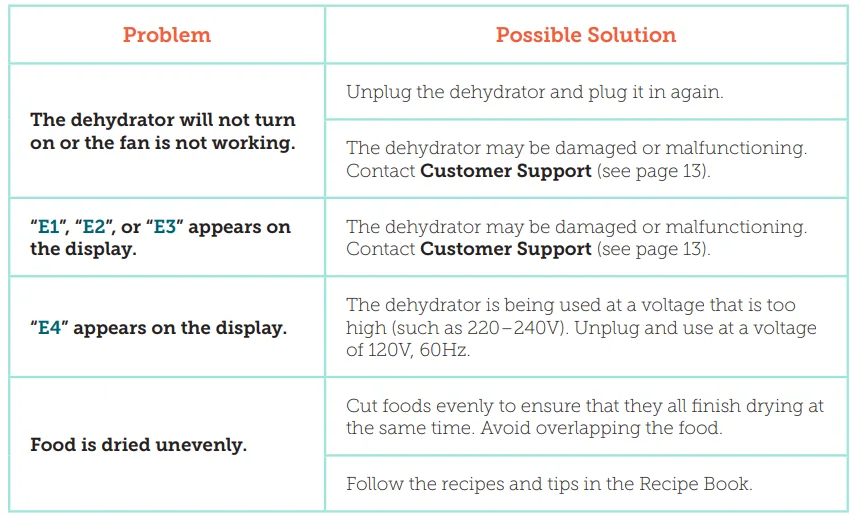
TROUBLESHOOTING
COMMISSION INTERFERENCE STATEMENT
This device complies with Part 15 of the FCC Rules. Operation is subject to the following two conditions:
- This device may not cause harmful interference, and
- This device must accept any interference received, including interference that may cause undesired operation.
NOTE: This equipment has been tested and found to comply with the limits for a Class B digital device, pursuant to Part 15 of the FCC Rules. These limits are designed to provide reasonable protection against harmful interference in a residential installation. This equipment generates, uses, and can radiate radio frequency energy and, if not installed and used in accordance with the instructions, may cause harmful interference to radio communications.
However, there is no guarantee that interference will not occur in a particular installation. If this equipment does cause harmful interference to radio or television reception, which can be determined by turning the equipment off and on, the user is encouraged to try to correct the interference by one or more of the following measures:
- Reorient or relocate the receiving antenna.
- Increase the separation between the equipment and receiver.
- Connect the equipment into an outlet on a circuit different from that to which the receiver is connected.
- Consult the dealer or an experienced radio/TV technician for help.
FCC Caution: Any changes or modifications not expressly approved by the party responsible for compliance could void the user’s authority to operate this equipment.
FCC SDOC SUPPLIER’S DECLARATION OF CONFORMITY
Arovast Corporation hereby declares that this equipment is in compliance with FCC requirements. The declaration of conformity may be consulted in the support section of our website, accessible from www.cosori.com.
WARRANTY INFORMATION
TERMS & POLICY
Arovast Corporation (“Arovast”) warrants this product to the original purchaser to be free from defects in material and workmanship, under normal use and conditions, for a period of 2 years from the date of original purchase. Arovast agrees, at our option during the warranty period, to repair any defect in material or workmanship or furnish an equal product in exchange without charge, subject to verification of the defect or malfunction and proof of the date of purchase.
There is no other express warranty. This warranty does not apply:
- If the product has been modified from its original condition;
- If the product has not been used in accordance with directions and instructions in the user manual;
- To damages or defects caused by accident, abuse, misuse, or improper or inadequate maintenance;
- To damages or defects caused by service or repair of the product performed by an unauthorized service provider or by anyone other than Arovast;
- To damages or defects occurring during commercial use, rental use, or any use for which the product is not intended;
- To damages or defects exceeding the cost of the product.
Arovast will not be liable for indirect, incidental, or consequential damages in connection with the use of the product covered by this warranty. This warranty extends only to the original consumer purchaser of the product and is not transferable to any subsequent owner of the product, regardless of whether the product is transferred during the specified term of the warranty.
This warranty does not extend to products purchased from unauthorized sellers. Arovast’s warranty extends only to products purchased from authorized sellers that are subject to Arovast’s quality controls and have agreed to follow its quality controls. All implied warranties are limited to the period of this limited warranty. This warranty gives you specific legal rights, and you may also have other rights which vary from state to state. Some states do not allow the exclusion or limitation of incidental or consequential damages, so the above limitation or exclusion may not apply to you.
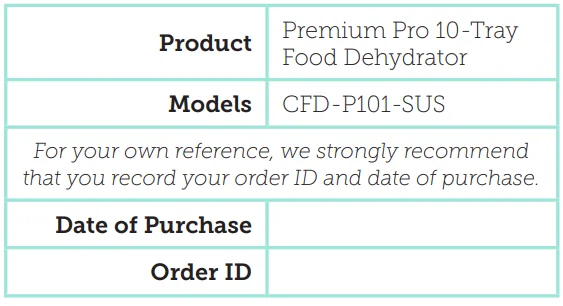
If you discover that your product is defective within the specified warranty period, please contact Customer Support via [email protected]. DO NOT dispose of your product before contacting us. Once our Customer Support Team has approved your request, please return the product with a copy of the invoice and order ID. Every Cosori product automatically includes a 2-year warranty. To make the customer support process quick and easy, register your product online at www.cosori.com/warranty.
This warranty is made by:
Arovast Corporation
1202 N. Miller St., Suite A
Anaheim, CA 92806
CUSTOMER SUPPORT
If you have any questions or concerns about your new product, please contact our helpful Customer Support Team.
Arovast Corporation
1202 N. Miller St., Suite A
Anaheim, CA 92806
Email: [email protected]
Toll-Free: (888) 402-1684
Support Hours
Mon–Fri, 9:00 am–5:00 pm PST/PDT
Please have your invoice and order ID ready before contacting Customer Support.
For More Manuals By COSORI, Visit ManualsLibraryy.
COSORI CFD-P101-SUS Premium Pro 10-Tray Food Dehydrator-FAQs
What foods should not be dehydrated?
Foods high in fat, such as avocados, cheese, or oily meats, are not suitable because they don’t dry properly and can spoil quickly.
Can bacteria grow in a food dehydrator?
If food is sliced evenly, dried at the correct temperature, and stored properly, bacterial growth is unlikely. Using the correct heat for meats is especially important for safety.
What are common mistakes when dehydrating food?
Common mistakes include overcrowding trays, cutting uneven slices, using the wrong temperature, and not rotating trays for even drying.
What are the disadvantages of a food dehydrator?
Dehydrating takes time and requires proper storage after drying. However, it offers healthier, preservative-free food compared to store-bought options.
Is Cosori a reliable brand?
Cosori products are designed in the USA and manufactured with quality standards. The CFD-P101-SUS dehydrator is not affected by past air fryer recalls.
How should I clean the COSORI dehydrator?
After cooling, remove the trays and wash them with warm soapy water. Wipe the interior with a damp cloth—never immerse the base in water.
Can I dehydrate raw meat safely?
Yes, raw meat can be dehydrated if it is lean, sliced thinly, and dried at the recommended jerky temperature to eliminate bacteria.
Is the COSORI 10-tray dehydrator energy efficient?
Yes, it uses significantly less power than an oven and operates efficiently over long periods, making it suitable for overnight use.
How do I know when dehydrated food is done?
Properly dried food should be leathery or crisp with no visible moisture. Fruits should bend without breaking, while vegetables should snap.