
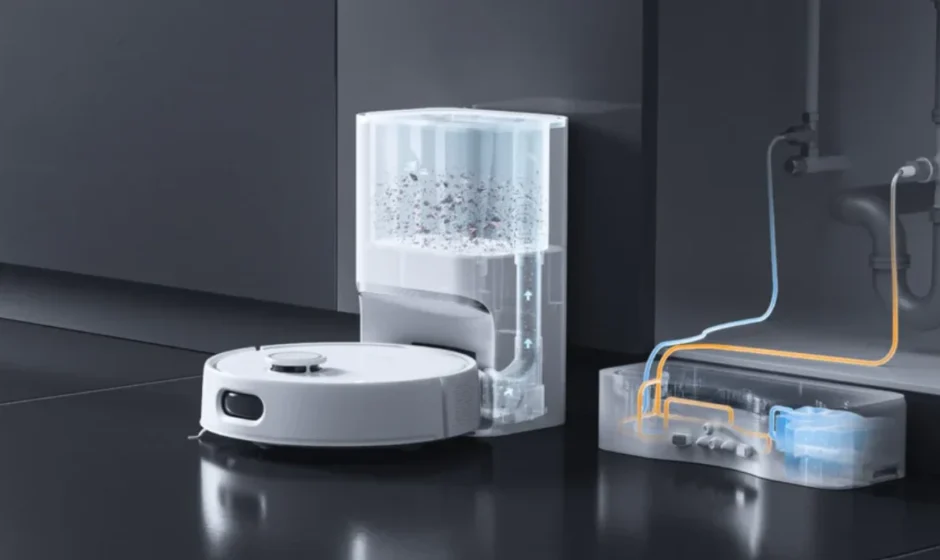

SwitchBot External Water Tank Assembly
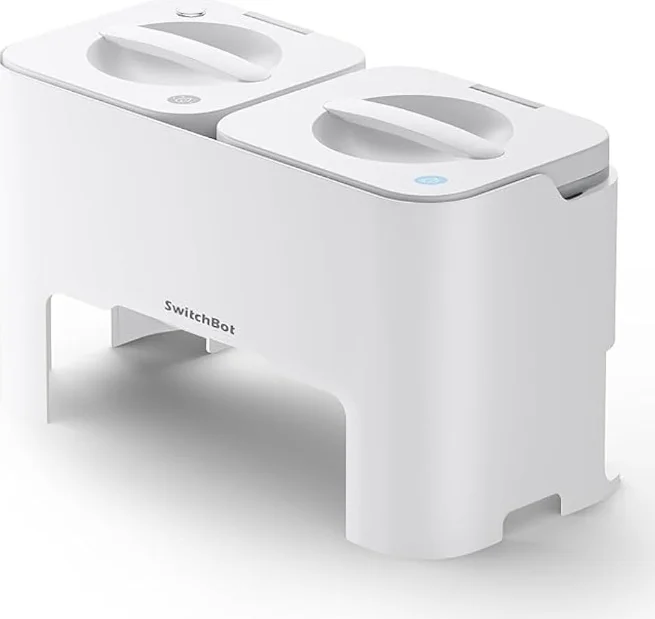
Description
The SwitchBot External Water Tank Assembly is a practical accessory designed to enhance the cleaning performance of your compatible SwitchBot floor cleaning robots. Engineered for convenience and efficiency, this external water tank provides a steady and controlled water supply, helping your robot maintain consistent mopping results across larger areas without frequent refills. Built with durable, high-quality materials, the tank is designed for long-term use and leak-resistant performance. Its secure attachment system ensures a stable connection to your SwitchBot device, preventing spills while allowing smooth water flow during operation. The transparent design makes it easy to monitor water levels at a glance, so you always know when it’s time to refill. Installation is quick and user-friendly, making it ideal for both new and experienced users. Simply attach the assembly according to the user guide, fill it with clean water, and let your robot handle the rest. The external capacity is especially useful for larger homes, offices, or spaces that require extended cleaning sessions. Whether you want improved mopping coverage or added convenience, the SwitchBot External Water Tank Assembly offers a reliable solution to keep your floors spotless with minimal effort.
Components
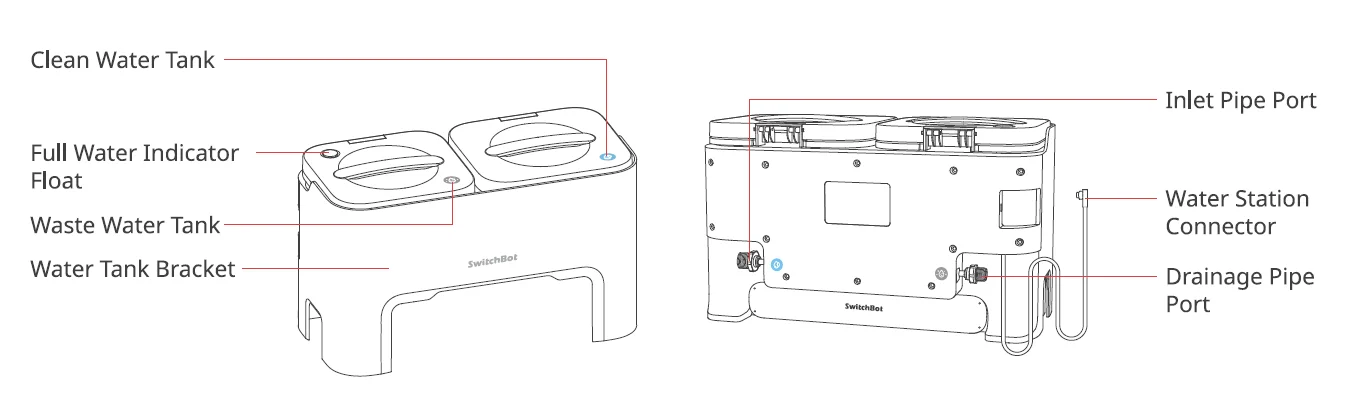
Please note: This product can only be used with the Switch Bot Floor Cleaning 51 O Water Station.
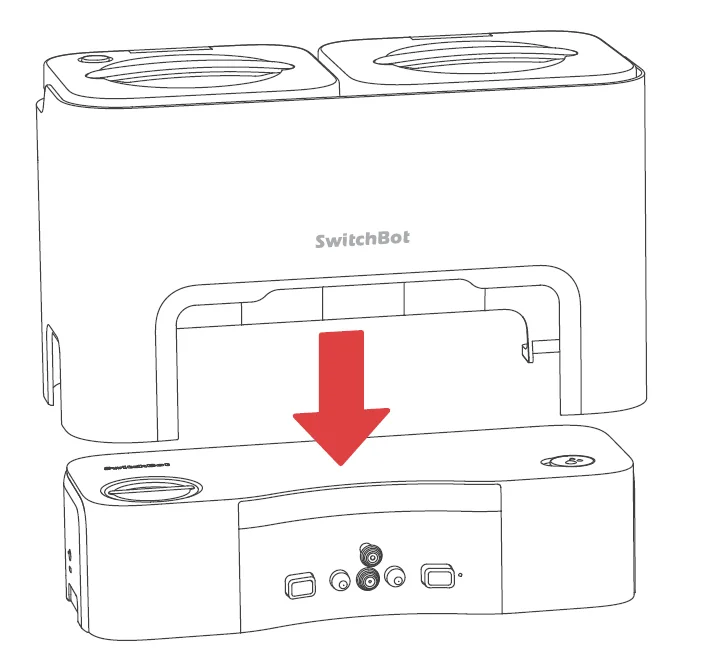
Installation
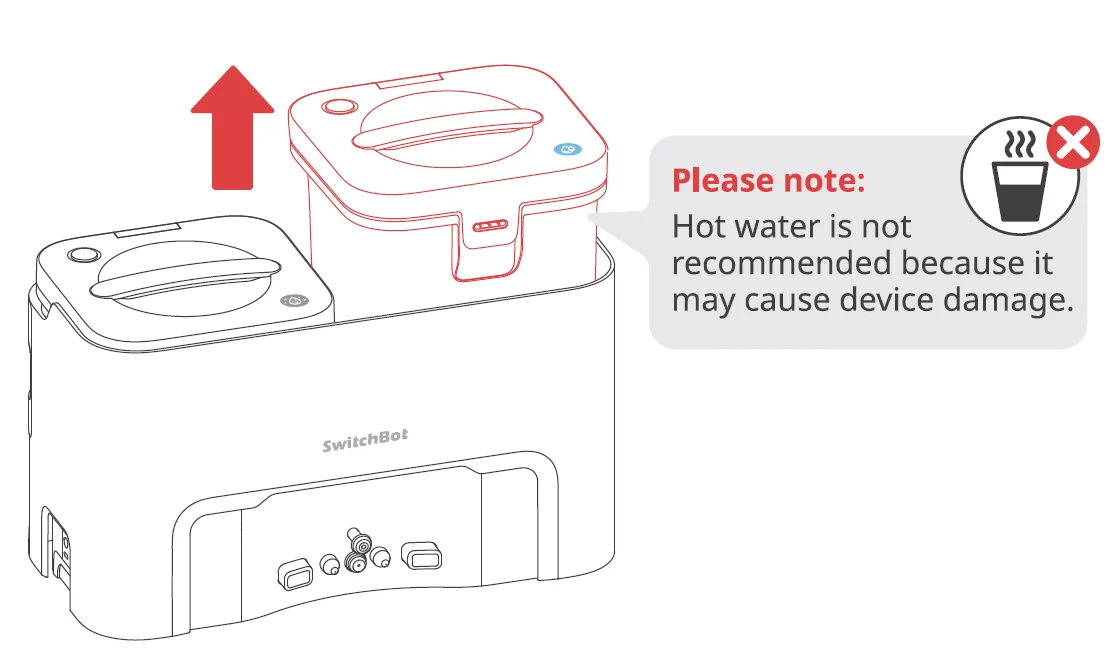
- Mount the External Water Tank Assembly onto your Water Station, as shown.

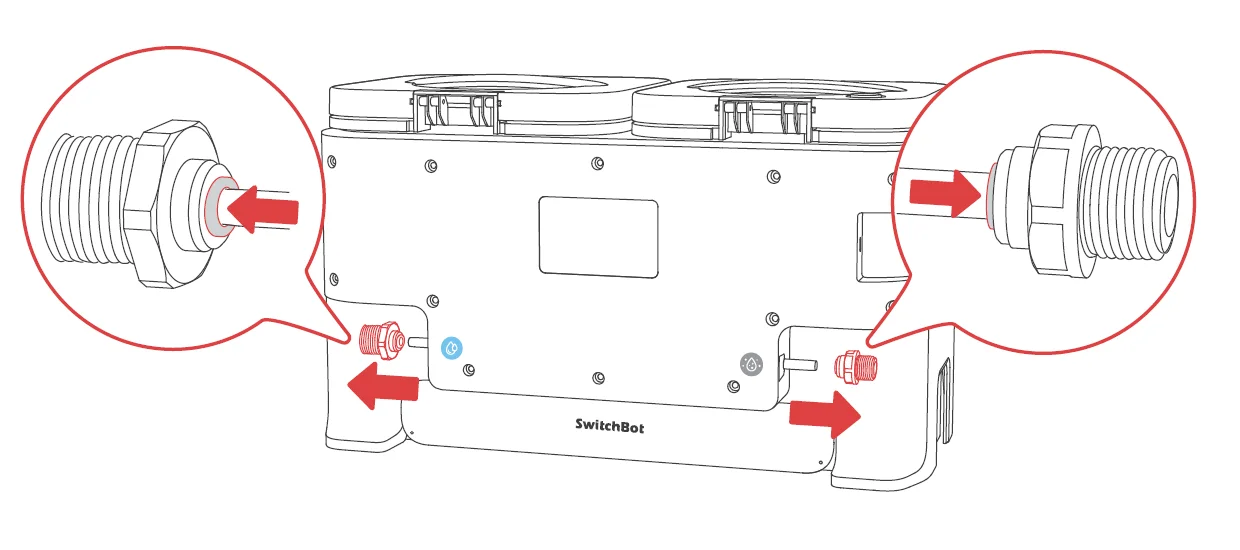
- Remove the G 1/2″ and G 3/8″ connectors on the back of your External Water Tank Assembly.
*Press the indicated ring while pulling the connector.
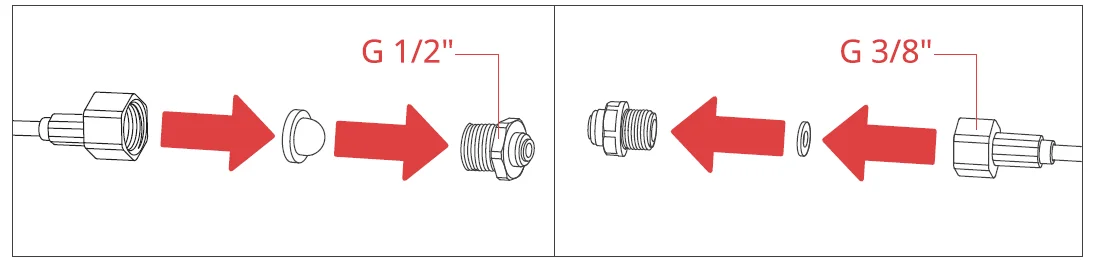
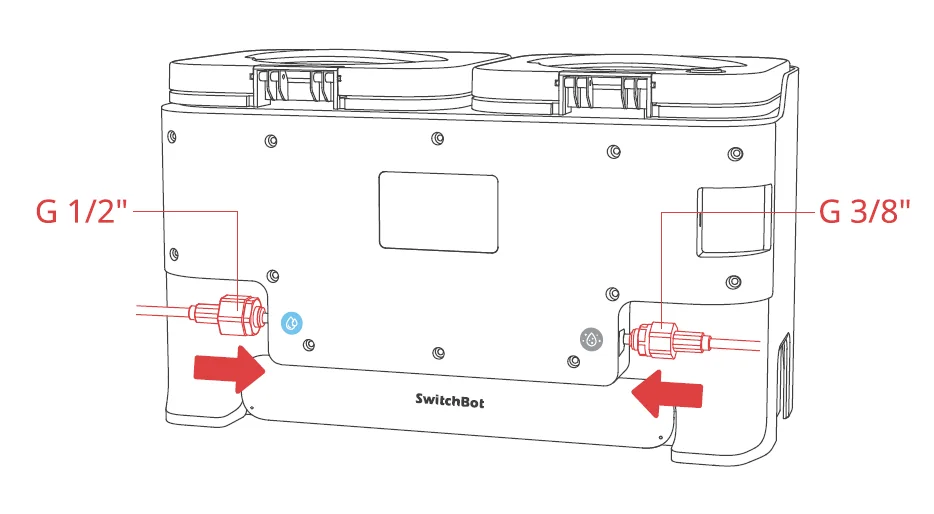
- Connect the G 1 /2″ and G 3/8″ connectors to the water inlet pipe and drainage pipe of your Water Station.
*Make sure the Rubber Gaskets are properly installed to prevent water leakage.
- Plug the two connectors back to ports on the External Water Tank Assembly, making sure they are installed on the correct ports.

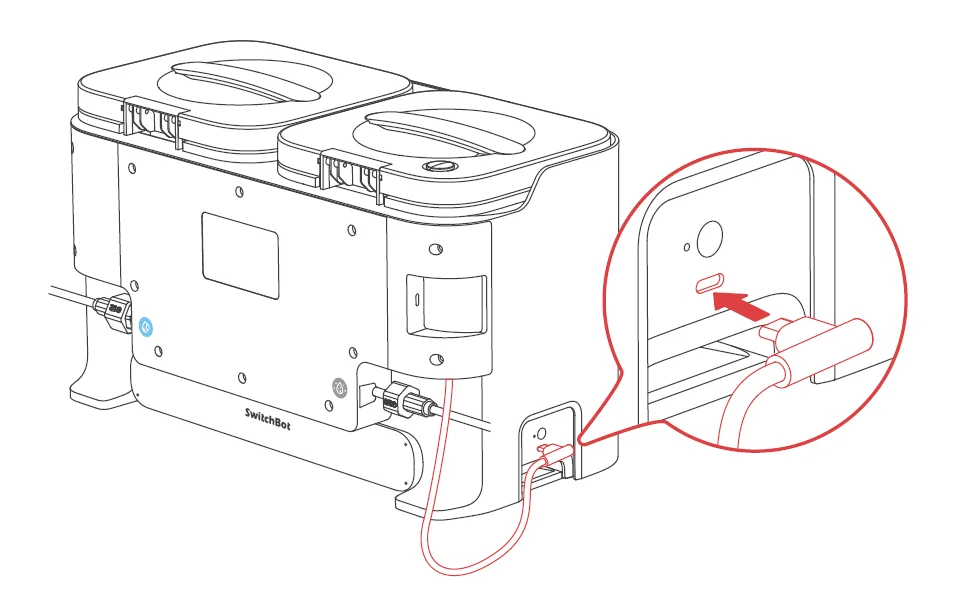
- Insert the Water Station Connector on the Type-C port on your Water Station.

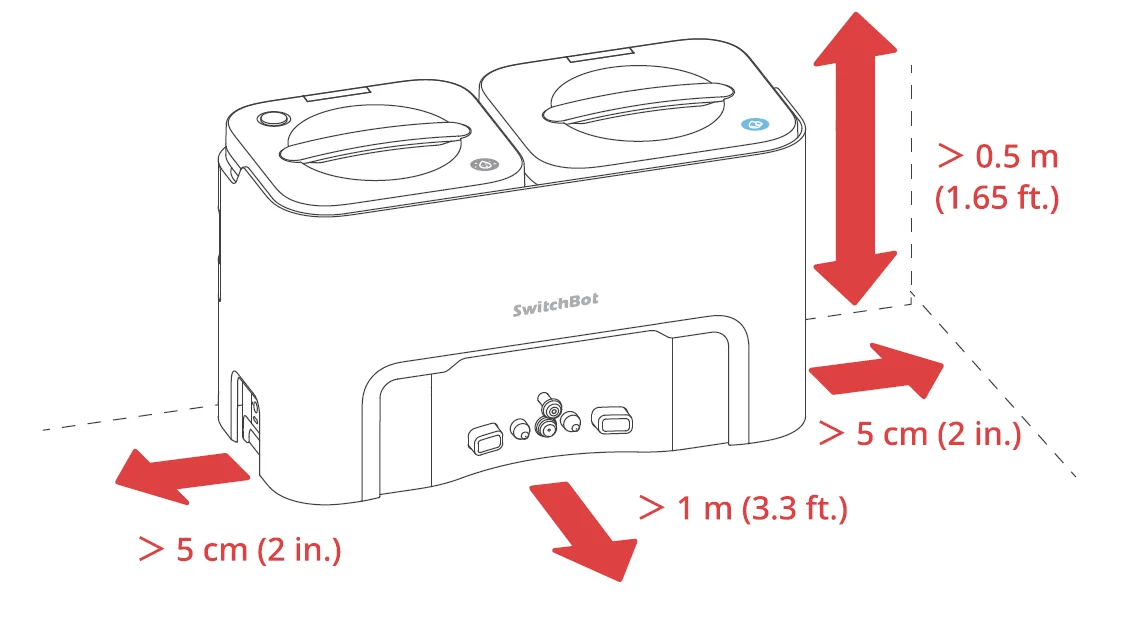
- Move the assembled Water Station to a suitable position and place it against a wall.

- Take out the Clean Water Tank and inject water to the highest water level.

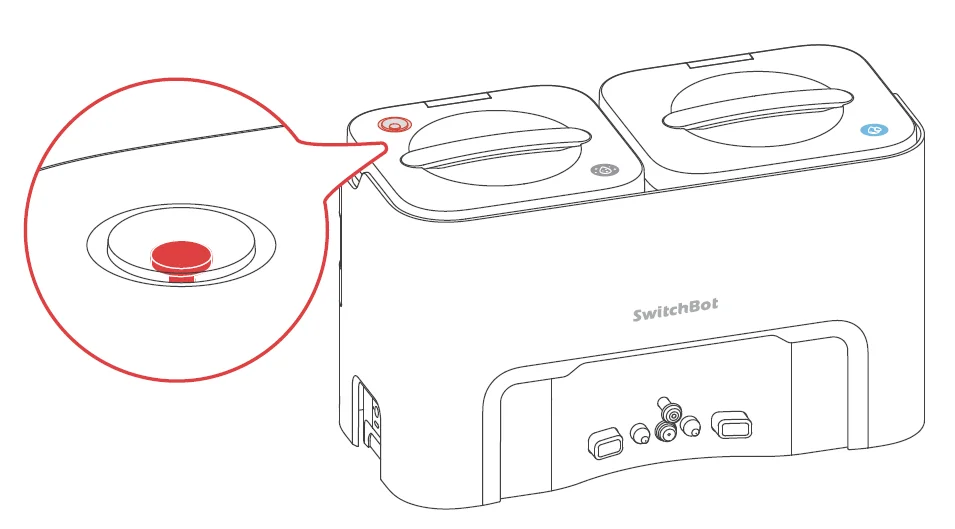
- Our app will prompt you when your Clean Water Tank is out of water or your Waste Water Tank is full. You can also check waste water level by observing the full water indicator float on your Waste Water Tank.

Waste Water Tank Maintenance
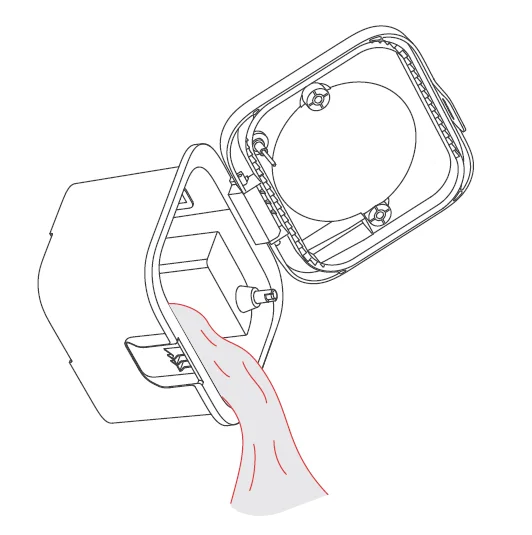
- Take out the Waste Water Tank, open the upper cover, and empty it.

- Rinse the tank with water.

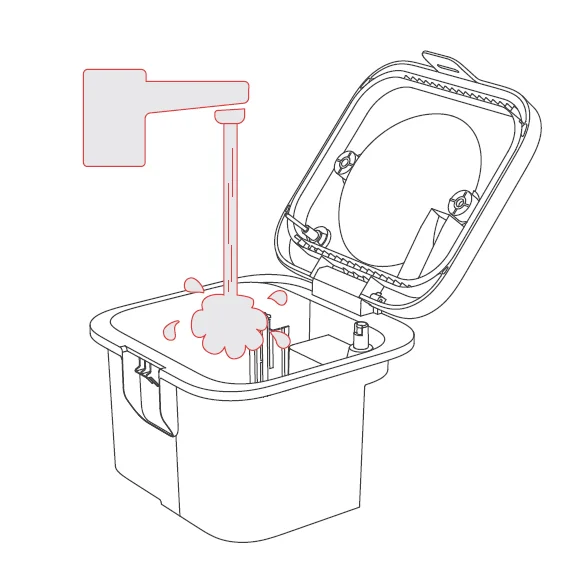
Please note:
- The full water indicator float is movable. Please clean the tank gently.
- Do not add hot water as it may deform the Clean/Waste Water Tank.
- If there is residual on the tank body, wipe it off with a dry, soft cloth before reinstalling.
For more Manuals by SwitchBot, visit ManualsLibraryy
SwitchBot External Water Tank Assembly-FAQs
What is the SwitchBot External Water Tank Assembly used for?
The SwitchBot External Water Tank Assembly is designed to expand the water capacity of compatible SwitchBot robot vacuums. It supports automated mopping by supplying clean water to the mop system during cleaning cycles. This helps improve floor cleaning efficiency and reduces the need for frequent manual refills, making it ideal for larger homes or frequent cleaning schedules.
How do I install the SwitchBot External Water Tank Assembly?
To install the water tank assembly, align it with the designated mounting area on your compatible SwitchBot robot vacuum and secure it firmly until it clicks into place. Ensure all connectors are properly attached to prevent leaks. After installation, fill the tank with clean water and check the app to confirm the device recognizes the attachment.
Is the SwitchBot External Water Tank Assembly compatible with all SwitchBot devices?
No, the External Water Tank Assembly is only compatible with specific SwitchBot robot vacuum models that support mopping functions. It does not work with devices like SwitchBot Bot, Lock, or Curtain. Always check your robot vacuum’s specifications in the SwitchBot app or product manual before purchasing.
Does the water tank require Wi-Fi to function?
The water tank itself does not require Wi-Fi. However, your SwitchBot robot vacuum may require Wi-Fi connectivity for remote control, scheduling, and smart home integration. Without Wi-Fi, you can still operate basic cleaning functions manually, but remote features may be limited.
How do I maintain and clean the water tank assembly?
Regular maintenance is important to prevent clogs and odor buildup. Empty the tank after each cleaning session, rinse it with clean water, and allow it to dry completely before reattaching. Avoid using harsh chemicals inside the tank. Periodically check the water outlet and seals to ensure smooth water flow and prevent leakage.
Why is my SwitchBot water tank not dispensing water properly?
If water is not dispensing, check whether the tank is properly installed and filled. Inspect the outlet for blockages and ensure the mop attachment is correctly positioned. Also verify that your robot vacuum has sufficient battery power and that mopping mode is activated within the SwitchBot app settings.
Can I add cleaning solution to the SwitchBot External Water Tank?
It is generally recommended to use clean water unless the manufacturer specifically approves certain diluted cleaning solutions. Using harsh or non-approved chemicals may damage internal components, clog the water system, or void the warranty. Always review the official guidelines before adding any solution.
How do I know if my SwitchBot robot vacuum is fully charged before mopping?
You can check the battery status in the SwitchBot app. Most SwitchBot devices show a charging indicator—typically red while charging and green when fully charged. Ensuring the robot is fully charged before using the external water tank helps maintain consistent water flow and cleaning performance.
Can I control the SwitchBot robot and water tank remotely?
Yes, remote control is possible through the SwitchBot app when your robot vacuum is connected to Wi-Fi. You can schedule mopping sessions, adjust cleaning modes, and monitor progress. For smart home integration, compatible devices can also connect with platforms like Alexa, Google Home, or SmartThings.