
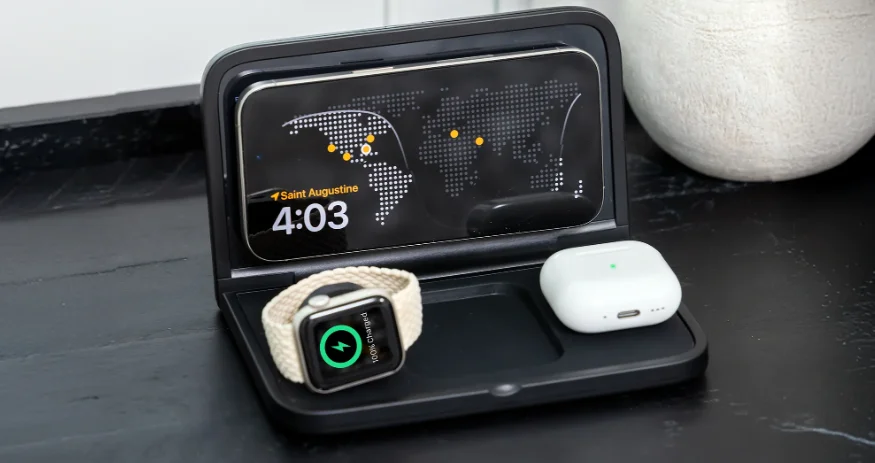

iHome iWW7 Triple Charging Clock
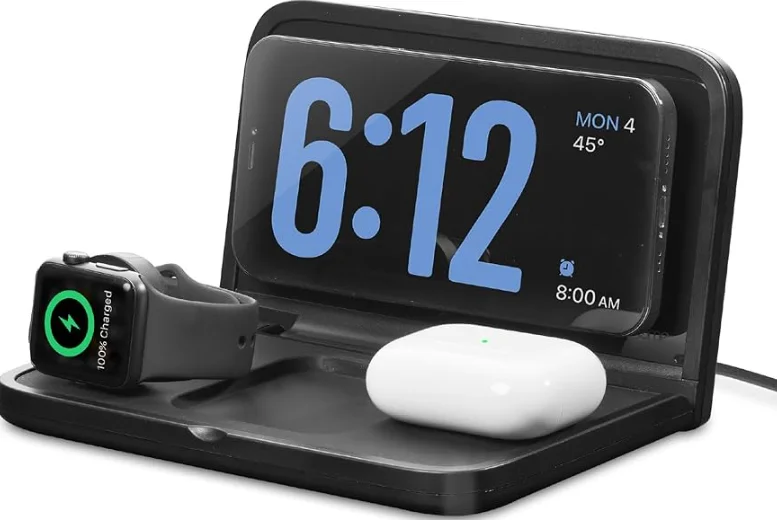
Overview
WARNING:
- Remove metal type protective cases before charging.
- Magsafe-compatible cases with metallic finishes will charge normally.
- Do not place metal objects on the charging pad at any time.
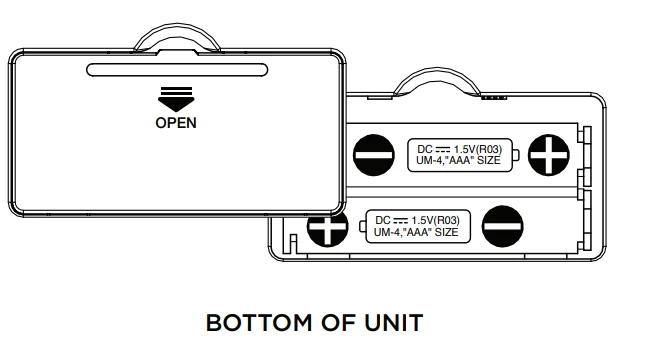
Battery Backup Compartment
- Press in and pull the battery door to open and remove the battery door.
- Install 2 new “AAA” (R03) batteries (not included), matching the (+/-) markings in the battery compartment.
- Replace the door.

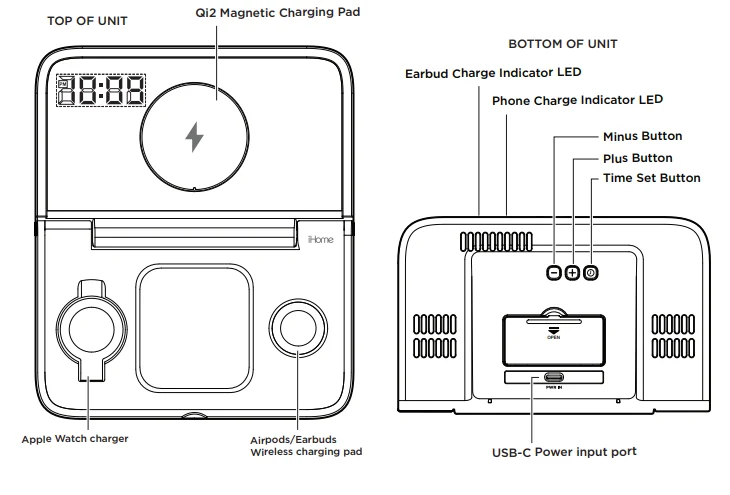
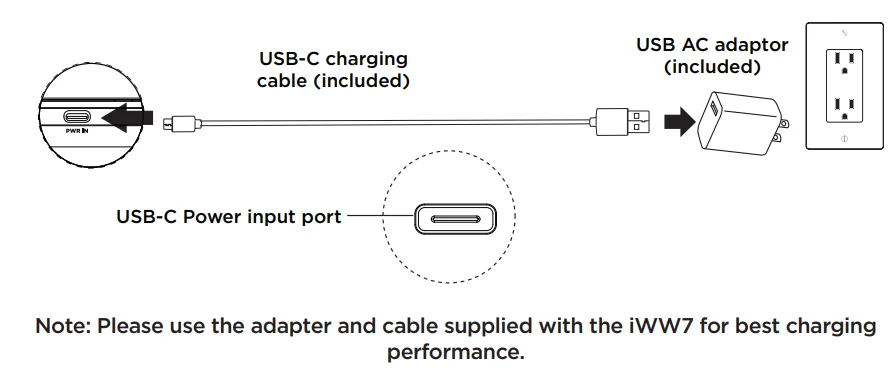
Prepare iWW7 for Charging.
Connect the included charging cable to the USB-C port on the back of the unit, and the standard end to the supplied USB QC3.0 adapter. (For optimal charging, an original QC 3.0 adapter is included with our product. If using a third-party adapter, we recommend selecting a 30W or higher power adapter with QC or PD 9V 3A protocol.)
- Place a Qi2-certified (Magsafe compatible) phone on the Qi2 magnetic charging pad.
- Place AirPods or Qi-compatible earbuds charging case on AirPods/earbuds charger.
- Place the Apple Watch on the Watch charging pad.

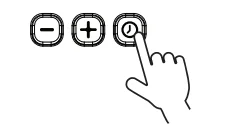
TIME SET
- Press & Hold to Set Clock.

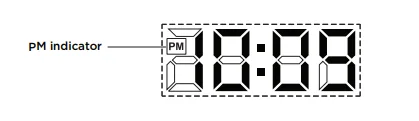
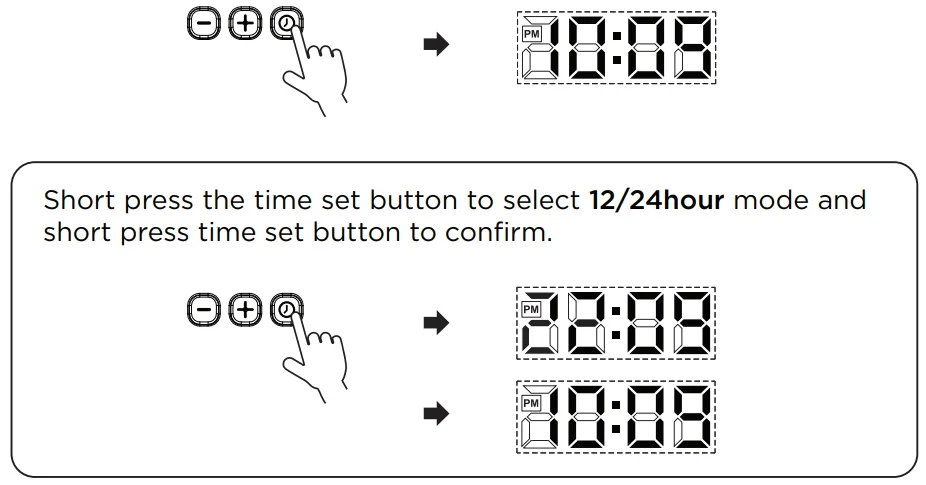
- Use +/- to set the hour and press the time set to confirm. PM Indicator will display for PM time. (There is no AM Indicator.)

- Use +/- to set the minute and press the time set to confirm.

Clock Display Brightness
Use +/- to increase/decrease clock display brightness.
- When NOT in “Time Set” mode, short-pressing “+” will increase display brightness.

- When NOT in “Time Set” mode, short-pressing “-” will decrease brightness.

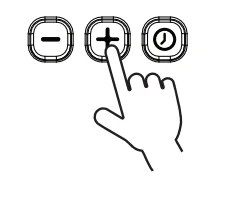
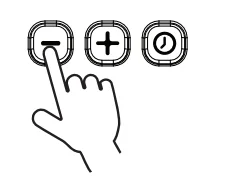
Display has 4 brightness levels: Hi, Med, Low, OFF.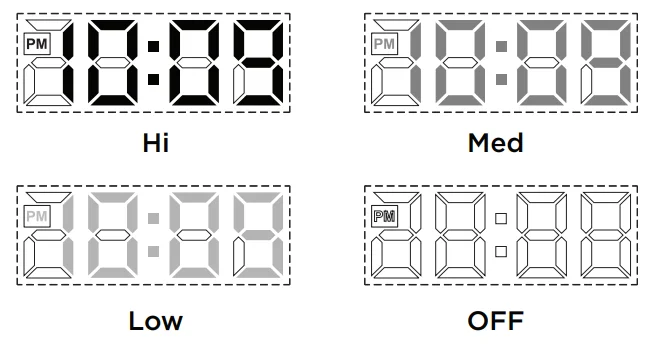
WIRELESS CHARGING LED INDICATORS
- Place the wireless charging device on the charging pad. LED Status Indicators will show charging status:

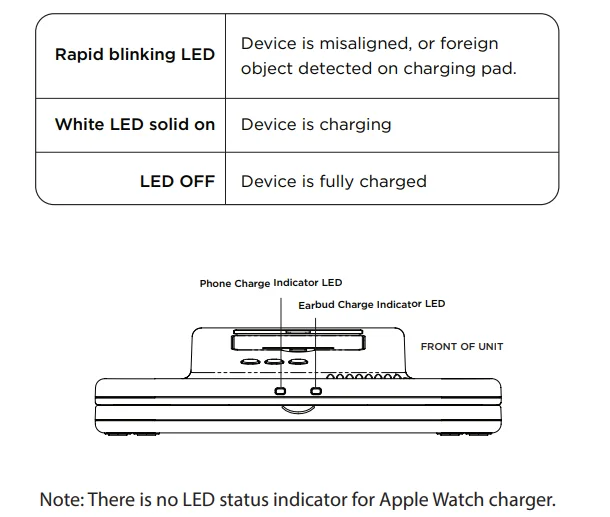
FOR THE BEST POSSIBLE PERFORMANCE
Only use the recommended/supplied batteries or equivalent.
- Use alkaline batteries for longer life.
- Do not mix old and new batteries, and do not mix alkaline, carbon-zinc, or rechargeable nickel-cadmium batteries.
- Insert batteries with proper polarity (+/–) as indicated.
- Remove exhausted batteries from the product.
- Recharge rechargeable batteries under adult supervision.
- Do not attempt to recharge non-rechargeable batteries.
- Do not open batteries or heat them beyond normal ambient temperatures.
- To prevent battery leakage or damage, remove batteries from a product if it will not be used for a month or longer.
- Use extreme caution when handling leaking batteries (avoid direct contact with eyes and skin). If battery leakage comes in contact with the eyes, IMMEDIATELY flush the eye with lukewarm and gently flowing water for at least 30 minutes. If skin contact occurs, wash skin with clean water for at least 15 minutes. Seek medical attention if any symptoms occur.
- Store in a cool, dry, ventilated area away from hazardous or combustible material.
- Follow applicable laws and local regulations for the disposal and transportation of batteries.
- Rechargeable batteries are to be removed from the product before being charged.
- The supply terminals are not to be short-circuited.
- Do not dispose of batteries in fire; batteries may leak or explode.
- CAUTION – RISK OF EXPLOSION IF BATTERY IS REPLACED BY AN INCORRECT TYPE. REPLACE ONLY WITH THE SAME OR EQUIVALENT TYPE. DISPOSE OF USED BATTERIES ACCORDING TO THE INSTRUCTIONS.
IMPORTANT SAFETY INSTRUCTIONS
Please heed all warnings, read and follow all instructions, and keep these instructions handy for future reference.
- Do not use this product near water.
- Unplug the unit and clean only with a damp cloth. Stronger cleaning agents, such as Benzene, thinner, or similar materials, can damage the surface of the unit.
- Do not block any ventilation openings. Install in accordance with the manufacturer’s instructions.
- Heat – This product should be situated away from heat sources such as radiators, heat registers, stoves, or other appliances (including amplifiers) that produce heat.
- Only use attachments/accessories specified by the manufacturer.
- Unplug this product during lightning storms or when unused for long periods of time.
- Damage Requiring Service – This product should be serviced by qualified service personnel when:
- No naked flame sources, such as lighted candles, should be placed on this product.
- The plug has been damaged.
- Objects have fallen into or liquid has been spilled into the enclosure.
- The unit has been exposed to rain. The unit has been dropped or the enclosure damaged.
- The unit exhibits a marked change in performance or does not operate normally.
- Attention should be drawn to the environmental aspects of battery disposal. Many electronics retailers now recycle batteries and other electronic components at no charge. To find a drop-off location near you, visit www.call2recycle.com.
- This product is suitable for use in tropical and/or moderate climates.
WARNING:
- To reduce the risk of fire or electric shock, do not expose this product to rain or moisture.
- Do not dispose of batteries in the household trash or fire.
- The mains plug of the power adaptor is used as the disconnect device; it shall remain readily operable.
FCC Information
This equipment complies with FCC RF radiation exposure limits set forth for an uncontrolled environment. This device complies with Part 15 of the FCC Rules; operation is subject to the following two conditions:
- This device may not cause harmful interference, and
- This device must accept any interference received, including interference that may cause undesired operation.
Warning: Changes or modifications to this unit not expressly approved by the party responsible for compliance could void the user’s authority to operate the equipment.
NOTE: This equipment has been tested and found to comply with the limits for a Class B digital device, pursuant to Part 15 of the FCC Rules. These limits are designed to provide reasonable protection against harmful interference in a residential installation.
This equipment generates, uses, and can radiate radio frequency energy and, if not installed and used in accordance with the instructions, may cause harmful interference to radio communications. However, there is no guarantee that interference will not occur in a particular installation. If this equipment does cause harmful interference to radio or television reception, which can be determined by turning the equipment off and on, the user is encouraged to try to correct the interference by one or more of the following measures:
- Reorient or relocate the receiving antenna.
- Increase the separation between the equipment and receiver.
- Connect the equipment into an outlet on a circuit different from that to which the receiver is connected.
- Consult the dealer or an experienced radio/TV technician for help.
- This equipment should be installed and operated with a minimum distance of 20cm (8 inches) between the radiator and your body.
ISED Information
This equipment complies with IC RSS-102 radiation exposure limits set forth for an uncontrolled environment. This device contains licence-exempt transmitter(s)/receiver(s) that comply with Innovation, Science and Economic Development Canada’s licence-exempt RSS(s). Operation is subject to the following two conditions:
- This device may not cause interference.
- This device must accept any interference, including interference that may cause undesired operation of the device. The device complies with the ISED RF exposure requirements; users can obtain Canadian information on RF exposure and compliance.
This equipment should be installed and operated with a minimum distance of 20 cm between the radiator and your body. Any changes or modifications not expressly approved by the party responsible for compliance could void the user’s authority to operate the equipment. For questions and additional information, please visit: support.ihomeaudio.com/support/.
For More Manuals By iHome, Visit ManualsLibraryy.
iHome iWW7 Triple Charging Clock-FAQs
What is the iHome iWW7 Triple Charging Clock?
The iHome iWW7 Triple Charging Clock is a compact travel alarm clock that wirelessly charges three devices at once. It includes dedicated charging spots for a MagSafe-compatible iPhone, Apple Watch, and AirPods or other Qi-enabled earbuds, making it ideal for bedside or travel use.
Can the iHome iWW7 charge three devices at the same time?
Yes, the iWW7 is specifically designed to charge three devices simultaneously. You can power your iPhone, Apple Watch, and AirPods together using the built-in wireless charging pads, reducing cable clutter and keeping your essentials organized in one compact unit.
Is the iHome iWW7 compatible with Android phones?
The phone charging pad works with many Qi-enabled Android devices, but the magnetic alignment is optimized for MagSafe-compatible iPhones. The Apple Watch charger is intended only for Apple Watches, so Android users will benefit mainly from the phone and earbud charging pads.
Does the iHome iWW7 work well for travel?
Yes, the iWW7 features a foldable design that makes it easy to pack in a suitcase, backpack, or carry-on. It combines a clock and three chargers into one compact device, which helps reduce the number of accessories you need to take on trips.
Does the iHome iWW7 include a power adapter?
Yes, the iWW7 typically comes with a power adapter and USB charging cable in the box. Using the included adapter helps ensure the clock receives enough power to charge all three devices efficiently and maintain reliable charging performance.
Does the iHome iWW7 have battery backup?
Yes, the clock includes battery backup support using two AAA batteries, which are usually sold separately. Battery backup preserves the time and alarm settings during power outages, so you do not need to reset the clock afterward.
Can I adjust the display brightness on the iHome iWW7?
Yes, the iWW7 offers multiple display brightness settings, including dimmer levels and an option to turn the display off. This allows you to customize the screen to suit your room lighting and minimize disturbances while sleeping.
Is the iHome iWW7 only for Apple devices?
While the Apple Watch charging pad is Apple-specific, the phone and earbud charging pads work with many Qi-compatible devices. This means users can charge certain Android phones and wireless earbuds, provided they support standard wireless charging.
How fast does the iHome iWW7 charge devices?
The iWW7 supports up to 15W wireless charging for compatible smartphones. Actual charging speed depends on your device model, case thickness, and power requirements, but it is designed to provide efficient charging for overnight or everyday use.
Is the iHome iWW7 Triple Charging Clock worth buying?
The iWW7 is a strong choice for Apple users who want a portable alarm clock and all-in-one charging station. Its foldable design, triple-device charging capability, and adjustable display make it especially useful for travel and clutter-free bedside charging.