
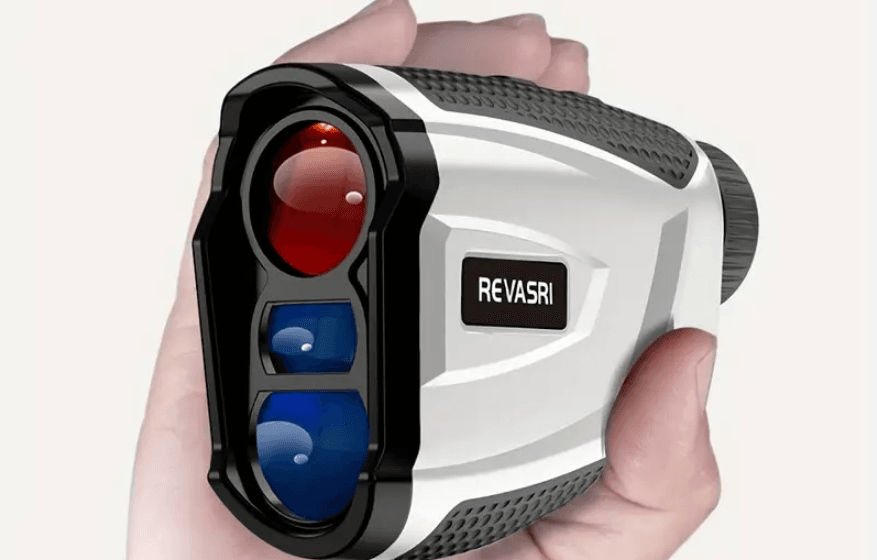

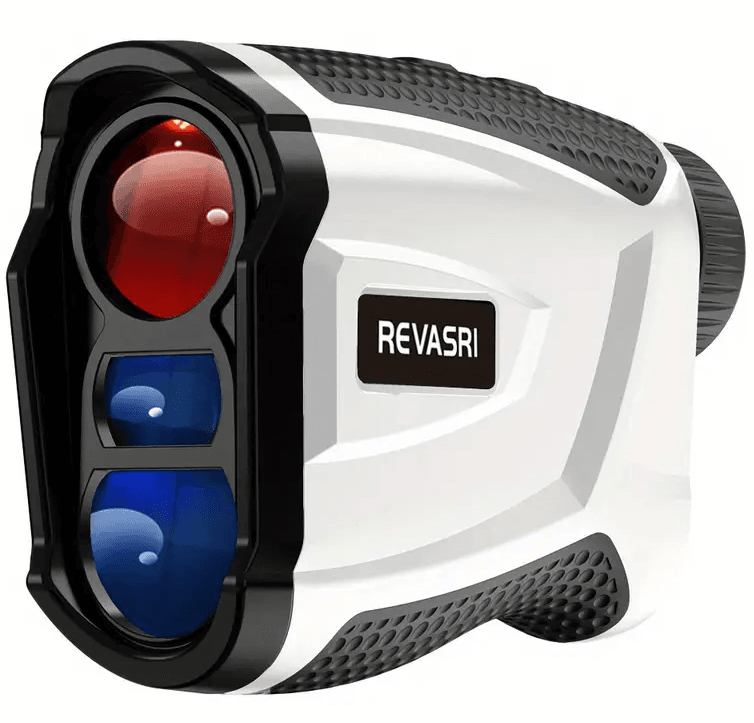
REVASRI H3D Golf Rangefinder with Magnet
Warning
- Do not view the emissions for long periods of time with magnified lenses.
- Avoid direct sunlight to the eyepiece to avoid damaging the eyepiece display/internal components.
- The equipment contains electrical and/or electronic components and, therefore, cannot be disposed of in the same way as ordinary household waste. These wastes should be disposed of at community-provided waste collection points
Maintenance
- The lenses of our laser rangefinder are multi-coated for the highest light transmission. Remove fingerprints, clean with the lens demisting cloths in a circular motion.
- When using the cleaning solution, it needs to be placed on the wipe cloth. Do not directly on the lens.
- Do not put the device out of the storage temperature of -20~50°C.
- If a device is not used for a long time, it must be packed in a protective case and placed in a dry environment
Battery
- The product is available in lithium or CR-2 batteries
- Put the battery away from the fire. Do not throw the battery into the fire, otherwise, it may cause an explosion
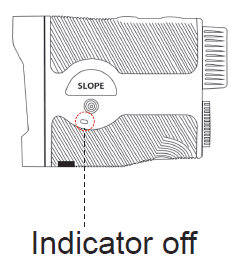
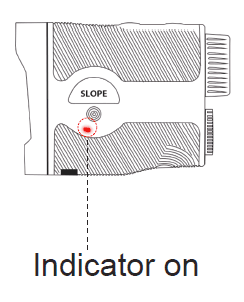
- Lithium batteries, that can charged when it displays“ ”(Low battery), using a USB charging cable. The battery indicator is red when charging and green when fully charged. Fully charged if not used for a long time. Only the 5V 1A, 5V 2A charger and Laptop USB charging are available. Improper chargers may damage the device.
- CR-2 Battery can be replaced. When it displays“ ” (Low battery), please replace a new one. Remove the Battery out if not been used for a long time
Introduction
- When the machine is powered off, it is a precision optical telescope. Observe the target via eyepiece and adjust knob until the target is clear. It offers extremely fast acquisition and ±0.5-yard accuracy. it has a magnetic stand on the side, which allows you can easily mount the device on the cart bar

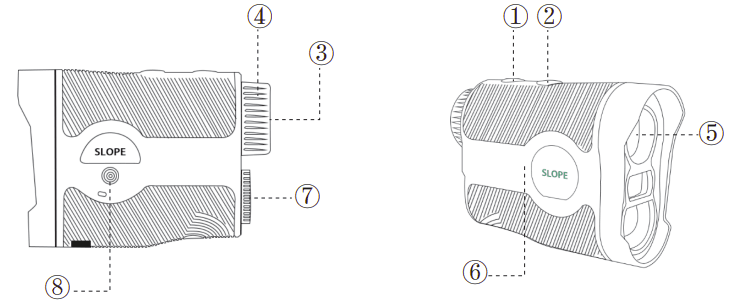
- Power Button
- Mode Button
- Eyepiece Lens
- Eyepiece Knob (Adjust knob to target)
- Objective Lens
- Magnet
- Battery
- Slope on/off button
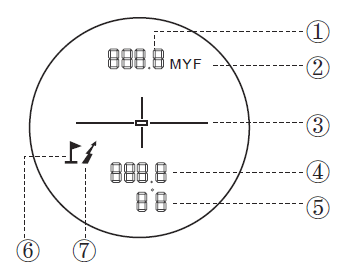
LCD Display
- Line of Sight Distance
- Distance Unit M/Y/F
- Target Indicator
- Slope Distance(Play Distance)
- Slope
- Flagpole Icon
- Lightning Icon

Power Button
- Press the to power on.
- No operation after 30 seconds, power off
Switch Unit Button
- Press M to switch the unit to Y, M, or F.

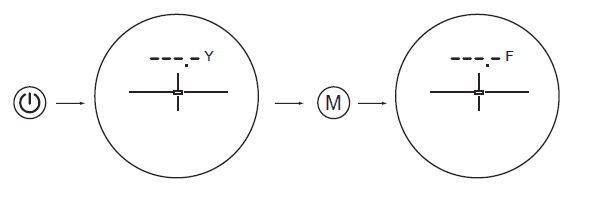
Mode 1. Tour Mode
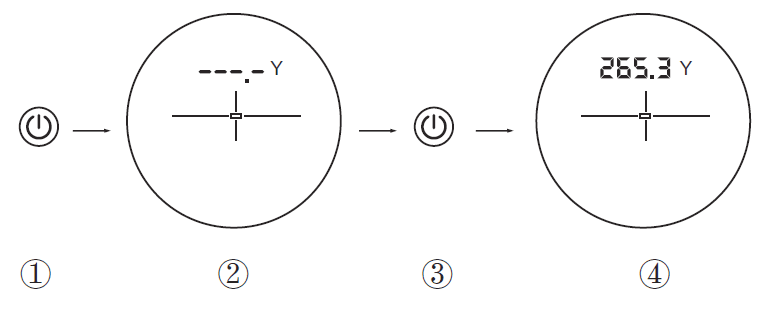
- Power on.
- Select the target object and aim the target.
- Press the “ ” Button to measure.
- The data will be displayed on the screen

Mode 2. Slope Mode
- After powering on, press the Slope Button to Slope Mode. Slope mode has golf compensated distance, it can easily help golfers to get
compensated distance when they want it. In this mode, you will see a logo ” ” appear on the display.

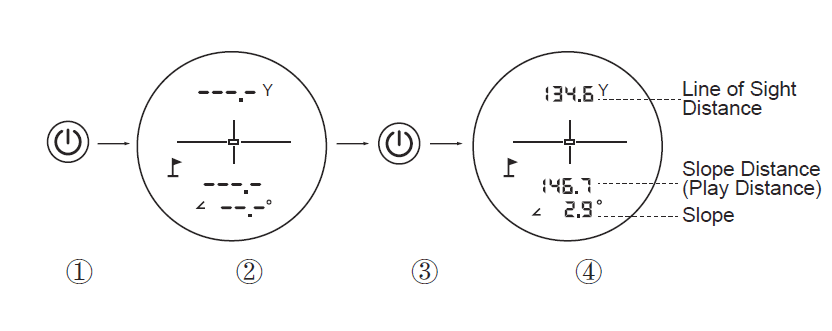
- Power on.
- Press the Slope Button.
- Select the target object and aim the target.
- Press the “ ” Button to measure.
- The data will be displayed on the screen.
Slope Principle:
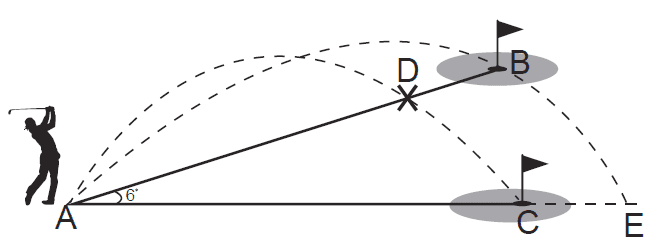
- AC distance is 160 yards. AB distance is also 160 yards, although it is on a slope with a 6% grade. If a golfer were to play the B hole as 160 yards, the ball would fall to C via D.
- Due to the slope, it should be played as an AE 168-yard shot. AE 168 yard is played as distance based on slope.

- When the slope is positive, the hitting distance should be bigger than the Straight-Line Distance.
- When the slope is negative, the hitting distance should be less than the Straight-Line Distance.
Flagpole Lock & Vibration
- Keep pressing and aiming around the flag or across from the background to the flag. The LCD shows different data until the flagpole locks and vibrates.
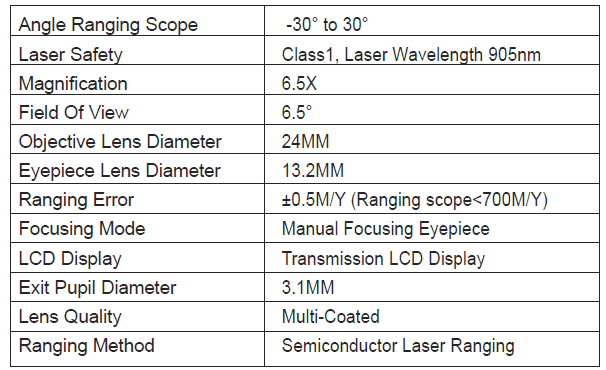
Technical Specifications
Warranty Card
- This product has a one-year warranty of defects in materials and defective workmanship from the date of purchase. During the warranty period, if there is any defect, we will repair or replace the product according to the status of each case when we receive the returned product.
Non-warranty situation:
- Wrong operation or man-made damage.
- Maintenance provided by unauthorized person or unit.
- The Product Serial Number has been obliterated. Just send back the equipment; no accessories ( case, strap, batteries, etc.) are required. If repairs are required, please send the device to your local dealer along with the warranty card & purchase invoice
For more manuals by Revasri, visit ManualsLibraryy
REVASRI H3D Golf Rangefinder with Magnet-FAQs
Does the REVASRI H3D rangefinder have a magnetic mount?
Yes, the REVASRI H3D comes with a built-in magnetic mount, making it easy to attach to metal surfaces like golf carts for convenient access.
How do I use the REVASRI H3D rangefinder?
Press and hold the Power button to activate scanning mode. Aim at the background and move towards the flag. When the flag is locked, the device will vibrate. It supports slope compensation and can lock onto flags up to 250 yards away.
How do I aim the rangefinder correctly?
Simply point the rangefinder at the flag and press the top button. It measures the time it takes for a laser beam to bounce back from the target to calculate the distance accurately.
Can magnets damage a rangefinder?
Yes, extremely strong external magnets (like industrial types) can interfere with a rangefinder’s electronics. Use only built-in or compatible magnetic mounts to avoid malfunction.
How does the REVASRI rangefinder work?
It uses a laser time-of-flight system, sending a pulse toward the target and measuring how long it takes to return, giving you precise distance measurements.
Why isn’t my rangefinder showing distances?
Possible reasons include using it indoors, aiming through glass, measuring beyond its range, or interference from rain, fog, bright light, or dust.
Can I use my smartphone as a golf rangefinder?
Yes, there are mobile apps like Motocaddy that offer GPS-based golf rangefinding using extensive course databases.
How does a manual rangefinder differ?
Manual rangefinders require you to align two images manually to measure distance. They don’t use lasers and are typically slower and less precise.