


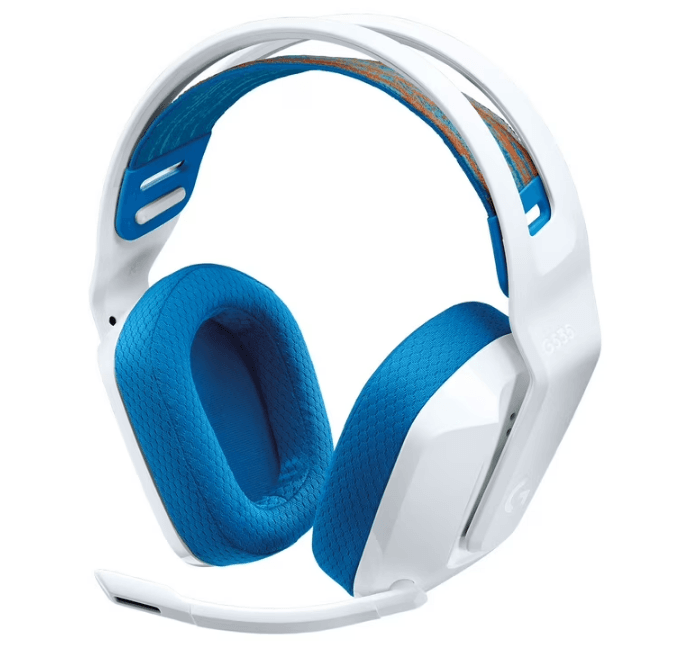
Logitech G535 Wireless Gaming Headset
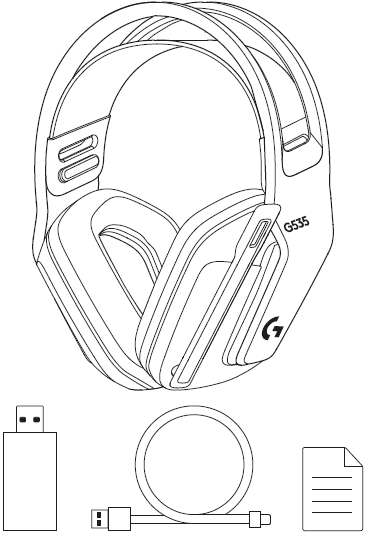
What’s in the box
SETUP INSTRUCTIONS
- Insert the receiver into the USB port of your PC.
- Short press to turn ON.
- (Optional) Download Logitech G HUB software to access advanced features. Download at logitechG.com/ghub
- The earcups can be adjusted up and down.
- The length of the headband can be adjusted.
- Flip the boom up to mute.
- Charge the Headset when it is low on battery.
FEATURES
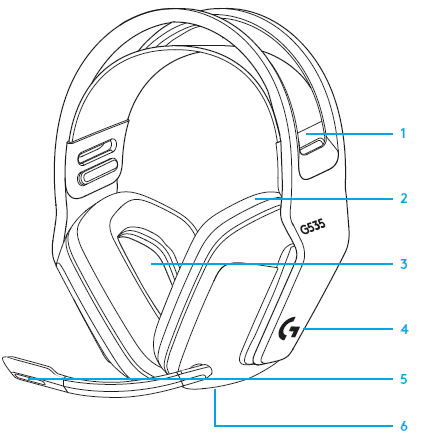
- Adjustable, reversible suspension band
- Memory foam earpads
- 40 mm drivers
- On-ear volume control
- Flip-to-mute 6-mm mic
- USB-C charging port
FREQUENTLY ASKED QUESTIONS
www.logitechG.com/support/G535
For more Manuals by Logitech, visit ManualsLibraryy
Logitech G535 Wireless Gaming Headset-FAQs
How can I tell if my Logitech G535 is fully charged?
When plugged in, the LED will glow solid green for about 3 seconds, then turn off—indicating a full charge. If the green light blinks slowly, the headset is still charging.
Is the Logitech G535 good for gaming?
Yes, the G535 is built for gamers. It offers low-latency wireless performance, comfortable wear for long sessions, and immersive audio quality.
Does the Logitech G535 have noise cancellation?
Yes, the G535 features active noise cancellation, helping reduce background noise for a more focused and immersive gaming experience.
Can I use the Logitech G535 while it’s charging?
Absolutely. You can use the headset while it’s charging via USB-C. However, the USB cable only provides power—you must still be connected via the wireless receiver for audio.
How do I charge and use the Logitech G535 at the same time?
Keep the headset turned on, connect the USB-C charging cable, and continue using it wirelessly via the included receiver or Bluetooth.
Does the G535 support surround sound?
Yes, the Logitech G535 features 7.1 surround sound, offering an immersive audio experience that enhances spatial awareness in games.
Does the Logitech G535 have RGB lighting?
Yes, it supports LIGHTSYNC RGB, allowing you to customize lighting effects and sync them with your gameplay and setup.
Is the Logitech G535 compatible with PC?
Yes, the G535 works with both PC and PlayStation via its USB wireless receiver.