
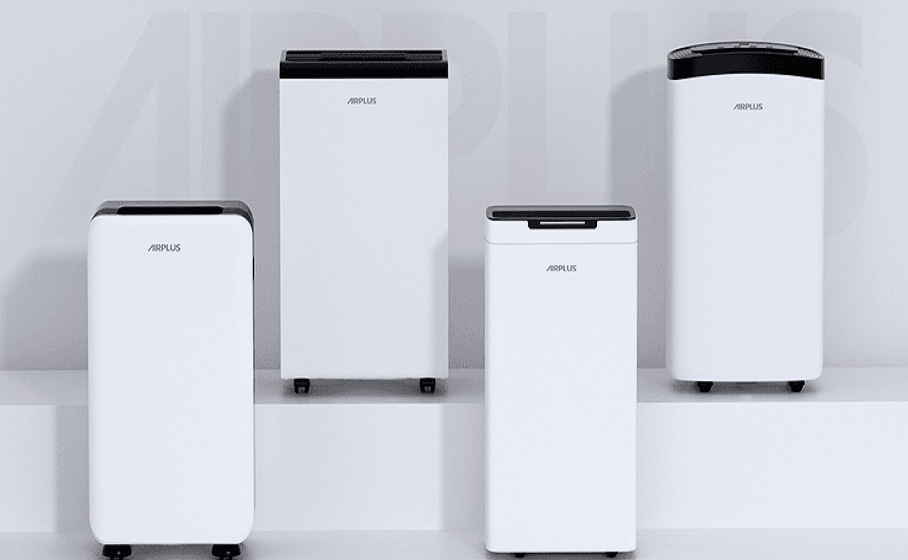

AIRPLUS AP10-1907 30 Pints Dehumidifier
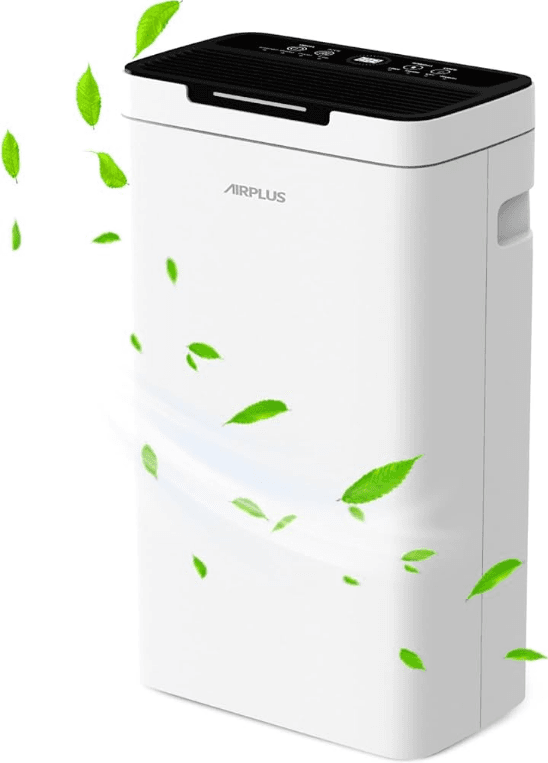
Notice of Compressor Running Status
It’s a normal phenomenon that the compressor and fan keep running when the ambient humidity reaches the preset RH. The stops 5 minutes after the preset RH is reached. The compressor stops when the ambient humidity is 4% lower than the preset RH, and it starts automatically when the ambient humidity level is 4%higher than the preset level. The Return Difference design featuring a 4% error range is for better protecting and prolonging,g and it starts automatically when the ambient humidity level is 4%higher than the preset level. The Return Difference design featuring 4% error range is for better protecting and prolonging the lifespan of the appliance.
Notice of Full Tank Detection
- There may be a few residual water in the water collecting tray while the tank full indicator light is on. Please wait for several minutes before taking out the water tank.
- The fan will keep working for 5 minutes, and the compressor will auto shut off when the tank full indicator light is on for protection.‘The fan will auto shut off after an extra 5 minutes of work if the water tank is still full.
BEFORE FIRST USE
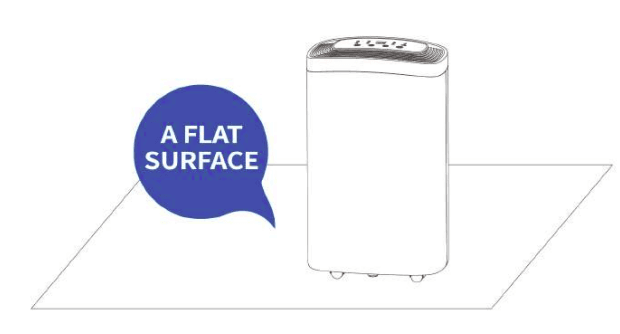
To prevent any unintended damage, please leave the appliance standing upright and outside the box for 2 HOURS before plugging it in. It is very important to keep the appliance upright on a flat surface during use.
IMPORTANT SAFETY INSTRUCTIONS
- Keep the dehumidifier upright and make sure there is at least a 10-inch space around it.
- After being carried or tilted, the dehumidifier needs to stop for 2 hours until used again.
- Keep foreign objects away from the air inlet and outlet.
- Please turn the dehumidifier off and empty the water tank before moving it.
- Do not clean the dehumidifier with bad sprays or other flammable detergents.
- Please turn the dehumidifier off and unplug it if it breaks down.
- If the power cord is broken, please contact us at pee gv cour)immediately. We will send you a free replacement or a full refund.
PRODUCT DETAILS
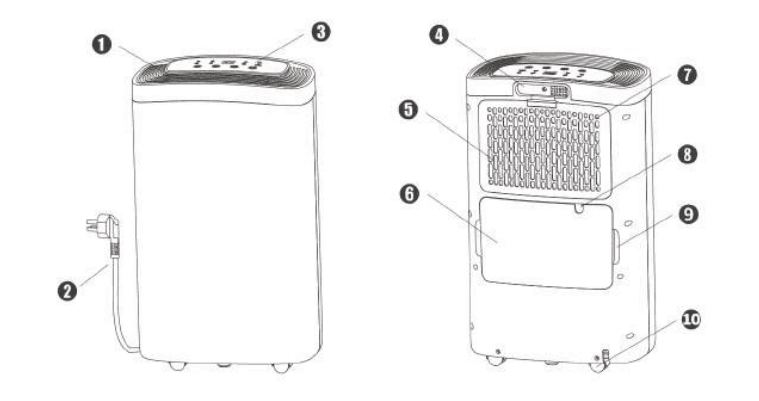
- Air Outlet
- Power Cord
- Control Panel
- Handle
- Filter
- Water Tank
- Air Inlet
- Continuous Drainage Outlet
- Handle of Water Tank
- Caster
OPERATION
CONTROL PANEL
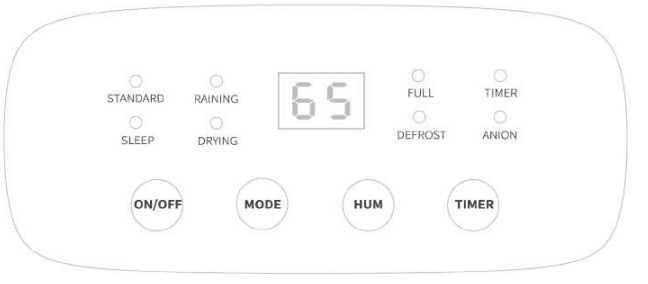
- Plug in the power cord, and the alarm sound indicates the appliances are ready. Press “ON/OFF”
 to turn on/off.
 - Press “MODE”
 to choose the desired mode.
- DRYING: Continuous operation
- SLEEP: Automatic setting RH=50%
- RAINING: Automatic setting. RH=45%
- STANDARD: Artificial setting of RH
- Press “HUM”
 to set your desired humidity (RH 40%-80%) or CO (continuous operation) in standard mode.
 - Press “TIMER”
 to predetermine the 24 hrs auto shutoff/turn-on timing switch
 Anion Function: Please keep pressing the “MODE” button for at least 3 seconds to turn on/off the function.
- Frost Removal Function: Auto detection of frost and auto defrosting. Keep the appliance maintaining good performance in dehumidifying. The Indicator light will be on until the last disappears
 to turn on/off.
 to choose the desired mode.
 to set your desired humidity (RH 40%-80%) or CO (continuous operation) in standard mode.
 to predetermine the 24 hrs auto shutoff/turn-on timing switch
 Anion Function: Please keep pressing the “MODE” button for at least 3 seconds to turn on/off the function.
DRAINAGE
There are two methods of drainage to choose from.
1. Manual Drainage
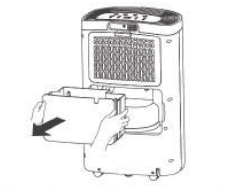
When the tank gets full, the dehumidifier will alarm and stop working automatically. Meanwhile, the”FULL” indicator light will turn on. It is suggested to pour out the water in the tank
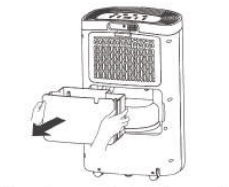
- Take out the water tank gently

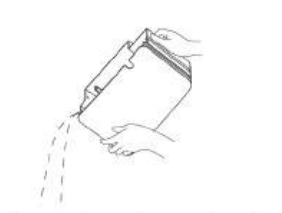
- Empty the tank and put it back in place (If the tank is not in the correct position, the indicator light will remain on)

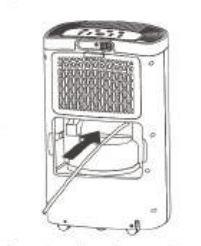
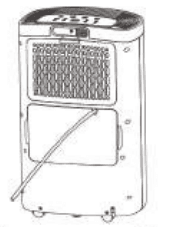
Continuous Drainage (optional)
- Take out the water tank, and there is a continuous drainage outlet.
- Plug in the long hose.

- Put the water tank back in the dehumidifier and keep the hose downward to ensure proper drainage

CARE & CLEANING
- Please clean the dehumidifier after turning it off for 1 hour.
- Please use a slightly water-dampened cloth to clean the dehumidifier
- Please do not use volatile chemicals, gasoline, detergent, chemically processed fabrics, or other cleaning solutions, which may be harmful to the dehumidifier.
- Please do not wash the dehumidifier with water directly.
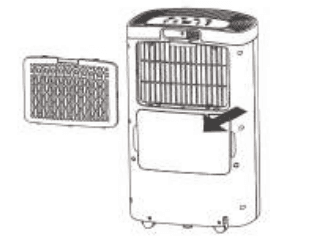
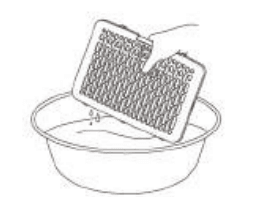
CLEAN THE FILTER.
Experiment shows that a dry and clean filter is great for the dehumidifying effect. Therefore, it is suggested to clean and dry up the filter every two weeks.
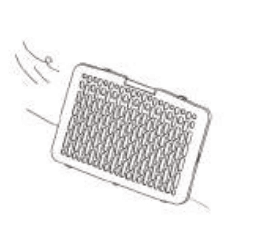
- Take off the inlet grid with a filter on it.

- Remove dirt and wash out the filter.

- AIRPLUS AP10-1907 30 Pints Dehumidifier.

STORAGE
- If you do not need to use the dehumidifier for a long time, please store it in the following ways:
- Turn off the dehumidifier, cut off the power, and sort out the power cord.
- Empty the water tank and keep it dry.
- Clean the filter and dry it out.
- Put away the dehumidifier and place it in a position unexposed to the sun.
NOTICE OF CONTINUOUS DRAINAGE
Wrong Use Methods
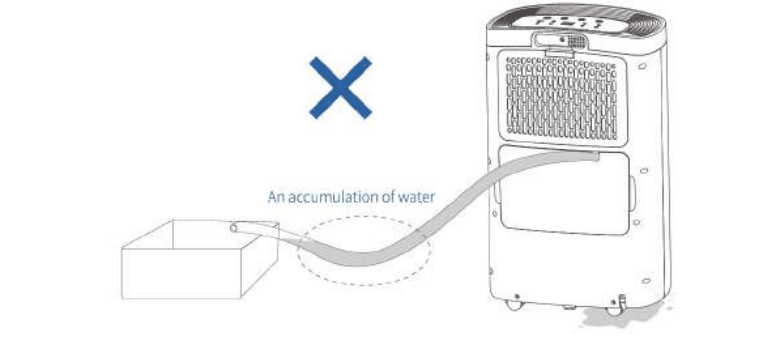
- If it’s a U shape or a V shape between the two ends of the hose, the increasing accumulation of water in the valley may stop water from draining to the water collecting vessel. It eventually leads to a backflow to the water tank or a water leak from other lower parts of the appliance.

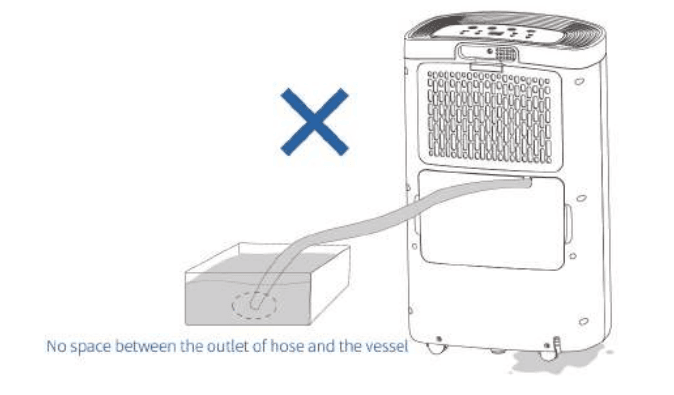
- If there is no space between the outlet of the hose and the water collecting vessel, the increasing pressure of water caused by raising the water level may result in failure of drainage from the appliance. It eventually leads to a backflow into the water tank or a water leak. from other lower parts of the appliance.

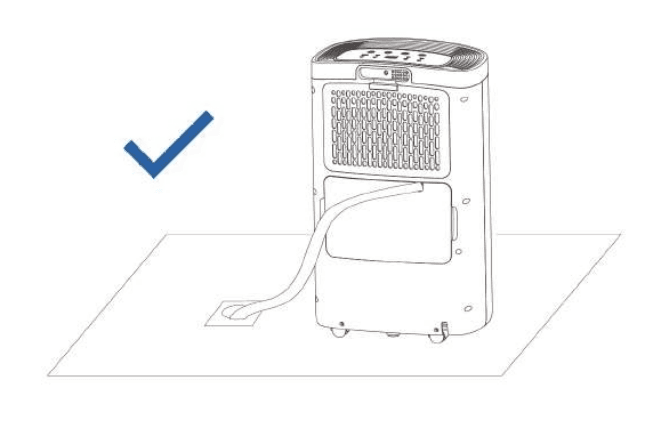
Advised Use Methods
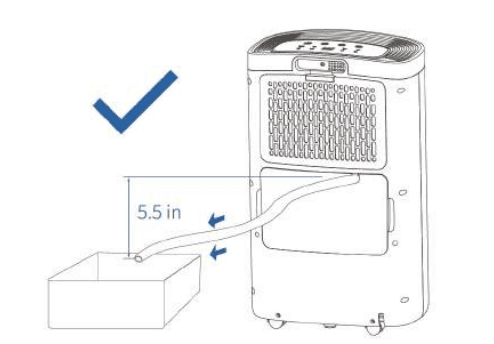
This method is applicable for an external water collecting vessel, Please note the following
Keep the hose downward.
- Make sure the drainage outlet of the appliance is always higher than the maximum water level of the water collecting vessel, or water may flow backward.
- Make sure there is always a height difference of 5.5 in between the outlet of the hose andthe drainage outlet of the appliance. The outlet of the hose should be 5.5 in lower all the time.

- This method is applicable to a floor drain. Well, connect the hose to the appliance and place the other end on the floor drain.

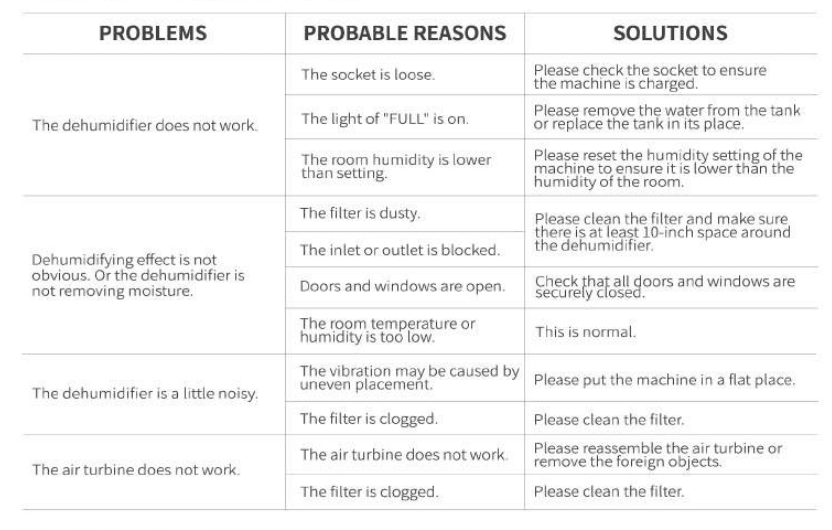
TROUBLESHOOTING
For more manuals by Airplus, visit ManualsLibraryy
AIRPLUS AP10-1907 30 Pints Dehumidifier-FAQs
How do I turn on the AIRPLUS dehumidifier?
Plug the unit into a power outlet.
Press the Power button to start.
Use the Mode button to select your preferred setting.Plug the unit into a power outlet.
Press the Power button to start.
Use the Mode button to select your preferred setting.
What is the ideal humidity setting?
For most homes, set between 30%–50% humidity to prevent mold and maintain comfort.
How do I use Comfort Mode?
Press the Comfort button to automatically set humidity to 50%.
Adjust further with +/- buttons if needed.
What is Continuous Mode?
The dehumidifier runs non-stop until manually turned off (useful for extreme dampness).
What is Turbo Mode?
Turbo Mode increases fan speed for faster moisture removal in high-humidity areas.
Does it have an Auto Mode?
Yes! Auto Mode maintains your set humidity level by turning on/off as needed.
How often should I empty the water tank?
The 1.5-gallon tank should be emptied when full (indicator light will alert you).
In high humidity, check daily.
How do I clean the dehumidifier?
Unplug the unit.
Wash the water tank with mild soap and water.
Clean the air filter (located behind the front grille) every 2 weeks to maintain efficiency.
How do I prevent mold in the tank?
Use a vinegar-water solution (1:1) to disinfect monthly.
Let the tank dry completely before reinserting.
Why is my dehumidifier not collecting water?
Check if the filter is clogged (clean if dirty).
Ensure the room temperature is above 41°F (below this, frost may form).
Verify the humidity setting isn’t too high.
Why does it keep running without stopping?
If in Continuous Mode, it will run non-stop.
If in Auto Mode, check if the room humidity is still above your set level.