


Tribesigns HOGA-F1594 L-Shaped Computer Executive Desk
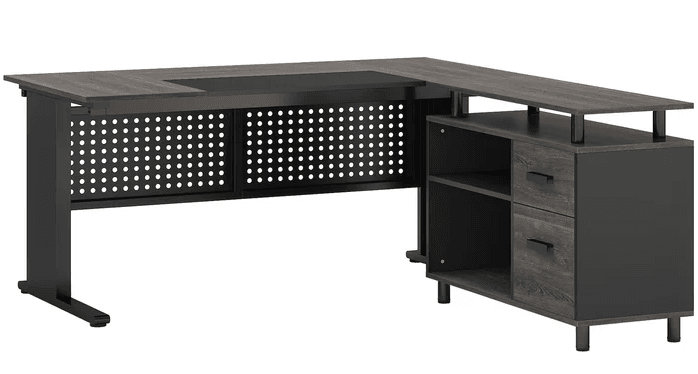
Before You Start
ASSEMBLY PREPARATION
- Remove all packaging materials, staples, and packing straps from the carton.
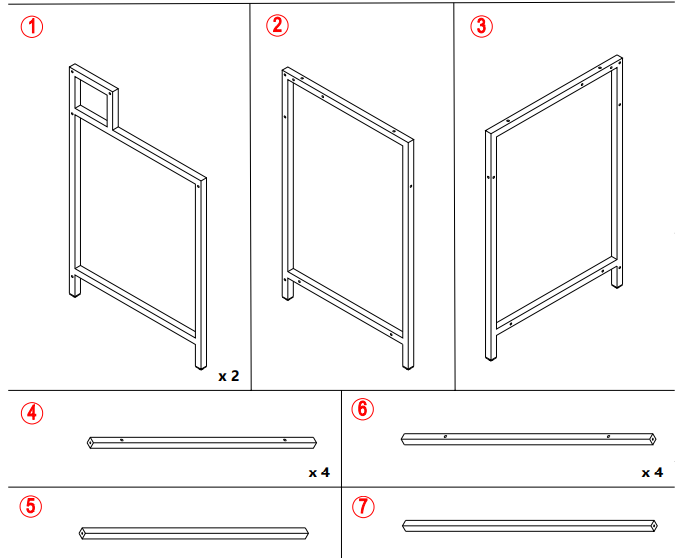
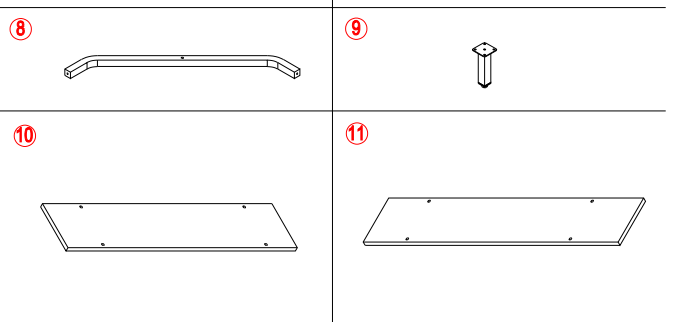
- Refer to the Parts List and Hardware List and ensure they are complete before you start assembly.
- Place all parts on a clean, flat, and soft surface (e.g,. carpet or rug) to prevent parts from getting scratched.
SAFETY PRECAUTIONS
- Keep all hardware parts out of reach of children.
- Dispose of plastic packaging material immediately to avoid any risk of suffocation to children and animals.
TIPS FOR ASSEMBLY:
- Allow ample room for assembly and be in close proximity to where the product will be placed.
- Assemble the product on a surface that does not scratch or damage the exterior gloss and finish of the furniture.
- Please check that all of the parts and quantities are included before assembly. Contact customer service for missing parts.
- Identify all of the parts, hardware, and quantities required for each step.
- During assembly, do not over-tighten any fittings as this may cause damage.
- Do not use power tools to assemble this product.
- Always place the product on a flat surface.
- Do not sit or stand on the partially assembled product; only use the product for which it is intended.
- Don’t tighten screws completely at first, just in case parts were assembled wrong and need to be disassembled. Tighten the screws last when all parts are put together.
- Please use the screws correctly, otherwise you might damage the desk panel.

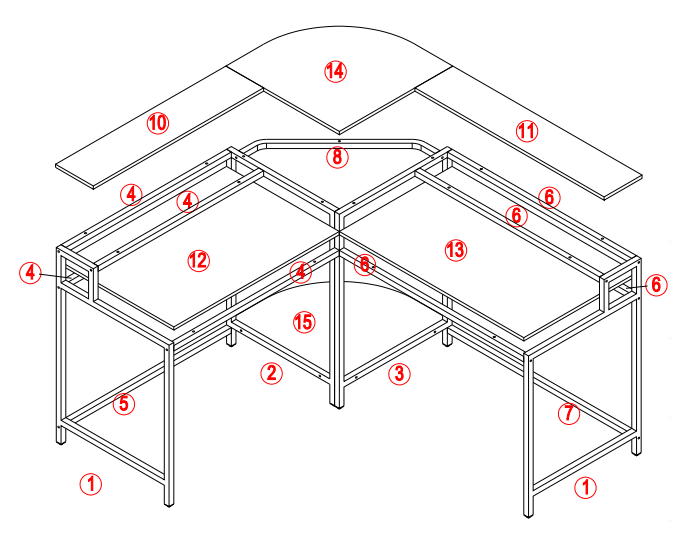
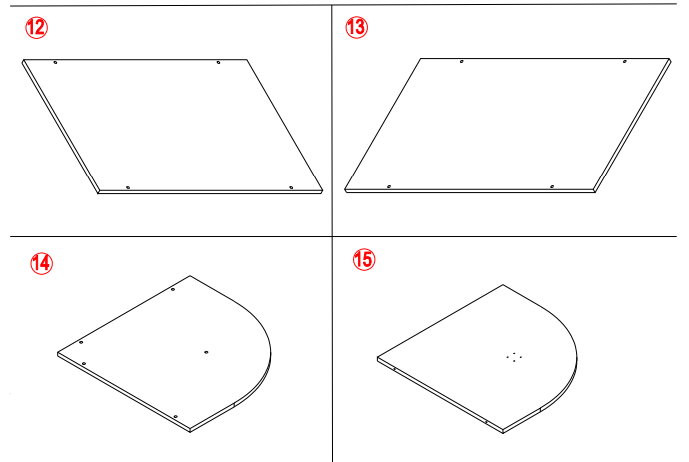
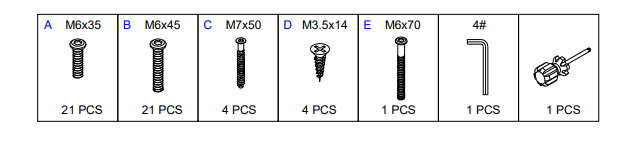
Parts List
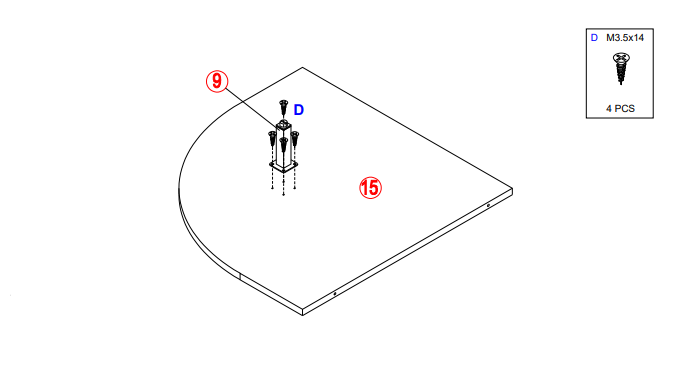
- STEP 1

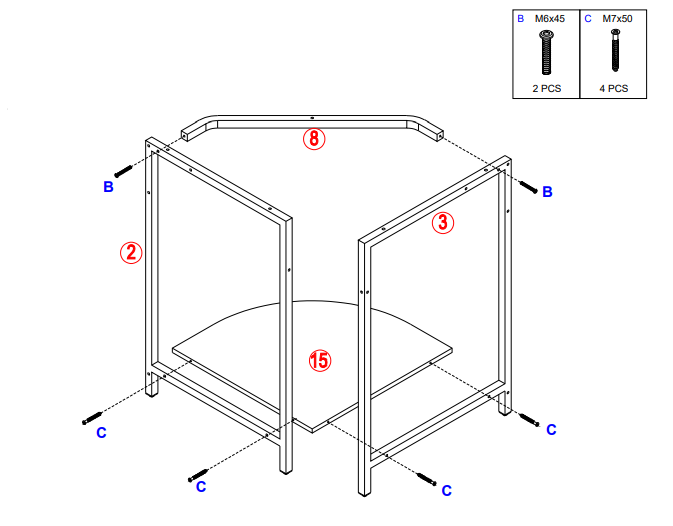
- STEP 2

- STEP 3

- STEP 4

- STEP 5

- STEP 6

- STEP 7

- STEP 8

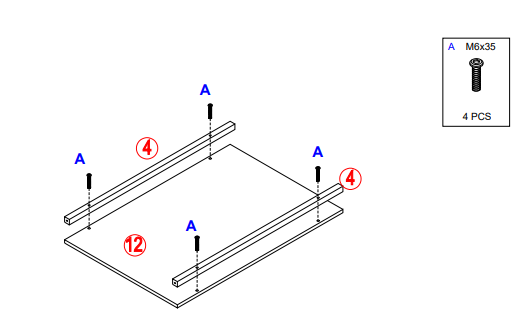
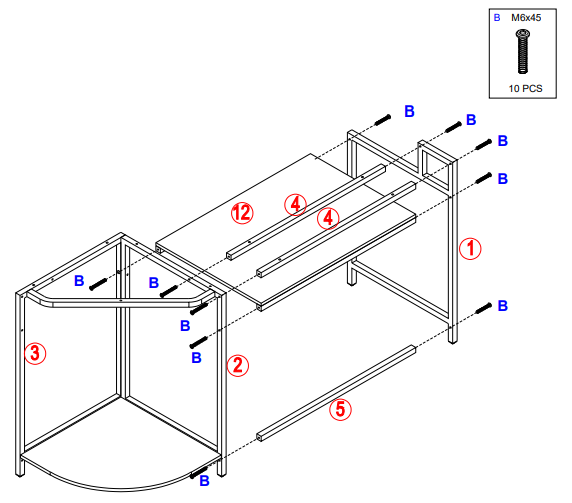
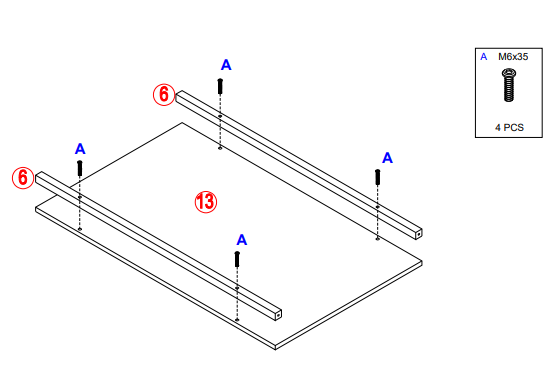
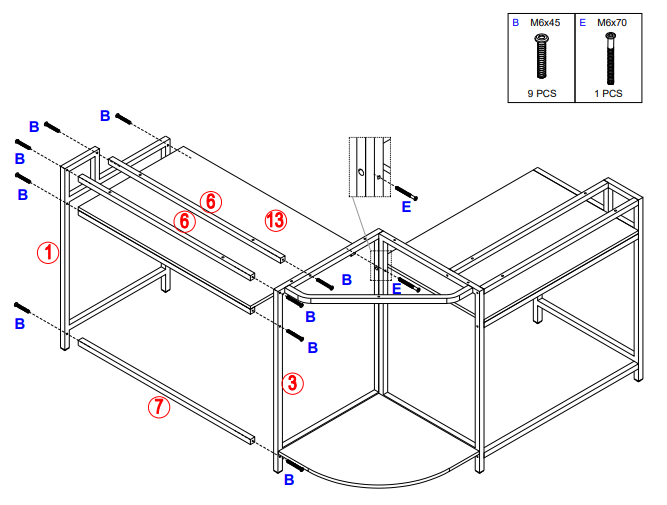
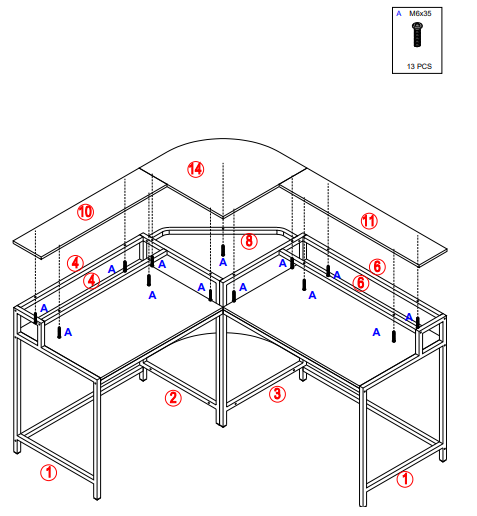
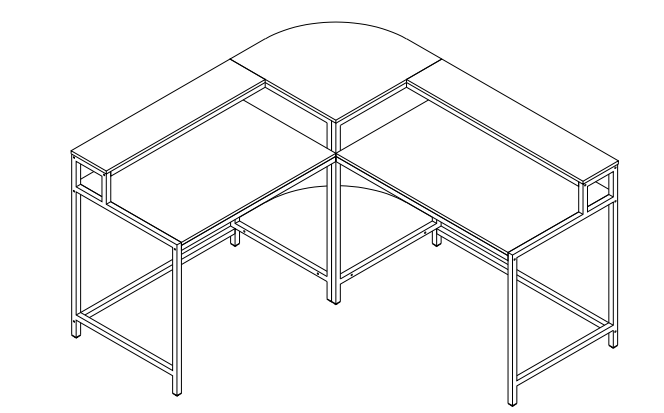
We are only in business if you’re happy. For starters, thanks for being you. We do our best to ensure your furniture arrives without any problems, but occasionally mistakes happen – as humans, we are imperfect beings. In the event that a part is damaged or missing, we will be more than happy to provide you with replacement part(s) for free. Do Not Return This Product! Contact our customer service team for help first at [email protected]. If for any reason there is anything missing, damaged, incorrect, or different from what you expected. PLEASE contact us for a free replacement instead of the hassle of return or other trouble.
For More Manuals By Tribesigns, Visit ManualsLibraryy.
Tribesigns HOGA-F1594 L-Shaped Computer Executive Desk-FAQs
How do I best use an L-shaped desk?
Position yourself facing one side of the desk for computer work while keeping the other side free for writing, filing, or additional equipment. This helps maintain comfort and good posture.
How much weight can the Tribesigns L-shaped desk hold?
On average, an L-shaped desk supports 150–200 pounds, depending on build quality. This is more than enough for computers, dual monitors, office supplies, and paperwork.
Can two people use an L-shaped desk?
Yes. Each person can use one side of the “L,” making it suitable for shared workspaces or collaborations without needing two separate desks.
What size is good for an L-shaped desk?
Most L-shaped desks measure about 29–30 inches in height. The longer side typically ranges from 60–72 inches and the shorter side from 48–58 inches, giving plenty of surface area without overwhelming a room.
Where should I place my monitor(s) on an L-shaped desk?
You can place one monitor directly in front of you and another on the side, or use the inner corner for dual-monitor symmetry. Monitor arms make positioning more ergonomic and flexible.
Are L-shaped desks stable?
Yes. Their shape provides excellent stability and balance, making them sturdier than many traditional straight desks.
What is another name for an L-shaped desk?
It is often called a corner desk, as it fits neatly into the corner of a room while offering a wide working surface.
Where should I sit at an L-shaped desk?
Many users prefer sitting at the corner, giving direct access to both sides. This allows one side for computer use and the other for notes, storage, or paperwork.
Can I move a heavy L-shaped desk easily?
Yes, but it’s best to disassemble it into two sections first. Remove screws and metal fasteners, then transport each piece separately for safety and convenience.