
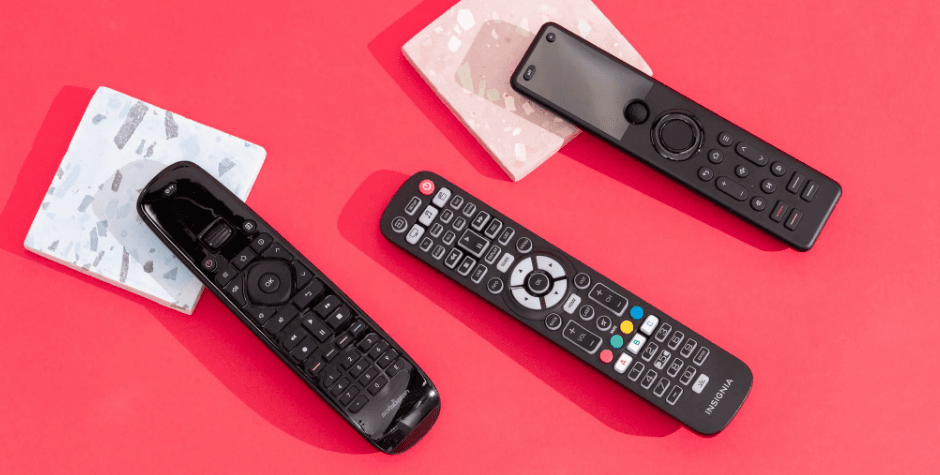
Step-by-Step Guide to Programming Insignia Remotes With and Without Codes
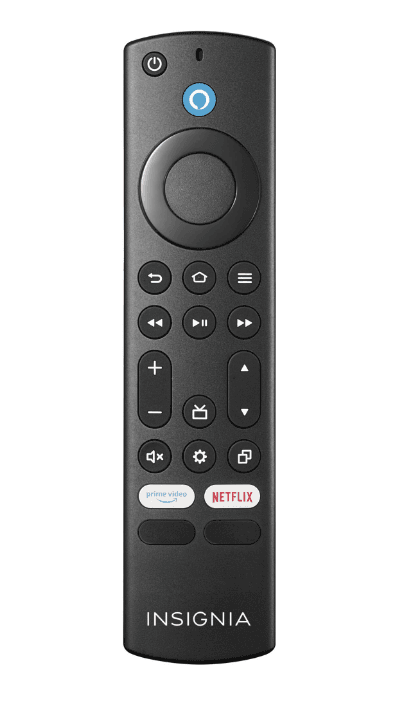
Insignia TV remote codes & how to program your universal remote
The most common Insignia TV remote 5-digit, 4-digit, and 3-digit codes are listed
If you have a universal remote and you’re trying to figure out how to program it for your Insignia TV, then we have you covered. Most universal remotes out there, like GE remotes or RCA remotes, are compatible with Insignia TVs, so compatibility shouldn’t be an issue. Furthermore, you can set up a universal remote both with and without codes to hand: in this guide, we have outlined both methods to help you.
For convenience, we have also provided a list of some of the most common codes, which come in 5-digit, 4-digit, or 3-digit flavours. Most codes can be found by looking in the manual or programming guide that comes with the remote; there will be multiple codes corresponding to different brands of TV. You can also check on the manufacturer’s website or use the auto-code search feature to try and find it – we list the steps on how to do this below. Failing these methods, you can try entering all the different codes listed next to your remote brand in the table we’ve provided until you find the correct one.
Insignia universal remote codes – 5 digit, 4 digit, 3 digit
Here are the most popular remote codes for use with Insignia TVs, depending on the make of your universal remote.
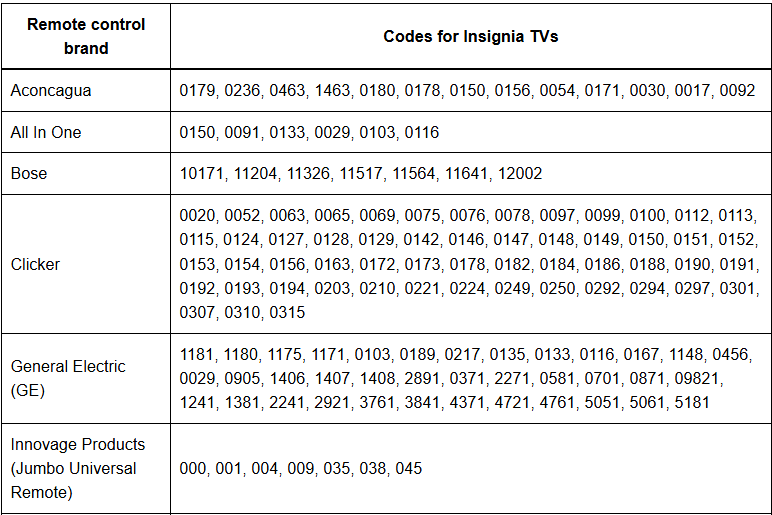
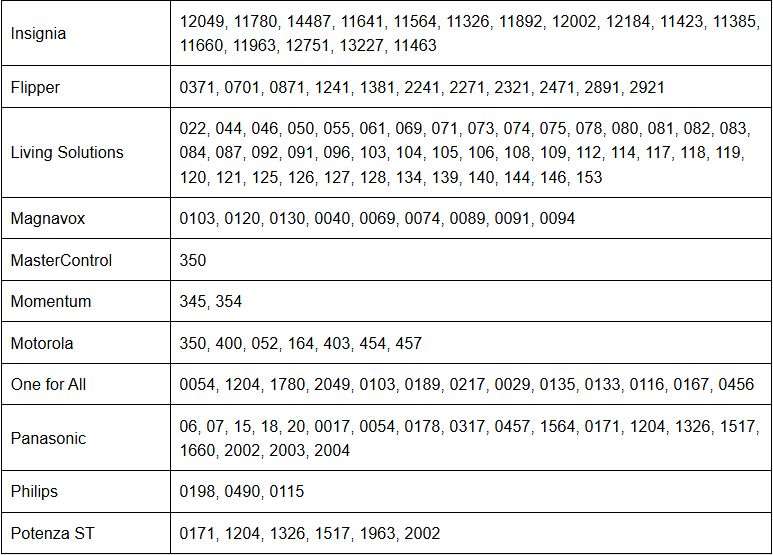
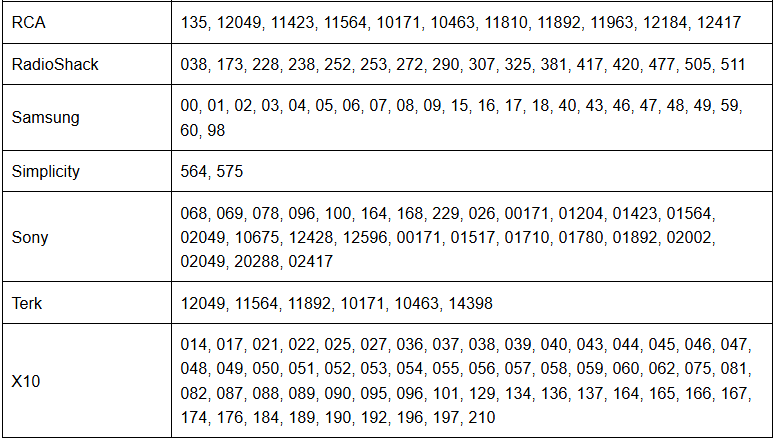
Insignia codes for remote universal remotes
How to program an Insignia remote with codes
If you have found the code for your Insignia TV, then here’s how to program your universal remote –
Step 1: Turn on your TV
Power up the TV for which you want to use the universal remote.
Step 2: Press the ‘device’ button
Next, you have to press the “device” button for the device you want to connect the remote to. In this case, press the “TV” button on your remote.
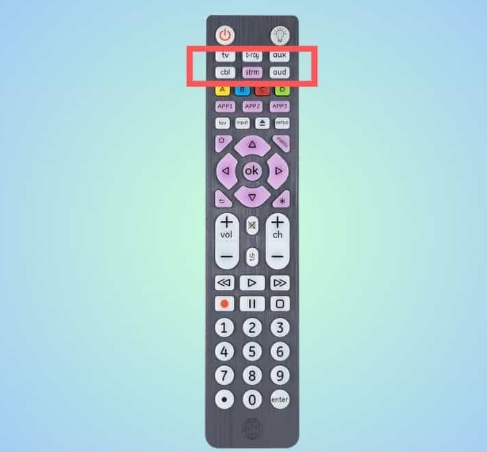
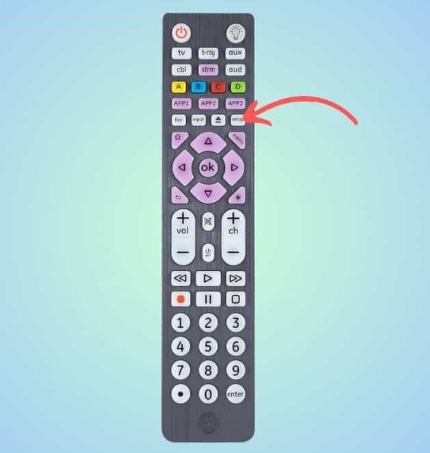
Step 3: Press the Setup button
Then, press and hold the “Setup button” until the LED light turns on, which indicates that the remote is ready for programming.
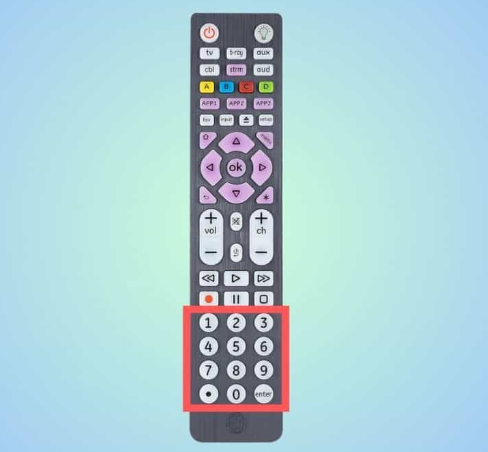
Step 4: Enter the code
Input the code from your programming guide into the remote.
Step 5: Test the remote
Aim your remote at the TV and hold the Power button. Release it when the TV turns off.
How to program an Insignia remote without codes
If you don’t have the codes or you’re not sure which one to use, you can try this auto-search method –
Step 1:Turn on your TV
Ensure the TV you want to program is powered on.
Step 2: Activate the remote
Press and hold the device button (TV) on the remote for 3 seconds until the LED light indicates the remote is ready to program.
Step 3: Scan for codes
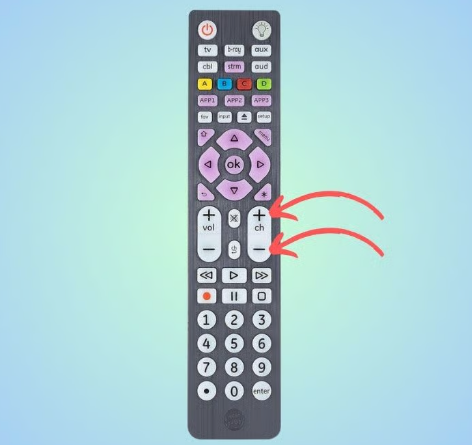
Direct the remote towards the TV and press the channel switches (CH+ & CH-). The remote will send on/off signals. Keep pressing up/down until the TV turns off.
Step 4: Verify the code
Press the “Power” button to turn the device back on. Test different functions to ensure the remote is programmed correctly.
Step 5: Save the code
Press the device button to save the code. The LED light will blink twice to confirm.
With these steps, your Insignia TV should respond to your universal remote control, making it a convenient tool for managing your TV.
Can I use a universal remote for Insignia Fire TV?
Yes, you can use a universal remote for Insignia Fire TV. Most universal remotes are capable of being programmed to work with a wide range of smart TVs, including Insignia Fire TVs. You’ll need to program the remote with the specific codes for Insignia Fire TV (these may differ from the standard Insignia TV codes) to ensure it can communicate and control the TV effectively.
For more manuals by Blogs, visit ManualsLibraryy
Step-by-Step Guide to Programming Insignia Remotes With and Without Codes- FAQs
How do I program an Insignia remote control?
Press and hold the Setup button until the LED light blinks. Enter the Insignia TV code (commonly 0178 or 1758). If the code works, the LED will blink twice. If you don’t know the code, use the code search method by pressing the Power button repeatedly until the TV turns off.
How do I program a remote without the code?
Use the auto-programming method: Press the device button (TV, DVD, etc.) on your remote, then press and hold the Power + Device buttons together until the device turns off and back on. Release the buttons to lock the code.
How can I program a GE universal remote to an Insignia TV without a code?
Turn on your TV, hold the Setup button until the LED stays on, then press TV. Next, press the Power button every 5 seconds until the TV switches off. Once it does, turn the TV back on manually to confirm the code is saved.
Can I use any Insignia remote with my TV?
Yes, most Insignia remotes are designed to work with all Insignia TVs. Simply install the batteries and test the buttons. If they respond, no further setup is required.
What is direct code entry?
Direct Code Entry allows you to manually input a specific 4-digit code for your TV or device from the code list provided with the remote or from the manufacturer’s website.
Does Insignia make a universal remote?
Yes. Insignia offers 3-device and 8-device universal remotes, which can be programmed to control TVs, streaming devices, DVD players, and more.
What is auto code search?
Auto Code Search lets the remote cycle through all stored codes until it finds the correct one for your device. It’s useful if you don’t know the code list.
How do I reset an Insignia remote?
Remove the batteries, then press and hold the Power button for 3–5 seconds. Reinsert the batteries correctly and test the remote.
How do I pair an Insignia remote to my TV?
Turn on your TV, press and hold the Setup button until the LED stays on, then press the TV button. Enter the correct code or use the auto search method until the TV responds.