
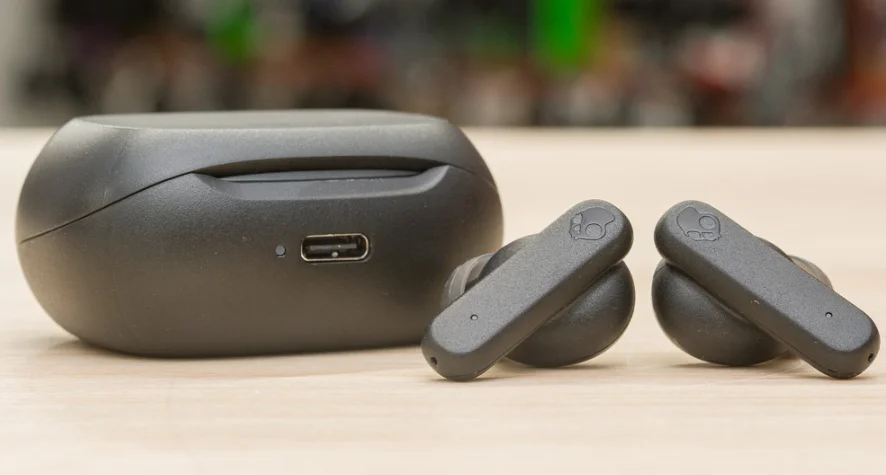

Skullcandy Smokin Buds Wireless Earbuds
 SMOKIN’ BUDS
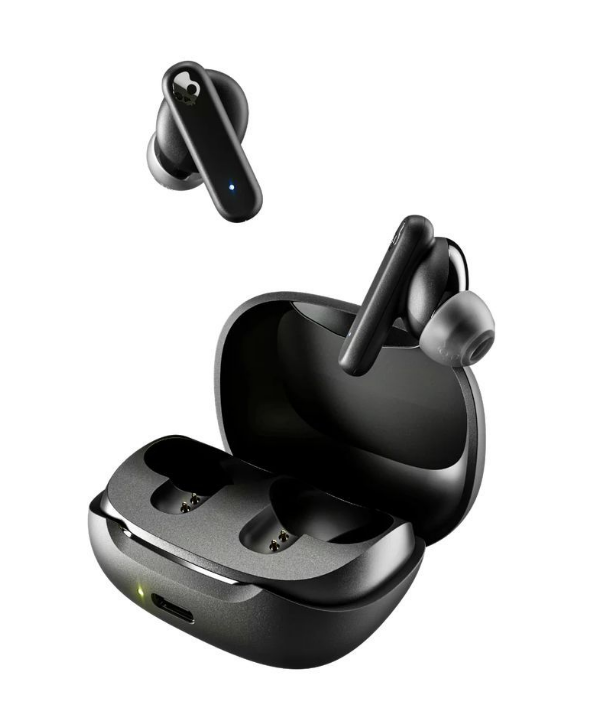 SMOKIN’ BUDS
Scan to get started. Warranty information at: skullcandy.com/warranty.
Auto Power – On/Off
- Auto On – Remove buds from case
- Auto Off – Place buds into the case

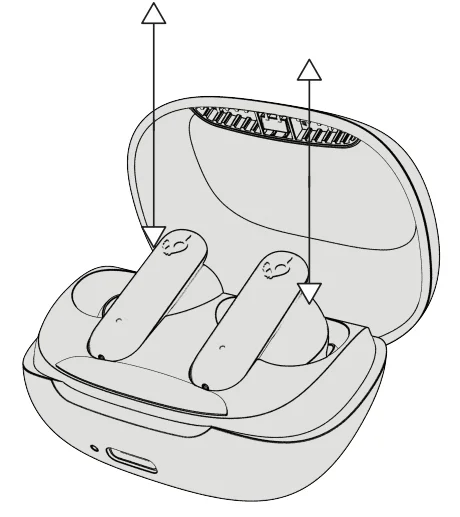
Power – On
- Off Mode Either bud

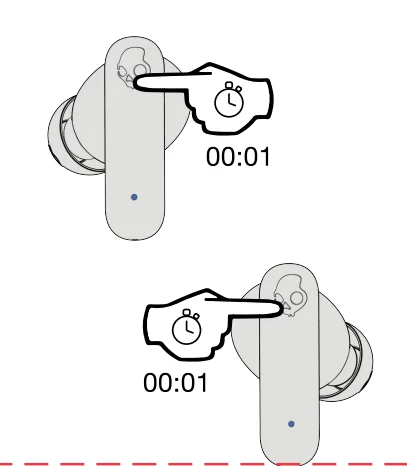
Power – Off
- On Mode Both earbuds

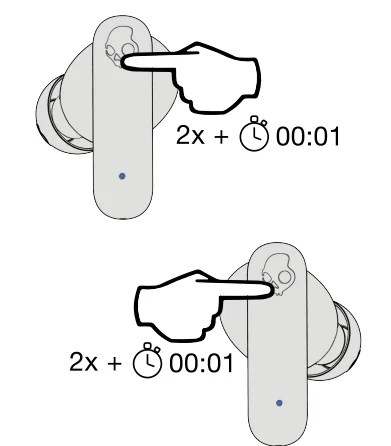
Pairing Mode
- On Mode Either bud

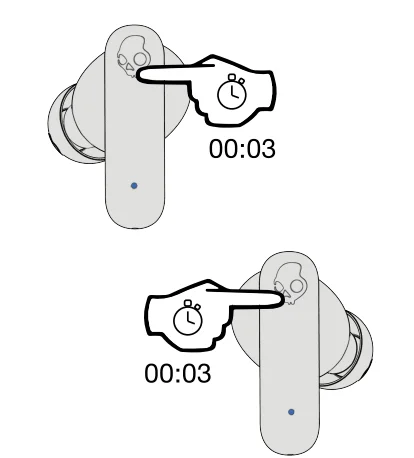
Pair New Device
- Voice Prompt – “Ready to Pair”
- Available Device – “Smokin’ Buds”

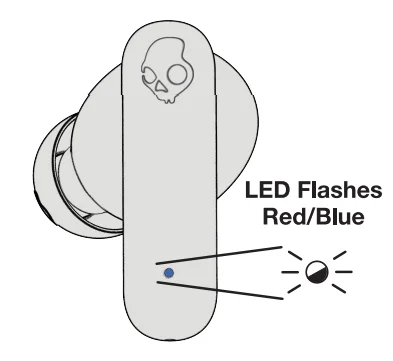
Play/Pause /Answer/End
- While On Either bud

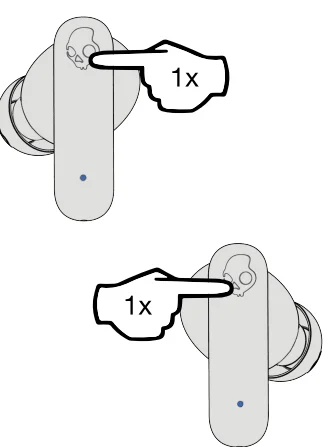
Volume Up
- Either earbud

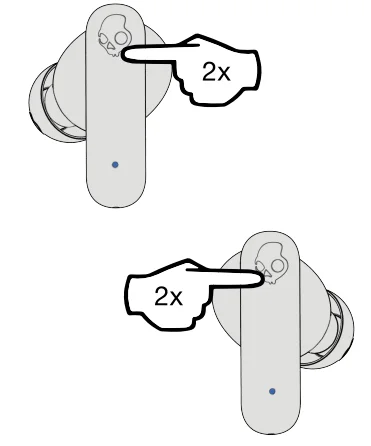
Volume Down
- Either earbud

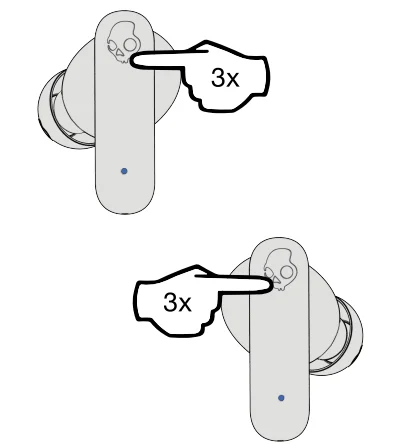
EQ Mode Change
- Either earbud

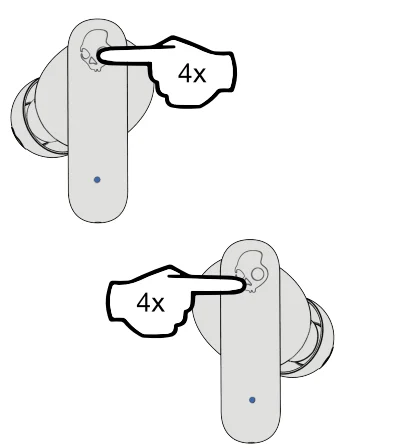
EQ Presets
- Music Mode – Default
- Movie Mode
- Podcast Mode
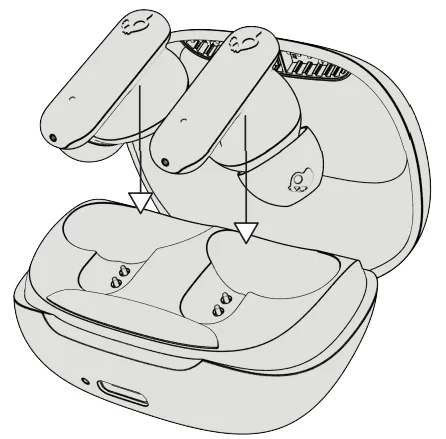
Charge Earbuds
- Earbud LEDs turn red to indicate charging.

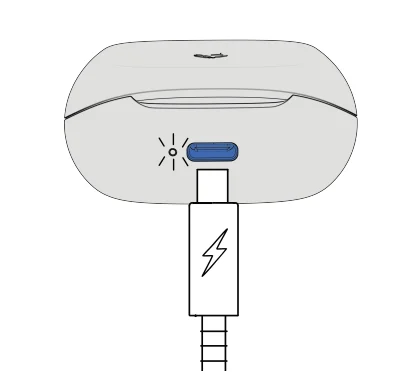
Charge the Case
- LED pulsing red — 0%-25% case charge
- LED pulsing yellow — 25%-75% case charge
- LED solid green — 76%-100% case charge

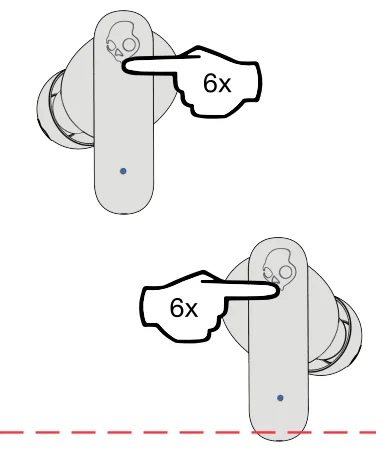
Re-Sync Earbuds
- Both earbuds
- While On
- Bluetooth Disconnected

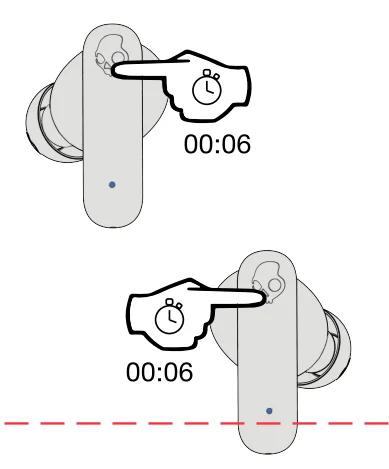
Reset Paired Device List
- Both earbuds
- While On
- Bluetooth Disconnected

1 Year Global Warranty
Skullcandy products are backed by a 1-year warranty. If it doesn’t work the way we promised, we’ll make it right. For claims, questions, or Terms & Conditions:
U.S. & Canada only: visit Skullcandy.com/warranty or call 1-888-MYSKULL
All other countries: visit Skullcandy.com/support/international-support
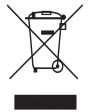 Many electrical items can be repaired or recycled, saving natural resources and the environment. If you do not recycle, electrical equipment will end up in a landfill where hazardous substances will leak out and cause soil and water contamination, harming wildlife and also human health.
To remind you that old electrical equipment can be recycled, it is now marked with a crossed-out wheeled bin symbol. Please do not throw any electrical equipment (including those marked with the crossed-out wheeled bin symbol) in your bin.
Many local authorities will have containers that collect batteries for recycling. Public buildings and your workplace may also have containers. If you do not recycle, batteries will end up in a landfill where hazardous substances will leak out and cause soil and water contamination, harming wildlife and also human health.
Batteries containing hazardous materials such as mercury (Hg), cadmium (Cd), or lead (Pb) are marked with their chemical symbols as well. This symbol means that, according to local laws and regulations, the battery shall be disposed of separately from household waste. When this product reaches its end of life, take it to a collection point designated by local authorities or return it to the purchase location for recycling or disposal.
Simplified EU Declaration of Conformity
Hereby, Skullcandy International GmbH declares that the radio equipment type [Model: STAW] complies with Directive 2014/53/EU. The full text of the EU declaration of conformity is available at the following internet address: skullcandy.eu/product-documents
Limited Warranty – For Sales in Australia
AUS – Limited warranty for sales in Australia against all defects for 1 year from the date of purchase. Product will be replaced or refunded at our option. At your cost, deliver product and proof of purchase to Skullcandy at 6 Grevillea St, Byron Bay, 2481, NSW, Australia. Ph +61 02 6639 5555. Further details at www.skullcandy.com.au or contact [email protected].
Your benefits under this Skullcandy warranty are in addition to your other rights and remedies under the law in relation to this product. Our goods come with guarantees that cannot be excluded under the Australian Consumer Law. You are entitled to a replacement or refund for a major failure and for compensation for any other reasonably foreseeable loss or damage. You are also entitled to have the goods repaired or replaced if the goods fail to be of acceptable quality and the failure does not amount to a major failure.
Caution
Risk of explosion if the battery is replaced with an incorrect type. Disposal of a battery into fire or a hot oven, or mechanical crushing or cutting of a battery, can result in an explosion. Leaving a battery in extremely high temperature surroundings or an environment that can result in an explosion or the leakage of flammable liquid or gas, or a battery subjected to extremely low air pressure, may result in an explosion or the leakage of flammable liquid or gas.
FCC Compliance Statement
This device complies with Part 15 of the FCC Rules. Operation is subject to the following two conditions:
- This device may not cause harmful interference, and
- This device must accept any interference received, including interference that may cause undesired operation.
Changes or modifications not expressly approved by the party responsible for compliance could void the user’s authority to operate the equipment. This equipment has been tested and found to comply with the limits for a Class B digital device, pursuant to Part 15 of the FCC Rules. These limits are designed to provide reasonable protection against harmful interference in a residential installation. This equipment generates, uses, and can radiate radio frequency energy and, if not installed and used in accordance with the instructions, may cause harmful interference to radio communications.
However, there is no guarantee that interference will not occur in a particular installation. If this equipment does cause harmful interference to radio or television reception, which can be determined by turning the equipment off and on, the user is encouraged to try to correct the interference by one or more of the following measures:
- Reorient or relocate the receiving antenna.
- Increase the separation between the equipment and receiver.
- Connect the equipment into an outlet on a circuit different from that to which the receiver is connected.
- Consult the dealer or an experienced radio/TV technician for help.
ISED Compliance Statement
This device contains license-exempt transmitter(s)/receiver(s) that comply with Innovation, Science and Economic Development Canada’s license-exempt RSS(s). Operation is subject to the following two conditions:
- This device may not cause interference.
- This device must accept any interference, including interference that may cause undesired operation of the device.
Americas
Skullcandy, Inc.
6301 N Landmark Dr.
Park City, UT 84098 U.S.A.
Skullcandy.com
Canada
Skullcandy Canada ULC
329 Railway St. Unit 205
Vancouver, BC V6A 1A4 Canada
Skullcandy.ca
Europe
Skullcandy Europe BV
Postbus 425
5500AK Veldhoven Nederland
Skullcandy.eu
Skullcandy UK LTD
Andrews House
College Road
Guildford GU1 4QB
Skullcandy.co.uk
Hardware Version: revD1 (Earbuds) / revC1 (Charge Case)
Software Version: v4.5 (Earbuds) / v1.0.0.6 (Charge Case)
MODEL: S2TAW / S2TAWL
FCC ID: Y22-S2TAW
IC: 10486A-S2TAW
For More Manuals By Skullcandy, Visit ManualsLibraryy.
Skullcandy Smokin Buds Wireless Earbuds-FAQs
How do I use my Skullcandy Smokin Buds?
To start using your Smokin Buds, remove them from the charging case — they’ll power on automatically. Connect them via Bluetooth on your device by selecting “Smokin Buds” in the Bluetooth menu. Once paired, you can control playback, volume, and calls directly from the earbuds.
Do Smokin Buds have touch controls?
Yes, Smokin Buds come with intuitive touch controls. Tap either earbud once to play or pause music, double-tap the right earbud to increase volume, and double-tap the left to decrease volume. You can also hold either side for two seconds to skip tracks.
How do I know when my Skullcandy Smokin Buds are fully charged?
Place the earbuds in the charging case. The LED light on each earbud will glow red for 5 seconds while charging and turn blue for 5 seconds once fully charged.
Do Skullcandy Smokin Buds charge while the case is charging?
Yes. The earbuds and case can charge simultaneously when the case is connected to a power source.
What is the battery life of Smokin Buds?
Smokin Buds provide up to 20 hours of total battery life, including both earbuds and charging case. A quick 10-minute charge gives you over 2 hours of playtime.
Does Skullcandy Smokin Buds have an app?
Yes, you can use the Skullcandy App (available on Android and iOS) to customize settings, switch EQ modes, and access user guides or firmware updates.
What are the available EQ modes?
There are three EQ modes — Music, Podcast, and Movie Mode. Double-tap and hold either earbud for two seconds to cycle between modes.
Are Smokin Buds waterproof?
Yes. With an IPX4 water- and sweat-resistant rating, they can handle workouts and light rain, but they are not suitable for swimming or showering.
How do I know if my earbuds are wearing correctly?
Insert each earbud into your ear canal and twist slightly for a snug, secure fit. Proper fit ensures better sound and noise isolation.
Do Skullcandy Smokin Buds turn off automatically?
Yes, the earbuds automatically power off when placed back in the charging case and turn on again when removed.