
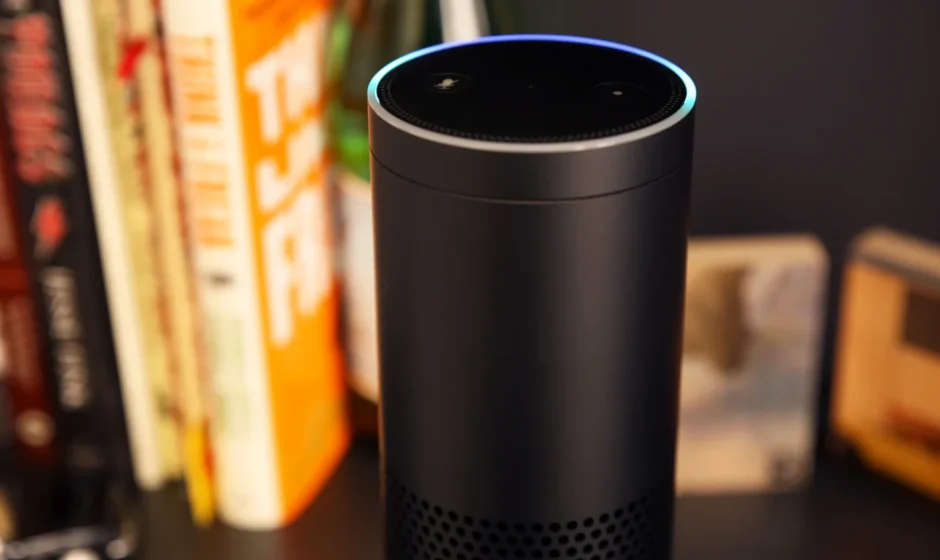

Amazon Echo 1st Generation Speakers
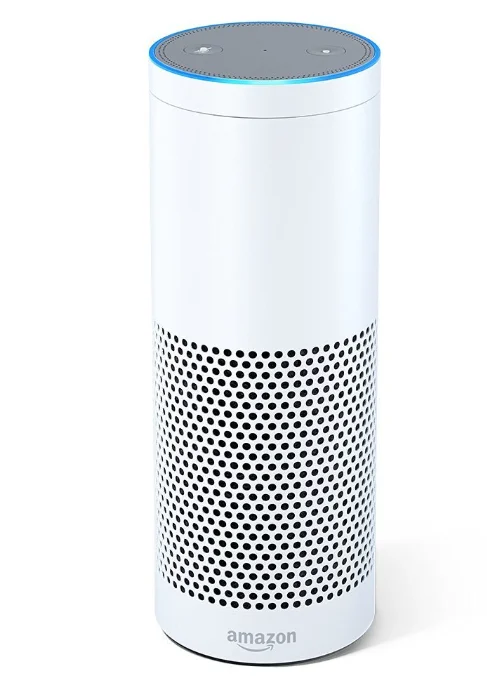
Introduction
The Amazon Echo 1st Generation is the original smart speaker that brought Amazon’s voice assistant Alexa into homes, combining hands-free voice control with music streaming and smart home capabilities. Launched as a tall, cylindrical device with a seven-mic-array and 360° omnidirectional sound, it listens for the wake word “Alexa” and responds to questions, plays music, reads news or weather, and controls compatible smart devices like lights and thermostats.
The speaker delivers clear audio with a 2.5″ woofer and 2.0″ tweeter and streams music from services such as Amazon Music, Spotify, Pandora, iHeartRadio, and TuneIn. Thanks to far-field voice recognition, it can hear you from across the room—even while music is playing.
Equipped with dual-band Wi-Fi and Bluetooth support, the Echo connects easily to your home network and devices. Through the Alexa app on Android, iOS, or Fire OS, setup and smart home integration are simple. With thousands of skills continuously added over time, this early Echo remains a capable voice assistant and audio hub for everyday tasks. Despite its age, many users still enjoy its core features, though newer models offer improved sound and advanced functionality.
Plug in your Echo
Plug the included power adapter into the Echo and then into a power outlet. A blue light ring will begin to spin around the top. In about a minute, the light ring will change to orange, and Echo will greet you.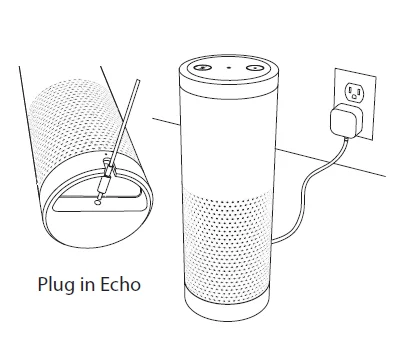
Download the Echo App
Download the free app to your phone or tablet. Start the download process in your mobile browser at: www.amazon.com/echosetup
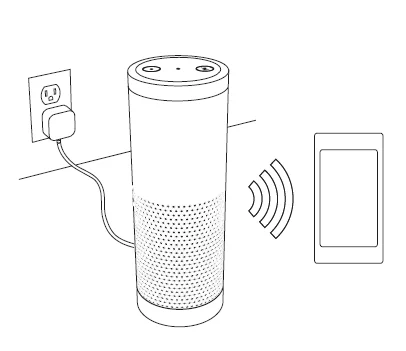
Opening the app will immediately start the setup process. During setup, you will connect Echo to the Internet, so you will need your Wi-Fi password.
Getting to know Echo
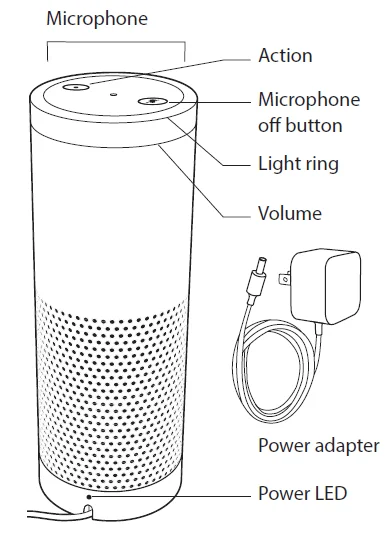
- Microphone off button
Press this button to turn off the microphones. The light ring will turn red. Press it again to turn the microphones back on. - Light ring
The color of the light ring indicates what Echo is doing. When the light ring is blue, Echo is ready for your requests. - Volume ring
Turn the dial clockwise to increase the volume. The light ring fills in as the volume increases. - Action button
You can use this button to turn off the alarm and timer. You can also use this button to wake up Echo.
Getting started with Echo
- Where to put your Echo
Echo works best when placed in a central location, at least eight inches from any walls. You can put Echo in a variety of places—on a kitchen counter, the end table in your living room, or a bedroom nightstand. - Talking to Echo
“Alexa” is the word you say to get Echo’s attention. Say this “wake word” and then tell Echo what you want to do. You can change your wake word to “Amazon” from the Echo App. - Echo App
The app helps you get more out of your Echo and is available for Fire OS, Android, iOS, and web. You can use the app to manage your lists, music, settings, and see an overview of all your requests. - Things to Try
The Things to Try card included in this guide provides examples of things you can ask Echo. Keep this card to help you get started. - Give us your feedback
Echo will improve over time, giving you access to new features and ways to get things done. We want to hear from you about your experiences. Use the Echo App to send us feedback or email [email protected].
Things to Try
News, Weather, & Traffic
- Customize these features in the Echo App.
- Alexa, what’s my Flash Briefing?
- Alexa, play NPR.
- Alexa, what’s the weather?
- Alexa, will it rain tomorrow?
- Alexa, how is my commute looking?
Alarms & Timers
- Alexa, set the alarm for 7 a.m.
- Alexa, set the timer for 45 minutes.
- Alexa, snooze.
Calendar
- Link your calendar on the Echo App.
- Alexa, what’s on my calendar tomorrow?
- Alexa, when is my next meeting?
Lists: To-do & Shopping
- Alexa, add milk to my shopping list.
- Alexa, I need to make a birthday cake.
- Alexa, what’s on my to-do list?
Shop Amazon
- Order items from Amazon.com
- Alexa, re-order laundry detergent.
- Alexa, buy more toothpaste.
Questions & Answers
- Alexa, tell me a joke.
- Alexa, how tall is the Empire State Building?
- Alexa, how many ounces are in a cup?
- Alexa, what’s the definition of serendipity?
- Alexa, when is Mother’s Day?
- Alexa, Wikipedia: Abraham Lincoln.
- Alexa, what is the time in Moscow?
Prime Music
- Play music from the Prime catalog for free.
- Alexa, play some Prime Music.
- Alexa, play some relaxing music.
- Alexa, play my Jimi Hendrix station.
- Alexa, add this to my library.
Sports
- Alexa, did DC United win?
- Alexa, what is the score of Cubs game?
- Alexa, when do the Seattle Seahawks play next?
Music
- Alexa, play my Coldplay station from Pandora.
- Alexa, like this song.
- Alexa, play Ho Hey by The Lumineers.
- Alexa, play a Miranda Lambert station.
- Alexa, play music by Bruno Mars.
Discover & Buy Music
- Alexa, what song is this?
- Alexa, what was Bob Dylan’s first album?
- Alexa, buy this song.
Shows, Podcasts, & Radio
- Alexa, play the program Radiolab.
- Alexa, play ESPN Radio.
- Alexa, play Z100 on iHeartRadio.
Audible Audiobooks
- Alexa, play the book The Hunger Games.
- Alexa, read my audiobook.
Connected Home
- Use Hue and WeMo devices with Echo. To get started, go to Settings in the Echo App.
- Alexa, turn on the coffee maker.
- Alexa, dim Hue lights to 30%.
Use These Anytime
- Alexa, pair my Bluetooth.
- Alexa, stop.
- Alexa, volume five. (1–10)
- Alexa, cancel.
- Alexa, repeat.
For more examples, go to Help in the Echo App.
For more manuals by Amazon Basics, visit ManualsLibraryy
Amazon Echo 1st Generation Speakers-FAQs
What is the Amazon Echo 1st Generation?
Amazon Echo 1st Generation is a smart speaker powered by Alexa that lets you play music, ask questions, control smart devices, set alarms, and more using voice commands.
Do 1st generation Echo devices still work?
Yes, Echo 1st Gen devices still work with the standard Alexa service and can perform most basic smart speaker functions.
How do I pair Echo 1st Gen with a Bluetooth device?
Say “Alexa, pair Bluetooth,” then select Echo from your phone’s Bluetooth settings.
Does Echo 1st Generation support Bluetooth?
Yes, it supports Bluetooth and can connect to phones, tablets, or external Bluetooth speakers.
How do I factory reset Amazon Echo 1st Generation?
Press and hold the Microphone Mute and Volume Down buttons for about 15–20 seconds until the light ring turns off and back on.
Where is the reset option on Echo 1st Generation?
There is no physical reset button. Resetting is done by holding the Mute and Volume Down buttons together.
Can I set up an old or pre-owned Echo device?
Yes. Factory reset the device first, then place it in setup mode and follow the Alexa app instructions like a new device.
How do I put Echo 1st Gen into setup mode?
Press and hold the Microphone Mute and Volume Down buttons together for about 20 seconds until the light ring turns orange.