
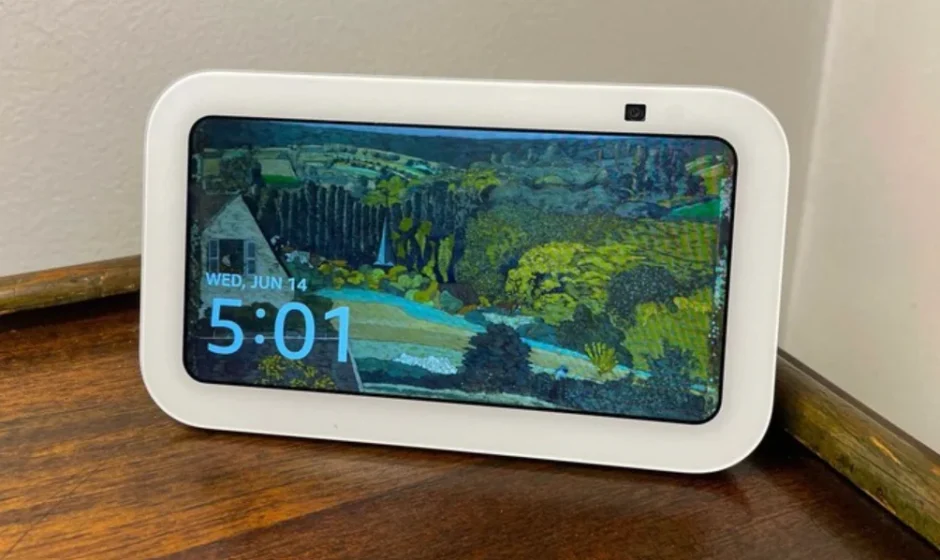

Amazon Echo Show 5 3rd Gen Smart Display
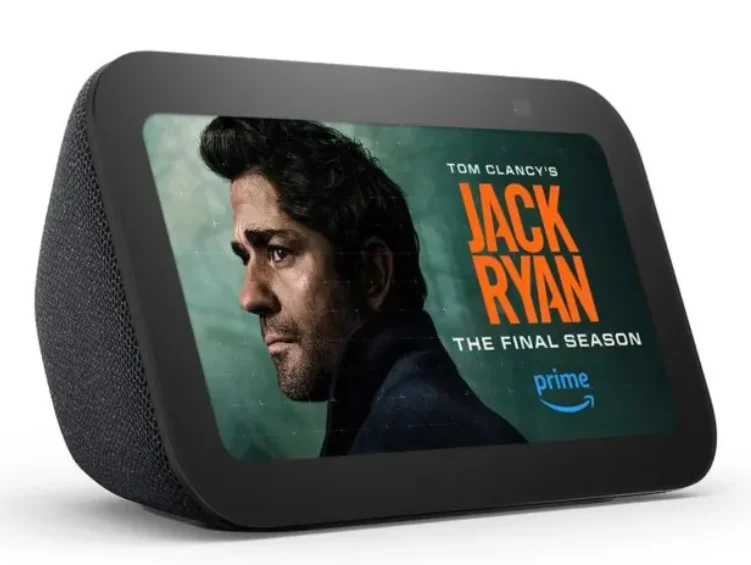
Introduction
The Amazon Echo Show 5 (3rd Gen) is a compact and versatile smart display with Alexa built in, designed to make everyday tasks easier and more enjoyable. Featuring a 5.5-inch touchscreen, it shows weather, reminders, news, and more at a glance, while also serving as a digital photo frame. You can use voice commands to ask Alexa to set timers, control compatible smart home devices, play music, or answer questions hands-free.
This model brings improved audio with deeper bass and clearer vocals, making it great for music, podcasts, and video calls with the built-in 2MP camera that also includes a privacy shutter. It’s powered by a responsive processor, supports dual-band Wi-Fi and Bluetooth, and lets you manage lights, thermostats, cameras, and other connected devices from the screen or by voice.
Ideal for kitchens, bedside tables, or desks, the Echo Show 5 strikes a balance between smart assistant functionality and visual display features, all in a compact form that fits easily into any space.
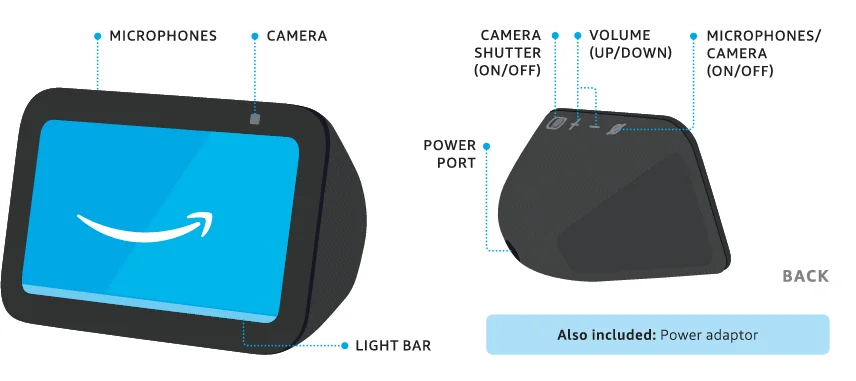
MEET YOUR ECHO SHOW 5
SET UP YOUR ECHO SHOW 5
 HAVE YOUR WI-Fl AND AMAZON PASSWORDS READY
During setup, you will connect to the internet and sign into your Amazon account. PLUG ECHO SHOW 5 INTO A POWER OUTLET
Use the included power adaptor. In about a minute, the display will turn on and Alexa will greet you. FOLLOW THE ON-SCREEN SETUP
Log in with an existing Amazon account username and password or creat- e a new account.
 DOWNLOAD THE AMAZON ALEXA APP FROM YOUR APP STORE
Installing the app on your phone or tablet helps you get more out of your Echo Show 5. It’s where you set up calling and messaging, managing music, lists, settings and news.
 HAVE YOUR WI-Fl AND AMAZON PASSWORDS READY
 PLUG ECHO SHOW 5 INTO A POWER OUTLET
 FOLLOW THE ON-SCREEN SETUP
 DOWNLOAD THE AMAZON ALEXA APP FROM YOUR APP STORE
 TO CHANGE YOUR SETTINGS
Swipe down from the top edge of the screen.
For help and troubleshooting, go to Help & Feedback In the Alexa app or visit amazon.com/devicesupport.
LEARN ABOUT THE LIGHT BAR
By default, Alexa doesn’t begin listening until your Echo device hears you say ”Alexa.”
- BLUE

Alexa is now listening. - RED

The microphones and the camera are off. Alexa can’t hear or see you. - ORANGE

Your device is in setup mode or is trying to connect to the internet. - PURPLE

Your device is in Do Not Disturb mode. During initial device setup, purple shows if there are wifi issues. - YELLOW

You have a new notification. Say “Alexa, read my notifications” or check the Alexa app. - GREEN

A household member may be viewing the device’s camera from another Echo Show or the Alexa app.
Important information about Echo Shaw 5 International Version: Certain services may not be available in all countries and languages, require separate subscriptions and are subject to change at any time without notice.
PRIVACY AND SUPPORT
 PRIVACY CONTROLS
Turn the camera and microphones off by pressing the Microphones/Camera on/off button. Cover the camera easily with the built-in shutter. See when Alexa is recording and sending your request to Amazon’s secure cloud via a blue indicator light. MANAGE YOUR VOICE HISTORY
You can view, hear and delete the voice recordings associated with your account in the Alexa app at any time. To delete your voice recordings, try saying “Alexa, delete what I just said.” “Alexa, delete everything I’ve ever said.” GIVE US YOUR FEEDBACK
Alexa is always getting smarter and adding new skills. To send us feedback about your experiences with Alexa, use the Alexa app, visit amazon.com/devicesupport or say “Alexa, I have feedback.”
 PRIVACY CONTROLS
 MANAGE YOUR VOICE HISTORY
 GIVE US YOUR FEEDBACK
You have control over your Alexa experience. Explore more at amazon.com/alexaprivacy or amazon.co.uk/alexaprivacy.
For more manuals by Amazon Basics, visit ManualsLibraryy
Amazon Echo Show 5 3rd Gen Smart Display-FAQs
What can the Echo Show 5 (3rd Gen) do?
The Echo Show 5 features a 5.5-inch display that lets you check the weather, news, and calendar, make video calls, view compatible security cameras, stream music and shows, set alarms, timers, and create daily routines using Alexa.
Can I use the Echo Show 5 as a clock?
Yes. It works perfectly as a smart alarm clock with customizable clock faces, alarms, timers, and reminders.
Does the Echo Show 5 need to be plugged in to work?
Yes. It must be connected to a power outlet. However, an optional battery base is available separately for limited portability.
Can Echo Show 5 be used as a night light?
Yes. You can enable night mode, dim the screen, or use Alexa-compatible smart lights to create a night-light effect.
What does the blue light on Alexa mean?
A blue light indicates that Alexa is listening or responding to a command.
Is the Echo Show always listening?
The device listens only for the wake word “Alexa.” You can mute the microphone at any time using the mute button.
Can I make video calls on Echo Show 5?
Yes. You can make video calls to other Echo Show devices or through the Alexa app.
Does the Echo Show have a hidden camera?
No. The camera is visible and not hidden. You can also disable it using the built-in camera and microphone off button for privacy.
Does the Echo Show 5 have a camera?
Yes. The Echo Show 5 includes a built-in camera for video calls and home monitoring.