
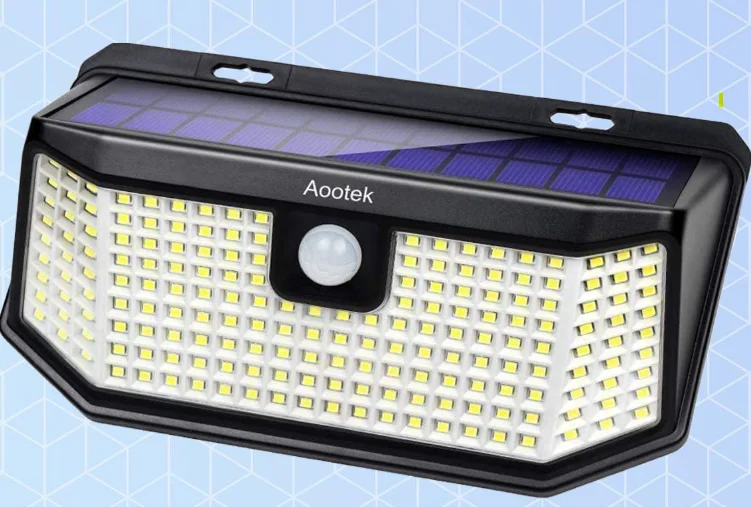

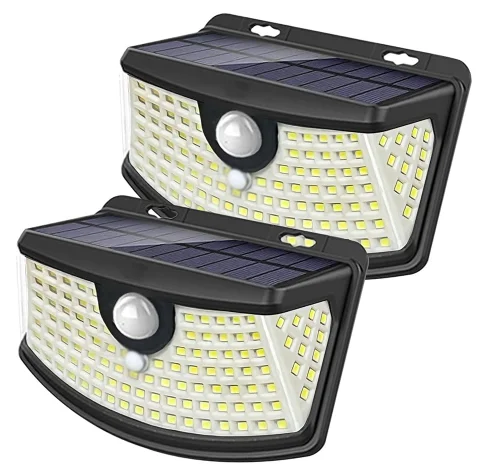
Aootek GT44T5 182-LEDs Solar Light
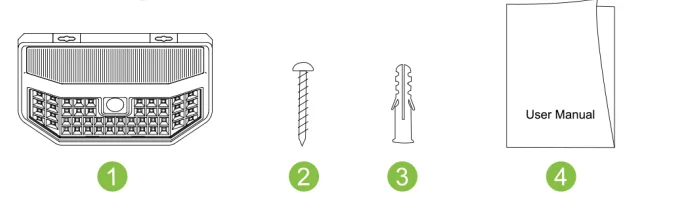
Packing list
- Solar motion sensor
- Screw
- Wall Plug
- User Manual

Operation guide:
The default mode of the product is OFF. Please press the button recessed at the back of the lamp to adjust modes when using the product.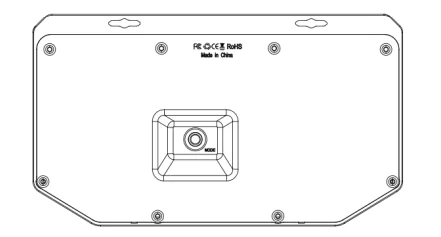
A. Normal Light Mode
When entering the dark, the light will remain at normal brightness until the battery is exhausted.
B.Dim Light Sensor Mode
At night, the light will be dim until motion is detected. When motion is detected, the light will brighten for 15 seconds before returning to dim
C. Strong Light Sensor Mode
At night, the light will be strong and bright when motion is detected. Then, 15 seconds later, the light goes out automatically.
NOTE
- Please charge the solar light in direct sunlight for several hours before first-time use. The electrical energy will be stored in the storage battery. More direct sunlight means more electrical energy.
- If it is not used for a long time, please remove the battery and store it in a cool, dry place, and recharge the battery at least every three months to avoid battery damage and leakage
- If the battery is exhausted, the light will flash. Please recharge before normal use.
- Duration of light depends on the solar product’s level of sunshine exposure, geographic position, weather conditions, and hours of daylight. Solar light is weather-sensitive. It is normal that the charging time may be longer and the lighting time may be shorter on cloudy days or in winter.
- Motion sensor mode(only Switch B and C workable, Switch A is not workable)
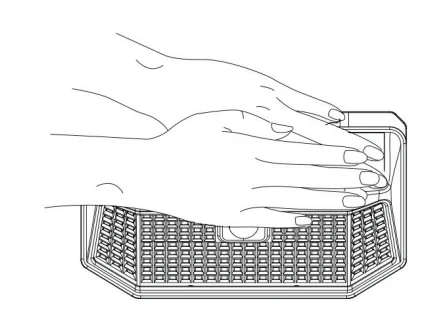
- If you want to check whether the product can work normally or not, please open switch A or B, or C on the back of the lamp, then cover the solar panel with your hands in the daytime or put it in a dark environment.

Installation:
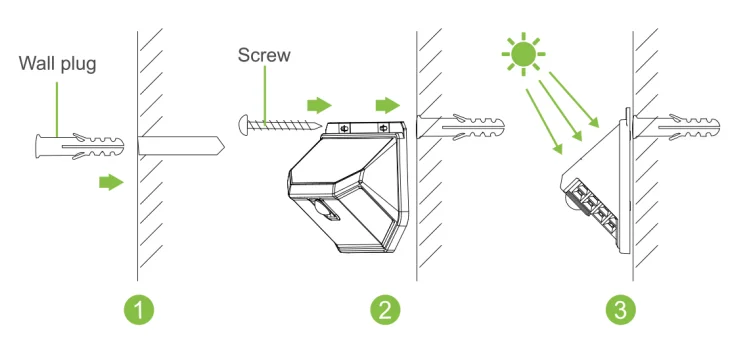
- Choose a place that gets enough sunlight to install the light; the longer it gets, the longer it can illuminate.
- Punch a hole in the wall with a drill bit and insert the attached wall plug into the hole. Then, twist the screw through the screw hole of the light into the wall plug.

FCC STATEMENT
This device complies with Part 15 of the FCC rules. Operation is subject to the following two conditions:
- This device may not cause harmful interference
- This device must accept any interference received, including interference that may cause undesired operation.
Note:
This equipment has been tested and found to comply with the limits for a Class B digital device, pursuant to part 15 of the FCC Rules. These limits are designed to provide reasonable protection against harmful interference in a residential installation. This equipment generates, uses, and can radiate radio frequency energy and, if not installed and used in accordance with the instructions, may cause harmful interference to radio communications.
However, there is no guarantee that interference will not occur in a particular installation. If this equipment does cause harmful interference to radio or television reception, which can be determined by turning the equipment off and on, the user is encouraged to try to correct the interference by one or more of the following measures:
- Reorient or relocate the receiving antenna.
- Increase the distance between the equipment and receiver.
- Connect the equipment into an outlet on a circuit different from that to which the receiver is connected.
- Consult the dealer or an experienced radio / TV technician for help.
Note: The Grantee is not responsible for any changes or modifications not expressly approved by the party responsible for compliance; such modifications could void the user’s authority to operate the equipment.
CORRECT DISPOSAL OF THIS PRODUCT
 (Waste Electrical & Electronic Equipment) This marking shown on the product or its literature indicates that it should not be disposed of with household wastes at the end of its working life. To prevent possible harm to the environment or human health from uncontrolled waste disposal. Please separate this from other types of waste and recycle it responsibly to promote the sustainable reuse of material resources.
Household users should contact either the retailer where they purchased this product or their local government office for details of where and how they can take this item for environmentally safe recycling. Business users should contact their supplier and check the terms and conditions of the purchase contract. This product should not be mixed with other commercial wastes for disposal.
For More Manuals By aootek, Visit ManualsLibraryy.
Aootek GT44T5 182-LEDs Solar Light-FAQs
Q1. How do I use the solar light for the first time?
Before first use, place the light in direct sunlight for a full day with the switch turned off. This helps the battery reach its initial capacity.
Q2. How long should I charge my solar light before it works properly?
Allow about 6–12 hours of direct sunlight for a full charge. After several charge–discharge cycles, the light can last up to 8 hours or more at night.
Q3. How do I switch on my solar light?
Find the power button, usually at the panel or base, and set it to ON. The light will then work automatically—charging during the day and turning on at night.
Q4. Do solar lights need to be on or off while charging?
For the first charge, keep the switch off. After setup, you can leave it on so it automatically charges and lights up daily.
Q5. How do I change the settings of the solar light?
Press the mode button (often labeled ON/OFF/Auto) to cycle through lighting modes, such as motion-sensing, dim mode, or constant lighting.
Q6. How can I tell if my solar light is charging?
During the day, the LED won’t turn on but the solar panel collects energy. At night, if it lights up, it’s charging correctly. If not, check for dirt on the panel or replace the batteries.
Q7. Why is my solar light not turning on?
Common reasons include weak or dead batteries, dirty solar panels, blocked sunlight, or overly sensitive sensors. Cleaning and repositioning usually fixes the issue.
Q8. Do solar lights turn on automatically?
Yes. Built-in light sensors detect darkness and automatically activate the LEDs at night, then switch off during the day to recharge.