
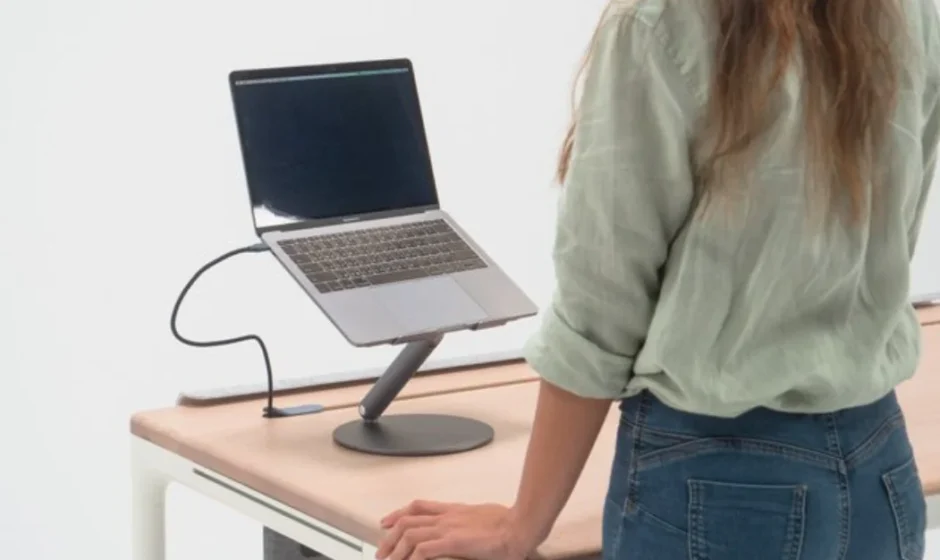

Beflo Slant Tilted Laptop Stand
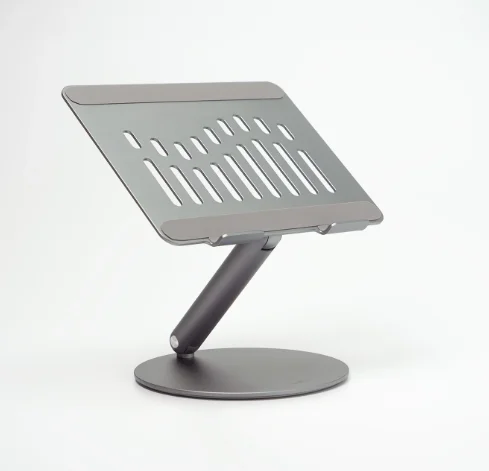
Product Description
Beflo Slant Tilted Laptop Stand is a thoughtfully engineered stand designed to elevate your laptop experience with comfort, stability, and improved ergonomics. Whether you’re working from home, attending virtual meetings, or tackling creative projects, this stand positions your laptop at an ideal angle to reduce neck strain and promote better posture. The slanted design brings your screen closer to eye level, helping you maintain a healthier setup during long hours at your desk.
Built with durability in mind, the Beflo Slant Tilted Laptop Stand features a sturdy frame that securely holds laptops of various sizes. Its non-slip surface and supportive structure ensure that your device stays in place while you type or swipe, giving you confidence and stability throughout daily use. The open design also enhances airflow around your laptop, promoting better cooling and performance—especially important during intense workloads.
Sleek and minimalistic, this laptop stand complements contemporary workspaces without taking up unnecessary desk real estate. Lightweight and easy to integrate into any setup, it’s perfect for students, professionals, and anyone looking to boost comfort and productivity. With the Beflo Slant Tilted Laptop Stand, you get a practical, stylish solution that transforms your laptop into a more ergonomic and efficient workstation.
Description
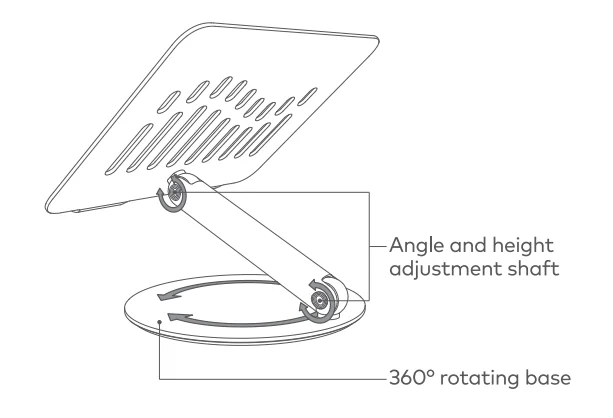
Featuring a 360° rotatable axis connecting with the base, Slant allows you to swivel your laptop to any angle.
Specification
- Folded size: 8.6 x 10.5 x 2.3 in (220 x 268 x 60 mm)
- Weight: 2.42 lbs (1.1 kg)
- Max load: 22 lbs (10 kg)
- Compatibility: All laptops from 10″-17″. Suitable for MacBook, MacBook Air, MacBook Pro, and more notebook and Pad models.
Caution
 Do not expose to liquids.
- Keep away from children.
- Do not disassemble, puncture, drop, bend or modify.
- Be careful not to injure yourself when folding. changes with load, and it might tip over after
- Do not adjust the angle too high, as its stability placing your laptop.
 Do not expose to liquids.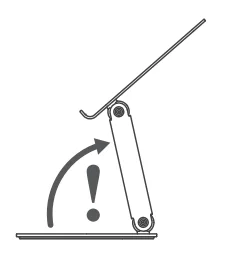
© Copyright 2022 Nonet Inc. or its subsidiaries. All rights reserved.
The Slant laptop stand is the ultimate addition to your work-from-home desk. The Slant is both height and angle adjustable and rotates 360 degrees, making it a great option for those looking for a custom desk setup. The Slant is an angled laptop stand that securely lifts laptops off the desk, making it easier to use your laptop while standing or sitting at your adjustable Tenon desk. When you’re done, simply fold the Slant laptop stand for easy storage until your next flow session.
For more manuals by Beflo, visit ManualsLibraryy
Beflo Slant Tilted Laptop Stand- FAQs
Why are laptop stands slanted or tilted?
Laptop stands are slanted to improve ergonomics and airflow. The tilt raises the screen closer to eye level and allows better ventilation underneath the laptop.
What is the best angle for a laptop stand?
The recommended angle is 15–20 degrees. This gentle tilt reduces neck strain, improves viewing comfort, and helps maintain proper posture during long work sessions.
Is it okay to put a laptop on a stand all day?
Yes. Using a laptop stand for extended periods can reduce neck, shoulder, and back strain by keeping the screen at a more natural viewing height.
Does a tilted laptop stand improve posture?
Yes. A tilted stand encourages an upright sitting position, relaxed shoulders, and better spinal alignment when paired with an external keyboard and mouse.
Do laptop stands help with cooling?
Yes. Laptop stands improve airflow by lifting the device off the desk, allowing heat to dissipate more efficiently and reducing overheating risks.
Can a very steep laptop stand angle cause problems?
Yes. Extremely steep angles (above 30 degrees) may cause wrist discomfort, screen glare, and device instability if not properly designed.
What is the ideal height for a laptop stand?
The top of the screen should be at or slightly below eye level to prevent neck bending and long-term discomfort.
What is a laptop riser or laptop stand?
A laptop riser, commonly called a laptop stand, is an accessory that elevates the laptop to create a more ergonomic and comfortable workspace.
Are there disadvantages to using a laptop stand?
The main drawback is desk space usage. Some stands may also require external keyboards for comfortable typing.
Is it safe to use a laptop in a tilted position?
Yes. Tilted positions are safe and often better for both comfort and cooling, as long as the laptop is stable and well-ventilated.