
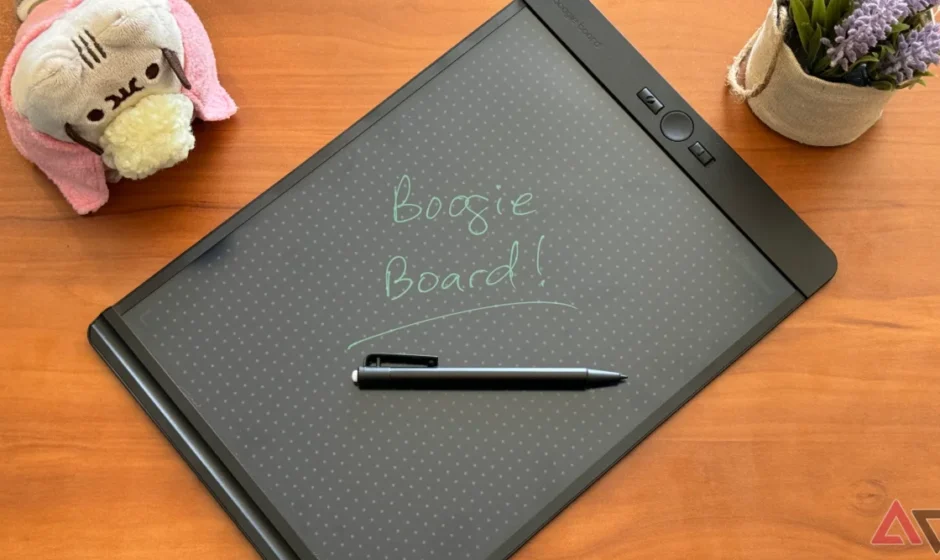

Boogie Board Blackboard Authentic Reusable Notebook
PRODUCT DESCRIPTION
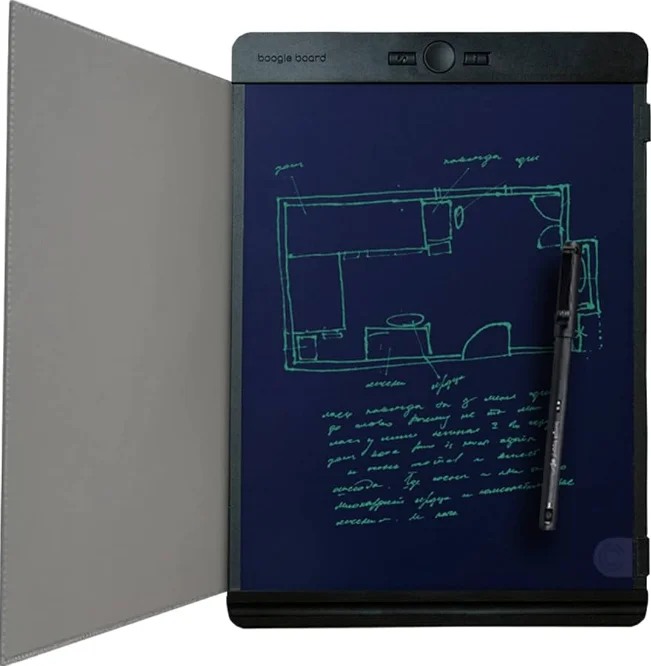
The Boogie Board Blackboard Authentic Reusable Notebook is an eco-friendly and convenient solution for note-taking, planning, and creative expression. Designed as a modern alternative to traditional paper notebooks, it features a smooth, pressure-sensitive writing surface that feels natural under a stylus or finger, making it ideal for jotting down ideas, sketches, lists, reminders, and more. Every page can be easily erased with the push of a button — eliminating wasted paper and helping reduce environmental impact.
Lightweight and portable, the Blackboard notebook is perfect for students, professionals, or anyone who needs a reliable writing tool on the go. Its durable construction ensures it withstands daily use, while the reusable design means you can use it again and again without replacement pages or refills. Whether you’re brainstorming, organizing tasks, or capturing sudden flashes of inspiration, this notebook keeps your thoughts fluid and accessible.
The Boogie Board Blackboard also encourages sustainable habits by significantly cutting down on paper waste, making it a thoughtful choice for eco-conscious users. With its intuitive erase function and long-lasting performance, the Boogie Board Blackboard Authentic Reusable Notebook delivers a seamless writing experience that’s both practical and planet-friendly.
BEFORE USING BLACKBOARD
PRACTICE THESE INSTRUCTIONS AND CALIBRATE EXACT-ERASE™ FOR BEST RESULTS.
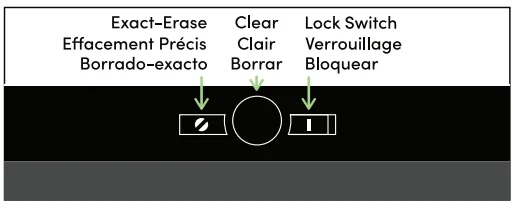
CLEAR EVERYTHING WITH A SINGLE BUTTON TOUCH
To erase the entire writing surface, simply slide the Lock Switch to the left, then press the Clear Button. To protect your work from accidental erasing, slide the Lock Switch to the right, which disables both the Clear Button and the Exact-Erase Button.
ERASE LIKE A PENCIL BY HOLDING DOWN THE EXACT-ERASER BUTTON
Important: An effect that mimics the look of eraser smudges and slight dimming with Exact-Eraseise normal, but can be diminished by calibrating the button using the Calibrating For First Use instructions below.
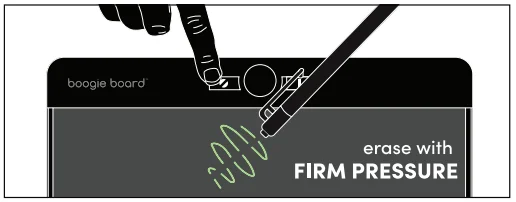
NORMAL USE
- Step 1. Start with a sample set of scribbles across the Blackboard to practice erasing with these instructions. Be sure to slide the Lock Switch to the left to enable erasing.
- Step 2. To practice erasing, press and hold the Exact-Erase Button and erase like a pencil using very firm pressure on the Blackboard Pen Eraser.
CALIBRATING EXACT-ERASE
(RECOMMENDED FOR FIRST USE)
QUICK: METHOD
Press and hold the Exact-Erase Button, then tap the Clear Button six times while continuing to hold the Exact-Erase Button. Release both buttons. Practice erasing using Steps 1-2 above.
FINE TUNING
The six taps of the Clear Button from the Quick Method above represent the most commonly preferred calibration setting. You can fine-tune further by trying five taps, seven tops, or any number of laps (up to 12) of the Clear Button while holding the Exact-Erase Button. A detailed video instruction can be viewed online at myboogieboard.com/futoria/s
VIDEO INSTRUCTIONS& SUPPORT AVAILABLE ONLINE
REPLACEABLE 3V BATTERY (CR2032)

Retain these instructions. Failure to follow these safety instructions could result in fire, electric shock, other injury, and damage to the Boogie Board or other property. Do not use the Boogie Board for anything other than its intended use. This product is not intended for use by young children without supervision. Examine devices and make sure the battery compartment is correctly secured, e.g., that the screw or other mechanical fastener is tightened. Do not use ifthe compartment is not secure. Do not attempt to open this product other than to replace the batteries using the battery cover. Only use CR2032 3V lithium batteries with this product. Non-rechargeable batteries are not to be recharged. Rechargeable batteries are only to be charged under adult supervision.
Rechargeable batteries are to be removed from the product before being charged. Do not mix new and used batteries; do not mix alkaline, standard (carbon-zinc), or rechargeable batteries. Replace all batteries at the same time. Batteries are to be inserted with the correct polarity. The supply terminals are not to be short-circuited. Exhausted batteries are to be removed from the product. During periods of prolonged storage, the battery may enter sleep mode; the erase button may need to be pressed 10 or more times to wake the battery. Remove batteries if the product is to be left unused for a long time. Batteries must be changed by adults; keep batteries out of reach of children. Upon disposal of this product, remove batteries and recycle properly. Do not dispose of batteries in a fire. Follow the battery manufacturer’s instructions.
 Warning:
This product contains a Button or Coin Cell Battery. A swallowed Button or Coin Cell Battery can cause internal chemical burns in as little as two hours and lead 1D dealll. Dispose of used batteries immediately. Keep new and used ballerinas away from children. If you think batteries might have been swallowed or placed inside any part of the body, seek immediate medical attention.
WARNINGS

DO NOT APPLY EXTREME PRESSURE OR USE ANY TOOL THAT COULD DAMAGE THE WRITING SURFACE.
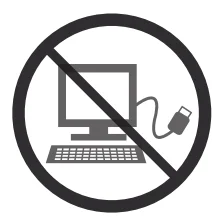
BOOGIE BOARD DOES NOT CONNECT TO A COMPUTER AND CANNOT SAVE IMAGES.
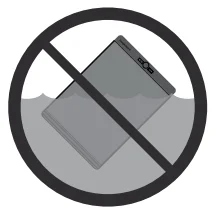
DO NOT SUMMERSE THE BOOGIE BOARD IN WATER.

DO NDT EXPOSE BOOGIE IDARD TO PROLONGED SUNLIGHT.
MAINTENANCE
USE A DRY CLEANING CLOTH
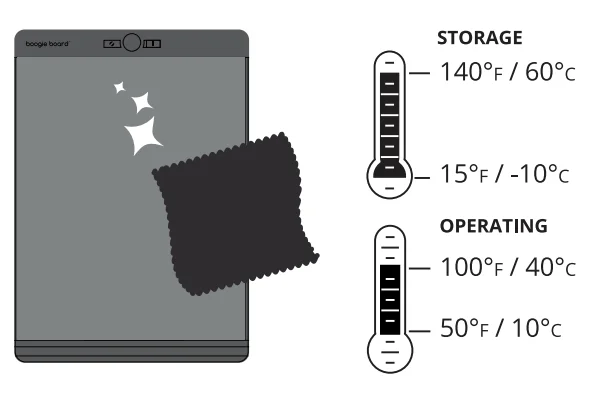
Country of Origin … China

FCC STATEMENT (UNITED STATES ONLY)

This equipment has been tested and found to comply with the limits for a Class B digital device, pursuant to part 15 of the FCC Rules. These limits are designed to provide reasonable protection against harmful interference in a residential installation. This equipment generates, uses, and can radiate radio frequency energy and, if not installed and used in accordance with the instructions, may cause harmful interference to radio communications. However, there is no guarantee that interference will not occur in a particular installation. If this equipment does cause harmful interference to radio or television reception, which can be determined by turning the equipment off and on, the user is encouraged to try to correct the interference by one or more of the following measures:
- Reorient or relocate the receiving antenna.
- Increase the separation between the equipment and receiver.
- Connect the equipment into an outlet on a circuit different from that to which the receiver is connected.
- Consult the dealer or an experienced radio/TV technician for help.
Note: Changes or modifications not expressly approved by the party responsible for compliance could void the user’s authority to operate this device. This device complies with Part 15 of the FCC Rules. Operation is subject to the following two conditions:
- This device may not cause harmful interference, and
- This device must accept any interference received, including interference that may cause undesired operation.
For more manuals by Boogie Board, visit ManualsLibraryy
Boogie Board Blackboard Authentic Reusable Notebook- FAQs
How does the Boogie Board Blackboard work?
The Boogie Board Blackboard uses pressure-sensitive LCD technology. When you write with the stylus, pressure rearranges liquid crystal molecules to form visible lines on the screen.
What technology is used in a Boogie Board?
It is based on reflex display technology using cholesteric liquid crystals that reflect light when written on and turn dark when cleared.
Does the Boogie Board need power to write?
No. Writing does not require power. Battery power is only used when you press the erase button.
How does the erase function work?
Pressing the erase button sends a small electric pulse that resets the screen, instantly clearing all content.
What is the Boogie Board Blackboard used for?
It is used for note-taking, sketches, lists, teaching practice, reminders, and paper-free writing at home, school, or work.
Can I save notes on the Boogie Board Blackboard?
Standard Blackboard models do not store notes digitally. Once erased, the content is permanently removed.
What can I write with on the Boogie Board?
You can write using the included stylus or any hard, smooth object like a pen cap or fingernail.
How long does the Boogie Board battery last?
The built-in battery can last for up to 50,000 erase cycles and does not require recharging.
Can the battery be replaced?
On most models, the battery is sealed and not user-replaceable due to its long lifespan.