
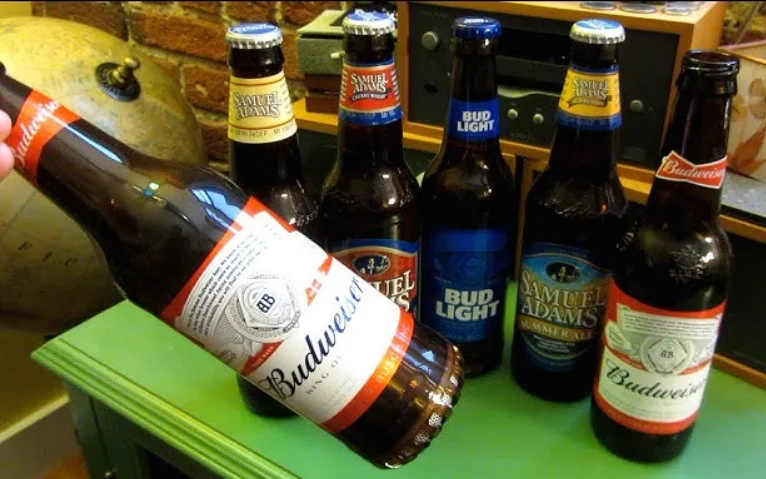
Budweiser BW-BBS-001 Bottle Speaker
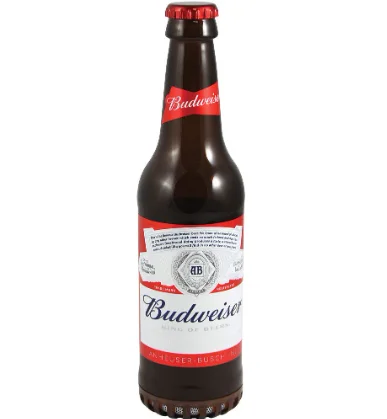
Introduction
Congratulations, and thank you for choosing Budweiser Wireless Bottle Speaker. This manual will help you operate the Bluetooth Bottle Speaker, but you should first familiarize yourself with the Bluetooth® functionality of your mobile phone or smart device before using the Wireless Bottle Speaker.
Safety Rules
- Please follow the rules depicted in this manual closely to ensure your safety. Before using the product, we strongly encourage you to read through this user manual.
- Be wary of any edges, uneven surfaces, metal parts, accessories, and their packaging to prevent any possible injury or damage.
- Do not modify, repair, or dismantle the product. Doing so may result in fire, electric shock, complete breakdown of the product, etc. All of which are not covered under warranty.
- Do not use any diluent or volatile liquid to clean the product.
- Do not use the product in a hazardous location.
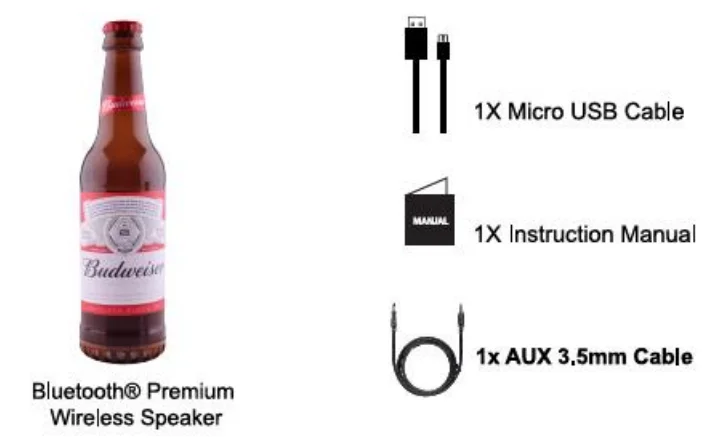
Package Contents
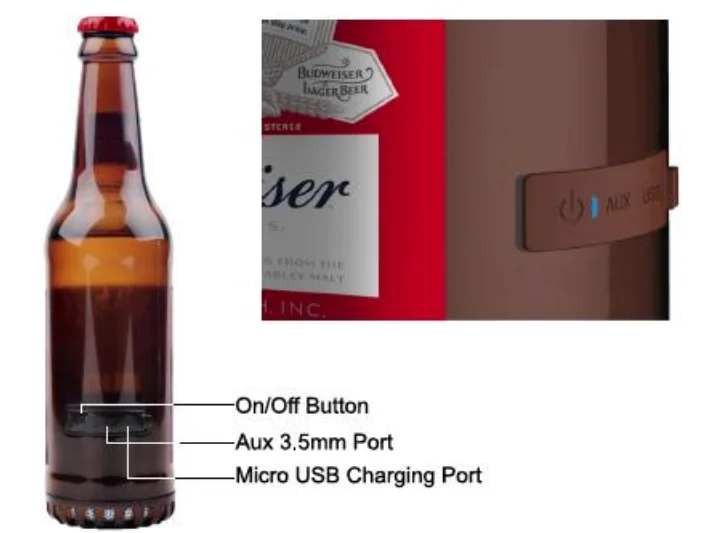
Product Diagram
How To Use
General Functions
Pairing to a mobile phone
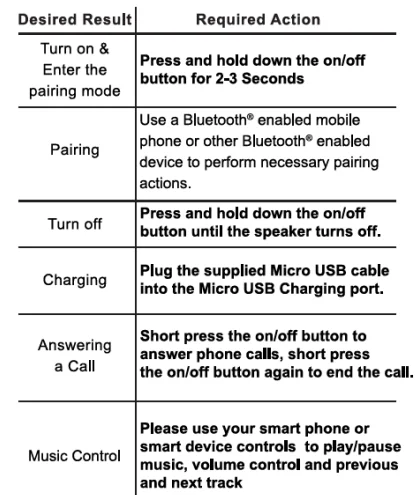
- To use your Bluetooth® Bottle Speaker, you must first pair your Speaker to a Bluetooth® enabled device. Once your Bluetooth® Speaker is paired to a smart device, it will remain paired and automatically recognize each other whenever they are in range.
- Pairing to a Bluetooth-enabled smart Device: Turn on your smart device/Phone and ensure the Bluetooth® function is turned on / activated.
- Long-press the on/off button for 2-3 seconds, and the LED lights will start to flash red and Blue. You are now in pairing mode
- In your Bluetooth® settings under search devices, the smart device will list the “Budweiser Bottle Speaker” as a discovered device. Tap or select the Bud Light Bottle Speaker, and your wireless speaker should now be connected.
- The Blue LED light will start to flash once you are paired successfully.
Charging your Speaker
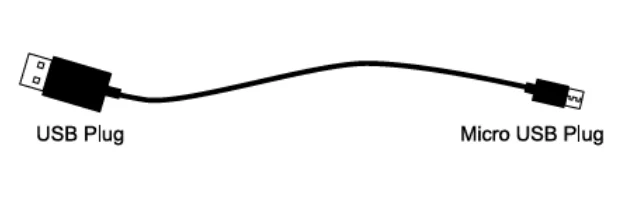
- Use the Micro USB cable provided with your Wireless Speaker. Connect the Micro USB Plug into the Micro USB charging port on the speaker.
- Add a photo of the speaker in the empty space, showing the cable plugged in. Connect the USB end to a USB port on a PC/Laptop or wall adapter in order to start charging the speaker.
- Make Sure to charge the Speaker for 3-4 hours before initial use.

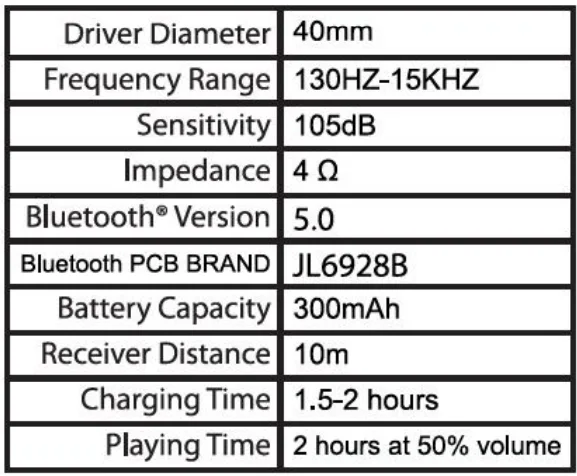
Product Specifications
FAQ
1. Why is there no power when I try to power on the speaker?
Ans: Ensure the battery has been charged up to 3 hours for initial use.
2. There is no sound during playback?
Ans: Check the connection between the speaker and the phone or smart device. If the connection is not established, please try the pairing mode again. Make sure the speaker is paired with your Bluetooth®-enabled device.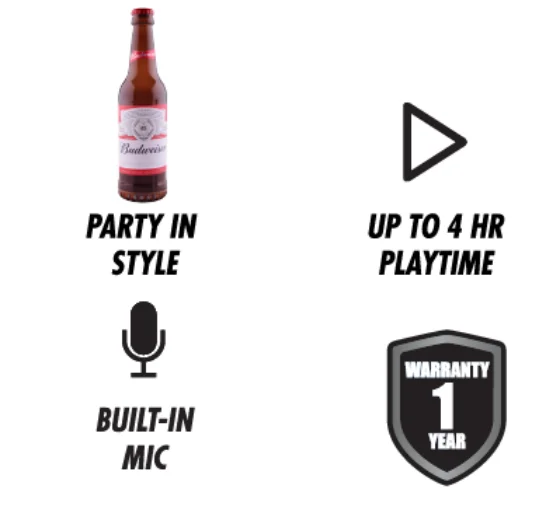
Support
If you have problems with your device, please consult the instructions in this manual. Manufacturer Warranty: We stand by our products! That’s why we guarantee them from any functional defects for one year from the original date of purchase. Should you have an issue, please email us at [email protected] or visit us on the web at www.GabbaGoods.com
FCC Warning Statement
Changes or modifications not expressly approved by the party responsible for compliance could void the user’s authority to operate the equipment. This equipment has been tested and found to comply with the limits for a Class B digital device, pursuant to Part 15 of the FCC Rules. These limits are designed to provide reasonable protection against harmful interference in a residential installation.
This equipment generates uses and can radiate radio frequency energy and, if not installed and used in accordance with the instructions, may cause harmful interference to radio communications. However, there is no guarantee that interference will not occur in a particular installation. If this equipment does cause harmful interference to radio or television reception, which can be determined by turning the equipment off and on, the user is encouraged to try to correct the interference by one or more of the following measures:
- Reorient or relocate the receiving antenna.
- Increase the separation between the equipment and receiver.
- Connect the equipment into an outlet on a circuit different from that to which the receiver is connected.
- Consult the dealer or an experienced radio/TV technician for help
For More Blogs, Visit ManualsLibraryy.
Budweiser BW-BBS-001 Bottle Speaker-FAQs
How do I put the speaker in pairing mode?
Hold the Bluetooth button (or power button on some models) until the LED light flashes, indicating it is ready to pair.
How do I connect my phone to the Budweiser speaker?
Open your phone’s Bluetooth settings, select “Budweiser Speaker” from the available devices, and confirm. Once paired, the LED light will stop flashing.
What is the default Bluetooth pairing code?
If prompted for a code, enter 0000 (or 1234 for some devices).
Do I need Wi-Fi to use this Bluetooth speaker?
No. The Budweiser Bottle Speaker connects directly to your device using Bluetooth and works without Wi-Fi.
Why isn’t my music playing through the speaker?
Check that your phone’s volume is up, the speaker is selected as the audio output, and no other devices are interfering with the connection.
Can I take calls using the Budweiser Bottle Speaker?
Yes. After pairing, phone calls can be routed through the speaker’s built-in microphone and speaker system.
How do I reset the Budweiser Bottle Speaker?
Turn off the speaker, then press and hold the Bluetooth and Volume Up buttons together for about 10 seconds until the LED blinks, confirming a reset.
Can I play FM radio on this speaker?
Some models support FM radio. If available, switch modes using the function button and extend the aux cable (if included) as the antenna.
Can I use two Budweiser speakers together?
Yes, if your model supports dual pairing. Activate pairing mode on both speakers, then select the option for “dual” or “stereo” mode following the manual.