
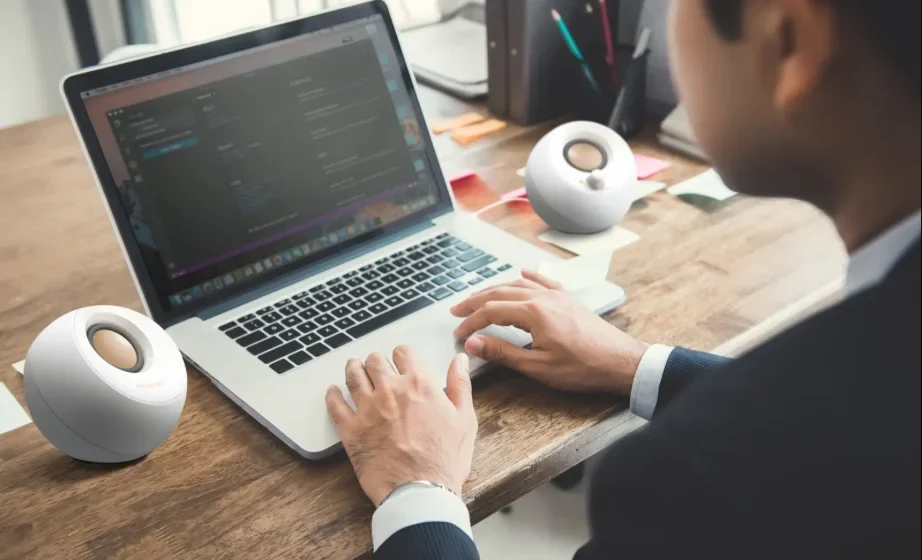

Creative Pebble V3 Minimalistic Desktop Speakers
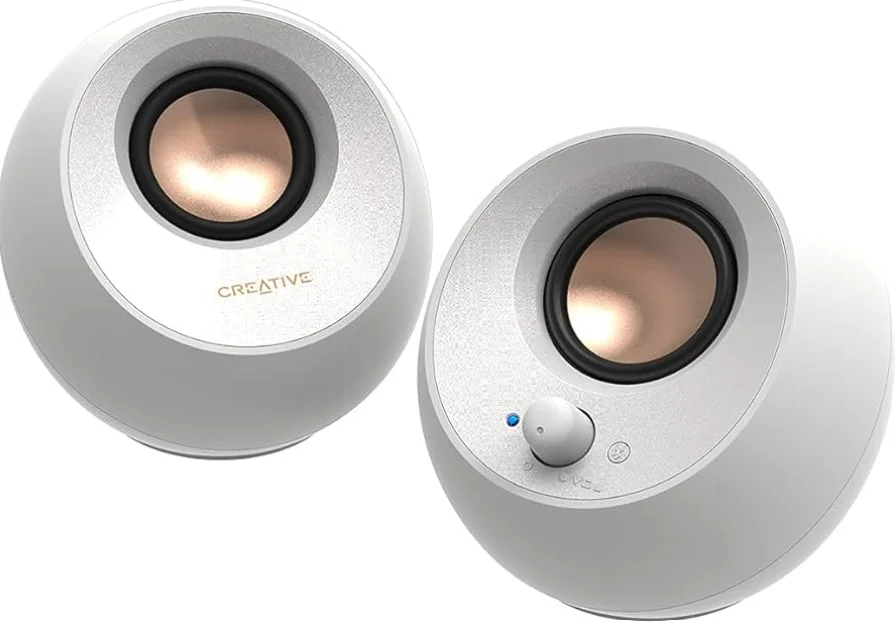
POWERING THE PEBBLE V3
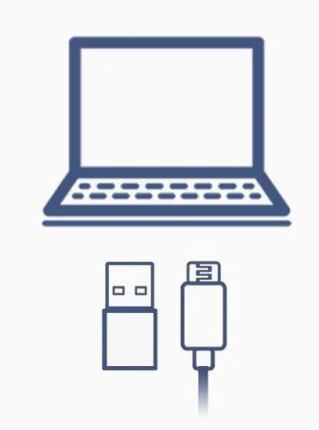
To power up the Creative Pebble V3, connect it to your PC or Mac via theUSB-C cable.
If your PC or Mac does not have aUSB-C port, we’ve included a USB-C to USB-A converter that you can use if necessary.
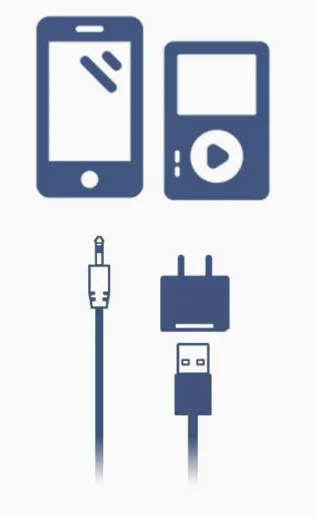
Alternatively, you can also power the Creative Pebble V3 with a wall adapter* and connect your MP3 player or other analog devices via an AUX-in cable*.
*Wall adapter and AUX-in cable not included. For the wall adapter, you can check out the Creative 30W PD Adapter at the Creative Store.
SWITCHING ON / VOLUME
To switch on the Creative Pebble V3, simply turn the volume knob clockwise. The LED indicator will be in blue when the speaker is switched on.

If the Creative Pebble V3’s volume remains low even when the speakers are at maximum volume:
- Ensure that your device’s (e.g., laptop, desktop,p or mobile phone) volume is turned up. The Creative Pebble V3’s volume is independent of youdevice; both will need to be turned up to an acceptable level.
- If the audio level remains low, the Creative Pebble V3 is most likely not receiving sufficient power from your device. This is a common occurrence found in older computers and laptops. We recommend that you connect the speakers directly to a wall adapter and use an AUX-in cable for the audio output.
CONNECTIVITY
USB AUDIO MODE
Connecting to PC
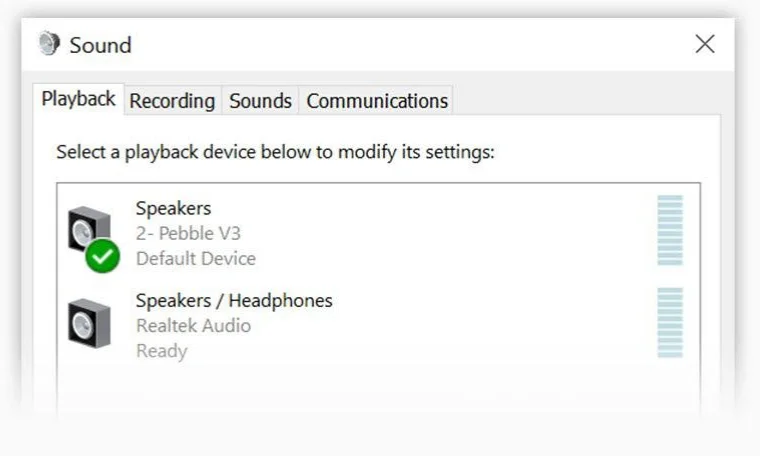
Your PC will automatically detect the Creative Pebble V3 when you plug in the USB cable.
If you do not hear any audio playing from the speaker, check the output device list from the ‘Sound’ setting and set Creative Pebble V3 as the default output speaker.
Connecting to Mac
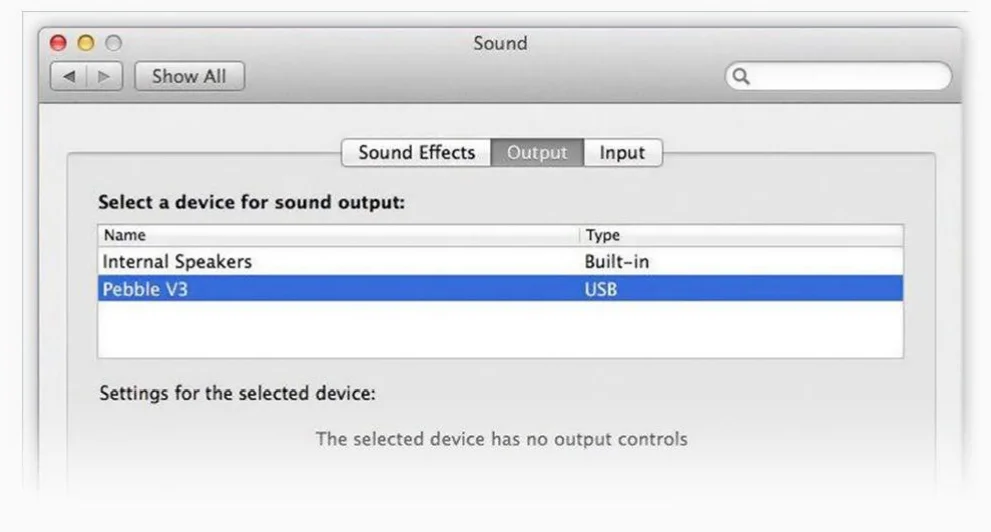
For Mac users, you will need to adjust your audio settings. Choose Apple Menu > System Preferences, click ‘Sound’, then click ‘Output’ to select ‘Pebble V3’.
BLUETOOTH MODE
For wireless audio streaming*, pair the Creative Pebble V3 to your mobile device via Bluetooth.
* Do note that the Creative Pebble V3 still has to be powered via USB
Pairing your device with Creative Pebble V3 via Bluetooth
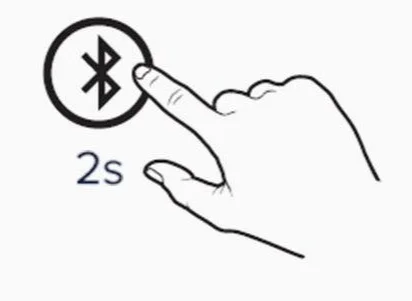
- Step 1: Press the Bluetooth button for 2 seconds.

- Step 2: Select ‘Pebble V3’ from the list of discovered Bluetooth devices on your mobile device to pair.

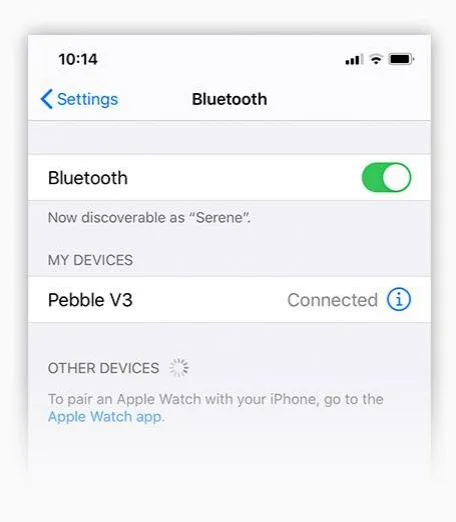
Upon successful pairing, the LED will pulse in blue.
SWITCHING BETWEEN SOURCES
Press the Bluetooth button once to switch between audio sources.
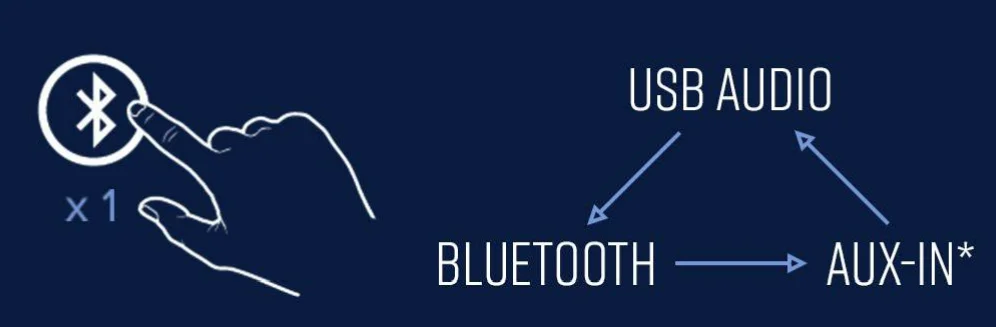
When plugged into a PC/ Mac for the first time, the Creative Pebble V3 will be in USB Audio Mode by default. When plugged into a power source that does not support USB Audio, the Creative Pebble V3 will be in Bluetooth Pairing Mode by default.
*When the AUX-in cable is detected/connected
HIGH / LOW GAIN SWITCH
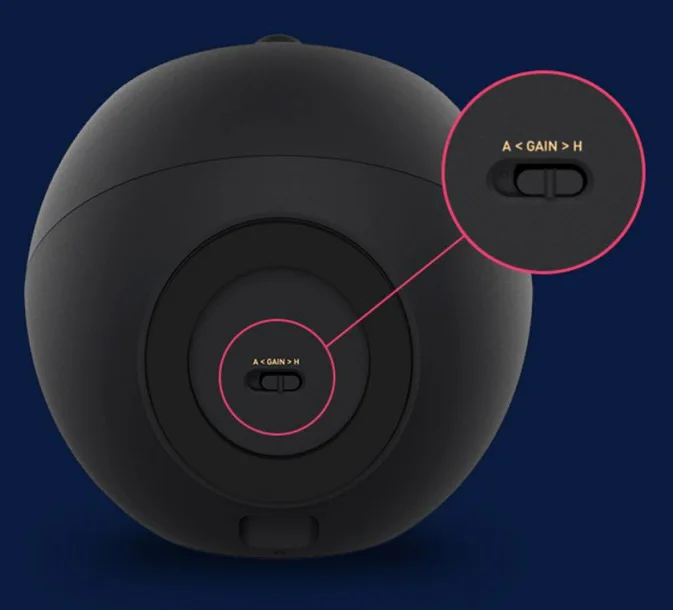
The Creative Pebble V3 is set to High Gain Mode out of the box. When plugged into a 10W USB-C or USB-A port, the built-in gain switch located at the bottom of the Creative Pebble V3 will activate the High Gain Mode that delivers acoustic power of up to 8W RMS and peak power of up to 16W, giving you louder, powerful audio.
LED INDICATORS
USB Audio / Bluetooth Mode
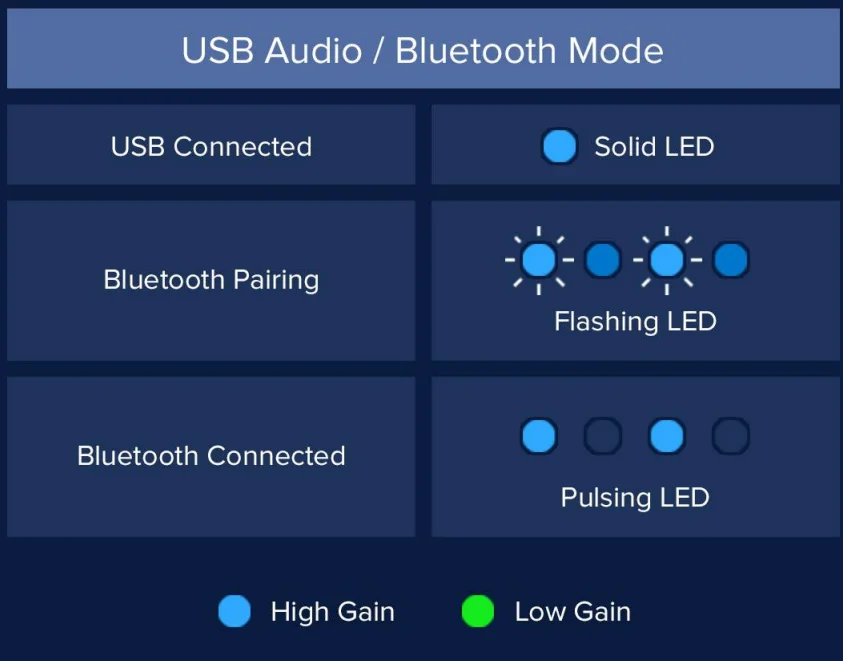
AUX-in Mode

MORE QUESTIONS?
If you require more assistance, please do not hesitate to contact us directly on Amazon. Alternatively, you can also find our support materials and help resources online easily.
For more manuals by Creative, visit ManualsLibraryy
Creative Pebble V3 Minimalistic Desktop Speakers- FAQs
What are the key features of Creative Pebble V3?
Creative Pebble V3 uses USB-C for both audio and power. It features larger 2.25″ full-range drivers, delivering 50% louder sound with rich audio performance and minimal distortion even at high volumes.
Which devices are compatible with Pebble V3?
These speakers work with smartphones, laptops, desktops, tablets, and even TVs. They support USB-C and Bluetooth 5.0 connectivity.
Does Pebble V3 support Bluetooth?
Yes, Pebble V3 offers seamless Bluetooth wireless connectivity for convenient music playback from compatible devices.
How is the sound quality of Pebble V3?
Pebble V3 delivers clear, crisp audio with improved bass. It has 8W RMS power (16W peak) and a frequency range of 100 Hz to 17,000 Hz, suitable for movies, music, and gaming.
How do I connect Pebble V3 to my phone or PC?
Press and hold the Bluetooth button near the volume knob to enter pairing mode. Then select Creative Pebble V3 from your device to start streaming music wirelessly.
Can I use Pebble V3 without a USB-C port?
Yes. A USB-A to USB-C converter is included, allowing connection to standard USB-A ports.
Can I connect headphones to Pebble V3?
No. These speakers are designed to output audio to external devices but do not include a headphone jack.
How do I clean Creative Pebble V3 speakers?
Wipe the surface gently with a soft, dry cloth. Avoid water or cleaning solutions directly on the speakers to prevent damage.
Is Pebble V3 waterproof?
No. Pebble V3 is not waterproof and should be kept away from liquids.