
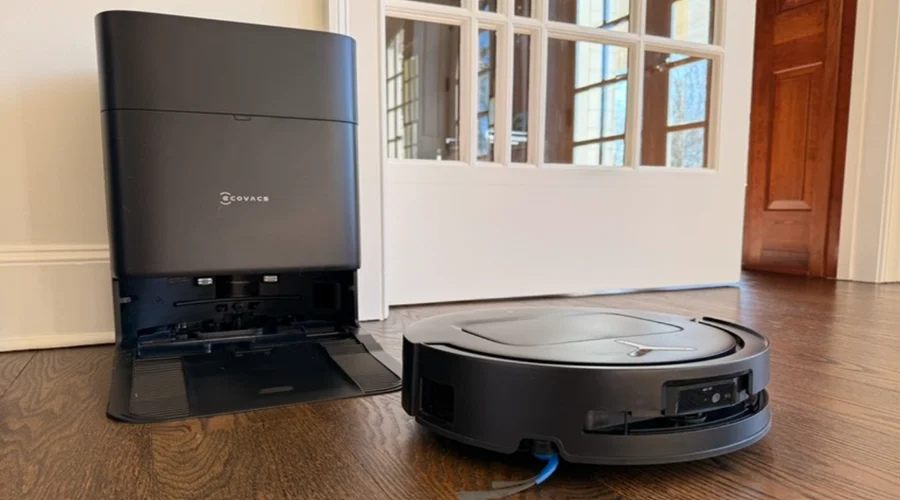

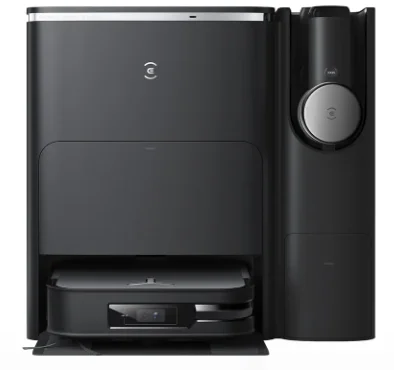
DEEBOT X2 OMNI Robot Vacuum
IMPORTANT SAFETY INSTRUCTIONS
When using an electrical Appliance, basic precautions should always be followed, including the following:
Important Safety Instructions:
READ ALL INSTRUCTIONS BEFORE USING THIS APPLIANCE. SAVE THESE INSTRUCTIONS
- This Appliance can be used by children aged from 8 years and above and persons with reduced physical, sensory or mental capabilities or lack of experience and knowledge if they have been given supervision or instruction concerning use of the Appliance in a safe way and understand the hazards involved. Children shall not play with the Appliance. Cleaning and user maintenance shall not be made by children without supervision.
- Clear the area to be cleaned. Remove power cords and small objects from the floor that could entangle the Appliance. Tuck rug fringe under the rug base, and lift items such as curtains and tablecloths off the floor.
- If there is a drop off in the cleaning area due to a step or stairs, you should operate the Appliance to ensure that it can detect the step without falling over the edge. It may become necessary to place a physical barrier at the edge to keep the unit from falling. Make sure the physical barrier is not a trip hazard.
- Only use as described in this manual. Only use attachments recommended or sold by the manufacturer.
- Please make sure your power supply source voltage matches the power voltage marked on the Docking station.
- For INDOOR household use ONLY. Do not use the Appliance in outdoor, commercial or industrial environments.
- Use only the original rechargeable battery and Docking station provided with the Appliance from the manufacturer. Non-rechargeable batteries are prohibited.
- Do not use without a dust bin and/or filters in place.
- Do not operate the Appliance in an area where there are lit candles or fragile objects.
- Do not use in extremely hot or cold environments (below -5°C/23°F or above 40°C/104°F).
- Keep hair, loose clothing, fingers, and all parts of body away from any openings and moving parts.
- Do not operate the Appliance in a room where an infant or child is sleeping.
- Do not use Appliance on wet surfaces or surfaces with standing water.
- Do not allow the Appliance to pick up large objects like stones, large pieces of paper or any item that may clog the Appliance.
- Do not use Appliance to pick up flammable or combustible materials such as gasoline, printer or copier toner, or use in areas where they may be present.
- Do not use Appliance to pick up anything that is burning or smoking, such as cigarettes, matches, hot ashes, or anything that could cause a fire.
- Do not put objects into the suction intake. Do not use if the suction intake is blocked. Keep the intake clear of dust, lint, hair, or anything that may reduce air flow.
- Take care not to damage the power cord. Do not pull on or carry the Appliance or Docking station by the power cord, use the power cord as a handle, close a door on the power cord, or pull power cord around sharp edges or corners. Do not run Appliance over the power cord. Keep power cord away from hot surfaces.
- If the power cord is damaged, it must be replaced by the manufacturer or its service agent in order to avoid a hazard.
- Do not use the Docking station if it is damaged. The power supply is not to be repaired and not to be used any longer if it is damaged or defective.
- Do not use with a damaged power cord or receptacle. Do not use the Appliance or Docking station if it is not working properly, has been dropped, damaged, left outdoors, or come in contact with water. It must be repaired by the manufacturer or its service agent in order to avoid a hazard.
- Turn OFF the power switch before cleaning or maintaining the Appliance.
- The plug must be removed from the receptacle before cleaning or maintaining the Docking station.
- Remove the Appliance from the Docking station, and turn OFF the power switch to the Appliance before removing the battery for disposal of the Appliance.
- The battery must be removed and discarded according to local laws and regulations before disposal of the Appliance.
- Please dispose of used batteries according to local laws and regulations.
- Do not incinerate the Appliance even if it is severely damaged. The batteries can explode in a fire.
- When not using the Docking station for a long period of time, please unplug it.
- The Appliance must be used in accordance with the directions in this Instruction Manual. Ecovacs Home Service Robotics cannot be held liable or responsible for any damages or injuries caused by improper use.
- The robot contains batteries that are only replaceable by skilled persons. To replace the robot’s battery, please contact Customer Service.
- If the robot will not be used for a long time, power OFF the robot for storage and unplug the Docking station.
- WARNING: For the purposes of recharging the battery, only use the detachable supply unit CH2229 provided with the Appliance. The lithium battery type suitable for CH2229 is Max. 8 cells, max. nominal voltage DC14.4V, rated capacity 5,900mAh.The battery must be removed and discarded according to local laws and regulations before disposal of the Appliance. To satisfy RF exposure requirements, a separation distance of 20 cm or more should be maintained between this device and persons during device operation.
To ensure compliance, operations closer than this distance is not recommended. The antenna used for this transmitter must not be co-located in conjunction with any other antenna or transmitter.
PACKAGE CONTENTS
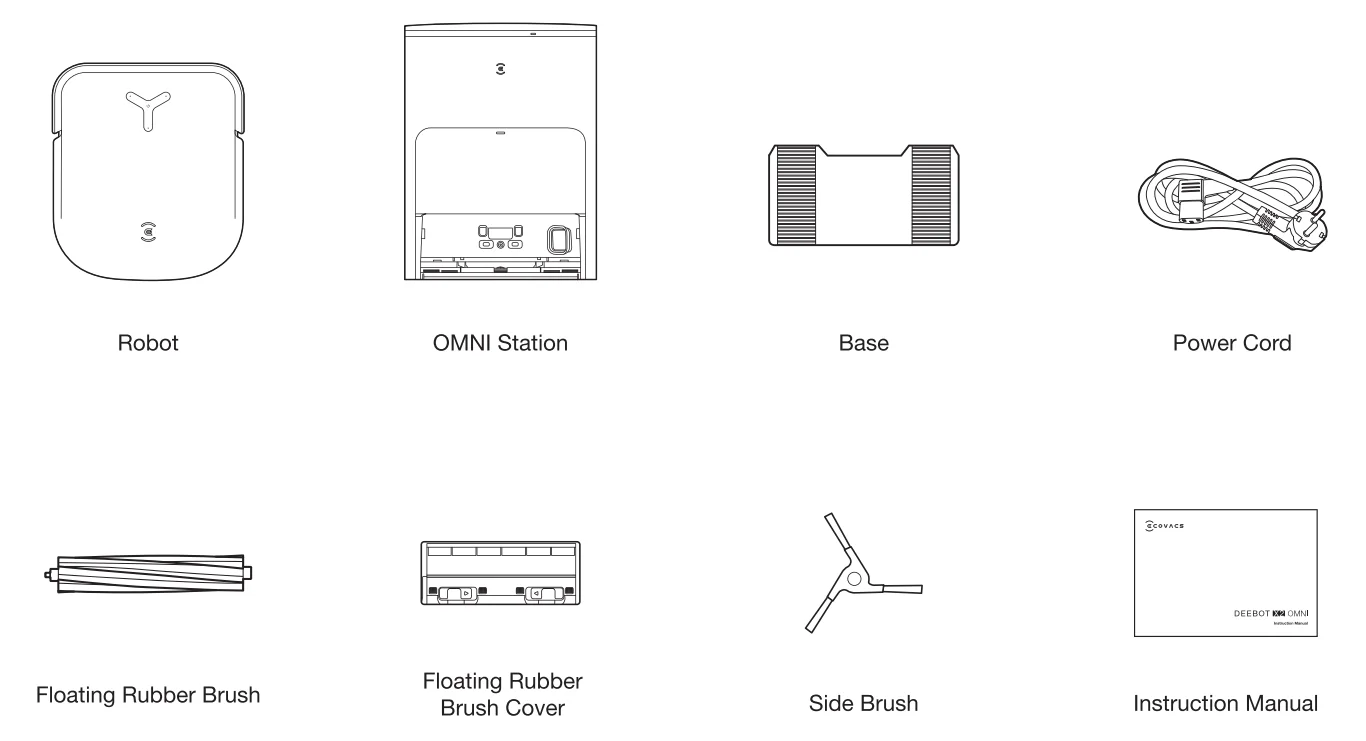
Note: Figures and illustrations are for reference only and may differ from actual product appearance. Product design and specifications are subject to changes without notice.
PRODUCT DIAGRAM
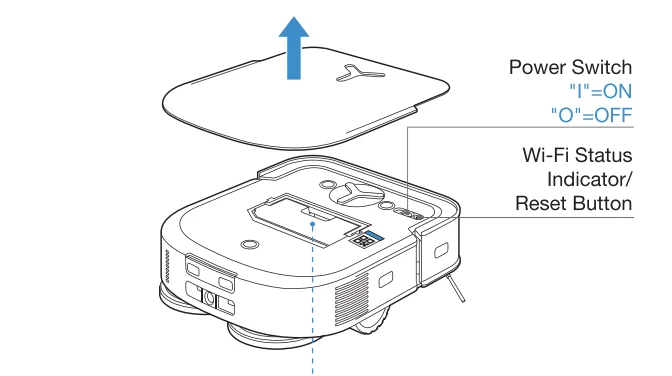
Robot
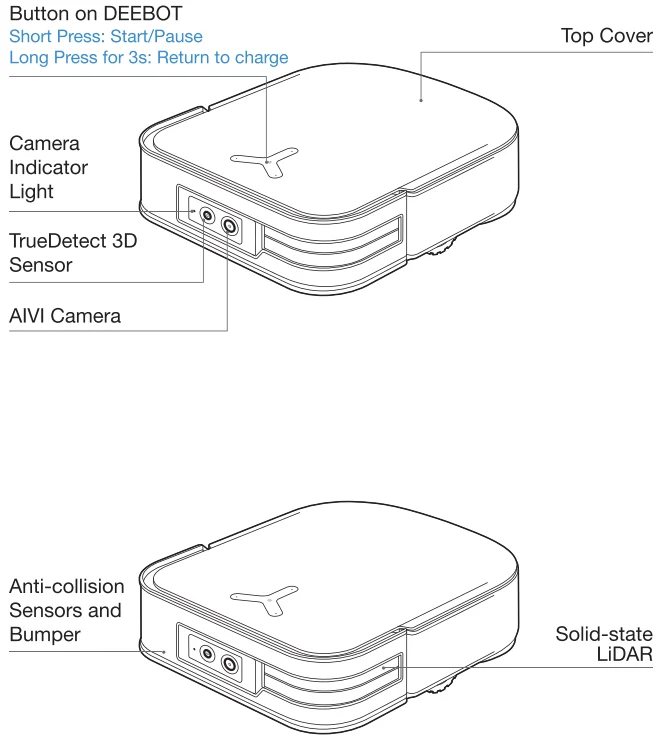
- Press the Reset Button; the YIKO Assistant will guide you through connecting DEEBOT to your phone.
- Restore to factory settings: Long press the Reset Button for 5s.
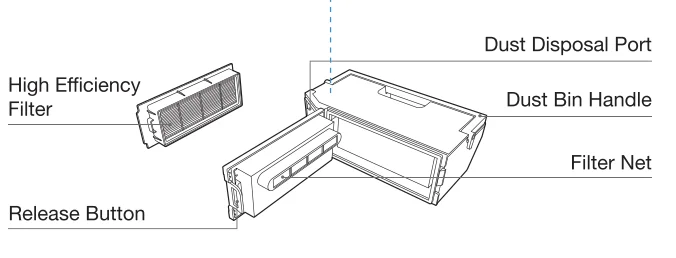
DustBin
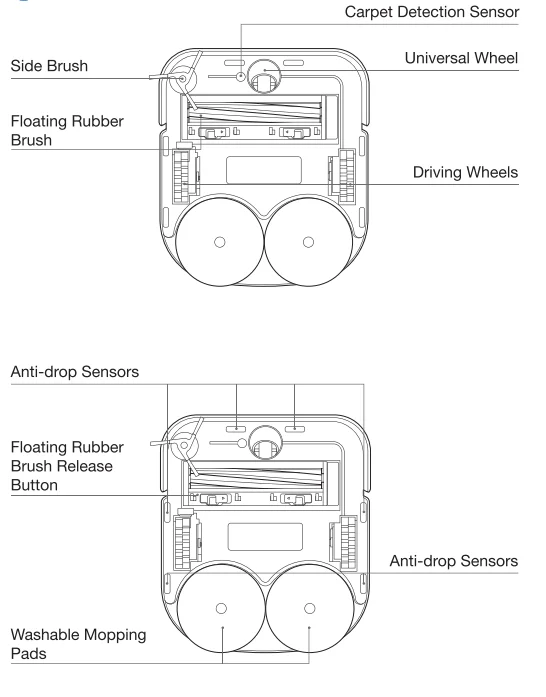
Bottom View
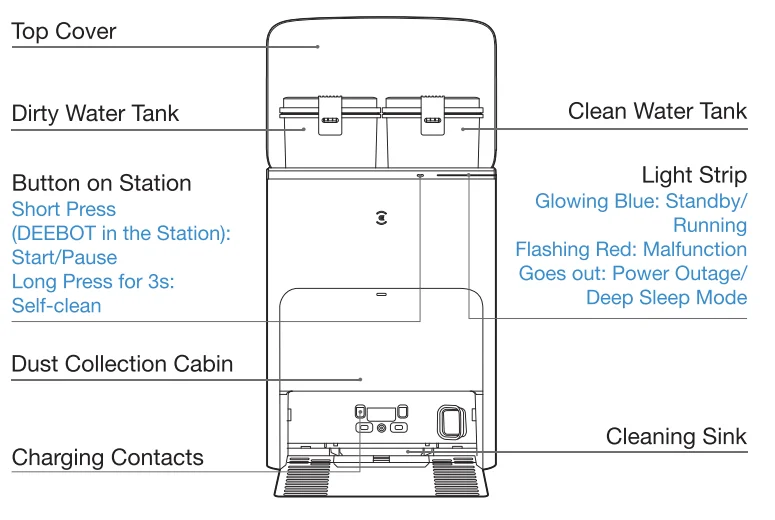
Station(Front)
Note:
- If the Light Strip is flashing red, please check the reason in the ECOVACS HOME App.
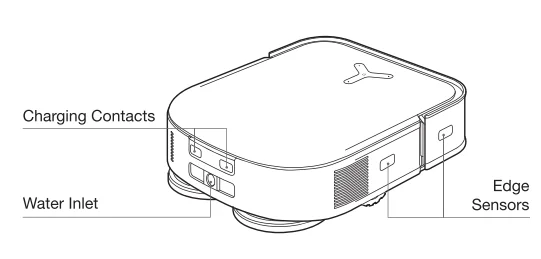
- If DEEBOT fails to charge, please wipe Charging Contacts with a clean and dry cloth.
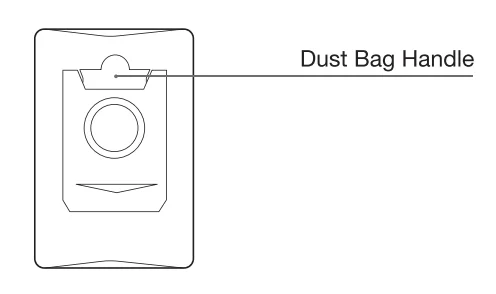
DustBag
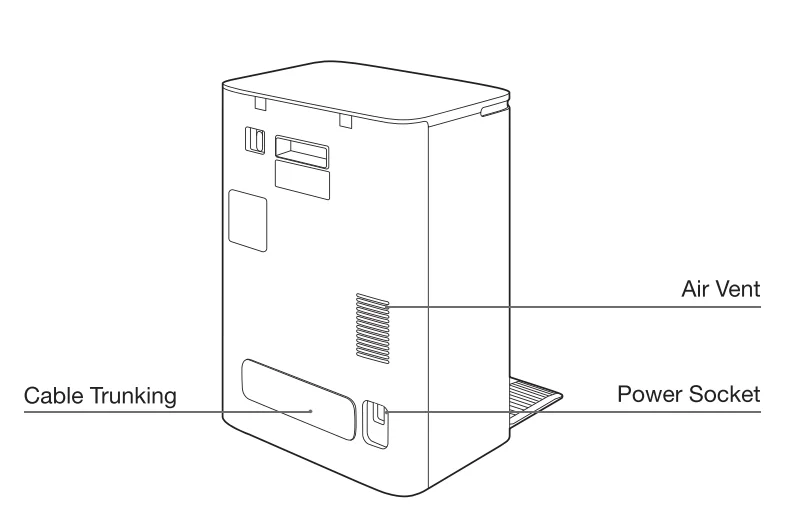
Station(Back)
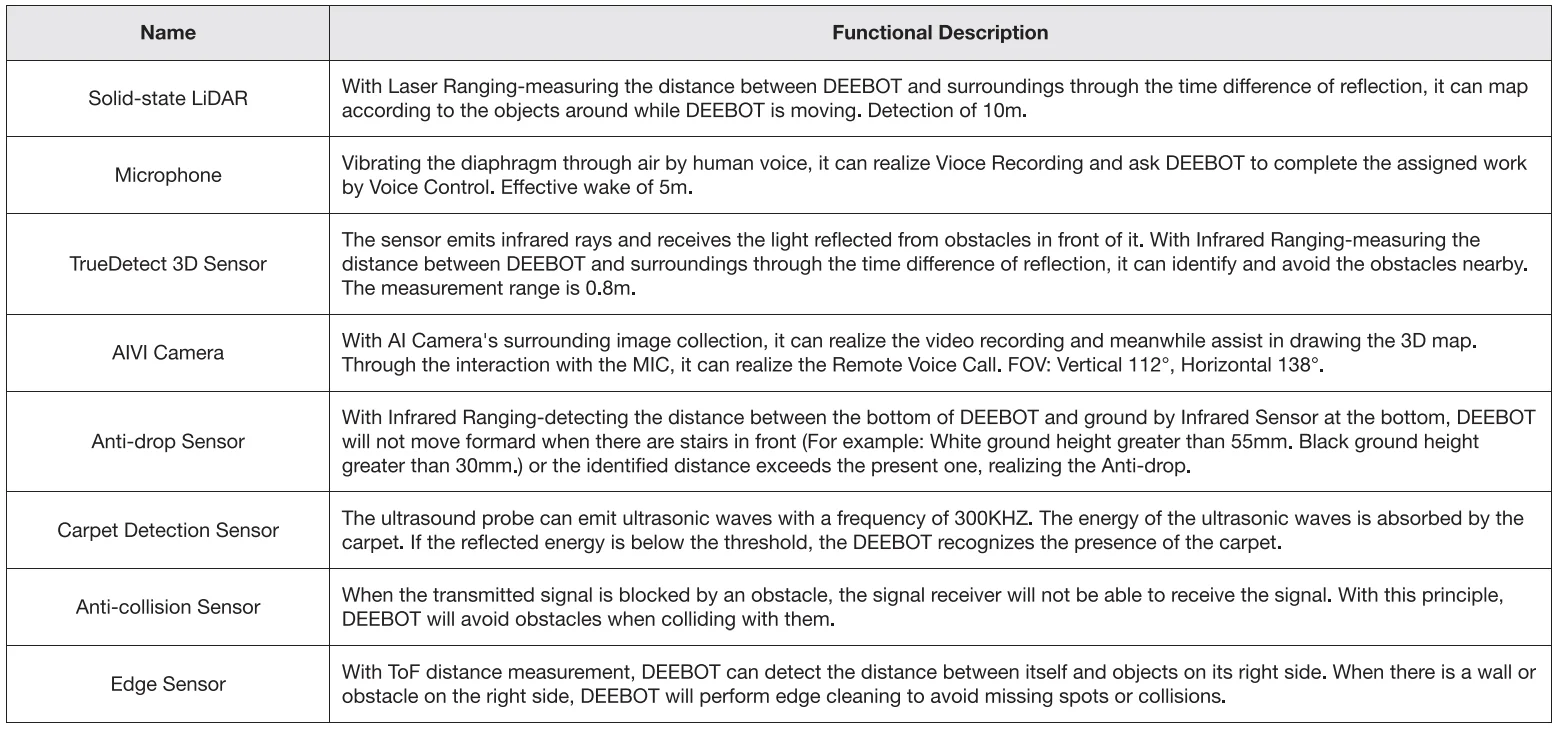
SENSORS
NOTES BEFORE CLEANING
- Tidy up the area to be cleaned by putting furniture, such as chairs, in their proper place.

- It may be necessary to place a physical barrier at the edge of a drop to stop the unit from falling over the edge.

- During the first use, make sure each room door is open to help DEEBOT fully explore your house.

- Make sure areas to be cleaned are well illuminated so AIVI Camera works properly. Remove power cords and small objects from the floor to ensure cleaning efficiency.

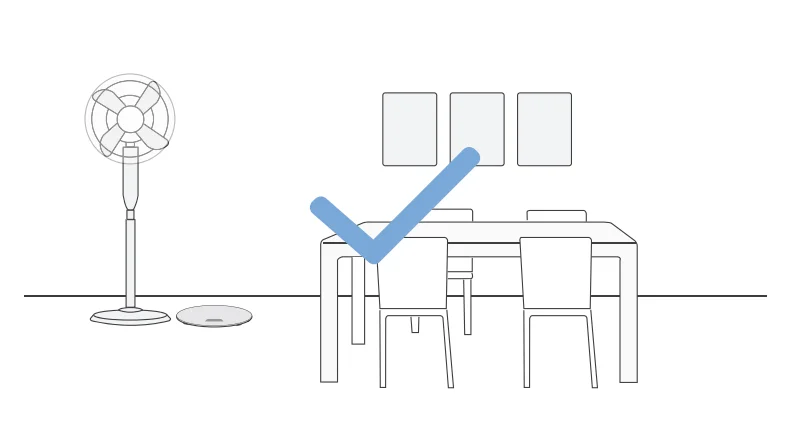
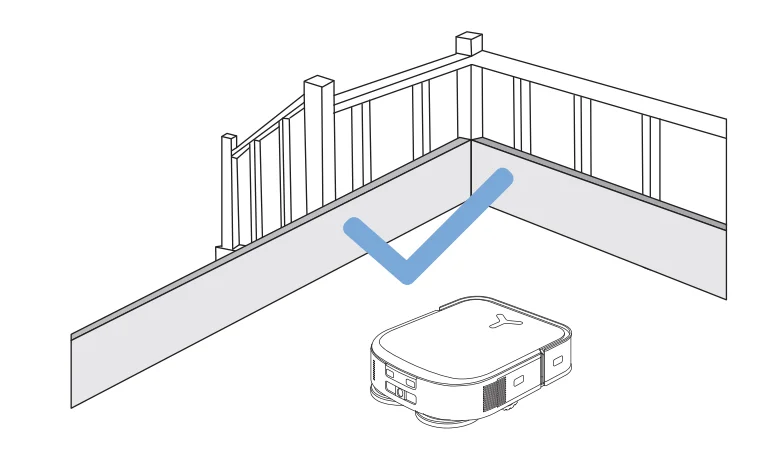
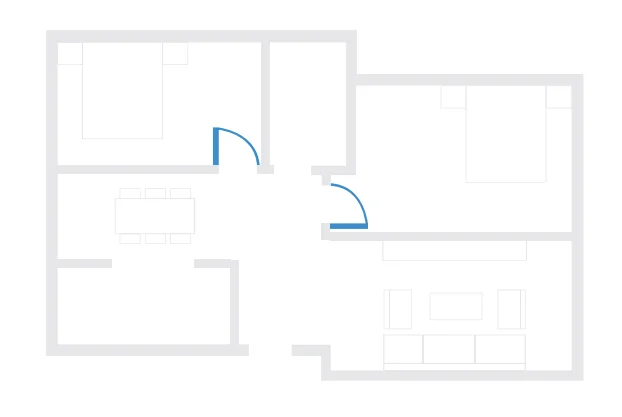
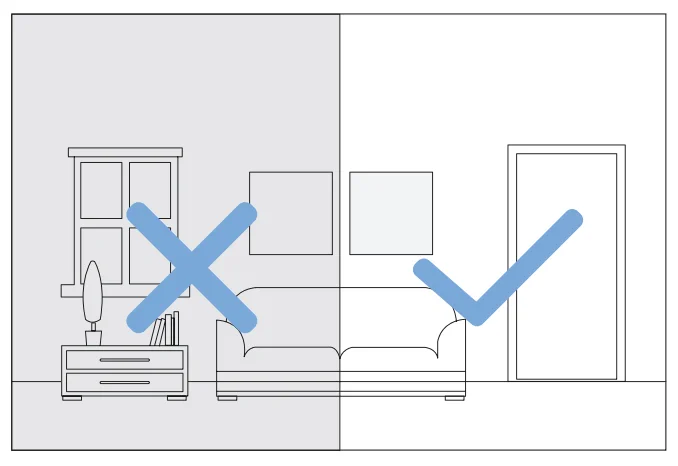
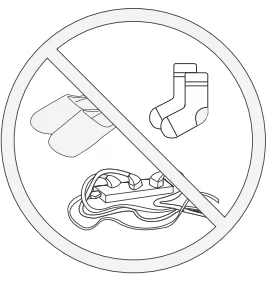
- Put away objects, including cables, clothes, and slippers, on the floor to improve cleaning efficiency.

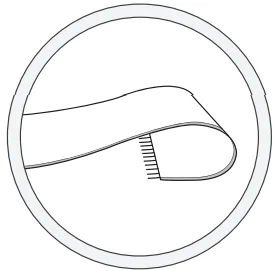
- Before using the product on a rug with tasseled edges, please fold the rug edges under.

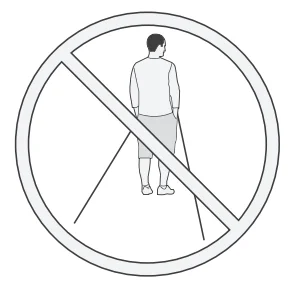
- Please do not stand in narrow spaces, such as hallways, and make sure not to block the AIVI Camera.
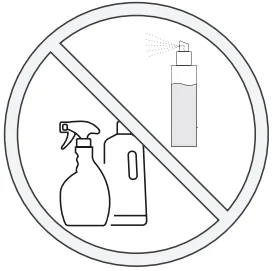
- Clean the AIVI Camera and TrueMapping Distance Sensor with a clean cloth, and avoid using any detergent or cleaning spray.
QUICK START
Before using DEEBOT, please remove all protective materials.
Installation
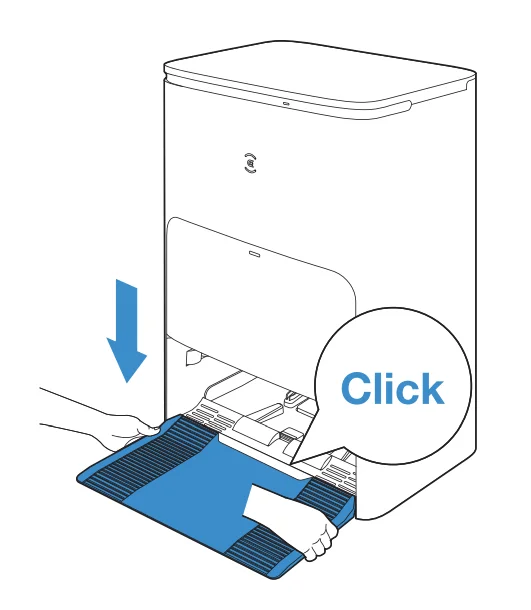
The sound of a click indicates proper installation.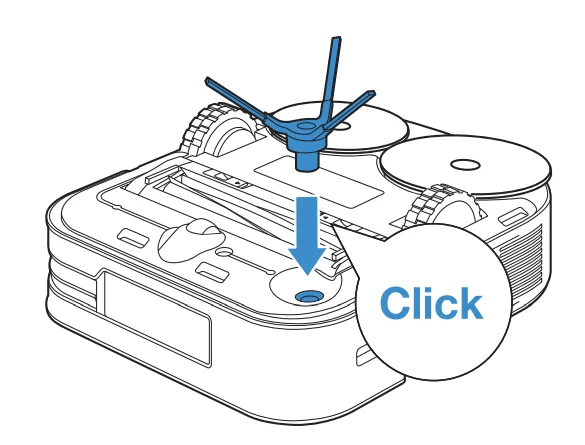
DOWNLOAD THE ECOVACS HOME APP
To enjoy all available features, it is recommended to control your DEEBOT via the ECOVACS HOME App.
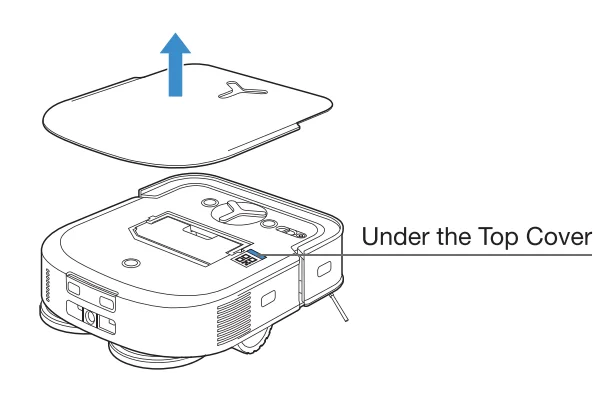
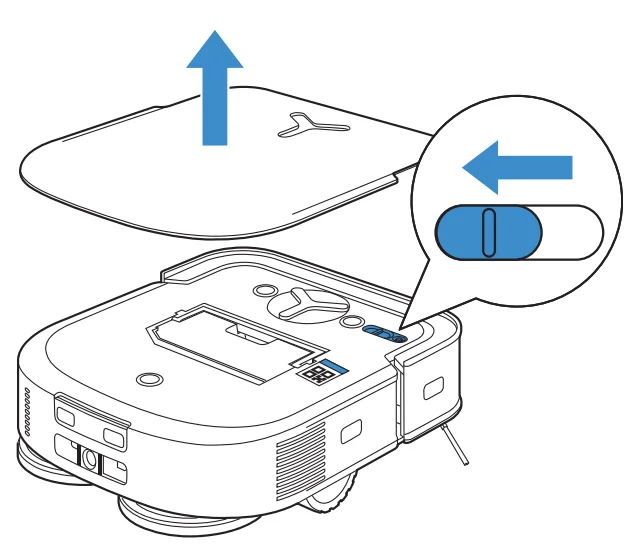
- Scan the QR Code under the Top Cover to download the App.

- Search the ECOVACS HOME to download the App.


CONNECT DEEBOT WITH APP
- Via Bluetooth:
Turn on the DEEBOT and the mobile phone Bluetooth. Allow the App to obtain mobile phone Bluetooth permission. Tap to scan the QR Code on DEEBOT or tap
 in the App to find nearby DEEBOT.
 - Via Wi-Fi:
You can connect DEEBOT with the App via Wi-Fi by ignoring Bluetooth in the App.
Note: DEEBOT does not support a 5GHz network. Please connect via Bluetooth for a better experience.
 to scan the QR Code on DEEBOT or tap
 in the App to find nearby DEEBOT.
Wi-Fi Network Requirements:
- You are using a 2.4GHz or 2.4/5 GHz mixed network.
- Your router supports 802.11 b/g/n and IPv4 protocol.
- Do not use a VPN (Virtual Private Network) or Proxy Server.
- Do not use a hidden network.
- WPA and WPA2 using TKIP, PSK, AES/CCMP encryption.
- WEP EAP (Enterprise Authentication Protocol) is not supported.
- Use Wi-Fi channels 1-11 in North America and channels 1-13 outside North America (refer to local regulatory agency).
- If you are using a network extender/repeater, the network name (SSID) and password are the same as your primary network.
- Please enable WPA2 on your router.
Wi-Fi Indicator Light

Please be aware that the realization of intelligent functions such as remote startup, voice interaction, 2D/3D map display and control settings, and personalized cleaning (depending on different products) requires users to download and use the ECOVACS HOME App, which is constantly updated. You need to agree to our Privacy Policy and User Agreement before we can process some of your basic and necessary information and enable you to operate the product. If you do not agree with our Privacy Policy and User Agreement, some of the aforementioned intelligent functions cannot be realized through ECOVACS HOME App, but you can still use the basic functions of this product for manual operation.
CHARGING DEEBOT
Assemble the Station
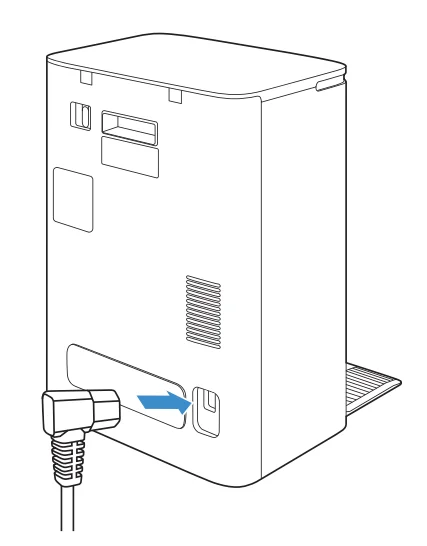
Place the Station
Keep the area around the Station clear of objects, especially objects with reflective surfaces.
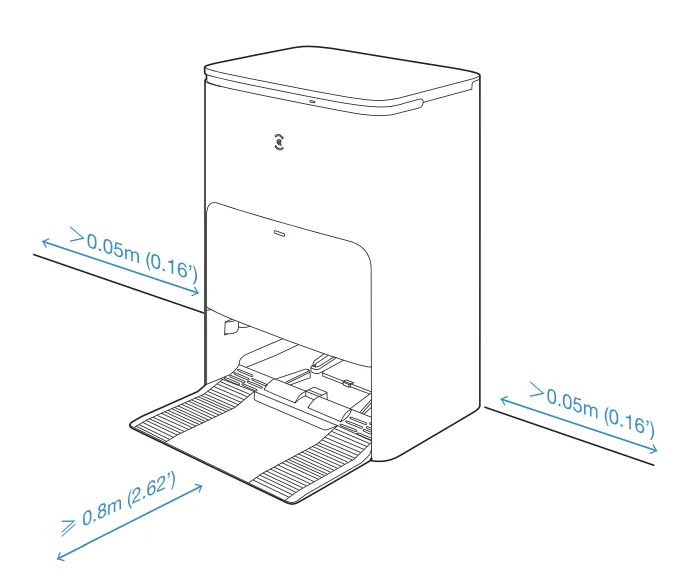
- If there are reflective objects such as mirrors and reflective skirting lines near the Station, the bottom 14cm of that should be covered.
- Do not place the Station under direct sunlight.
- It is recommended to place the Station on a hard floor to experience the complete functions of the robot.
- Place the Station in a location with a strong Wi-Fi signal.
Add water to Clean Water Tank
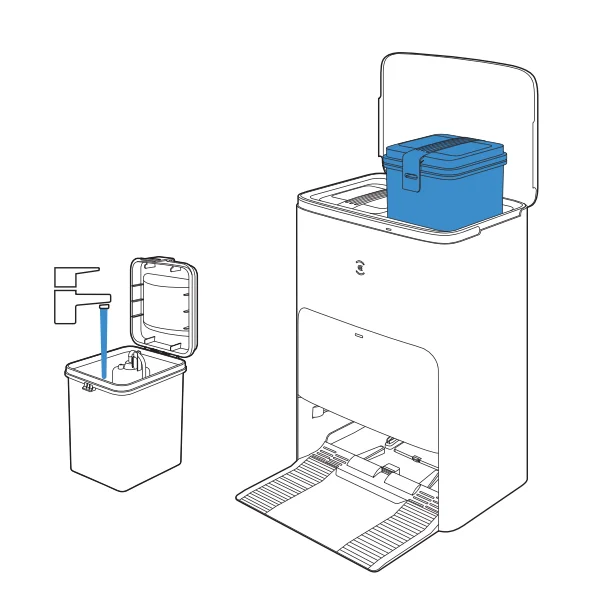
Note: It is recommended to use ECOVACS DEEBOT Cleaning Solution (sold separately). Using other cleaning solutions may cause DEEBOT slipping, water tank block and other problems.
Power ON
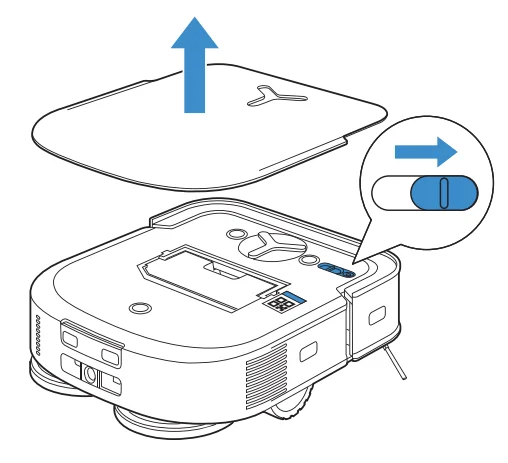
Note: “I” = ON, “0” = OFF.
- DEEBOT cannot be charged when being powered OFF.
- When DEEBOT is not working, it is recommended to keep it switched ON and charging.
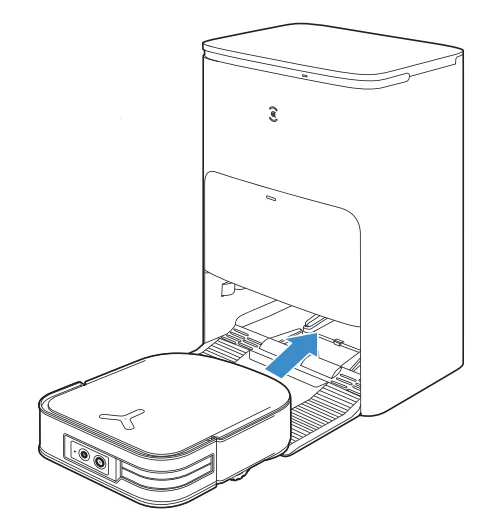
Charge DEEBOT
Make sure the Station is connected to the power supply. Use the ECOVACS HOME App or voice to recall DEEBOT to enter the Station to charge it up.
Operating DEEBOT
- Create a map
Order the DEEBOT to map by the ECOVACS HOME App or voice. When creating a map for the first time, please follow DEEBOT to help eliminate some minor issues. When mapping, DEEBOT will explore the house environment automatically. The exploration path may be different from the cleaning path. Set up Virtual Boundary via the App: Map> >Virtual Boundary
 - Start vacuum
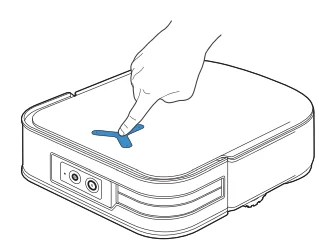
When mopping, DEEBOT will recognize floor types. DEEBOT is able to lift mops automatically when encountering carpet. Please don’t use the DEEBOT on shaggy rugs or carpets with fibres longer than 10mm. It is recommended to fold up the shaggy rugs with fibres longer than 10mm during the cleaning process, or set the shaggy carpeted area as a NoEntry Zone by setting Virtual Boundary in the ECOVACS HOME App. Before first vacuuming, please make sure the DEEBOT is in the Station and fully charged. Tap on DEEBOT to start.
 Note:
Note:- Do not frequently remove washable mopping pads.
- Do not use a rag or any other object to scratch the Mopping Pad Plates.
- When the ECOVACS HOME App prompts that the mops need to be replaced, please replace them in time. Explore more accessories at the ECOVACS HOME App or at https://www.ecovacs.com/global.
- Pause
Tapon DEEBOT to pause during vacuuming.
- Wakeup
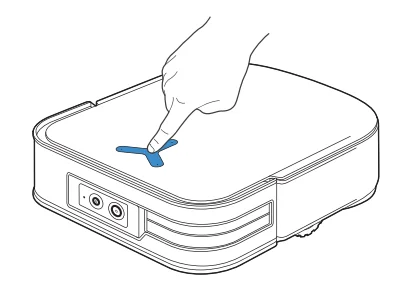
The indicator light will go out after the DEEBOT is paused for a few minutes. Presson DEEBOT to wake it up. After stopping working for about 1 h, DEEBOT may enter standby mode.
- Back to Station
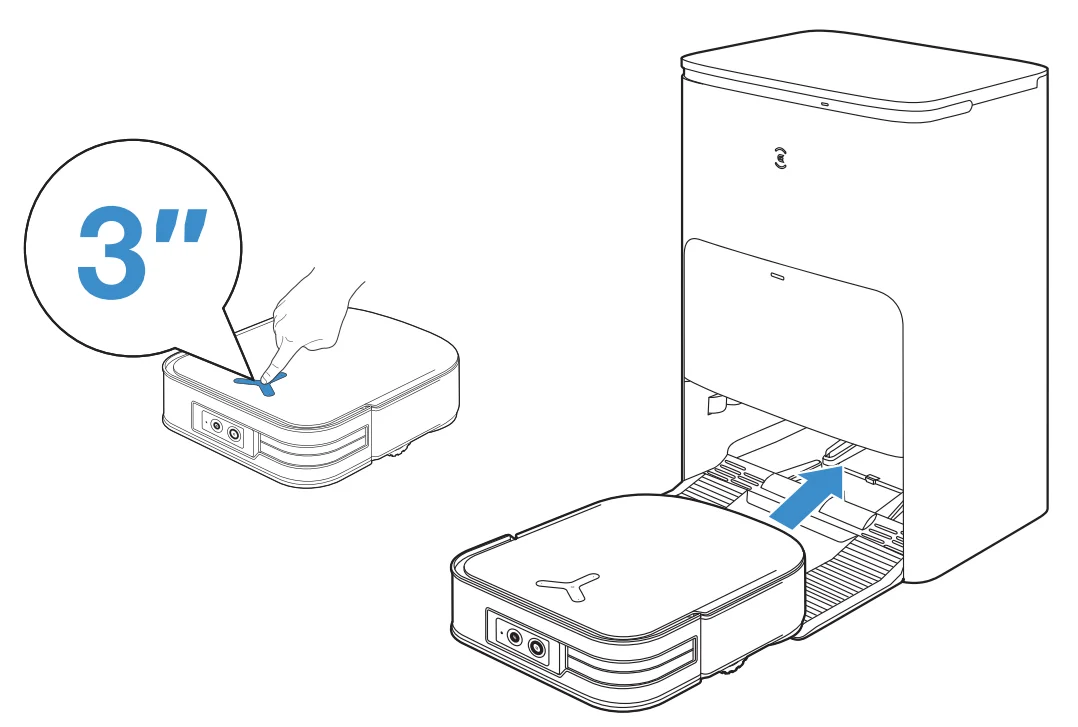
Use the ECOVACS HOME App or voice to recall DEEBOT to enter the Station to charge it up. Long-pressfor 3s on the DEEBOT can also recall it.
- Deep Sleep Mode
DEEBOT will enter deep sleep mode to protect the battery if the DEEBOT stays outside the Station for about 5h. Please switch OFF and ON to wake up the DEEBOT.
 >Virtual Boundary
 on DEEBOT to start.
 Note:
Note: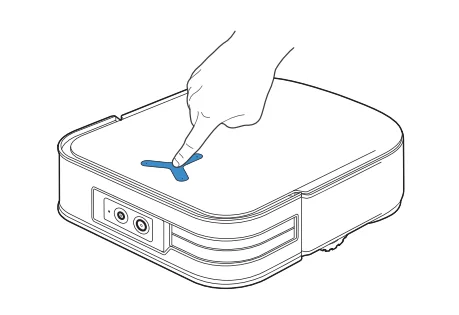
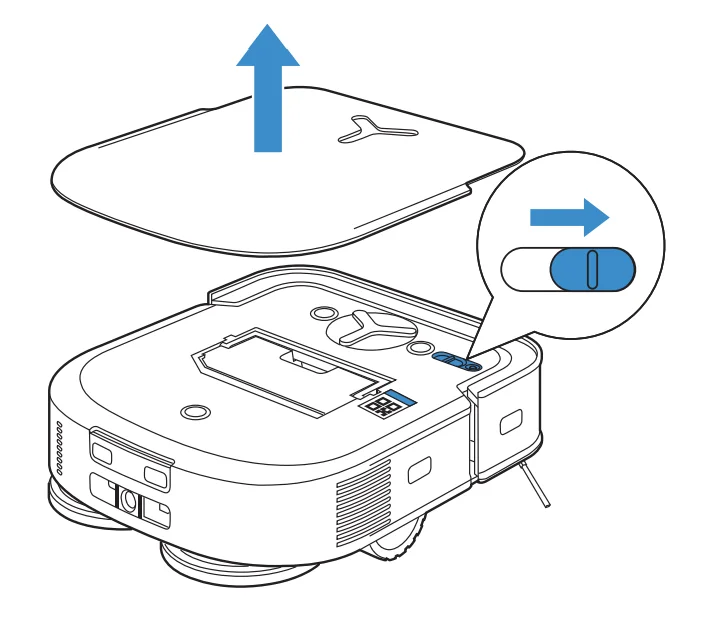
Station
When DEEBOT is in the Station, short-press to start/pause. Long pressto self-clean the Station.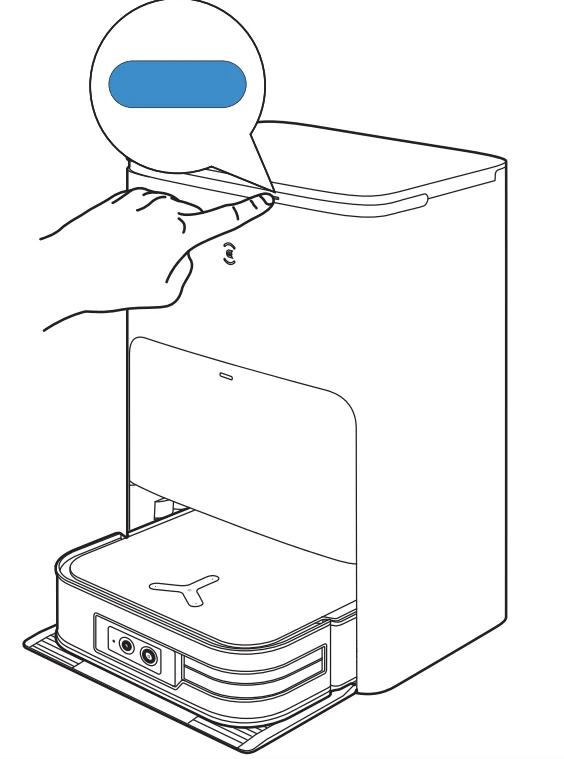
REGULAR MAINTENANCE
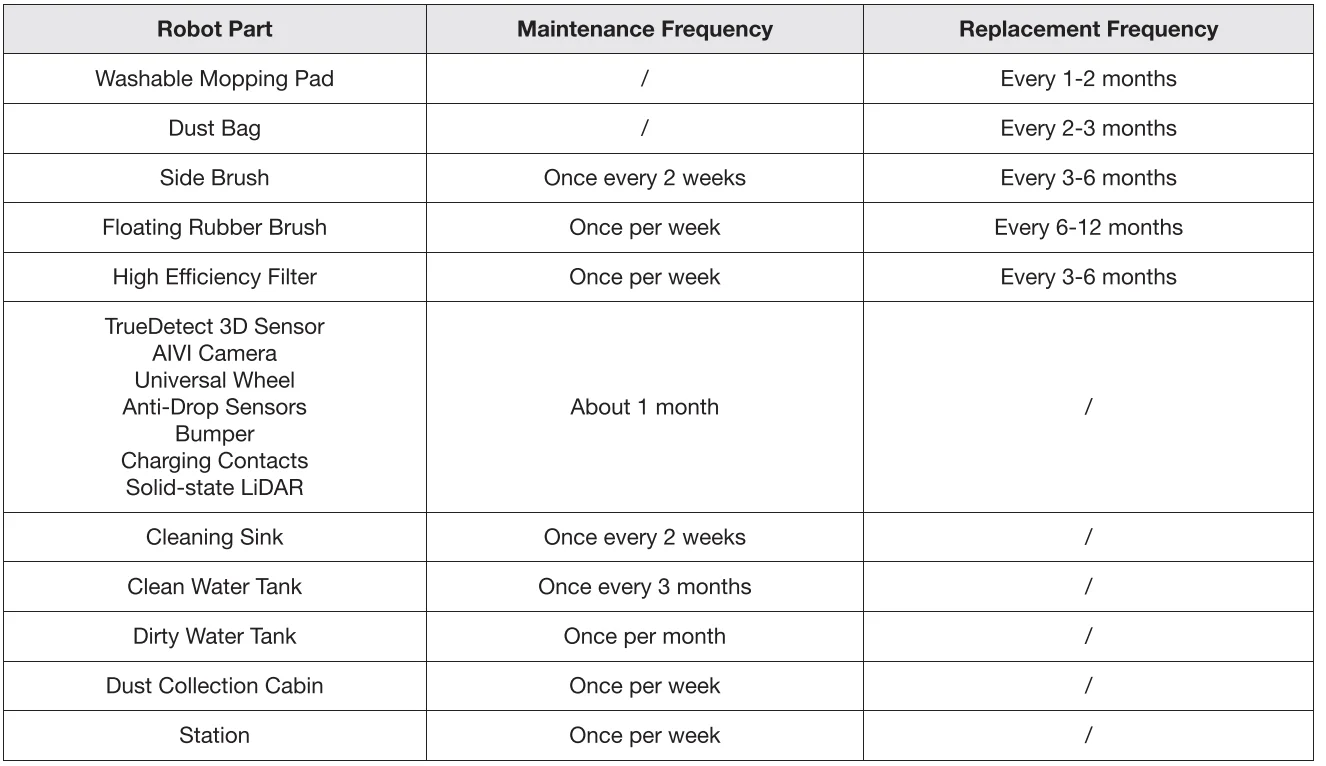
To keep DEEBOT running at peak performance, perform maintenance tasks and replace parts at the following frequencies:
 Before performing cleaning and maintenance tasks on DEEBOT, turn the robot OFF and unplug the Station.
Note: ECOVACS manufactures various replacement parts and fittings. Please contact Customer Service for more information on replacement parts.
MAINTAIN DUST BIN AND FILTER
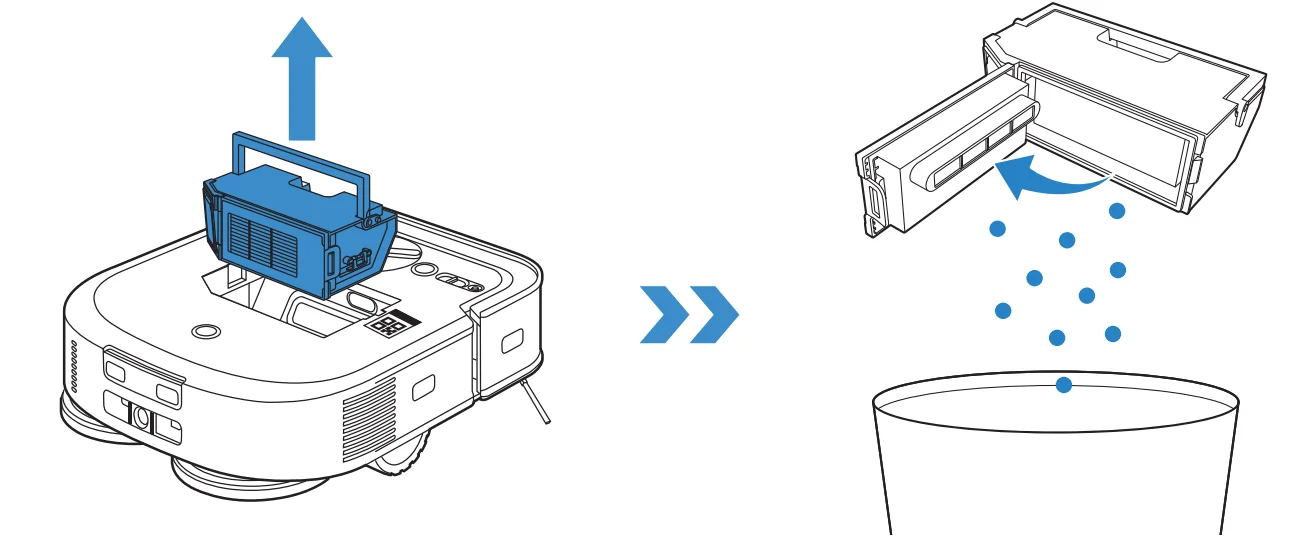
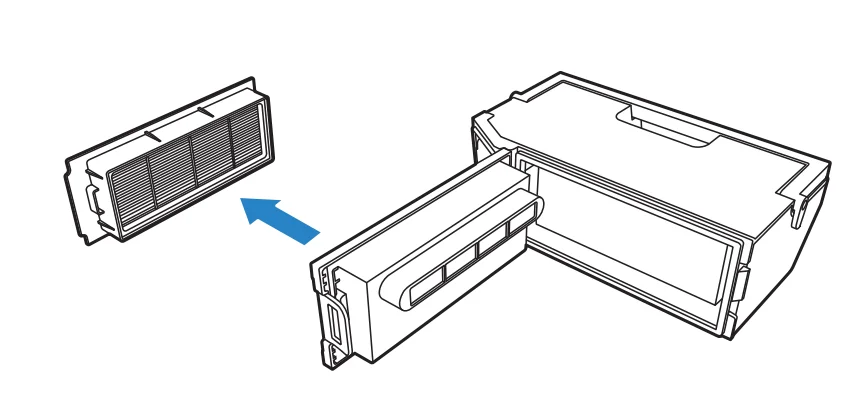
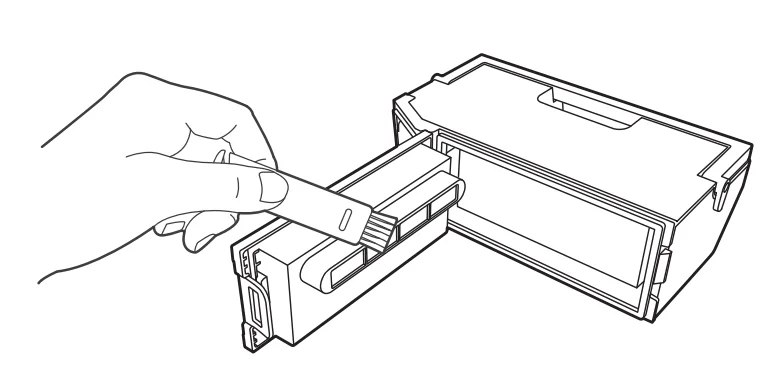
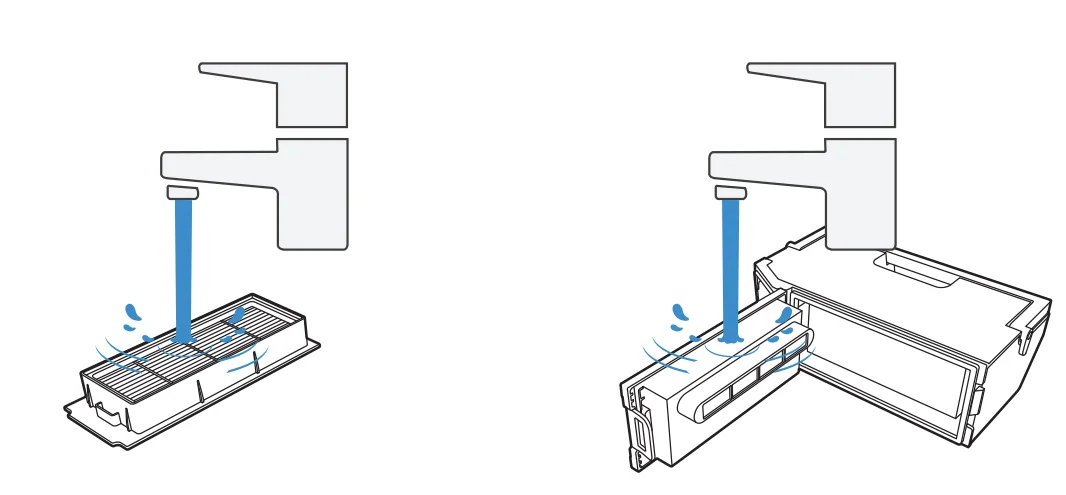
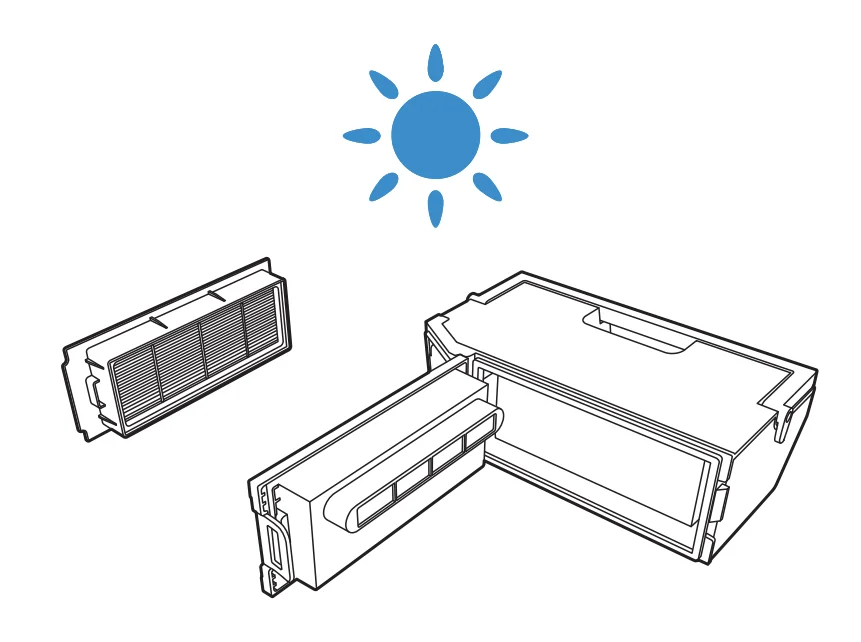
Note:
- Please rinse the filter with water as shown above.
- Do not use a finger or a brush to clean the High Efficiency Filter.
- Completely dry the filter before use.
Explore more accessories at the ECOVACS HOME App or at https://www.ecovacs.com/global.
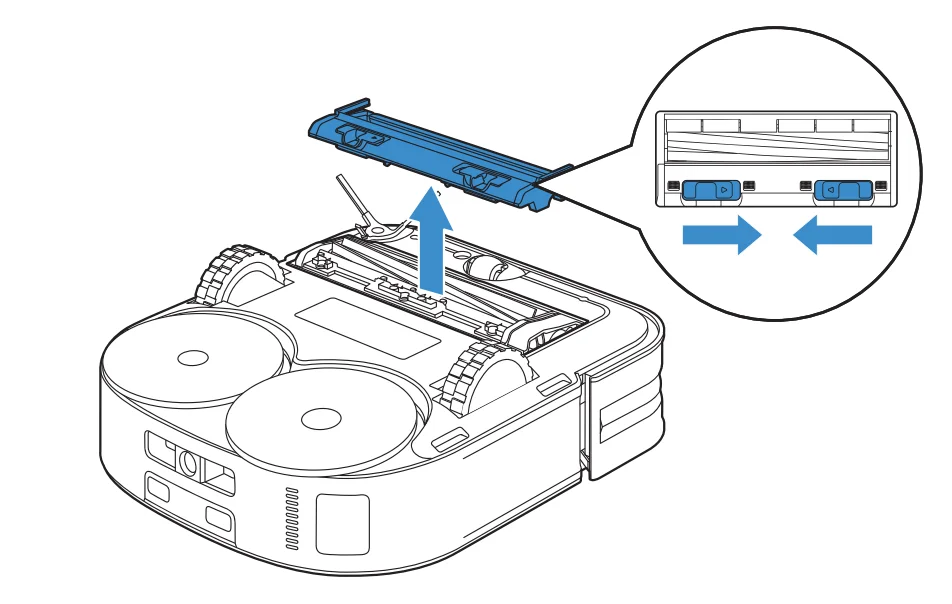
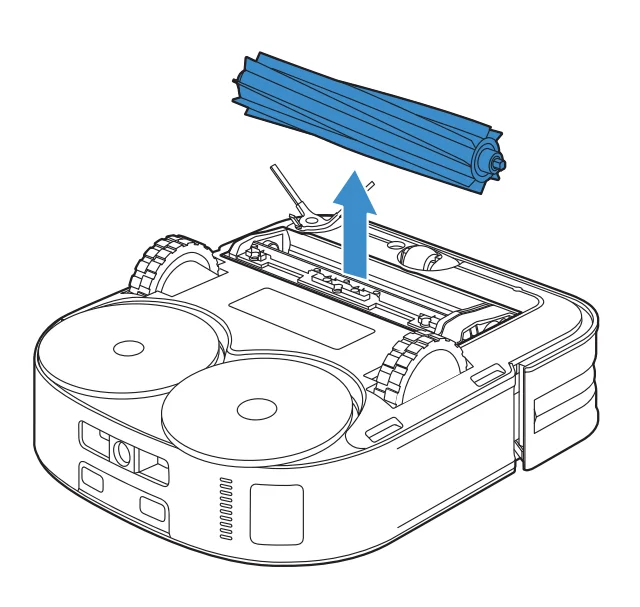
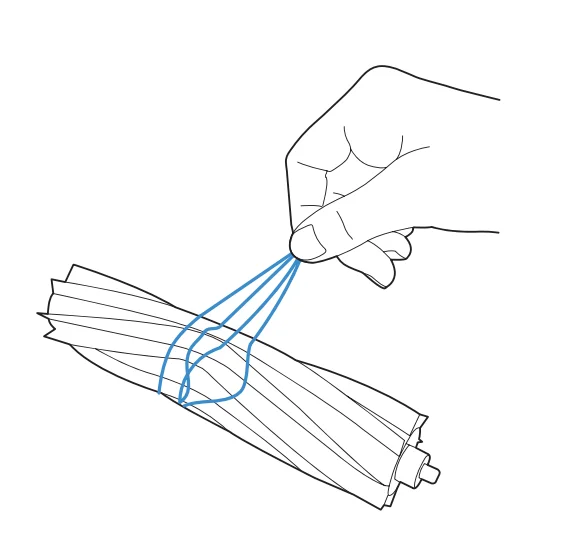
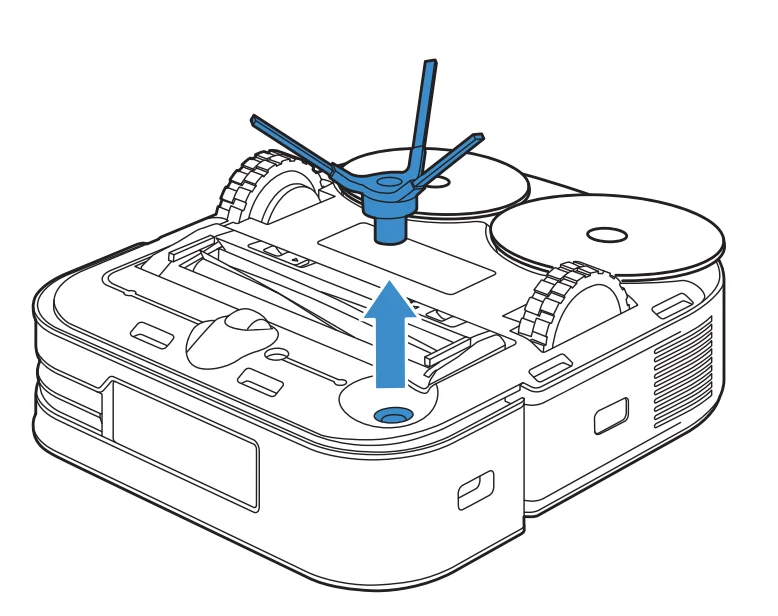
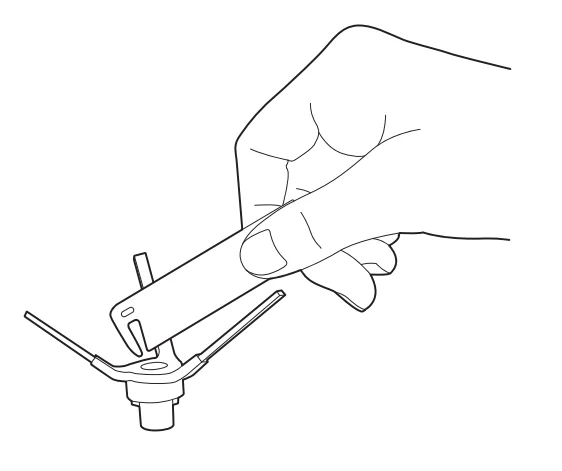
MAINTAIN FLOATING RUBBER BRUSH AND SIDE BRUSH
Floating Rubber Brush
Side Brush
STORAGE
Please fully charge and switch OFF the DEEBOT before storage. Please recharge it every 1.5 months to prevent the battery from over-discharging.
Note:
- DEEBOT can’t be charged when the power is turned off.
- If the battery is over-discharged or not used for a long time, the DEEBOT may not be charged. Please contact ECOVACS for help. Do not disassemble by yourself.
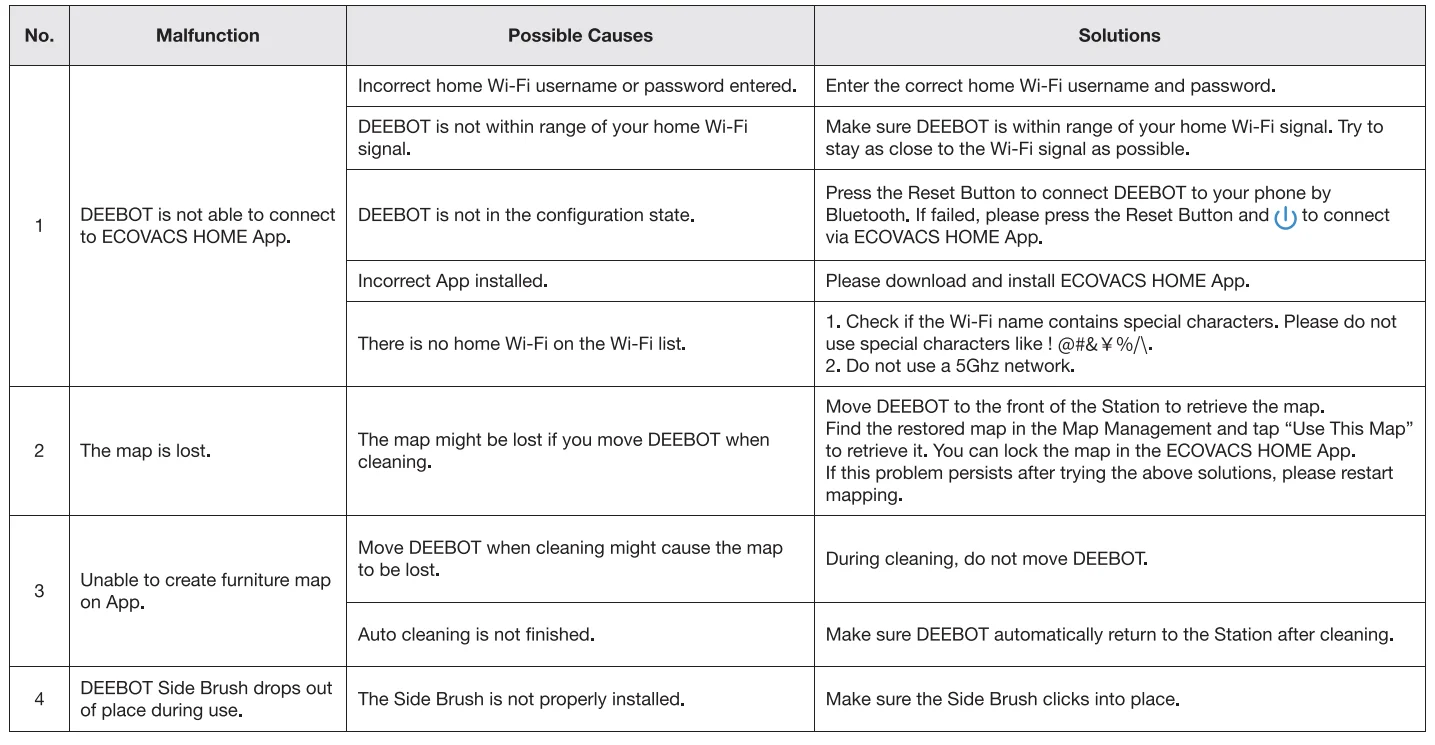
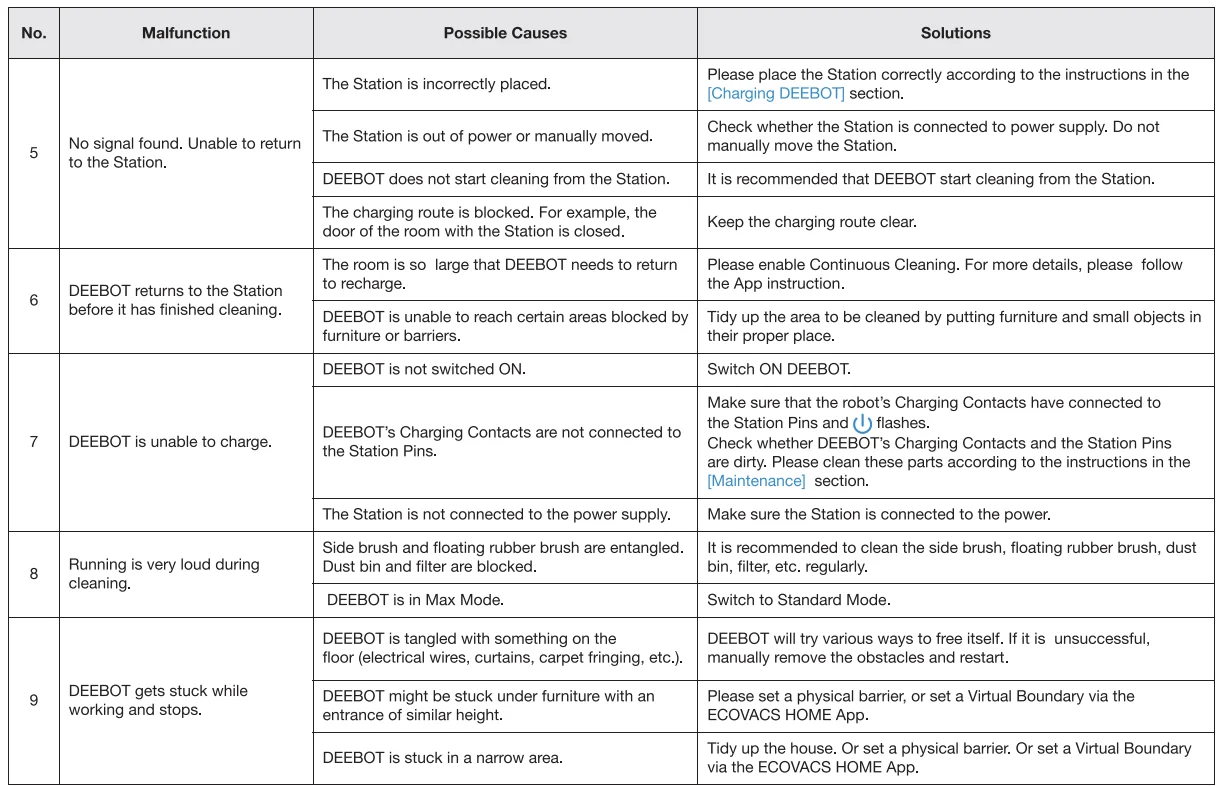
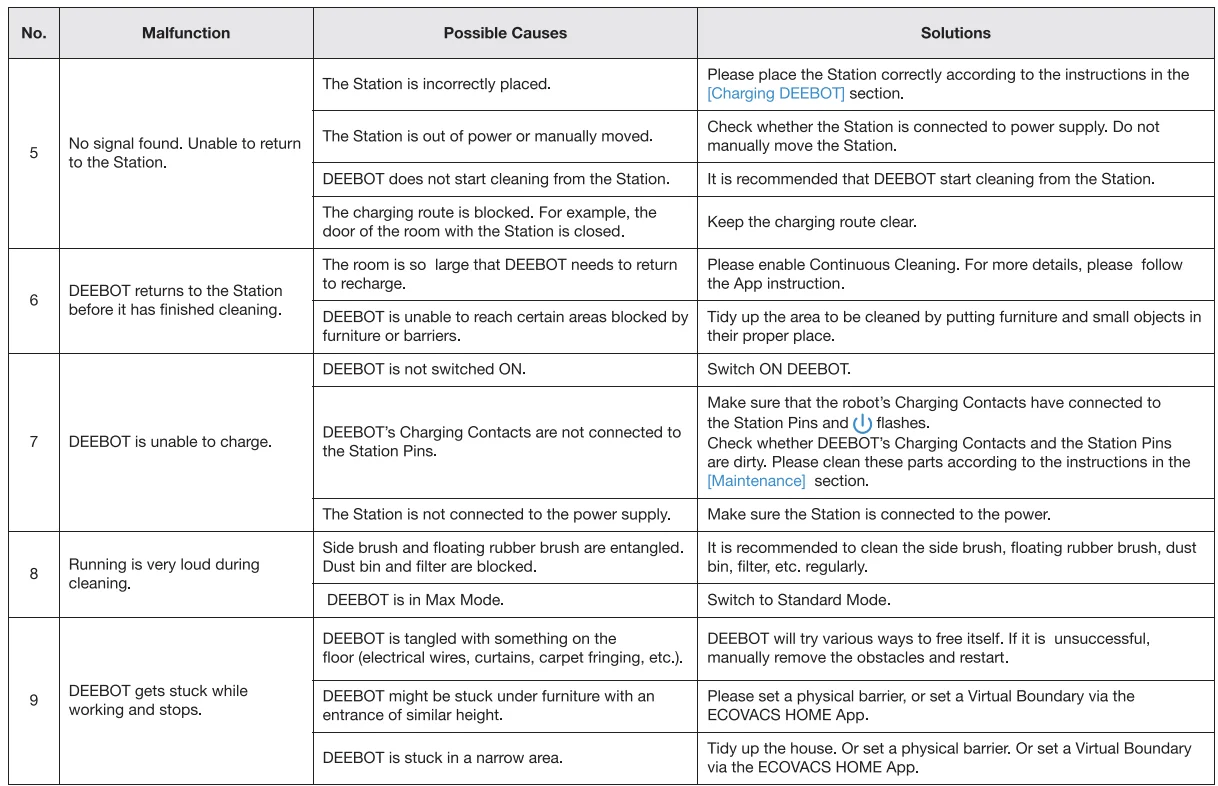
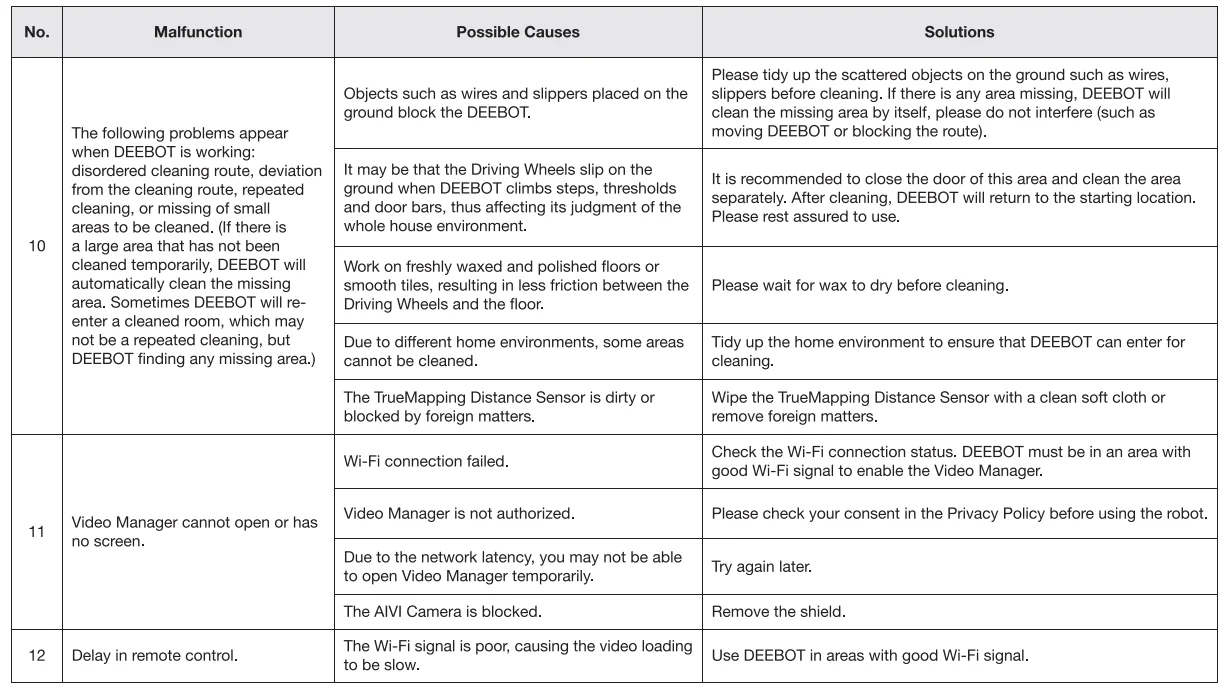
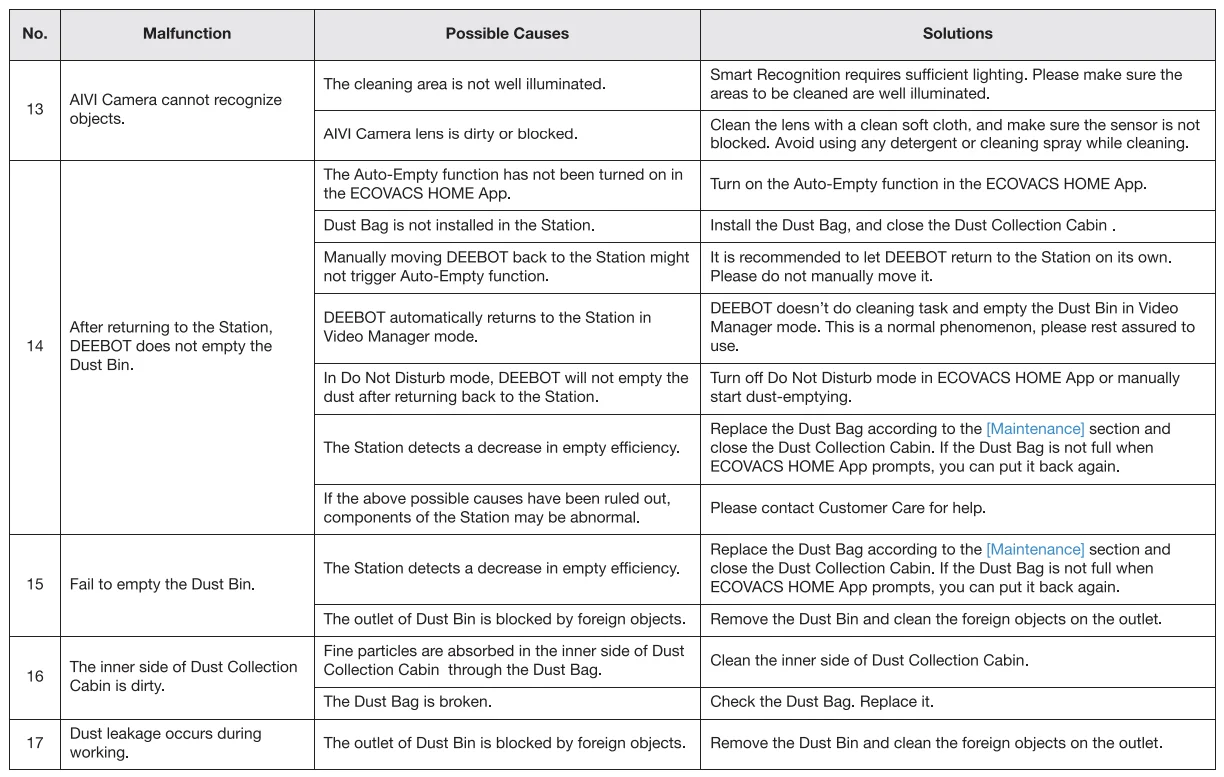
TROUBLESHOOTING


 TECHNICAL SPECIFICATIONS
 TECHNICAL SPECIFICATIONS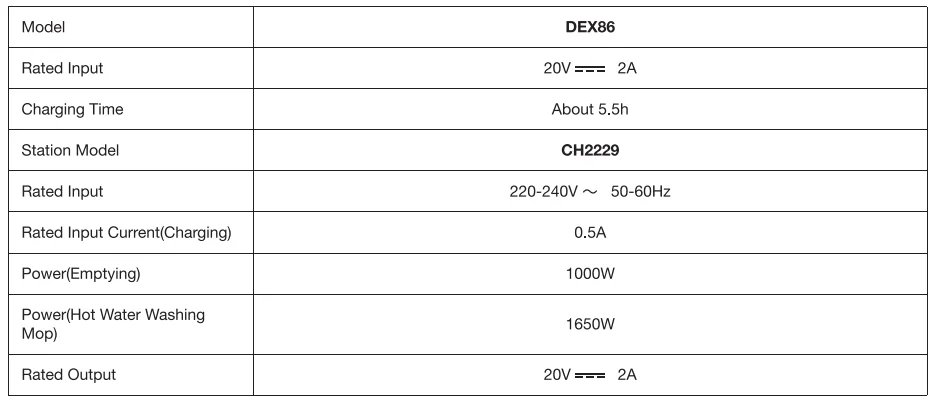
Output power of the Wi-Fi module is less than 1 00mW.
Note: Technical and design specifications may be changed for continuous product improvement. Explore more accessories at https://www.ecovacs.com/global.
For more manuals by ECOVACS, visit ManualsLibraryy
DEEBOT X2 OMNI Robot Vacuum-FAQs
How do I use the DEEBOT X2 OMNI robot vacuum?
To start cleaning, place the DEEBOT on a flat surface and press the physical start button or use the app. You can schedule cleaning, select modes, and monitor progress through the app, or operate manually using the start button after initial setup.
How do I clean and maintain my DEEBOT X2 OMNI?
Empty the dustbin after each cleaning, rinse the mop cloth if used, and check the brushes and wheels for debris. Clean the sensors and charging contacts regularly to ensure optimal performance.
How can I tell when DEEBOT is fully charged?
During charging, the white light flashes. Once fully charged, the light briefly stays on before turning off. First-time charging usually takes about 4.5 hours. You do not need to unplug the charger manually.
Can I use DEEBOT without the app or Wi-Fi?
Yes. After the initial setup, you can start cleaning using the robot’s physical button. However, smart features, remote control, and customization options via the app will not be available without Wi-Fi.
Can I add cleaning solutions like vinegar or Dettol to the water tank?
No. Use only water in the DEEBOT X2 OMNI’s mopping tank. Adding detergents, vinegar, or chemicals can damage the internal components and affect the mop cloth. Use only manufacturer-approved cleaning solutions if needed.
How often should I run the robot vacuum?
For homes with hard floors, daily cleaning is recommended. For less busy areas, every other day or twice a week is sufficient to maintain dust-free floors.
What does a red light on DEEBOT indicate?
A solid red light signals a serious issue, such as a jammed brush or wheel, blocked sensor, or battery problem. Refer to the manual to resolve the issue before restarting.
Does DEEBOT stop mopping when it reaches carpets?
Yes. The DEEBOT X2 OMNI automatically avoids carpets while in mopping mode to prevent wetting them.
Should I dust before vacuuming?
Yes. Dusting surfaces before vacuuming helps remove loose dirt and prevents it from settling back onto the floor, making vacuuming more effective.
How do I troubleshoot if DEEBOT isn’t cleaning the whole area?
Check for obstacles, ensure the dustbin is empty, brushes and wheels are clean, and the battery is charged. Also, verify the cleaning map in the app and make sure no virtual boundaries or restricted zones block coverage.