
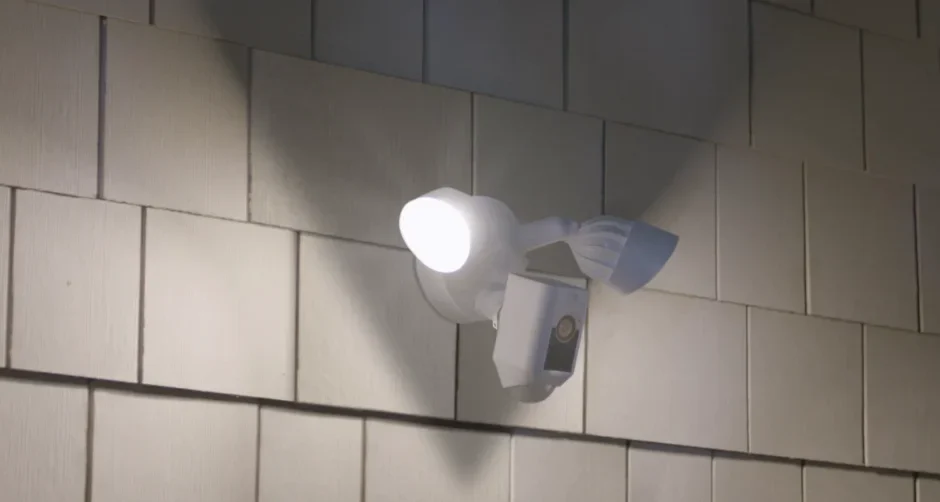

Floodlight Cam Wired Plus
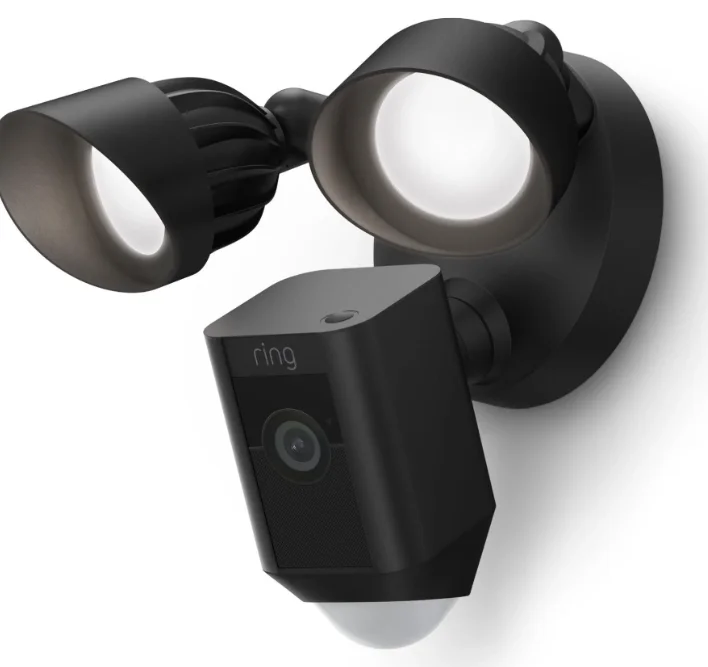
Quick Start
- Open the Ring app and select Set Up a Device.
Then follow the in-app instructions. - Scan this code.
This identifies your Ring device to make setup fast and easy.
WARNING: Risk of electrical shock.

Disconnect power at the fuse or circuit breaker before installing. Verify that the supply voltage is correct. Connect the fixture to a 100 VAC~240 VAC 50/60 Hz power source. Properly ground fixture.
Always follow code standards when installing wired connections.
CAUTION: Risk of fire. Do not install near combustible or flammable surfaces.
NOTICE: Do not connect this light fixture to a dimmer switch or timer.
Your Floodlight Cam must be installed on a 4” round UL-listed weatherproof electrical box. This manual is for informational purposes only. Working with electricity can be dangerous unless proper safety precautions are taken. If you are not comfortable or are inexperienced with the processes and tools described in this manual, we recommend that you hire a licensed electrician.
Shut off the power at the breaker!
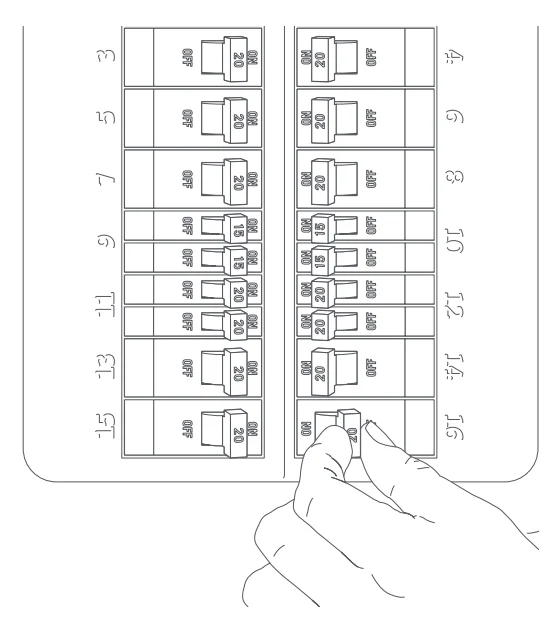
You’ll be working with electrical wires during the install process. If you don’t know where your breaker is or how to turn off power to your floodlight circuit, we recommend you hire a licensed electrician.
Prep your Floodlight Cam for installation.
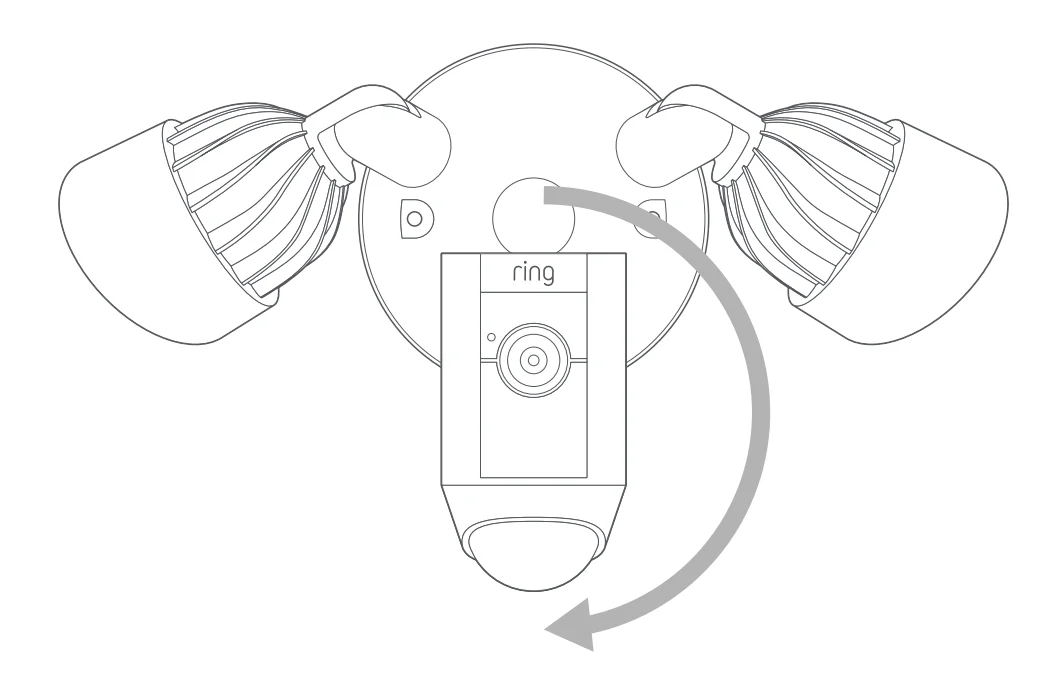
First, rotate the lights out of the way, like this…
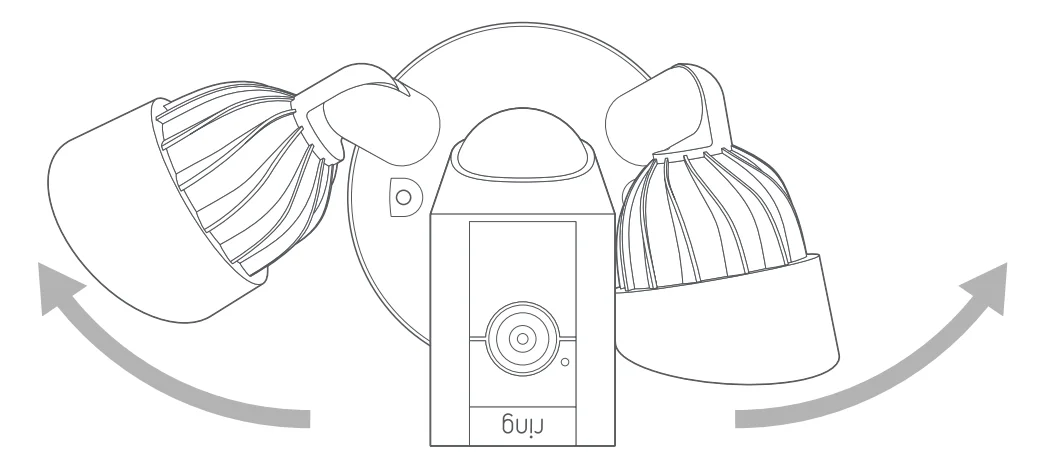
- If you’re mounting on an eave or overhang, your camera is already in position.
- If you’re mounting to a wall, rotate the camera into position like this…
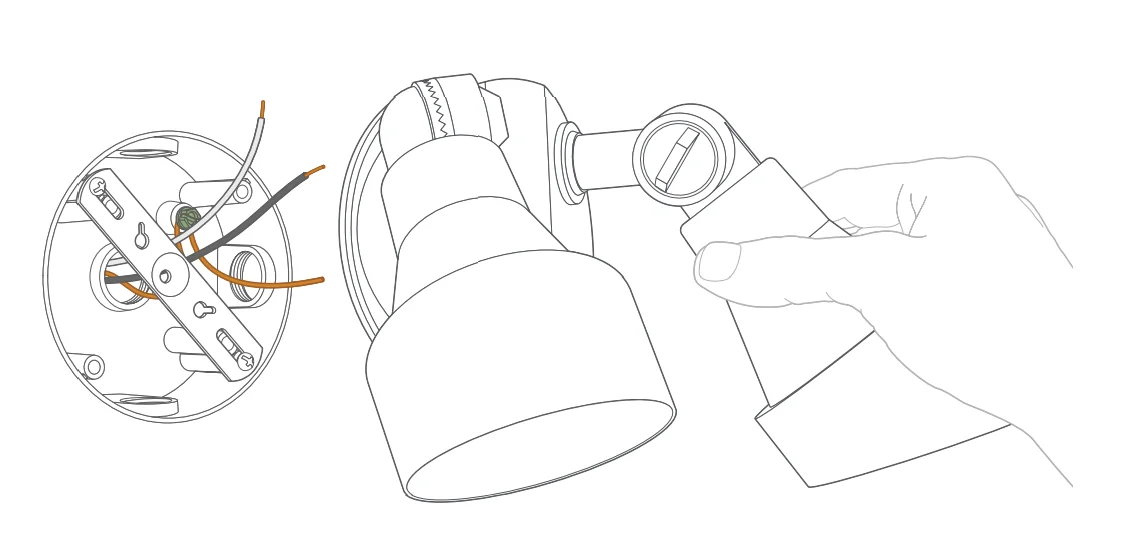
Remove your existing floodlight.
With power off at the breaker, remove your existing floodlight from the junction box it’s attached to and disconnect the wires.
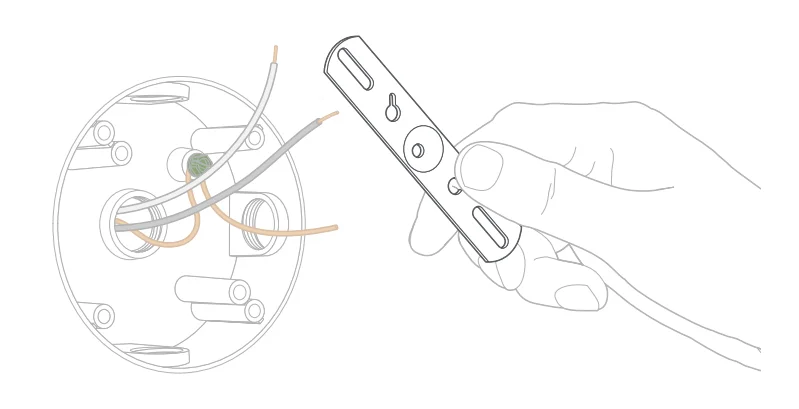
If there is a metal bracket attached to your junction box, remove that as well.
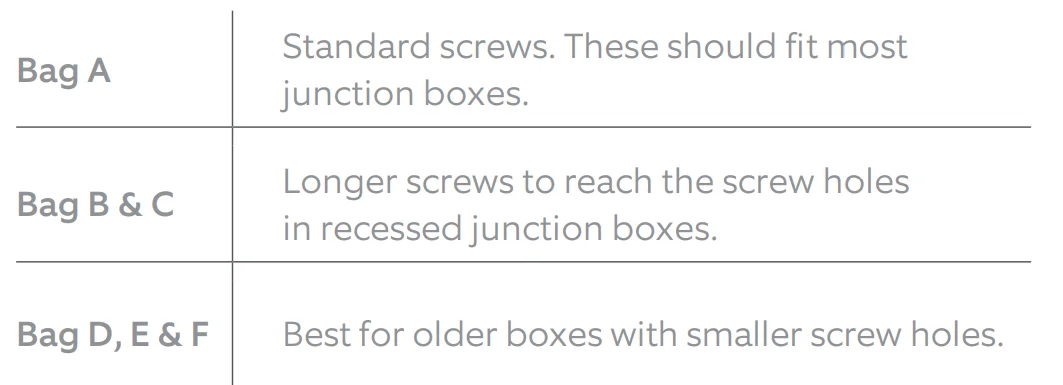
Choose your screws.
Select a set of screws from the bags marked “A” through “F” that fit your junction box to secure the metal mounting bracket. One size does not fit all here, so we sent several. Save a screw from either Bag B or C. You will use it on the next page.
Attach the metal mounting bracket.
Using the screws you selected in the previous step, secure the metal mounting bracket to your junction box in either of the screw holes. Be sure to align the bracket so that the “FRONT” text faces outwards.
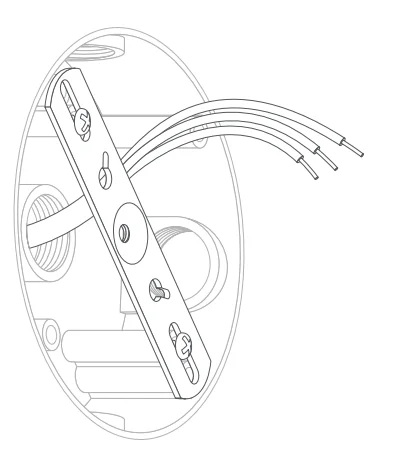
Install the plastic mounting plate.
Pull gently from the opening of the plastic plate to free it from the fixture, then feed your power wires through the opening. With your power wires fed through the mounting plate, center it over the metal mounting bracket. If you’re installing on a wall, the “UP” arrow should point up. If you’re installing under an eave, it should point towards the wall. Then, insert one of the screws from Bag B or C into the center hole, and tighten to secure.
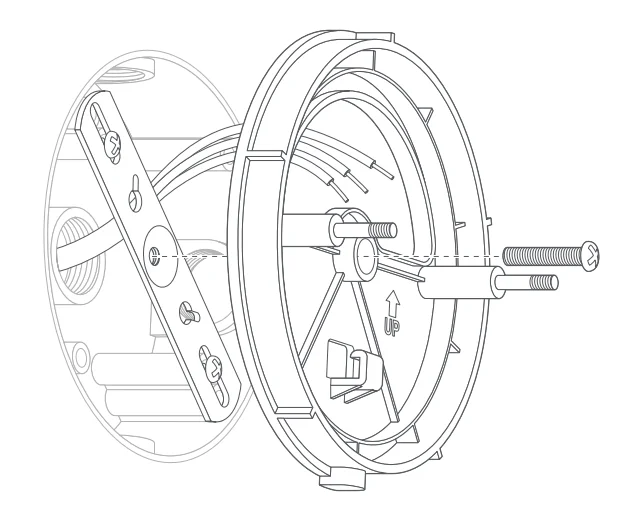
Hang it up.
Locate the nylon strap on the back of your Floodlight Cam light fixture, and loop the buckle at the end over the hook on the mounting plate. Make sure the buckle and hook are secure before releasing the light fixture.
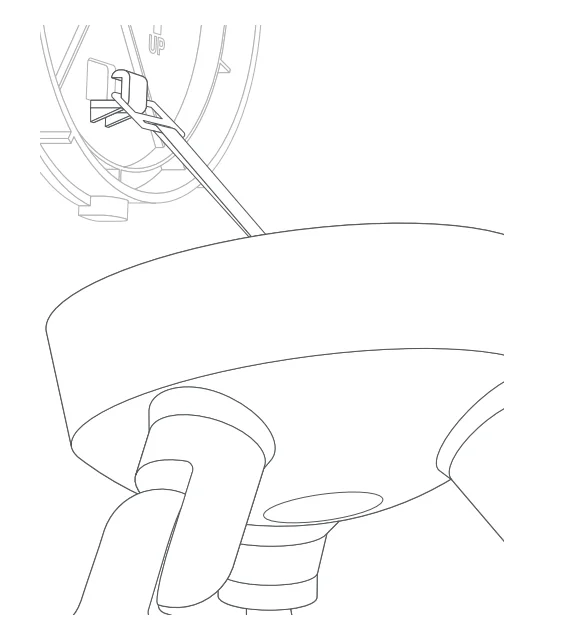
Connect the wires.
The green wire on your Floodlight Cam is the ground wire. With power still off at the breaker, use a wire nut from the bag marked “G” to connect the green (or ground) wire from your Floodlight Cam to the green wire coming from your junction box. The white wire on your Floodlight Cam is neutral. Use another wire nut from the bag marked “G” to connect the white wire from your Floodlight Cam to the white (or neutral) wire coming from your junction box. The black wire on your Floodlight Cam is hot. Use another wire nut from the bag marked “G” to connect the black wire from your Floodlight Cam to the black (or hot) wire from your junction box. Give all 3 wire connections and wire nuts a gentle tug to make sure they are secure.
WARNING: If you can’t easily identify the wires coming out of your junction box, or have difficulty with or are uncomfortable connecting them, consult with a licensed electrician.
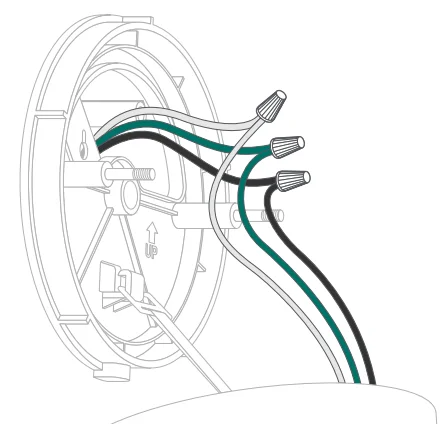
Mount the light fixture.
Tuck the power wires into the junction box, then align the two holes on the light fixture with the threaded posts on the plastic mounting plate. Slide the light fixture onto the posts and push it firmly into place. Secure your fixture using two of the hex cap nuts from Bag G over the ends of the threaded posts. Remove the reversible bit from the included screwdriver and use the handle to tighten the hex cap nuts. Once your Floodlight Cam is secured, apply a weatherproof silicone caulk or sealant (not included) around the outside, where the Floodlight Cam and junction box meet.
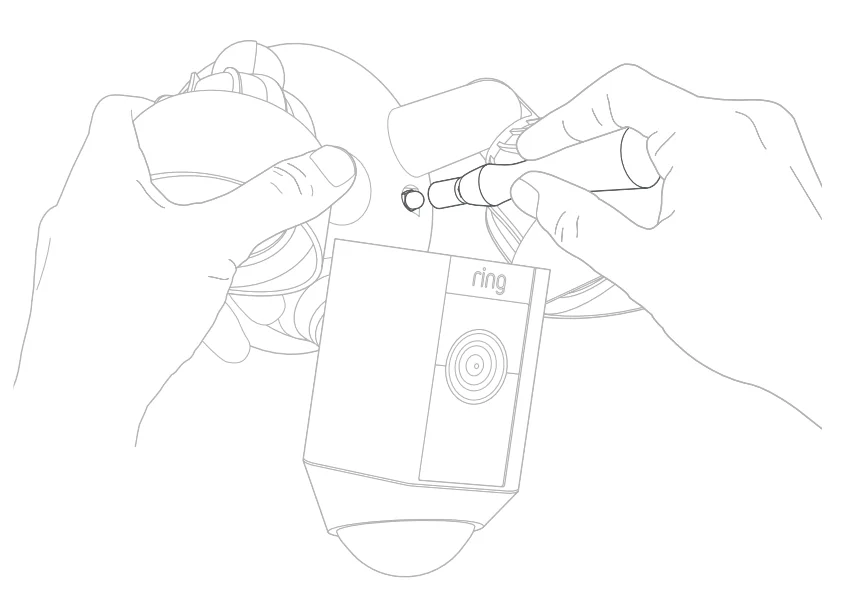
Restore power at the breaker.
Now that your Floodlight Cam is installed, you can turn power back on at the breaker. The lamps on your Floodlight Cam will flash once it’s powered on.
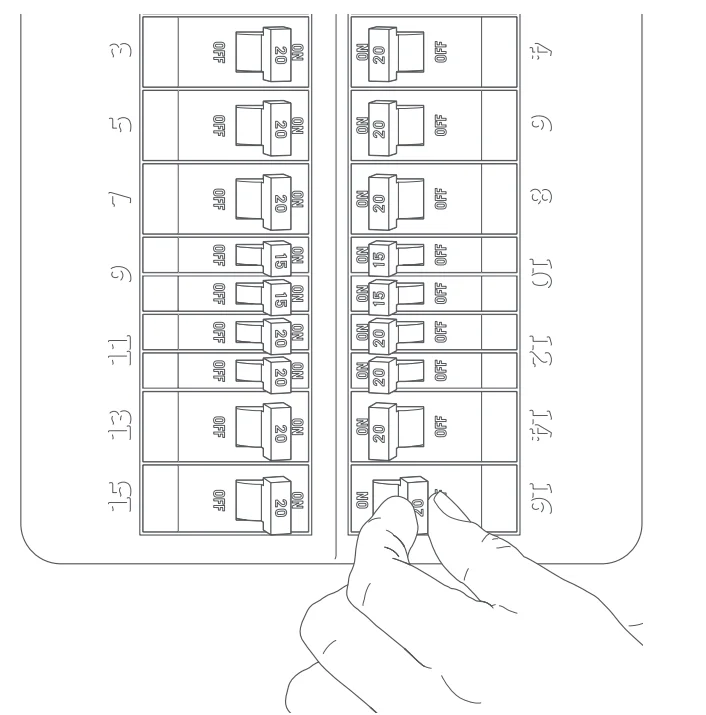
Complete setup in the Ring App.
Once your Floodlight Cam powers on, follow the instructions in the app to continue setup.
Free Ring Protect Plan for 30 Days
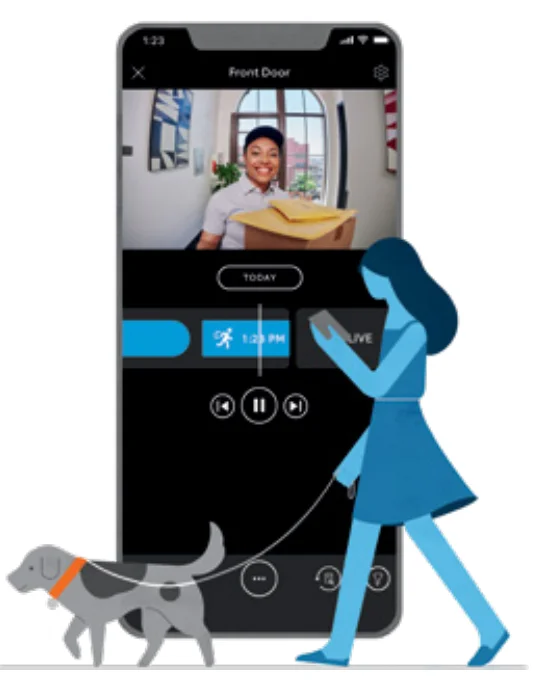
Your new device comes with a free, 30-day trial of Ring Protect. This comprehensive subscription service lets you review, save, and share your video and photo history anytime so you never miss a moment.*
To continue using Ring Protect after your free trial ends, visit ring.com/protect-plans to compare plans and pricing.
*Your free trial isn’t applicable for locations with an existing Ring Protect subscription. See ring.com/protect-plans to learn more about your plan’s retention period.
For more manuals by Ring, visit ManualsLibraryy
Floodlight Cam Wired Plus-FAQs
What is the Floodlight Cam Wired Plus and how does it work?
Ring Floodlight Cam Wired Plus is a smart outdoor security camera designed to monitor large areas such as driveways, yards, and garages. It combines motion-activated LED floodlights, a built-in security camera, and a loud siren. When motion is detected, the lights automatically turn on and the camera starts recording. Users can receive real-time alerts and watch live video through the Ring App, making it a convenient solution for improving home security and nighttime visibility.
What is the difference between Floodlight Cam Wired Plus and Floodlight Cam Wired Pro?
Both cameras offer motion detection, bright floodlights, and two-way audio, but the Pro model includes more advanced features. The Ring Floodlight Cam Wired Plus focuses on reliable core security features, while the Ring Floodlight Cam Wired Pro adds technologies like 3D Motion Detection, Bird’s Eye View tracking, and enhanced radar-based motion alerts. The Pro version also includes improved audio and more precise motion mapping, making it better suited for users who want deeper monitoring capabilities.
How do you set up the Floodlight Cam Wired Plus?
Setting up the Ring Floodlight Cam Wired Plus involves a few simple steps. First, turn off the electricity at the fuse box for safety. Remove the old floodlight fixture and install the mounting plate included with the device. Connect the electrical wires to the terminals, secure them with the pressing plate, and attach the camera unit. Finally, restore power and use the Ring App to connect the camera to your Wi-Fi network and complete the setup.
Does Floodlight Cam Wired Plus require a Wi-Fi connection?
Yes, a Wi-Fi connection is required to access most smart features of the Ring Floodlight Cam Wired Plus. Wi-Fi allows the camera to send motion alerts, stream live video, and store recordings in the cloud. Without Wi-Fi, the floodlight may still activate when motion is detected, but you will not receive notifications or view footage remotely through the Ring App.
Can Floodlight Cam Wired Plus work without a subscription?
The Ring Floodlight Cam Wired Plus can function without a subscription for live viewing and basic motion alerts. However, subscribing to a Ring Home Plan unlocks additional features such as video history, recorded motion events, and sharing clips. Without the subscription, the camera will not store video recordings for later playback.
Where is the best place to install Floodlight Cam Wired Plus?
For optimal performance, install the Ring Floodlight Cam Wired Plus about 9 feet (around 3 meters) above the ground. This height allows the motion sensors to detect human-sized objects from up to about 30 feet away. Ideal installation spots include above garages, driveways, backyards, and entryways where strong lighting and a wide camera view can improve home security.
What are the advantages and disadvantages of LED floodlights?
The LED floodlights in the Ring Floodlight Cam Wired Plus provide bright illumination while consuming less electricity than traditional halogen lights. They also last longer and turn on instantly when motion is detected. However, LED floodlights may have a higher upfront cost compared with older lighting technologies. Despite that, their energy efficiency and durability usually make them more cost-effective over time.
Does the Floodlight Cam Wired Plus record video continuously?
The Ring Floodlight Cam Wired Plus primarily records motion-triggered video events rather than continuous recording. When motion is detected, the camera begins recording and sends an alert to the Ring App. Continuous 24/7 recording is available only on select compatible devices and typically requires a subscription plan.
What are some potential drawbacks of using a Ring security camera?
While Ring cameras offer strong security features and easy mobile monitoring, some users have concerns about privacy and cloud-based data storage. Because video recordings are stored online, users must rely on account security and network protection. Additionally, advanced features like video history require a paid subscription, which adds an ongoing cost.
Can the Floodlight Cam Wired Plus help deter burglars?
Yes, security cameras with bright lights and motion alerts can discourage potential intruders. The Ring Floodlight Cam Wired Plus combines motion-activated lighting, a loud security siren, and real-time notifications. These features make it clear that the property is monitored, which can often make burglars think twice before approaching the area.