
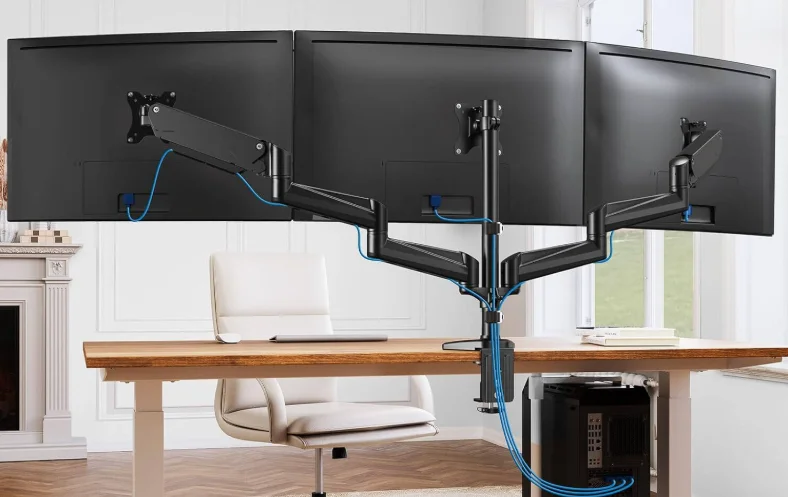

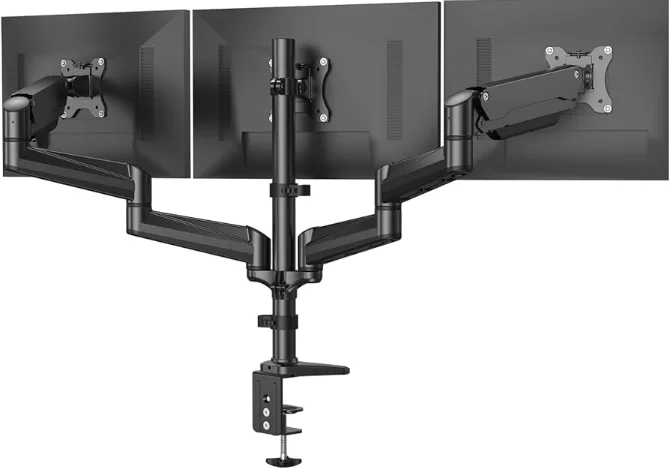
HUANUO HNTS3B Triple Monitor Mount
IMPORTANT SAFETY INFORMATION
- Please carefully read all instructions before attempting installation. If you do not understand the instructions or have any concerns or questions, please contact our customer service at [email protected]. CAUTION: Avoid potential personal injuries and property damage!
- Do not use this product for any purpose that is not explicitly specified in this manual. Do not exceed the weight capacity. We are not liable for damage or injury caused by improper mounting, incorrect assembly, or inappropriate use.
- This product contains a high-pressure gas spring; fire and percussion are prohibited. Also, it is strictly prohibited to dismantle without professionals. Please return the product to the manufacturer or hand it over to professional agencies if the product is abandoned.
- The desk must be capable of supporting three times the weight of the total load (the mount, the monitor, and all accessories). Don’t use the product on particle board.
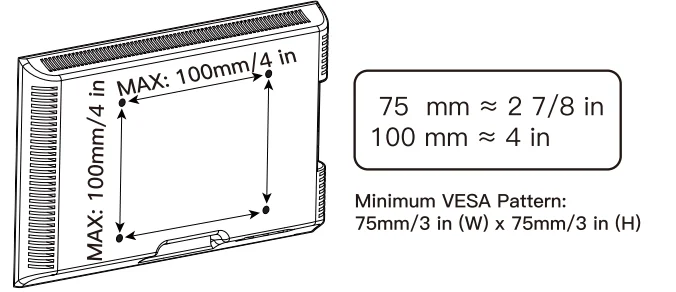
Check the VESA Pattern of the Monitor before the Installation
Weight Restrictions
WARNING: DO NOT exceed the maximum weight indicated. This mounting system is intended for use only within the maximum weights indicated. Use with products heavier than the maximum weights indicated may fail the mount and its accessories, causing possible injury. If your monitor weighs more, this mount is NOT compatible.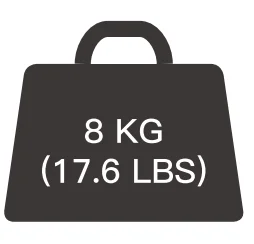
SUPPLIED PARTS AND HARDWARE
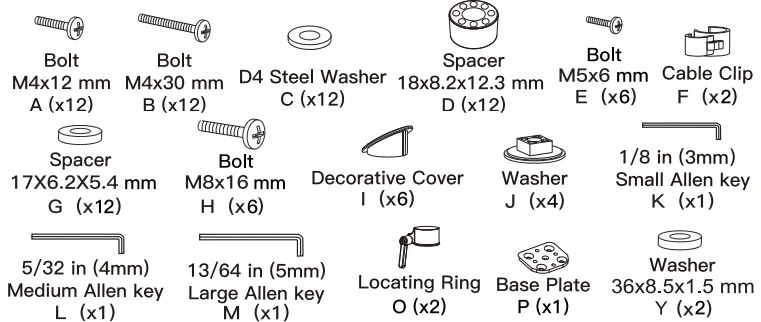
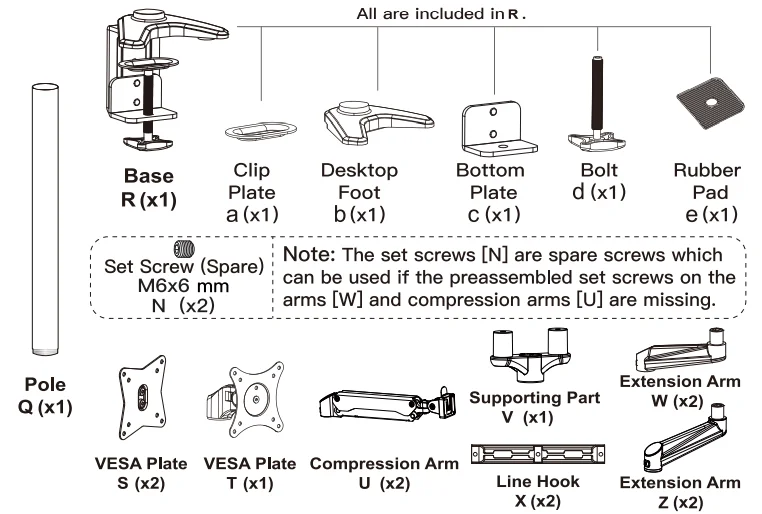
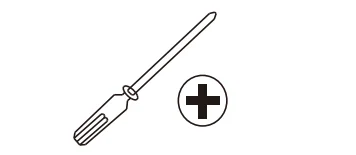
TOOL REQUIRED NOT INCLUDED
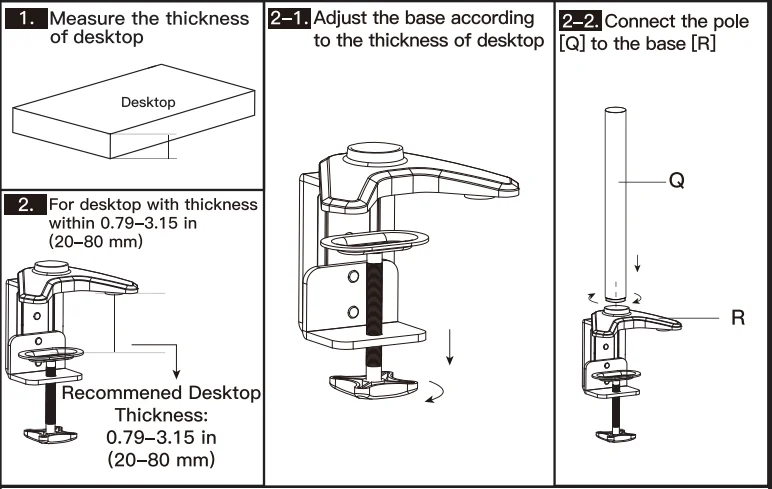
Step 1: Install the Base
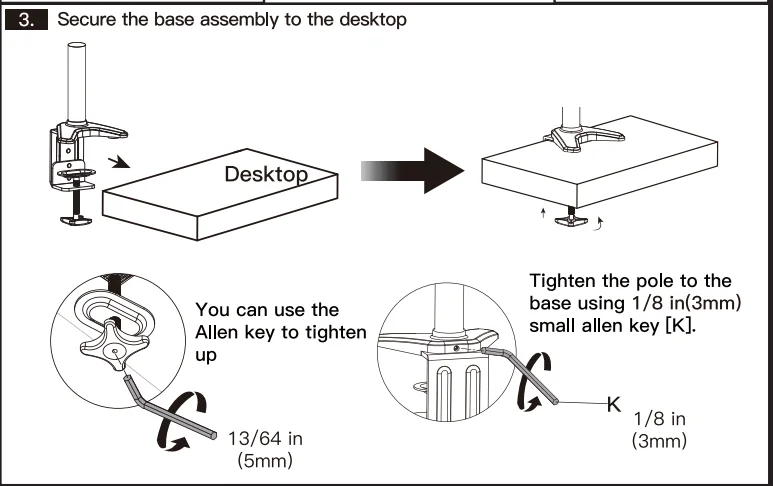
B For Grommet Mounting
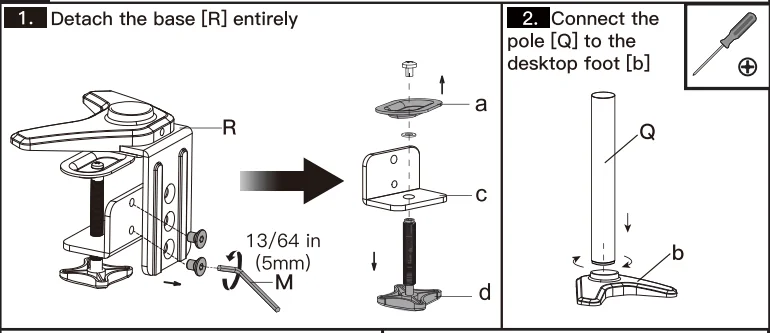
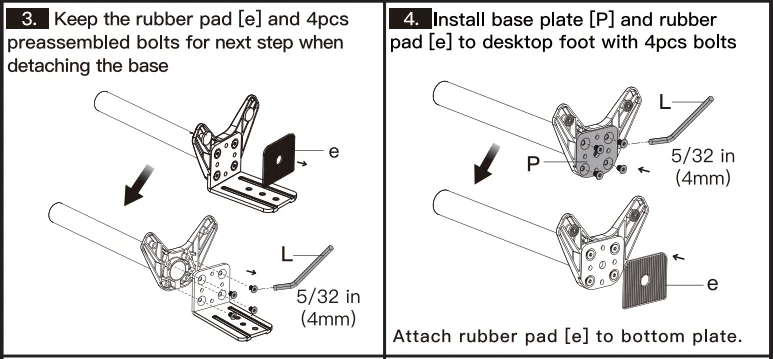
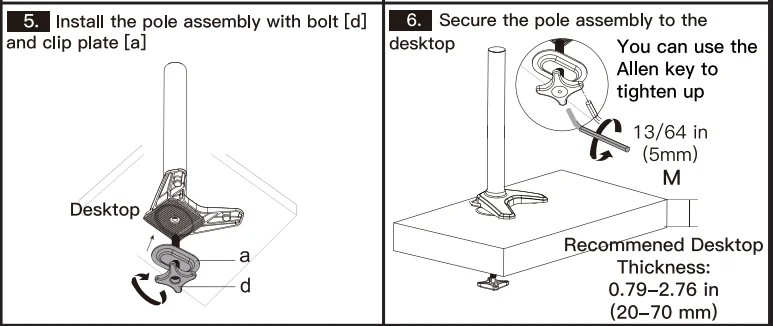
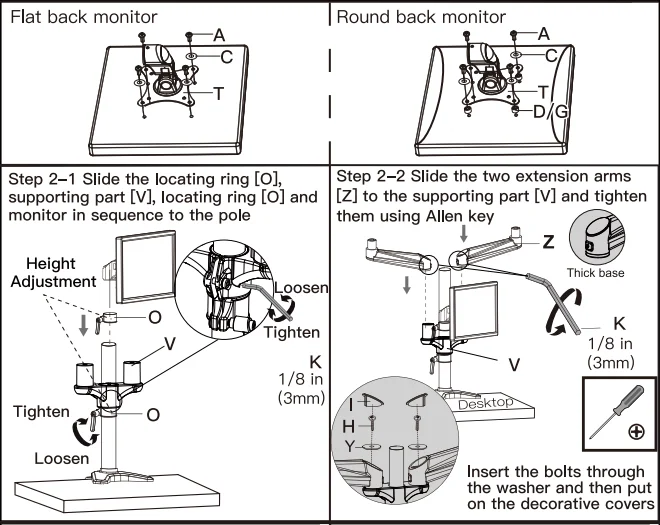
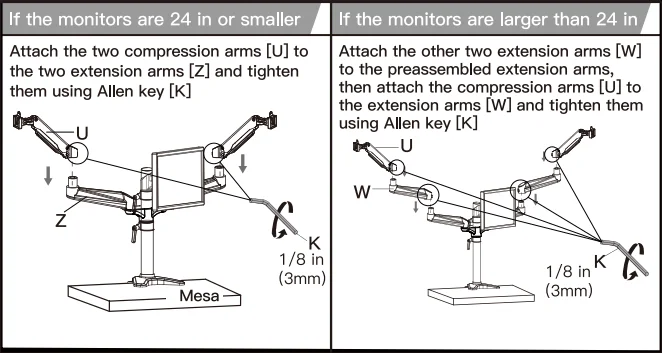
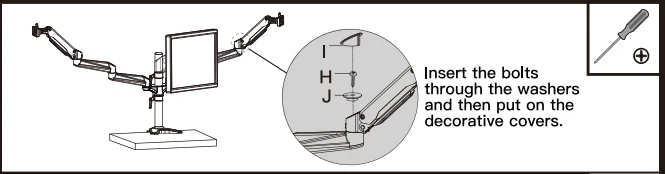
Step 2: Secure the Arm Assembly to the Pole Assembly
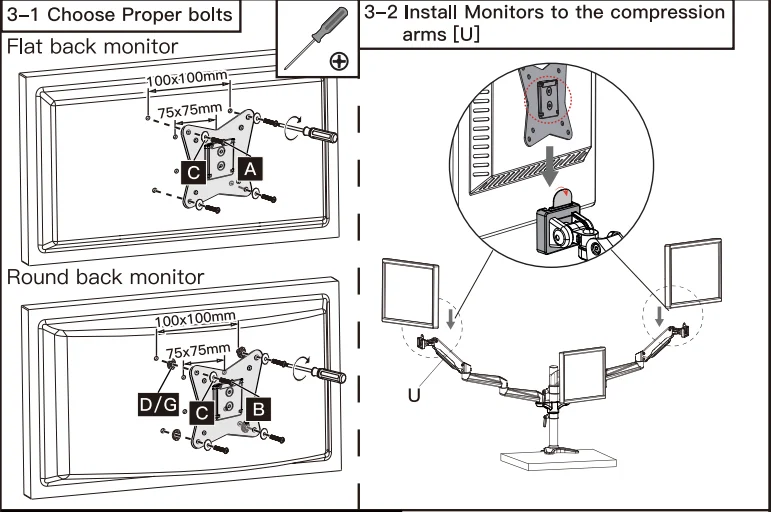
Step 3: Attach the VESA Plates to the Monitors
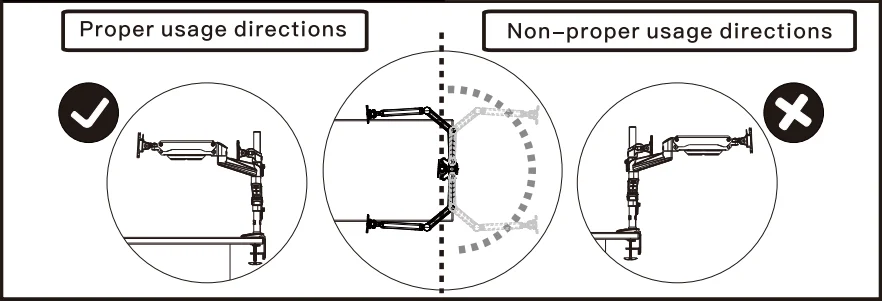
Step 4: Rotation Restriction
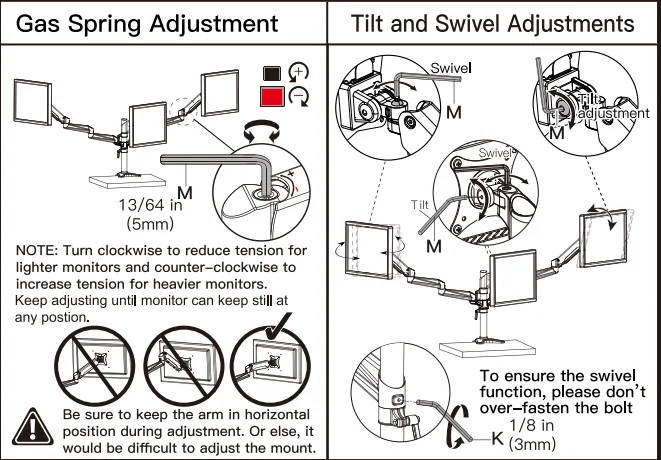
Step 5: Adjustments
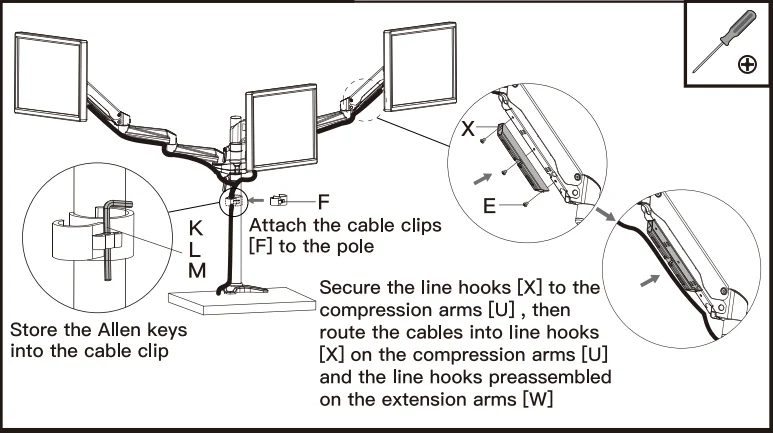
Step 6: Route the Cables
For More Manuals By HUANUO, Visit ManualsLibraryy.
HUANUO HNTS3B Triple Monitor Mount-FAQs
Is the HUANUO HNTS3B triple monitor mount VESA compatible?
Yes, the HUANUO HNTS3B supports standard VESA 75×75 mm and 100×100 mm mounting patterns, which fit most modern monitors.
What monitor sizes are compatible with this triple monitor mount?
The mount is designed for 17-inch to 32-inch monitors, making it suitable for most office and home setups.
How much weight can each arm support?
Each arm can safely hold up to 22 lbs (10 kg), ensuring stable support for typical flat-panel monitors.
Will this mount work with any monitor brand?
It works with any monitor that has VESA mounting holes and falls within the supported size and weight range, regardless of brand.
How do I check if my monitor is compatible with the mount?
Turn your monitor around and look for four screw holes arranged in a square or rectangle. If they measure 75 mm or 100 mm apart, the monitor is VESA compatible.
Does the HUANUO HNTS3B allow height and angle adjustment?
Yes, it features gas-spring arms that allow smooth height adjustment, along with tilt, swivel, and 360° rotation for flexible positioning.
How does a triple monitor mount work?
The mount attaches to your desk using a clamp or grommet base. Each arm connects to the monitor via the VESA plate, allowing secure mounting and adjustable positioning.
What type of desk is required for this mount?
It works best with solid desks that support clamp or grommet installation. Always check desk thickness before mounting.