
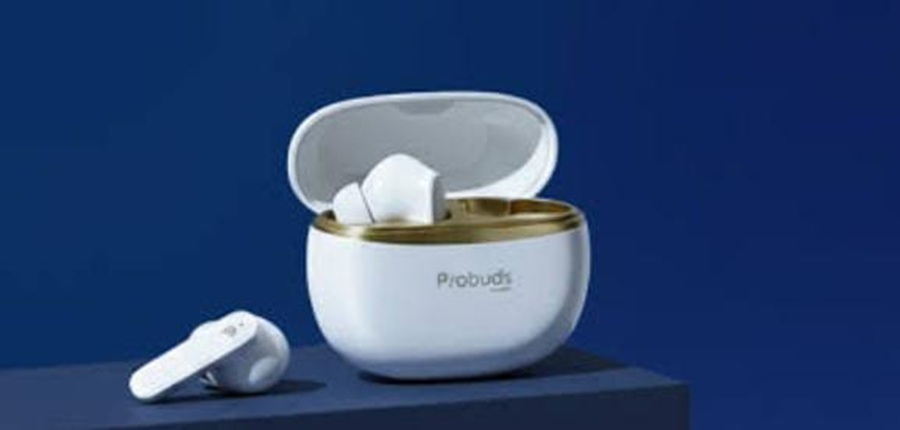

LAVA Probuds T12

BASIC OPERATION FUNCTIONS
 AUTO POWER ON/OFF
 AUTO POWER ON/OFF
- Power On:
To use the earbuds, open the cover of the charging case and take them out of the charging case. The headset will turn on automatically and enter the TWS pairing state, accompanied by a “Power On, Pairing” prompt sound. It then enters ready to pair state with the “du” prompt sound. - Power Off:
If pairing is not done in three minutes, the earbuds will be automatically powered off, accompanied by a “Power Off” prompt sound. If you put the earbuds into the charging box, the earbuds will be automatically disconnected from the phone and enter the charging state.
 CONNECTION
 CONNECTION
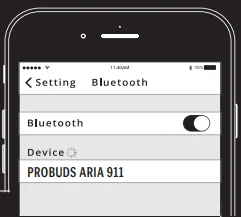
Once the lid of the charging case is opened and the earbuds are taken out of the charging case, the LED light of the master earbud will flash Ice blue & White alternately. Search for “Probuds T12” inside the phone Bluetooth list, click connection, accompanied by a “Connected” prompt sound. To disconnect the earbuds, disconnect the Bluetooth connection. It will be followed by a “Disconnected” prompt sound.
Automatic re-connection
After powering on (opening the cover case of the charging case), the headset will actively connect back to the last paired device with the “Connected” prompt sound, if in range with BT turned on.
 MANUAL POWER ON
In the power off state, long-press the earbud (L) or (R) for 3 seconds to power on, accompanied by the “Power On” prompt sound.
 MANUAL POWER OFF
 MANUAL POWER OFF
In power on state, long-press the earbud (L) or (R) for 5 seconds to power off, accompanied by “Power Off” prompt sound.
 ANSWER CALL
 ANSWER CALL
You can answer an incoming call with a single tap on the earbud (L) or (R), accompanied by a “tick” prompt sound.
 REJECT CALL
 REJECT CALL
To reject a call, long-press the earbud (L) or (R) for 2 seconds and release it, accompanied by a “tick” prompt sound.
 DISCONNECT CALL
 DISCONNECT CALL
During an ongoing call, you can disconnect the call with a double-tap on the earbud (L) or (R), accompanied by a “tick” prompt sound.
 CANCEL DIALING
 CANCEL DIALING
When in dialing mode, you can cancel the dialing with a single tap on the earbud (L) or (R), accompanied by a “tick” prompt sound.
 MUSIC PLAY/PAUSE
 MUSIC PLAY/PAUSE
In music playing mode, single-tap the earbud (L) or (R) to play music, and repeat the operation to pause the music.
Note- The same operation is applicable for ‘videos’ as well
 NEXT SONG
 NEXT SONG
In music playing mode, press and hold the earbud (R) for 2 seconds to play the next song, accompanied by a “tick” prompt sound.
Note– The same operation is applicable for ‘videos’ as well
 PREVIOUS SONG
 PREVIOUS SONG
In music playing mode, press and hold the earbud (L) for 2 seconds to play the previous song, accompanied by a “tick” prompt sound.
Note – The same operation is applicable for ‘videos’ as well
 VOLUME UP
 VOLUME UP
In music/video playing mode, double-tap the earbud (R) to increase the volume. There will be a prompt sound when the volume reaches the maximum level.
 VOLUME DOWN
 VOLUME DOWN
In music/video playing mode, double-tap the earbud (L) to decrease the volume. There will be a prompt sound when the volume reaches the minimum level.
 VOICE ASSISTANT TURN ON/OFF (SIRI/GOOGLE ASSISTANT)
 VOICE ASSISTANT TURN ON/OFF (SIRI/GOOGLE ASSISTANT)
On standby or music mode, tap the earbud (L) three times to ‘turn on’ the voice assistant. Repeat the operation to turn off the voice assistant.
PRO-GAME MODE
Tap the earbud (R) thrice to ‘turn on’ the Pro Game Mode (low latency mode), accompanied by a “Pro Game Mode” prompt sound. Repeat operation will ‘turn off’ the pro game mode, accompanied by a “Du” prompt sound.
 LOST WARNING/OUT OF RANGE
 LOST WARNING/OUT OF RANGE
When the device is out of BT range or is disconnecting abnormally, there will be a “Disconnected” prompt sound.
RESET
 RESET
RESETIn a connected or disconnected state, touch the earbud (L) or (R) 6 times to clear the connection information with the Bluetooth device.
 LOW BATTERY WARNING
 LOW BATTERY WARNING
When the earbuds’ battery is low, the earbuds will alert with a “Battery Low” prompt sound at 20% battery level. The earbud white light flashes after every 5 seconds, and will remind at after 5-minute intervals with a “Battery Low” sound until powered off.
LED LIGHT STATUS
- Pairing: The Ice Blue and White lights flash alternately. After the pairing timeout, it will automatically power off after 3 minutes.
- Standby after connected: LED OFF
- In calling: LED OFF
- Playing music: LED OFF
- While charging: White LED ON
- Fully charged: LED OFF
- Low voltage Warning: White LED flashes once every 5 seconds, accompanied by a “Battery Low” sound.
SAFETY AND MAINTENANCE
Please read the suggestions to help prolong the product’s lifespan and understand the warranty clauses clearly.
- Keep the product dry; do not put it in humid circumstances to avoid a short circuit.
- Do not expose it to the sun or high heat. High heating will shorten the lifespan of electronic components, damage the battery, and deform plastic parts.
- Do not put it in cold circumstances to avoid damage to the PCB board.
- Do not attempt to take apart the product.
- Do not drop, vibrate strongly, or strike with hard objects to avoid damage to the inner electronic circuit.
- Do not use high chemical products detergent to clean the item.
- Do not scratch the surface with sharp items to avoid damaging the case and appearance.
- Do not overcharge continuously. This is for the sake of lifespan.
For more manuals by LAVA, visit ManualsLibraryy
LAVA Probuds T12-FAQs
How do I power on and pair my LAVA Probuds T12?
To power on the Probuds T12, simply open the charging case and remove both earbuds. They will automatically turn on and enter pairing mode, indicated by alternating ice blue and white LEDs. On your device, search for “Probuds T12” under Bluetooth and tap to connect. Once paired, you’ll hear a “Connected” prompt.
What should I do if the earbuds don’t connect automatically?
If the Probuds T12 don’t connect after being powered on, make sure Bluetooth is enabled on your phone. If they still don’t pair, delete the old Bluetooth connection from your device’s Bluetooth list, reset the earbuds (see next FAQ), and try pairing again.
How can I reset the LAVA Probuds T12?
To reset the Probuds T12, touch either the left or right earbud six times continuously while connected or disconnected. This clears the Bluetooth pairing information so you can pair them fresh with your device.
How do I activate features like voice assistant or low-latency mode?
While in standby or music mode, tap the left earbud three times to activate your phone’s voice assistant (Google Assistant or Siri). To switch to Pro Game Mode (low latency), tap the right earbud three times. Tap again the same number of times to turn these modes off.
What do the LED lights on the earbuds indicate?
When pairing, the master earbud blinks ice blue and white alternately. After connection, the LED stays off during standby, calls, or music. While charging in the case, the white LED stays on until fully charged. Low battery is shown by a white flash every 5 seconds with a prompt tone.
How long do the Probuds T12 batteries last, and how do I charge them?
The Probuds T12 offer up to 35+ hours total playback with the charging case, though exact runtime varies with volume and usage intensity. Each earbud charges when placed in the case. Fast USB-C charging provides quick power boosts.
What happens when the earbuds go out of range?
If your device moves out of Bluetooth range or disconnects unexpectedly, the earbuds will emit a “Disconnected” prompt sound and try to reconnect when back in range with Bluetooth still on.
Why are my earbuds making low battery alerts?
Once the earbud battery drops to around 20%, you’ll hear a “Battery Low” prompt with LED flashes. This reminder will repeat at intervals until the buds power off, so it’s best to recharge them soon.
How should I clean and care for my Probuds T12?
Keep your Probuds dry, avoid exposure to high heat or moisture, and do not disassemble them. Wipe them with a dry, soft cloth and avoid chemical cleaners to protect the finish and internal electronics.