Blog Post

DJI Osmo mobile 8 Featured image

DJI Osmo Mobile 8 User Manual

DJI Osmo Mobile 8 Product Profile Osmo Mobile 8 Magnetic Phone Clamp Counterweight Mounting Hole Function Status Indicator Pan Motor Status Panel Side Wheel Joystick 1/4″-20 UNC Port Switch Button Shutter/Record Button Power/M Button Tilt Motor Roll Motor Trigger Charging Port (USB-C) Built-in Tripod Output Port (USB-C) DJI OM Multifunctional Module References: DJI OM Multifunctional […]

Read More
DJI Osmo Pocket Series Camera featured image

DJI Osmo Pocket Series Camera User Manual

DJI Osmo Pocket Series Camera Introduction Osmo Pocket is a handheld gimbal camera that combines mobility and stability in one device. It shoots sharp 12 MP photos and stable video at up to 4K 60fps. The onboard touch screen displays a live view from the camera and can control camera and gimbal movements. Connect a […]

Read More
DJI Osmo 360 Camera FEATURED IMAGE

DJI Osmo 360 Camera User Manual

DJI Osmo 360 Camera Product Profil The following accessories are included in the Osmo 360 Adventure Combo. They can also be purchased separately. Visit the official store for a full list of compatible accessories. Osmo Action Multifunctional Battery Case 2 (hereinafter referred to as “Battery Case”) Osmo Adjustable Quick-Release Adapter Mount (hereinafter referred to as […]

Read More
DJI Osmo Action Camera featured image

DJI Osmo Action Camera User Manual

DJI Osmo Action Camera Introduction Osmo Action is a dual screen action camera equipped with DJI’s latest RockSteady EIS technology and can shoot sharp 12MP photos, capture stable video at up to 4K/60fps, and is also able to record HDR video. The back screen is a hyper-responsive touchscreen that enables users to change settings, while […]

Read More
DJI Matrice 4 Series Drone Camera featured image

DJI Matrice 4 Series Drone Camera User Manual

DJI Matrice 4 Series Drone Camera Overview Aircraft Gimbal and Camera Omnidirectional Vision System Expansion Port Downward Vision System Three-Dimensional Infrared Sensing System Auxiliary Light Front LEDs Motors Propellers Aircraft Status Indicators Landing Gears (built-in antennas) GNSS Antenna Beacon Intelligent Flight Battery Power Button Battery Level LEDs Battery Buckles USB-C Assistant Port (E-Port Lite) microSD […]

Read More
Ring Car Cam feat

Ring Car Cam User Manual

Ring Car Cam Ring Car Cam is a compact, dual-facing security camera designed to help protect your vehicle, whether you’re driving or parked. It records both the road and the interior of your car in HD, providing real-time alerts through the Ring app when motion or impacts are detected. With built-in Wi-Fi, optional LTE connectivity, […]

Read More
Ring Solar Security Sign feat

Ring Solar Security Sign User Manual

Ring Solar Security Sign Solar Security Sign Your Solar Security Sign loves sunlight. For a reliable glow at night, make sure it can receive direct sunlight during the day. For best results, use type LiFePO4 batteries. Install only new batteries of the same type in your product. Failure to insert batteries in the correct polarity, […]

Read More
Ring Pan-Tilt Mount feat

Ring Pan-Tilt Mount User Manual

Ring Pan-Tilt Mount 1 For table mount For wall mount IMPORTANT PRODUCT INFORMATION SAFETY AND COMPLIANCE INFORMATION Use responsibly. Read all instructions and safety information before use. WARNING! Failure to follow these safety instructions could result in fire, electric shock, or other injury or damage. WATCH FOR SMALL PARTS! Your device and accessories may present […]

Read More
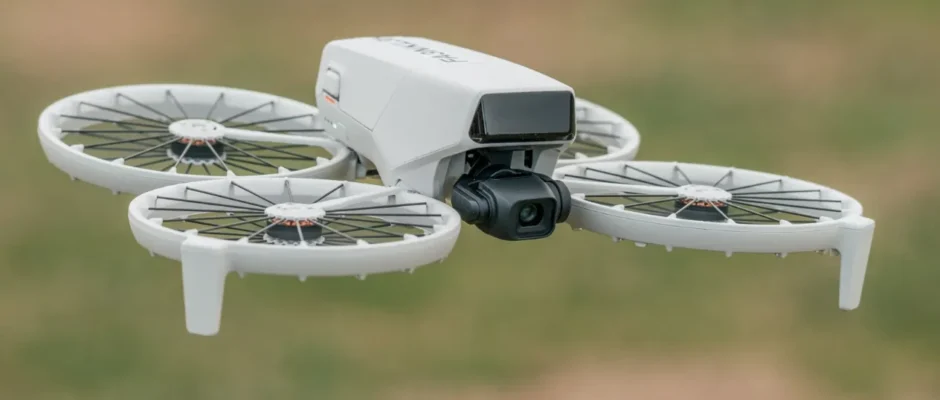
DJI flip Drone Camera FEATURED IMAGE

DJI Flip Drone Camera User Manual

DJI Flip Drone Camera Product Profile Using for the First Time Click the link or scan the QR code to watch the tutorial videos. https://www.dji.com/flip/video Preparing the Aircraft Press both the left and right sides to remove the gimbal protector. Remove and throw away the disposable rubber cover. The disposable rubber cover cannot be reused. […]

Read More
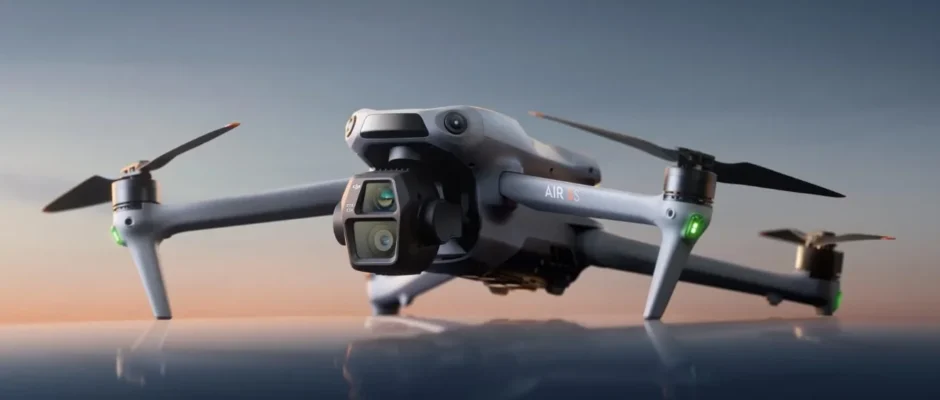
DJI Air 3S Featured image

DJI Air 3S Drone User Manual

DJI Air 3S Drone Product Profile Using for the First Time Click the link or scan the QR code to watch the tutorial videos. https://www.dji.com/air-3s/video Preparing the Aircraft Remove the gimbal protector from the camera. Unfold the front arms and the rear arms as shown. Attached the propellers. It is recommended to use the DJI […]

Read More