
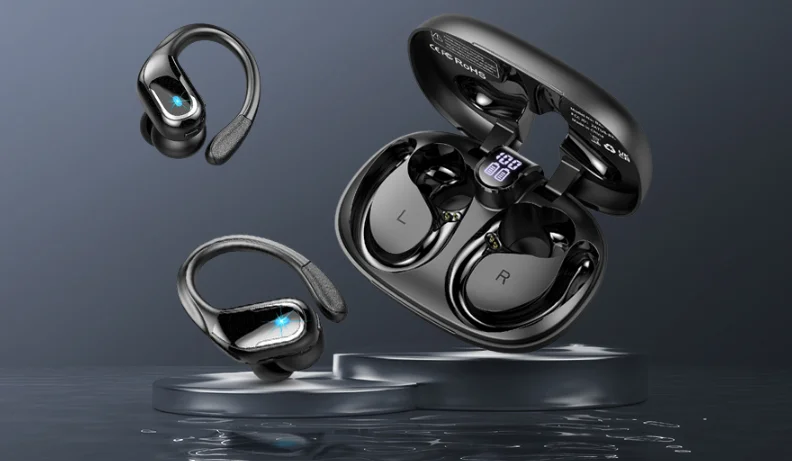

Motast Q22 Bluetooth Earbuds
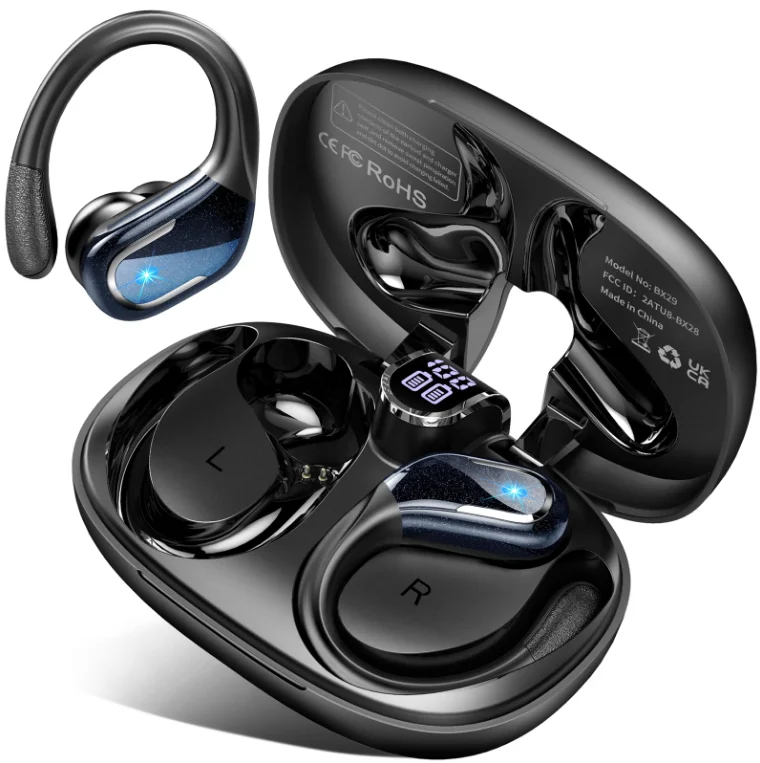
Packing list:

Product Description:
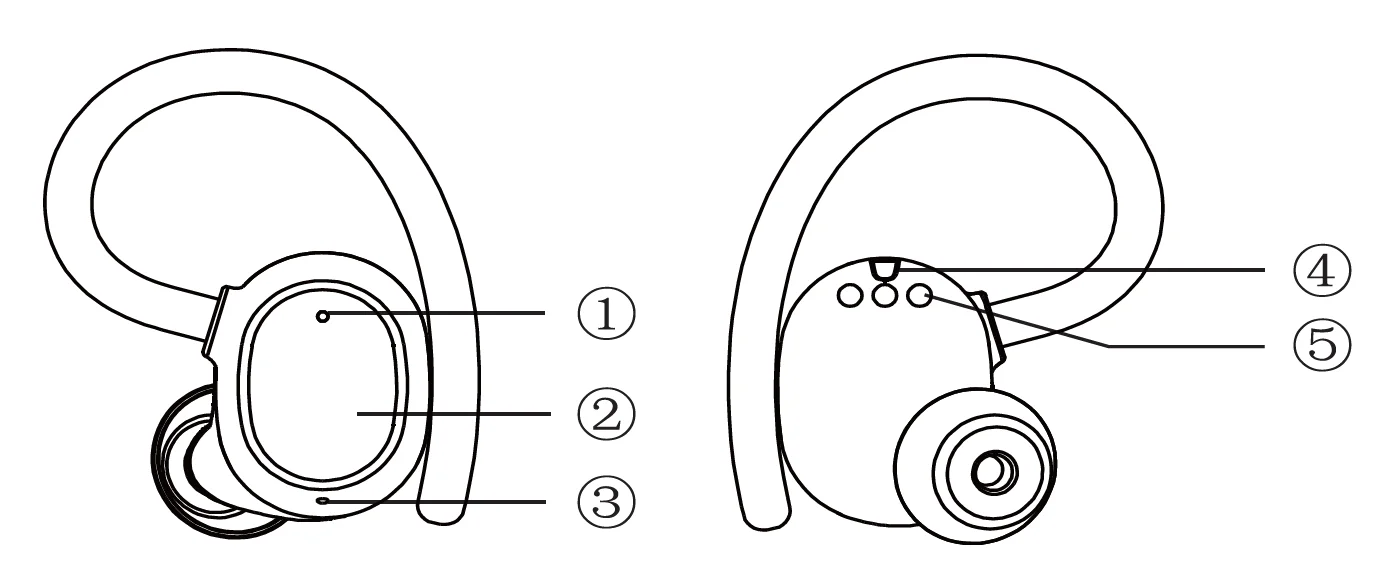
- Indicator light
- Touch button area
- Microphone
- Charge the protection point
- Charging contact
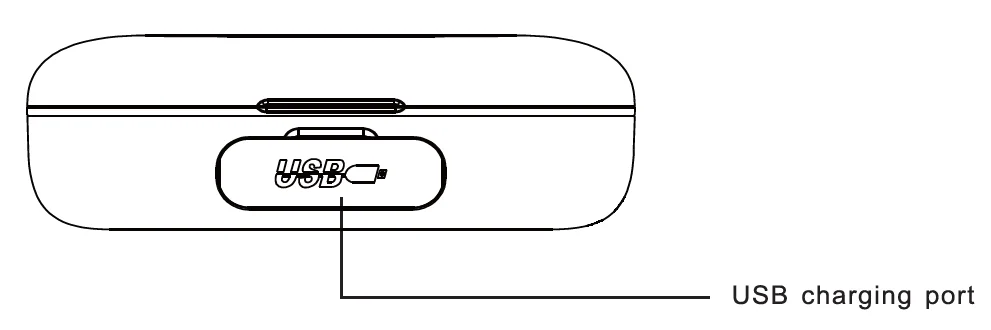
Charging case description:
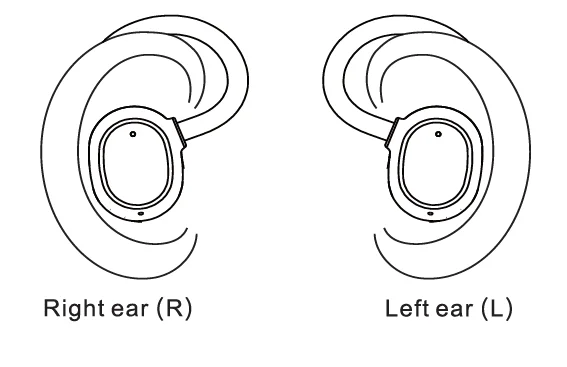
Wearing schematic:
Start using:
- Open the charging case and take out the earphones.
- Tear the charging contact insulation film of the left and right earphones.
- After charging for 10 minutes in the charging case, take out the left and right earphones at the same time. After the two earphones are out of the case, they will be automatically turned on, and the left and right earphones will be automatically paired. Enter pairing mode after successful pairing, the voice prompts “Power on’;
- Turn on the phone or other device to check the BT click to search status.
- Select® “from the phone or other device with BT list and connect. After the connection is successful, the voice prompts “Connected”. You can now use voice or audio on your phone or other devices.
- Unconnect voice prompt “Disconnected *.
- Press the touch button area of the left earphone! right earphone for 4 seconds, speech cue “Power off”.
Remarks:
- After disconnecting from the device(20 meters), the earphones are disconnected from the device.
- The earphones will shut down automatically after 6 minutes without a device connection.
- The earphones can automatically rewind the last connected device after turning off the earphones.
Two ear/one ear switch:
- After the headset is connected to the device, the signal is received in dual transmission mode, and the two headsets are independent of the main and the auxiliary.
- In the process of pairing two earphones, you can turn off any earphone without cutting off the use status of the other earphone.
- When any headset is turned on, it will automatically connect back to the previously connected device
Pairing:
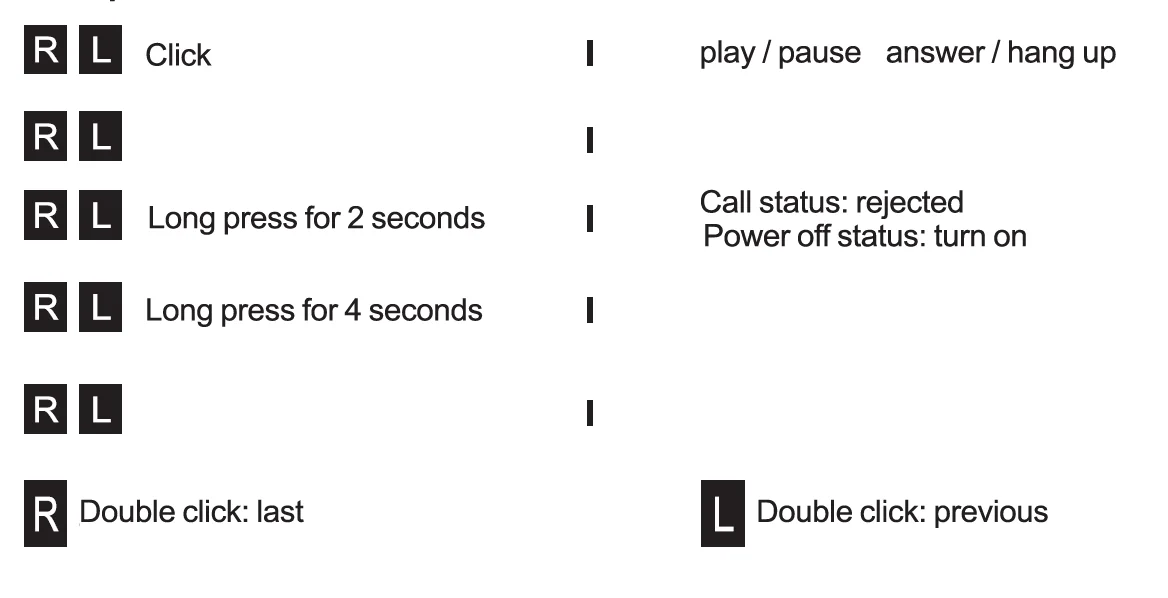
Button operation:
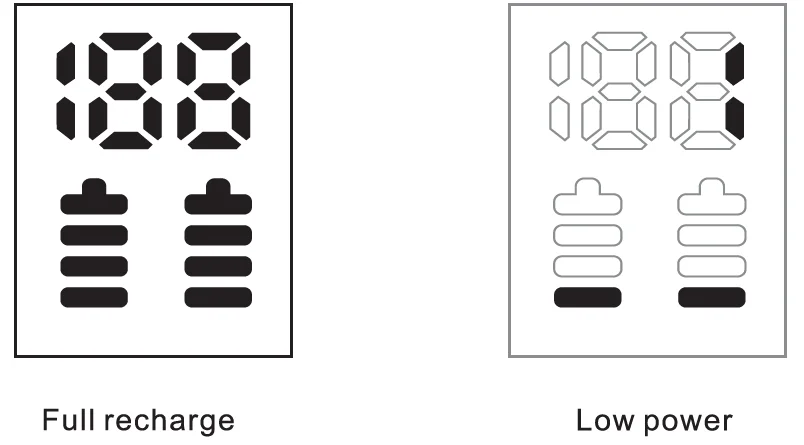
Charging and lighting mode of the charging box:
The lighting mode of the charge box is as follows:
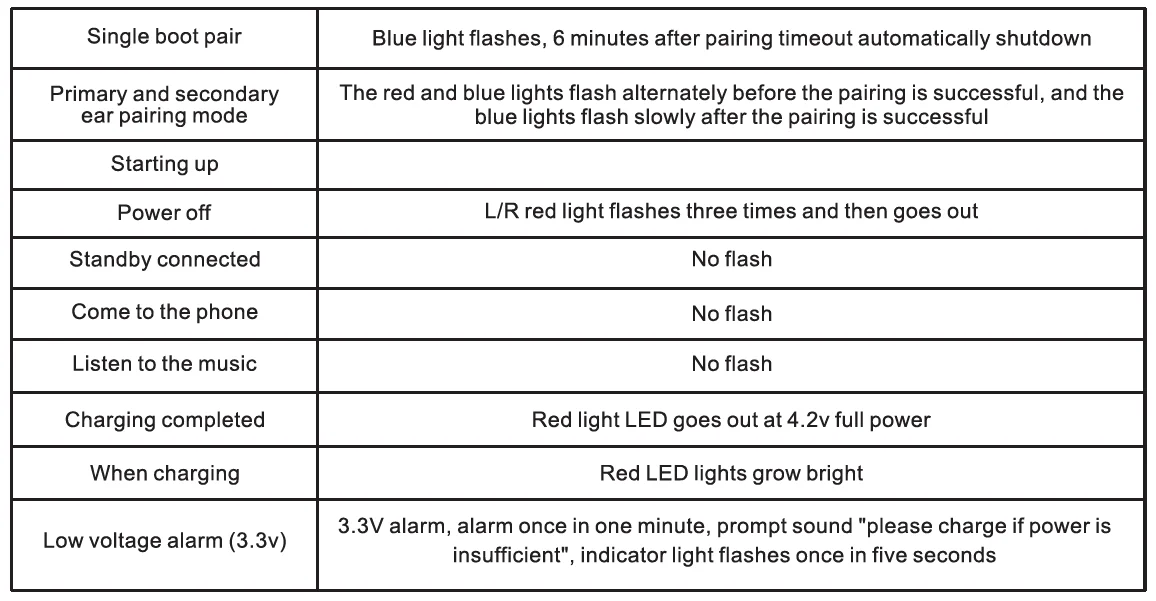
Indicator light status:
Matters needing attention:
- To ensure a smooth connection, it is recommended that the distance between the phone and the earphone is within 20 meters(barrier-free);
- The mobile phone cannot search for the wireless device, and all the paired data stored in the mobile phone is cleared, and the device is searched again.
Safety Instructions:
- Please don’t use the earphones in a thunderstorm, which may cause the earphones to work abnormally and increase the risk of electric shock.
- It is recommended that the volume be gradually increased from small to large, and select the appropriate volume to avoid permanent damage to the ears.
- Keep the earphones and packing box out of the reach of the children to avoid accidents.
- The earphones are not suitable for operation in high temperatures or humid environments.
- Please don’t use any corrosive or abrasive cleaning agent to clean the earphones.
- To reduce pollution to the earth, please recycle it by a professional agent when you dispose of it.
- The battery is flammable and explosive. Please don’t disassemble it arbitrarily and throw it into the fire. There will be a risk of explosion.
- Please don’t dismantle the earphones.
Maintenance Service Card
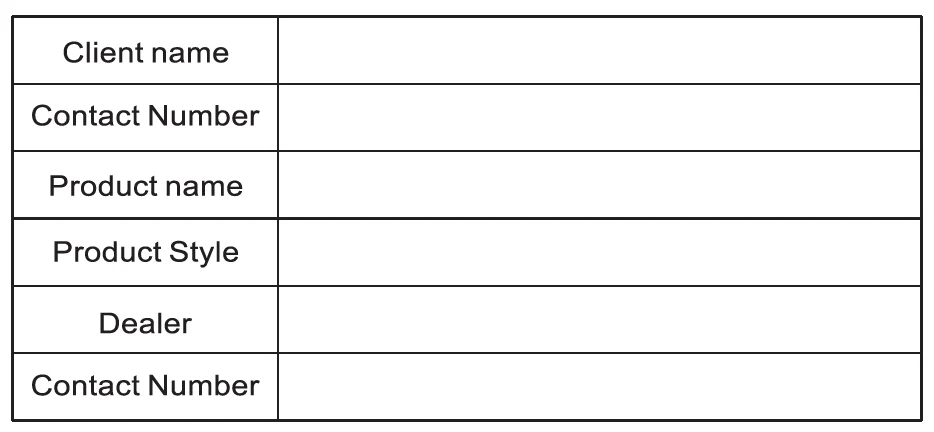
Dear users, this warranty card is the certificate of the product’s three guarantees. Please cooperate with the dealer to fill it in and keep it properly, thank you.
For more Blogs, visit ManualsLibraryy
Motast Q22 Bluetooth Earbuds-FAQs
How do you use touch controls on Motast Q22 earbuds?
The Motast Q22 earbuds use touch-sensitive controls instead of physical buttons. You can tap once to play or pause music, double-tap to skip tracks, and press and hold to adjust volume or activate voice assistant. These gestures may vary slightly, so check the manual for exact functions and customization options.
How do you set up Motast Q22 Bluetooth earbuds for the first time?
To set up the earbuds, remove them from the charging case to power them on automatically. Enable Bluetooth on your phone and select “Motast Q22” from the available devices list. Once paired, the earbuds will reconnect automatically in the future whenever Bluetooth is enabled and they are turned on.
Where is the power button on the Motast Q22 earbuds?
The Motast Q22 earbuds do not have a traditional power button. Instead, they turn on automatically when removed from the charging case and turn off when placed back inside. You can also manually power them on or off by pressing and holding the touch area for a few seconds.
How can you adjust the volume on Motast Q22 earbuds?
Volume can be adjusted directly using touch controls on the earbuds. Typically, long-pressing one earbud increases the volume, while long-pressing the other decreases it. You can also control volume from your connected device for more precise adjustments during music playback or calls.
What is the function of the control button on Motast Q22 earbuds?
The control button (touch panel) on Motast Q22 earbuds acts as a multi-function interface. It allows you to play or pause music, answer or reject calls, skip tracks, adjust volume, and activate voice assistants. This eliminates the need for physical buttons while keeping control simple and convenient.
How do you activate Bluetooth pairing mode on Motast Q22?
To enter pairing mode, take both earbuds out of the charging case. They will automatically power on and enter pairing mode, indicated by a flashing LED light. If already paired with another device, reset or disconnect them first to make them discoverable again on a new device.
Do you need Wi-Fi to use Motast Q22 earbuds?
No, Wi-Fi is not required to use Motast Q22 earbuds. They connect directly to your device via Bluetooth, allowing you to listen to music, watch videos, or take calls without an internet connection. However, streaming content online will still require internet access on your device.
How do you know if the Motast Q22 earbuds are charging?
When you place the earbuds into the charging case, an LED indicator light usually turns on to show charging status. The light may glow red or blink during charging and turn off or change color once fully charged. The case itself may also have battery indicator lights.
How do you reset Motast Q22 Bluetooth earbuds?
To reset the earbuds, place both into the charging case and press and hold the touch panels for several seconds until the LED indicators flash. Then remove them from your device’s Bluetooth list and reconnect. Resetting helps fix common issues like pairing problems or audio glitches.
Can you use one earbud at a time with Motast Q22?
Yes, you can use a single earbud independently. Simply remove one earbud from the case and leave the other inside. The active earbud will connect to your device and function normally for calls or music, making it convenient for multitasking or extending battery usage.