


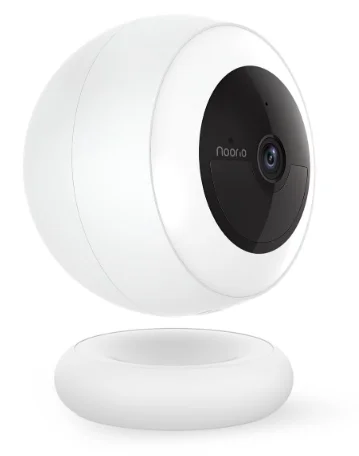
Noorio B311 AI 2K Wireless Security Camera
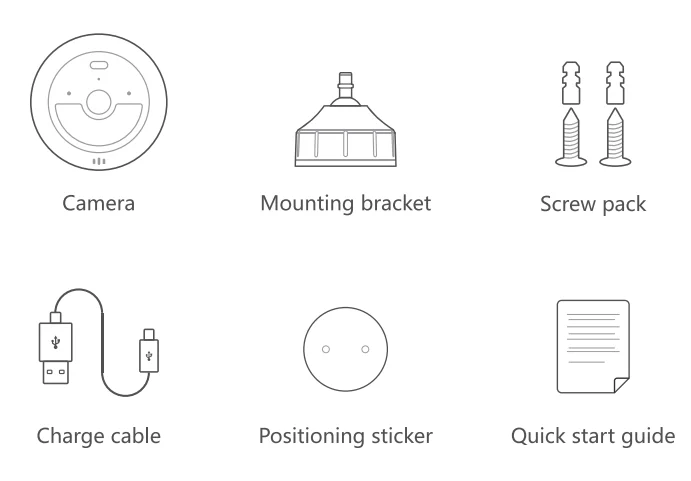
What’s Included
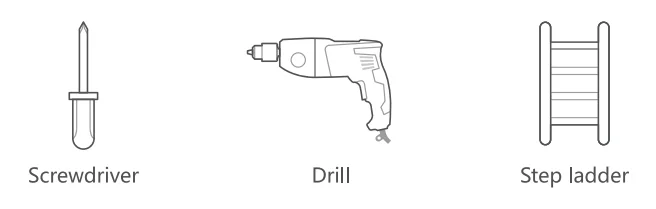
You may need
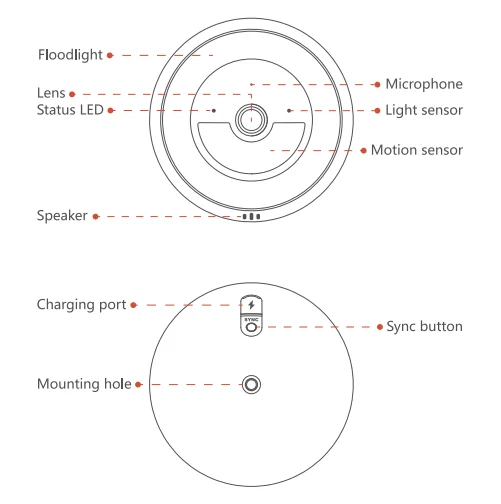
Product Overview
LED Indication
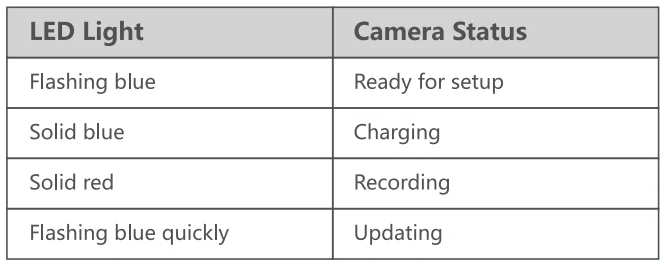
Charging Device
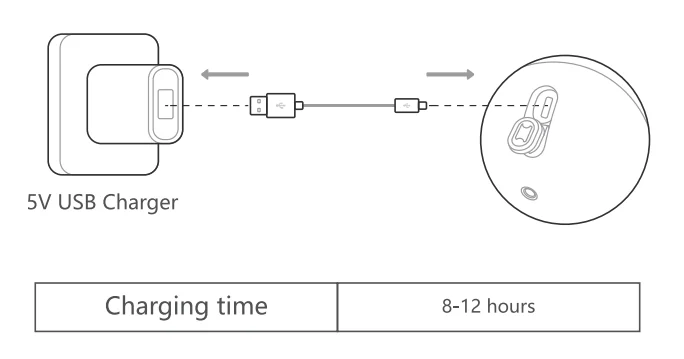
Set Up Your Device
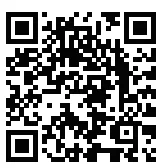
- Scan the code below to get the Noorio app.
- Tap “Set Up a Device” to add your camera.
For online help and support, visit https://support.nooriolife.com/
Notice
FCC Statement
This device complies with Part 1 S of the FCC Rules. Operation is subject to the following two conditions:
- This device may not cause harmful interference.
- This device must accept any interference received, including interference that may cause undesired operation.
Caution: Any changes or modifications not expressly approved by the party responsible for compliance could void the user’s authority to operate the equipment.
Note: This equipment has been tested and found to comply with the limits for a Class B digital device under Part 15 of the FCC Rules. These limits are designed to protect reasonably against harmful interference in a residential installation. This equipment generates and uses can radiate radio frequency energy and, if not installed and used according to the instructions, may cause harmful interference to radio communications. However, there is no guarantee that interference will not occur in a particular installation. Suppose this equipment does cause harmful interference to radio or television reception, which can be determined by turning the equipment off and on. In that case, the u~ ~ is encouraged to try to correct the interference by one or more of the following measures:
- Reorient or relocate the receiving antenna.
- Increase the separation between the equipment and receiver.
- Connect the equipment to an outlet on a circuit different from the receivers.
- Consult the dealer or an experienced radio/TV technician for help.
Radio Frequency Exposure Statement
The device has been evaluated to meet general RF exposure requirements. The device can be used in fixed/mobile exposure conditions. The min separation distance is 20cm.
 This product complies with the radio interference requirements of the European Community.
Declaration of Conformity
This product complies with the essential requirements and other relevant provisions of Directive 2014/S3/EU. For the declaration of conformity, visit https://www.nooriolife.com/
Battery Safety (Only for the products thathaves batteries)
Do not expose the device to fire. Explosion or other hazard. Do not use the device in the environment at too high or too low temperature, never expose the device to strong sunshine or too too-wet environment. .It is recommended to charge the device in an environment with a normal room temperature and good ventilation.
 This symbol means the product must not be discarded as household waste, and should be delivered to an appropriate collection facility for recycling. Proper disposal and recycling help protect natural resources, human health,a nd the environment. For more information on the disposal and recycling of this product, contact your local municipality, disposal service, or the shop where you bought this product.
IC Statement
This device complies with Industry Canada licence-exempt RSS standard(s). Operation is subject to the following two conditions.
- This device may not cause interference, and
- This device must accept any interference, including interference that may cause undesired operation of the device.
IC RF Statement
When using the product, maintain a distance of 20cm from the body to ensure compliance with RF exposure requirements.
For more manuals by Noorio, visit ManualsLibraryy
Noorio B311 AI 2K Wireless Security Camera- FAQs
Does the B311 only work on 2.4 GHz Wi-Fi?
Yes — like most Noorio cameras, it requires a 2.4 GHz Wi-Fi network (channels 1–11). If your router is dual-band, connect the camera to the 2.4 GHz SSID or create a separate 2.4 GHz network.
How do I factory reset the B311?
Press and hold the sync/reset button until the camera announces “Device reset successfully” and the LED flashes blue. Then reconnect via the Noorio app.
What if the camera has no physical reset button?
Many IP cameras can also be reset from the Noorio app or web interface—look in device Settings → Restore / Factory Reset to restore defaults.
How do I charge the B311 and how long does charging take?
Use the included USB-C cable and a standard 5V charger. With a 5V/2A adapter it usually takes about 4–6 hours; with 5V/1A it can take up to ~12 hours.
How can I tell the camera is charging or fully charged?
The status LED shows solid blue while charging. When the indicator briefly lights and then goes off, the battery is fully charged.
How long does one battery charge last?
Battery life depends on usage and settings (motion frequency, recording length, spotlight/IR use). Typical real-world battery life ranges from several weeks to a few months — heavy motion/continuous recording will shorten it.
Can the B311 record when it’s offline (no internet)?
Yes — if you enable local storage (microSD or built-in storage) the camera will save footage locally even when internet is unavailable. Motion detection and local recording usually continue while offline.
What AI features does the B311 offer?
AI features commonly include human/vehicle/person recognition, false-alarm reduction, smart activity zones, and selectable sensitivity — details may vary by firmware/app version.