
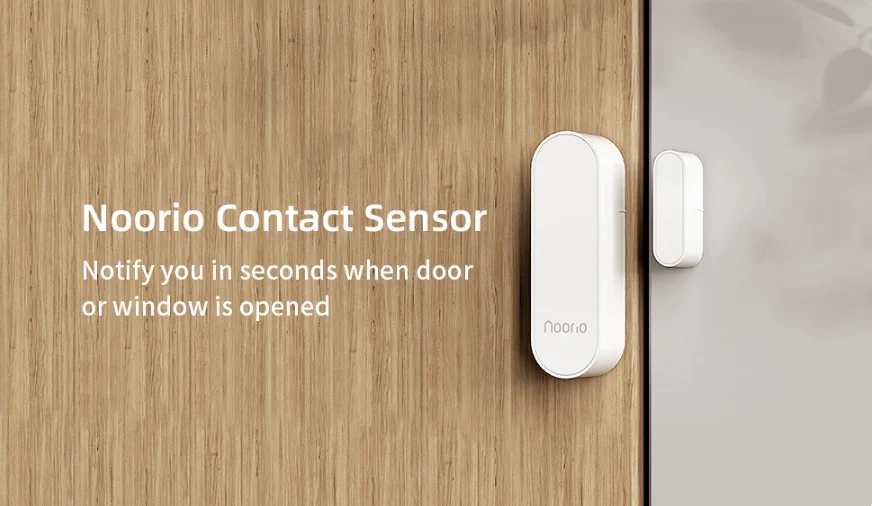

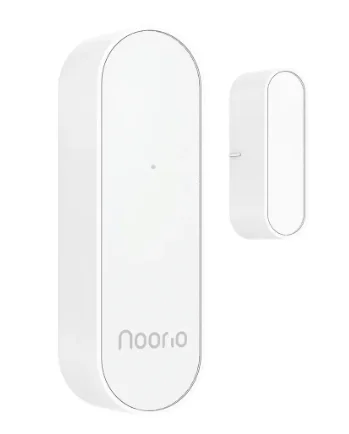
Noorio H200 Contact Sensor
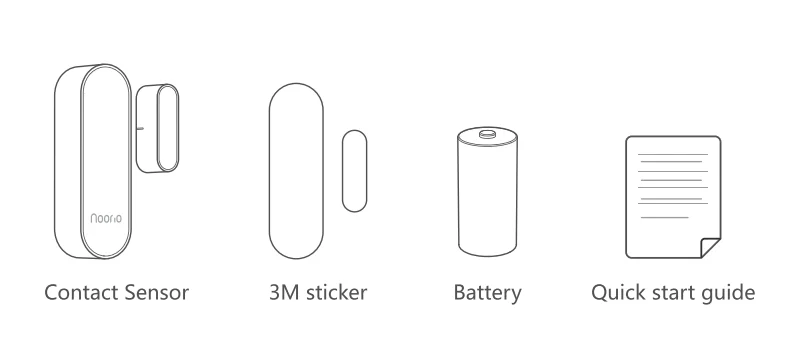
What’s Included
Product Overview
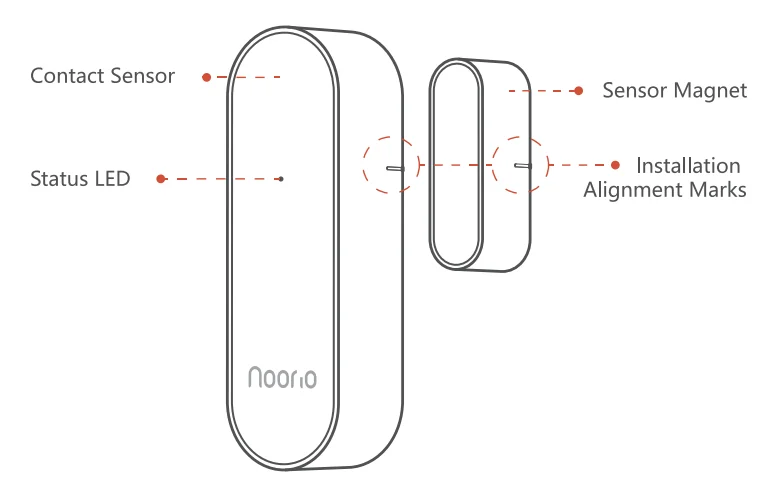
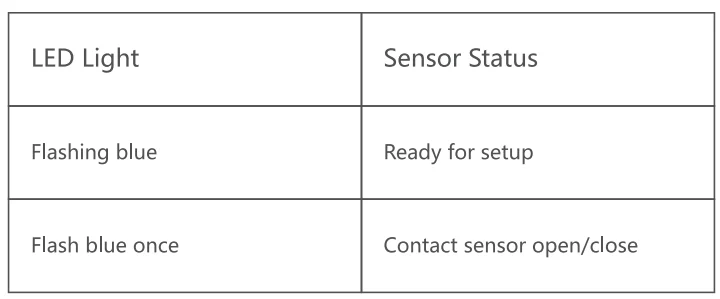
LED Indication
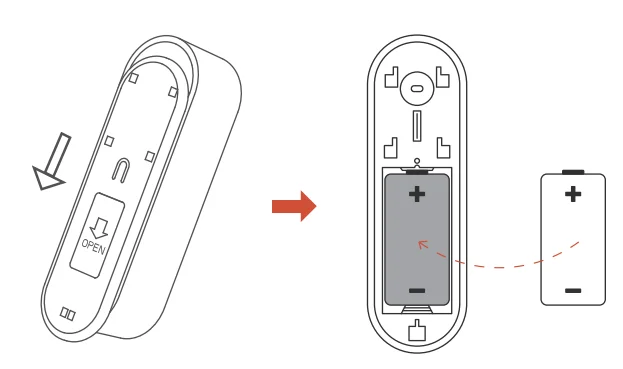
Battery Installation
- Open the back cover of the sensor and take it off.
- Install the CR 123A battery into the slot correctly.
Set Up Your Device
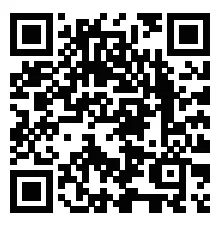
- Scan the code below to get the Noorio app.
- Tap “Set Up a Device” to add your sensor.
For online help and support, visit https://support.nooriolife.com/
Notice
FCC Statement
This device complies with Part 15 of the FCC Rules. Operation is subject to the following two conditions:
- This device may not cause harmful interference.
- This device must accept any interference received, including interference that may cause undesired operation.
Caution: Any changes or modifications not expressly approved by the party responsible for compliance could void the user’s authority to operate the equipment
Note: This equipment has been tested and found to comply with the limits for a Class B digital device, pursuant to Part 15 of the FCC Rules. These limits are designed to provide reasonable protection against harmful Interference in a residential installation. This equipment generates uses and can radiate radio frequency energy and, if not installed and used in accordance with the instructions, may cause harmful interference to radio communications.
However, there is no guarantee that interference will not occur in a particular installation. If this equipment does cause harmful interference to radio or television reception, which can be determined by 1uming the equipment off and on, the user is encouraged to try to correct the interference by one or more of the following measures:
- Reorient or relocate the receiving antenna.
- Increase the separation between the equipment and receiver.
- Connect the equipment into an outlet on a circuit different from that to which the receiver is connected.
- Consult the dealer or an experienced radio/TV technician for help.
Radio Frequency Exposure Statement
The device has been evaluated to meet general RF exposure requirements. The devke can be used in fixed/mobile exposure conditions. The min separation distance is 20 mm.
 This product complies with the radio interference requirements of the European Community.
Battery Safety (Only for products that have batteries)
Do not expose the device to fire, explosion, or other hazards. Do not use the device in the environment at too high or too low temperatures, never expose the device to strong sunshine or too wet an environment. Do not charge the battery.
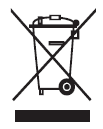 This symbol means the product must not be discarded as household waste, and should be delivered to an appropriate collection facility for recycling. Proper disposal and recycling help protect natural resources, human health, and the environment. For more information on the disposal and recycling of this product, contact your local municipality, disposal service, or the shop where
ISED Statement
This device complies with Industrial Canada licence-exempt RSS standard(s). Operation is subject to the following two conditions.
- This device may not cause interference, and
- This device must! Accept any interference, including interference that may cause undesired operation of the device.
The digital apparatus complies with Canadian CAN ICES-3 (B)/NMB-3(8).
With this device, the exemption from the routine evaluation limits in section 25 of RSS 102 and compliance with RSS 102 RF exposure, users can obtain Canadian information on RF exposure and compliance.
Canada’s radiation exposure limits are set forth for an uncontrolled environment. This equipment should be installed and operated with a minimum distance of 20cm between the radiator & your body.
Customer Service
Warranty
1-year limited warranty
Email Us
Customer Support [email protected]
Noorio Innovations Limited
Office 216 2nd Floor, Alpha House, 27-33 Nathan Road, Tsim Sha Tsui,
Kowloon, Hong Kong
For more manuals by Noorio, visit ManualsLibraryy
Noorio H200 Contact Sensor- FAQs
1. What is the Noorio H200 Contact Sensor used for?
The Noorio H200 Contact Sensor detects when doors or windows are opened or closed, helping you monitor entry points and enhance home security.
2. How does a contact sensor work?
A contact sensor has two parts — a magnetic piece and a sensor body. When the door or window is closed, both parts stay aligned. If the door or window opens, the magnetic connection breaks, sending an alert to your system or app.
3. How do I set up the Noorio H200 Contact Sensor?
Open the Noorio app, tap “Add Device,” and follow the on-screen steps. Place the sensor body on the door or window frame and the magnet on the moving part. Keep them aligned within 1 inch for accurate detection.
4. How do I reset the Noorio H200 Contact Sensor?
Press and hold the reset or sync button on the sensor for about 10–15 seconds until the LED flashes or you hear a reset confirmation. Then reconnect the sensor in the Noorio app.
5. Where is the sync button on the Noorio H200 sensor?
The sync button is usually located on the front or side of the main sensor unit, near the LED indicator light.
6. What type of battery does the Noorio H200 Contact Sensor use?
The sensor uses a CR2032 coin cell battery, which typically lasts around 3 years depending on usage.
7. How do I replace the Noorio H200 sensor battery?
Slide or twist open the sensor cover, remove the old CR2032 battery, and insert a new one with the correct polarity. Close the cover securely and check if the LED lights up.
8. Do I need a hub to use the Noorio H200 Contact Sensor?
Yes. The Noorio H200 requires a Noorio Smart Hub to connect and communicate with other Noorio devices and the app.
9. Can I use the Noorio H200 without the internet?
Basic sensor functions work locally through the hub, but you need an internet connection for remote alerts, app access, and smart home integrations.
10. How can I share device access with family members?
Open the Noorio app, go to your device settings, select “Device Sharing,” and enter your family member’s email address to grant access.