
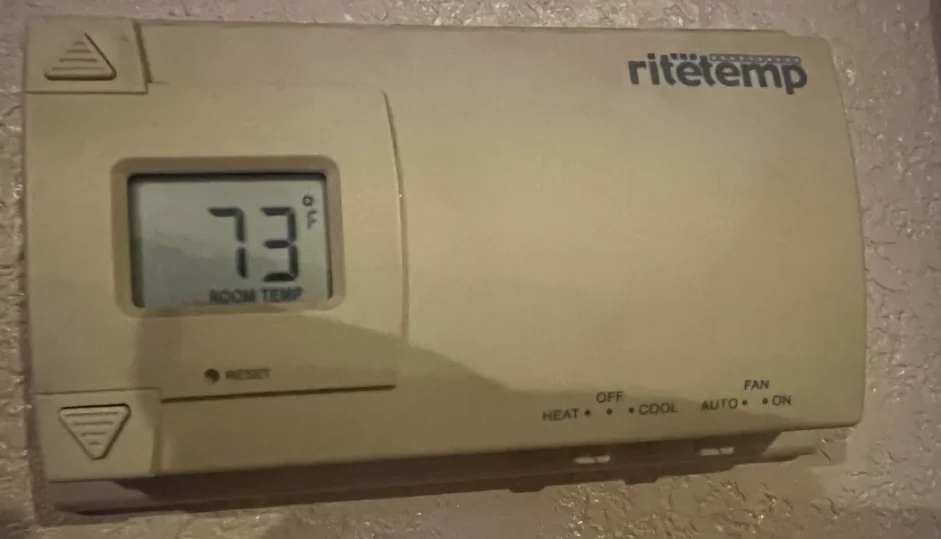

RiteTemp 8029B Thermostat
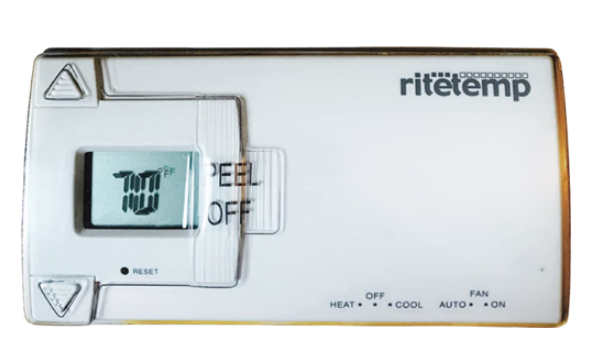
Operation 8029B
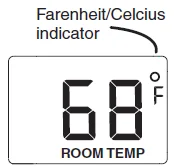
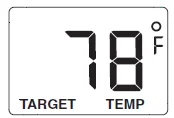
Current Temperature Display
SET Temperature Display
Statement of use: The 8029B can be used with most 24-volt gas, oil, or electric heating and air conditioning systems, single-stage heat pumps, or gas millivolt heating systems. It cannot be used with 120-volt heating systems or multistage heat pumps.
Configure
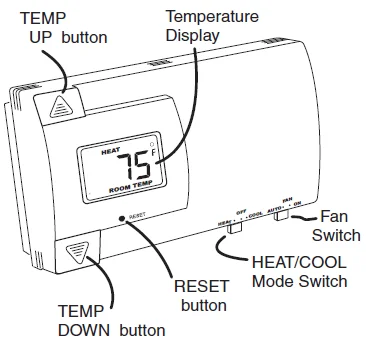
Set the HEAT/COOL mode switch to HEAT or COOL. The unit will display the ambient temperature. Set the Fan switch to automatic.
Set Temp
Press the TEMP UP and TEMP DOWN buttons to select the desired temperature.
The SET icon will be displayed with your desired temperature. ( The display will return to the current temperature in 5 seconds if no button is pressed.)
Operate
Your thermostat is now in operation.
In the winter, set the system switch to HEAT to control your heating system.
In the summer, set the system switch to COOL to control your air conditioner.
In spring and fall, or when windows are open, you can set the system switch OFF.
Setting the FAN switch to AUTO automatically runs your system’s fan during heating and cooling.
Setting the FAN switch to ON runs your system’s fan continuously, even without heating or cooling.
Special Features
F° / C° Select
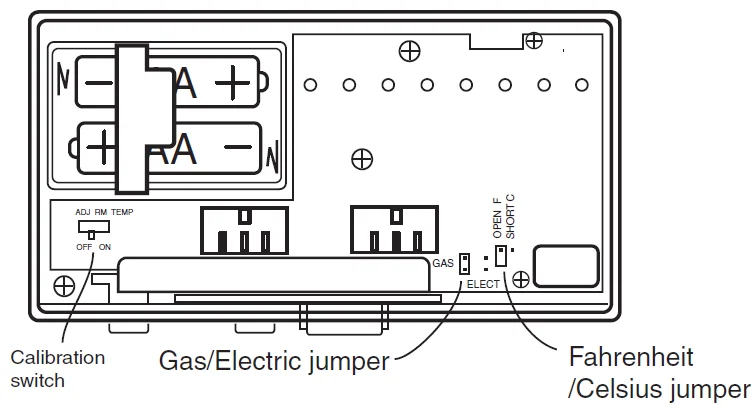
Centigrade / Fahrenheit selection. The C/F jumper is on the back of the thermostat control unit. It determines which temperature system is displayed on the LCD.
To change the F° / C° jumper. Separate the control unit from the wall-mounted terminals. Locate the F0 / C0 jumper .
Select the desired display mode.
Replace the control unit on the wall and press RESET.
Low Battery
When the batteries are low, the battery icon will come on and flash.
The two AA Batteries in the unit need to be replaced. In some installations, your heater system will stop functioning when the thermostat loses power. Replace batteries as soon as you see this warning. The thermostat setting will remain for 30 seconds while the batteries are removed and replaced.
Rear View of Unit
Customer Support:
888-515-2585
Visit our website www.ritetemp-thermostats.com
For more Manuals by RiteTemp, visit ManualsLibraryy
RiteTemp 8029B Thermostat-FAQs
How do I set the time on my RiteTemp 8029B thermostat?
Press and hold the TIME SET button until the clock digits start flashing. Use the UP and DOWN arrows to adjust the hours and minutes. Press TIME SET again to confirm. If the clock doesn’t respond, try resetting or checking the thermostat’s power source.
How do I reset my RiteTemp thermostat?
Press and hold the RESET button for about 5–10 seconds until the display turns off. This will restore factory settings. Afterward, re-enter your preferred time, temperature, and schedule settings.
How do I change the target temperature on the RiteTemp thermostat?
Make sure the thermostat is in HEAT or COOL mode. Press MENU, then use the Temp Up/Down arrows to set your desired temperature. “CALIBRATE DISPLAY ON” may appear as confirmation.
What is the swing setting on the RiteTemp 8029B?
The swing setting controls how much the temperature can vary before your heating or cooling system turns on or off. Press MENU, then select SWING to view or change the temperature swing (default is 3°F).
How do I hold a temperature manually?
Press HOLD to maintain your current temperature setting. To cancel, press RUN or CANCEL HOLD to return to your programmed schedule.
Why is my thermostat not turning on the heat?
Check if the batteries are low or the power source is disconnected. Also ensure your furnace switch and circuit breaker are on. Replace batteries or reset the thermostat if needed.
Why does the thermostat reading not match my room’s temperature?
This can happen if the thermostat needs calibration or if air vents and filters are clogged. Clean your air filters and vents, then recalibrate the thermostat for accurate readings.
How do I clear the thermostat schedule?
Press MENU, scroll to RESET, then select Factory Reset to clear all programmed schedules. Re-enter your custom temperature and time settings afterward.