
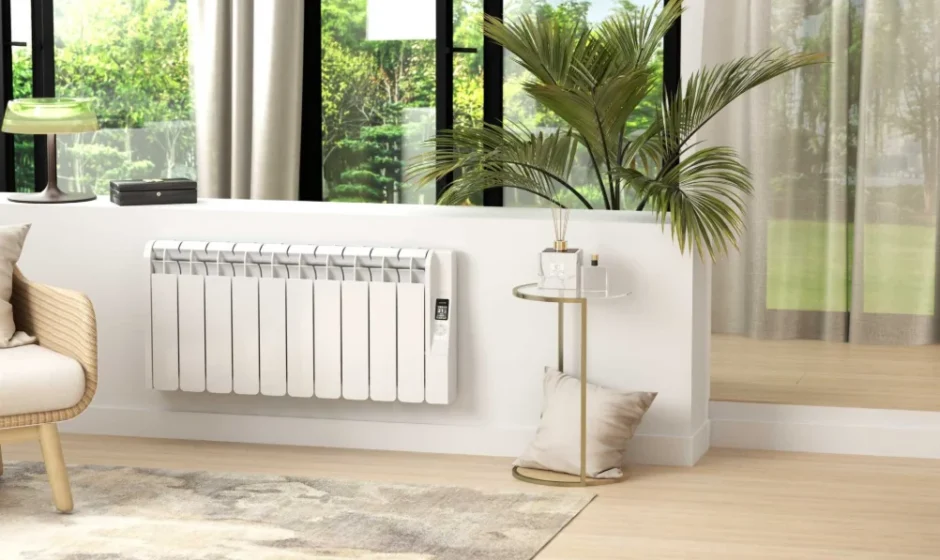

Rointe KYROS Low Consumption WiFi Electric Radiator
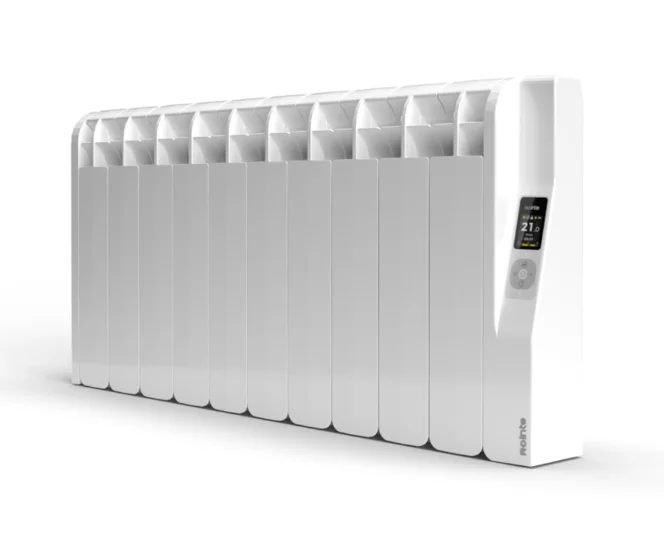
DESCRIPTION OF THE “KYROS ” RADIATOR
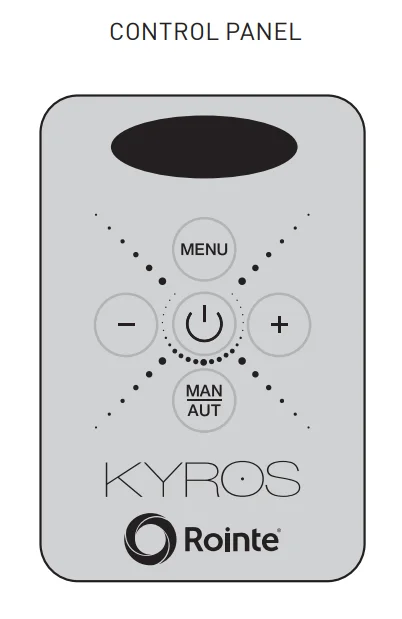
Front panel parts
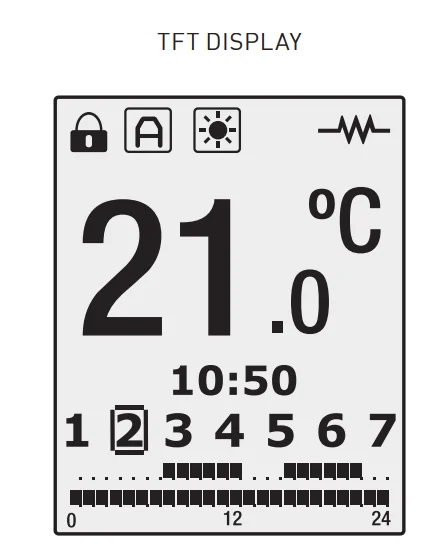
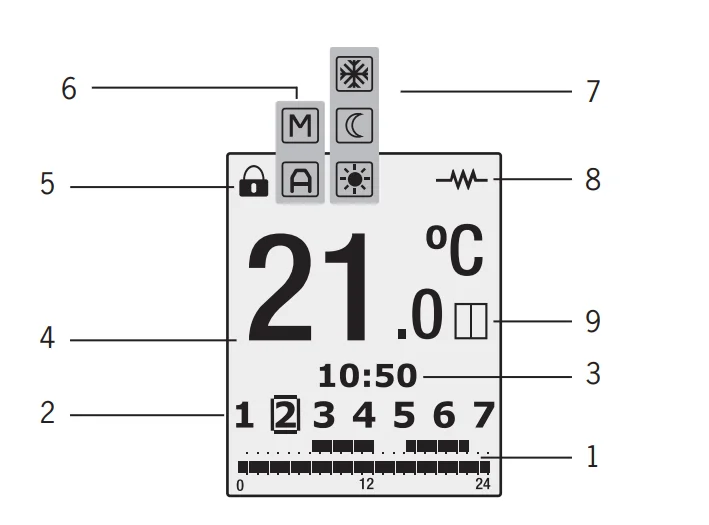
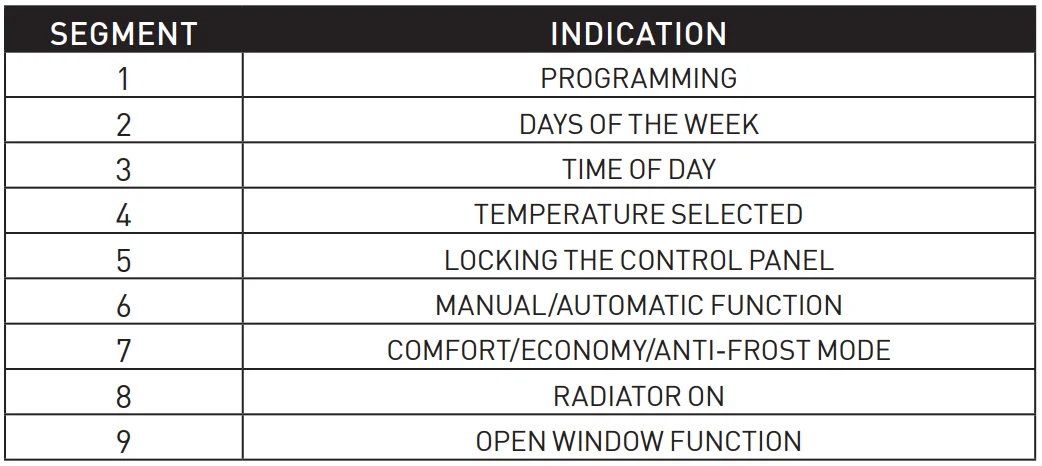
TFT display symbols
Switching On & Off (stand-by)
By pressing the key  , we can switch the radiator on or off. The following image will appear on the screen when switched on:
The screen will automatically go into sleep mode if no button is pushed for 10 seconds. By pushing the button again, the radiator will go into standby mode with the word “Standby” appearingollowed by the Rointe logo.
Setting the day and time
By pressing the  button for 3 seconds, we can access the time and date adjustment feature to adjust the time and date of our radiator.
Pressing the button flashes up the hours, minutes, and days of the week according to the number of times it is pressed. With the buttons, 
 we can alter the current settings.
To leave the time and date adjust feature, wait 30 seconds or press after selecting the date.
Blocking the control panel
By pressing the keys and , at the same time,, for 3 seconds, we block the control panel, the  control panel symbol is activated, and the keys will not respond when pressed. The following symbol will appear on the screen if any button is pushed:
To unblock the keys again and , at the same time, for 3 seconds.
Temperature selection
By pressing or we change the temperature. When the room temperature is lower than the one set, the radiator comes on and the  symbol appears.
Manual / Automatic functions
By pressing, we change between the Manual and Automatic functions.
When the Manual function is selected, the symbol  appears on the display. When the Automatic function is selected, the symbol
  appears on the display.
Manual function
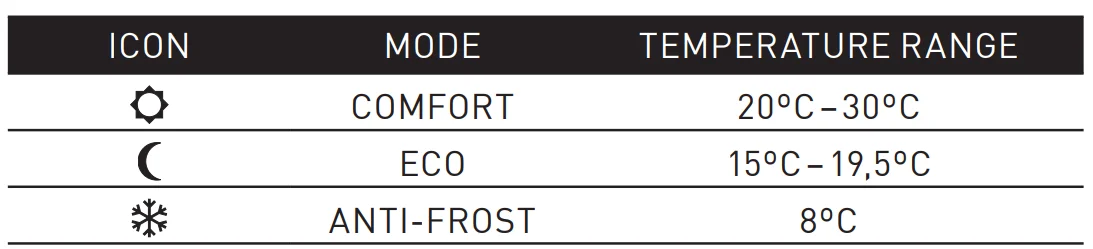
This enables to choice between the modes of operation COMFORT, ECO, and ANTI-FROST, changing the temperature as indicated in Section 1.5.
Automatic function
This mode activates the programming set on the radiator.
Menu/Programming function
By repeatedly pressing, we can see the programming that is saved in the radiator for each day. Pressing only once shows day one, twice shows day two a,, nd so on.
Pressing for 3 seconds allows you to program the radiator directly:
- Select the comfort RT temperature setting (20ºC to 30ºC), using
 and
and  . The symbol
  and the temperature will flash.
 - Press
 and we can select using the ECO temperature (15ºC to 19.5ºC). The symbol
  and the temperature will flash.
 - After pressing the button once again, the numbers of the week will start flashing and show as SEL1, SEL2, SEL3…. We can go forward and backward using the button . Press
 to select the day that we wish to program.
 - Pressing takes us to the hour we wish to program. To change the hours,, eor either button. The hours selected will show as (0h, 1h, 2h,…). By pressing the button, we can select hour by hour the mode required: Comfort, ECO, or OFF.
- To finish the program, press or leave it for 30 seconds without pressing any buttons.
 and the temperature will flash.
 and the temperature will flash.
“Open Window” function
This function is activated when the probe detects a reduction of 4º in respect of the set temperature for 30 minutes. On activation, the following image will appear on the radiator display for 5 seconds: 
When the “Open window” function is activated, the following screen will appear, according to the anti-frost mode being activated:
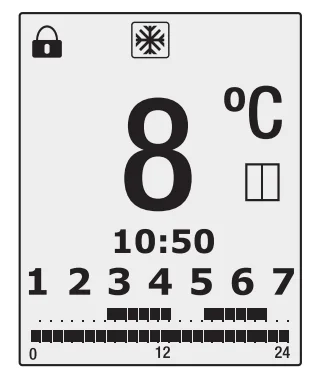
This function will be active for 2 hours. If the button  is pushed during this period, he radiator will switch off. Pushing the button again will switch on the radiator without the “Open window” function being switched on.
Screen brightness function
You can change the brightness of the screen by pressing the button for 3 seconds when the product is in manual mode. Entering this mod, you will see the following screen:
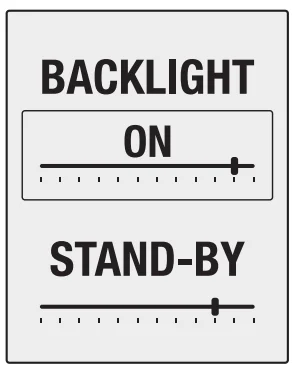
In ON mode, you can increase or decrease the brightness of the screen by using the and buttons.
You can change the “Standby” mode brightness by pushing the button to move the frame to the “STAND-BY” position. You can then adjust the brightness by pressing the same keys.
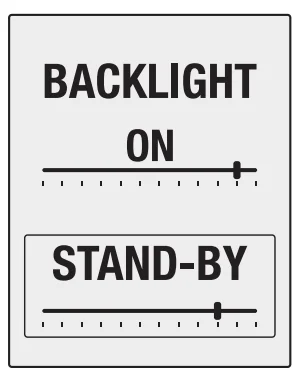
To finish the programmingwaitti,,t for 10 seconds without pressing any buttons.
INSTALLATION & MOUNTING
The radiator must never be installed immediately below a power point.
In bathrooms, the radiator must never be installed where the switches and other devices may be within the reach of someone in the shower or bathtub.
Mounting
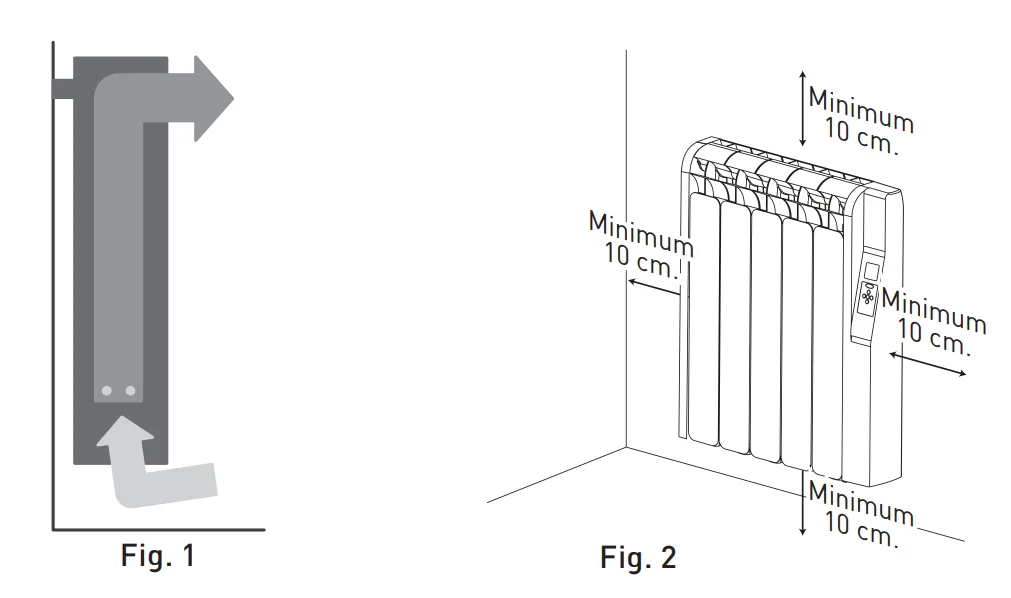
The KYROS radiator works by means of natural air convection (Figure 1). In order to achieve optimal functioning and an even distribution of heat, the lower part of the radiator, once mounted on the wall, must be at least 10 to 12 cm from the floor, and 30 cm at the most.
For more manuals by Rointe, visit ManualsLibraryy
Rointe KYROS Low Consumption WiFi Electric Radiator- FAQs
How do I turn on and off the Rointe Kyros heater?
Press the power button once to switch the heater ON. After a few seconds, the screen will show the temperature, time, and day.
Press the power button again to turn it OFF.
How do I lock or unlock the keypad on my Kyros radiator?
Press and hold the ‘+’ and ‘–’ buttons together for 3 seconds to lock the panel.
Repeat the same steps to unlock it.
How can I set the time and date on my Rointe heater?
Hold the power button for 3 seconds to access the time/date menu.
Adjust the settings using the navigation buttons, then confirm.
Does the Rointe Kyros radiator have WiFi?
Yes. The Kyros range includes WiFi connectivity and works with the Rointe Nexa App using WiFi Direct—no additional gateway needed.
How do I connect the radiator to WiFi?
Enable WiFi from the heater’s menu, then open the Rointe Nexa App and follow the pairing instructions. Make sure your home WiFi is active.
Are Rointe radiators expensive to run?
Rointe radiators are designed to be energy-efficient. Features like consumption meters and Open Window Detection help reduce energy waste and lower running costs.
Can I leave my electric radiator on overnight?
Yes—if it has built-in safety features like overheat protection. Always keep it clear of flammable objects and follow the manufacturer’s safety guidelines.
Why won’t my Rointe heater turn on?
Check if it’s properly plugged in, ensure the circuit breaker hasn’t tripped, and verify that the outlet works. If the display is blank, your unit may need resetting.
How do I put the heater into standby mode?
Press the power button once to enter standby. The screen will show “Standby” along with the Rointe logo.
How do I reset an electric heater?
Look for the reset button (usually red or yellow) on your heater. Press and hold it for a few seconds to reset internal safety circuits.