
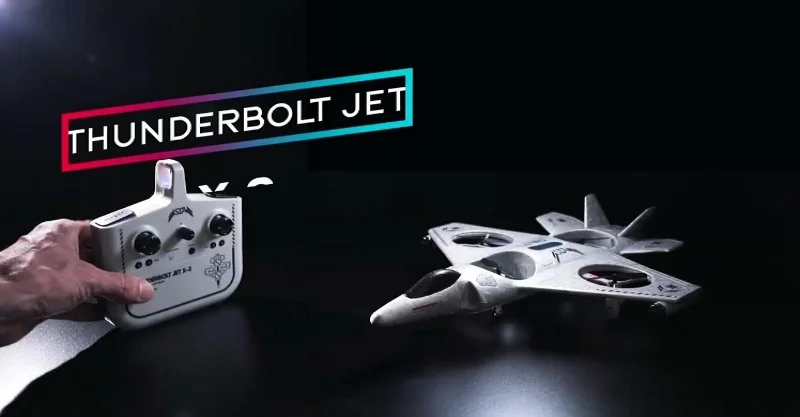

Sharper Image Jet X-2 Thunderbolt Drone
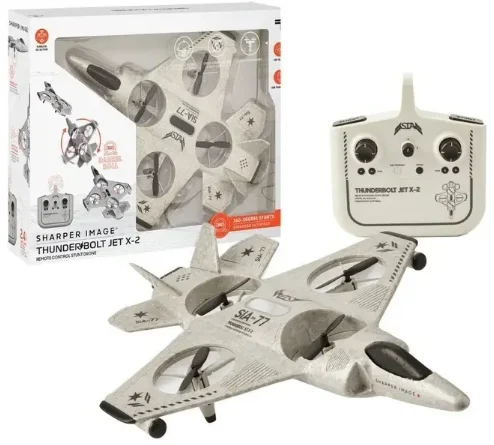
GETTING TO KNOW YOUR DRONE
PLEASE READ ALL WARNINGS AND INSTRUCTIONS BEFORE USE. KEEP THIS DOCUMENT AS IT CONTAINS IMPORTANT INFORMATION ABOUT YOUR DRONE.
CHARGING
- The drone must be charged before each use (USB Charge Cable included).
- The indicator light will turn off once fully charged.
- Install batteries in the remote.
PAIRING
Before each flight, pair the remote with the drone:
- Turn your drone on and place it on a flat, level surface.
- Turn on the remote.
- Push the stick up and then down.
- Repeat steps 1 and 2 if necessary.
IMPORTANT!
After a hard landing, turn the drone and remote off. Then, repeat pairing!
DIRECTION
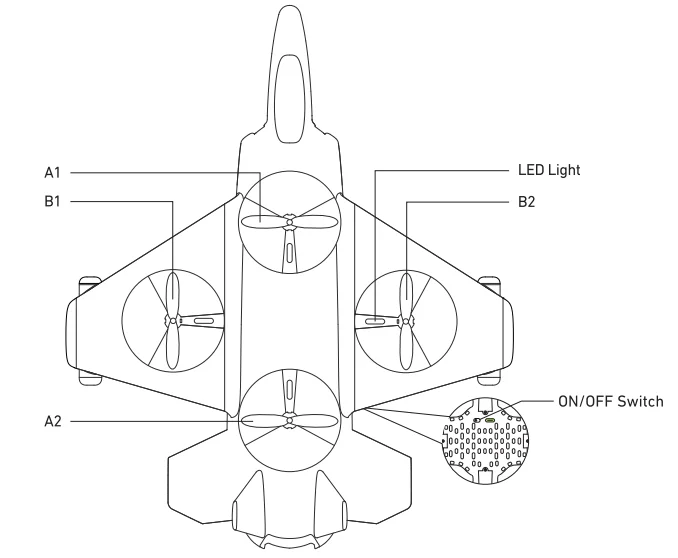
- The head of the Thunderbolt Drone is at the front of the drone.
- The tail of the Thunderbolt Drone is the back of the drone.
- Not applicable in auto orientation mode.
REMOTE CONTROL
Practice flying your drone at heights below 10 feet and at low speed until comfortable with all controls to avoid unnecessary damage or injury.
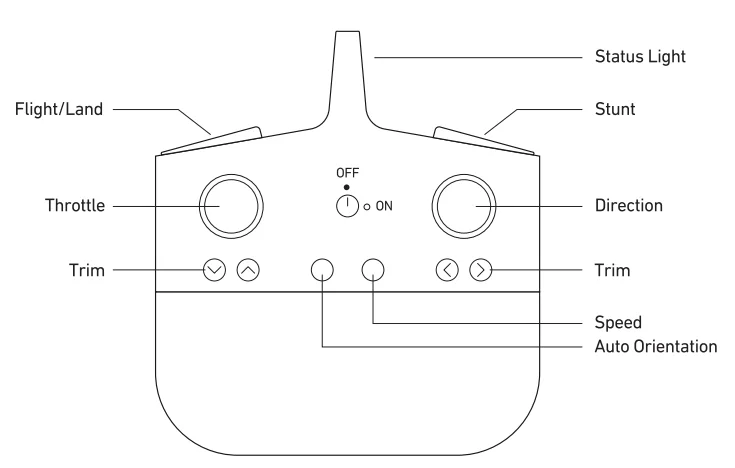
- Left stick:
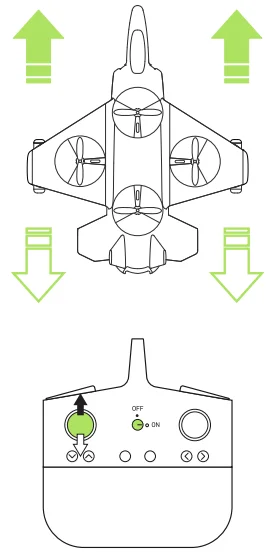
- Up/down controls elevation
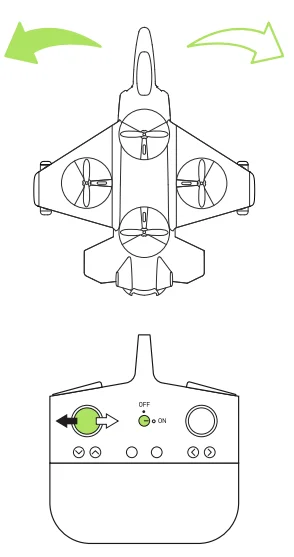
- Left/right controls spin
- Right stick: – Controls flight direction
- Trim: – Reduces drone drift
To power down the drone, hold the left stick down.
GENERAL WARNINGS
READ ALL WARNINGS AND PRECAUTIONS BEFORE USE.

SAFETY WARNINGS
- Not recommended for children under 14 years of age. As with all electrical products, precautions should be observed during handling and use to reduce the risk of electrical shock.
- Adult supervision is required at all times.
- Drive the drone only on smooth, flat surfaces.
- Never fly drones above or near people; sudden changes in wind or other conditions could lead to unexpected crashes.
- Always use caution when flying drone vehicles, obey relevant laws, and respect the privacy and property rights of others.
- The drone shall never be modified or used for anything except its intended purpose.
- Before each use, an adult should review the product and battery to determine that no damage or hazards exist.
- DO NOT TOUCH SPINNING PROPELLERS.
- Do not allow anything to intentionally make contact in any way with spinning propellers.
- Prevent contact with spinning blades by turning off the remote before handling the drone.
- Use caution and pay attention to your surroundings while operating the drone.
- Do not fly a drone into animals, people, or inanimate objects.
- Keep the drone away from power lines, buildings, trees, public areas, and any other potentially hazardous areas.
- Do not operate in rain, heavy wind, or any type of severe weather.
- Do not land a drone on wet surfaces.
- Never touch or allow others to touch the drone while it is flying.
- Always turn the drone off when it is not in use.
- Always fly a drone in large open areas.
- The drone will lose control capabilities if fly distance is more than the maximum recommended altitude of 100 ft. Keep below 100 ft. to avoid potential crashing risk.
 PLEASE RECYCLE OR DISPOSE OF ELECTRONICS PROPERLY
FAA WARNING
This drone weighs 0.20lbs (93g). As of November 2017, the Federal Aviation Administration (FAA) requires registration of unmanned aircraft weighing more than 0.55lbs. Visit www.faa.gov/uas/registration for more information. Ongoing compliance with Federal, state, and local laws regarding operation is an owner’s sole responsibility.
Warning
Warning: Changes or modifications to this unit not expressly approved by the party responsible for compliance could void the user’s authority to operate the equipment.
Note: This equipment has been tested and found to comply with the limits for a Class B digital device, pursuant to part 15 of the FCC Rules. These limits are designed to provide reasonable protection against harmful interference in a residential installation. This equipment generates, uses, and can radiate radio frequency energy and, if not installed and used in accordance with the instructions, may cause harmful interference to radio communications.
However, there is no guarantee that interference will not occur in a particular installation. Suppose this equipment does cause harmful interference to radio or television reception, which can be determined by turning the equipment off and on. In that case, the user is encouraged to try to correct the interference by one or more of the following measures:
- Reorient or relocate the receiving antenna.
- Increase the separation between the equipment and receiver.
- Connect the equipment into an outlet on a circuit different from that to which the receiver is connected.
- Consult the dealer or an experienced radio/TV technician for help.
This device complies with Part 15 of the FCC Rules. Operation is subject to the following two conditions: (1) this device may not cause harmful interference, and (2) this device must accept any interference received, including interference that may cause undesired operation. Sharper Image® name and logo are registered trademarks. Distributed by and © 2021 MerchSource, LLC. Irvine, CA 92618. All rights reserved.
The artwork and design of this manual are protected by US copyright law and may not be reproduced, distributed, displaced, published, or used for any purpose without prior written permission. Altering, removing, ng or reproducing any of the trademark or copyright notices on this package is not permitted.
PATENT PENDING
Model Number: 1015433
Printed in China
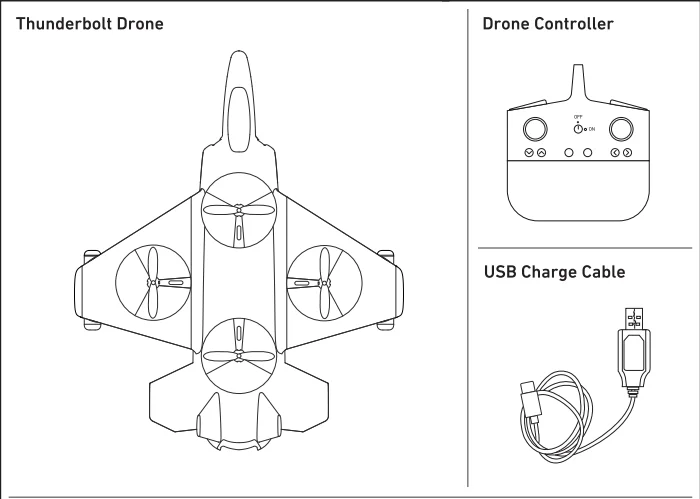
CONTENTS
INSIDE THE BOX
CHARGING/BATTERY
REMOTE
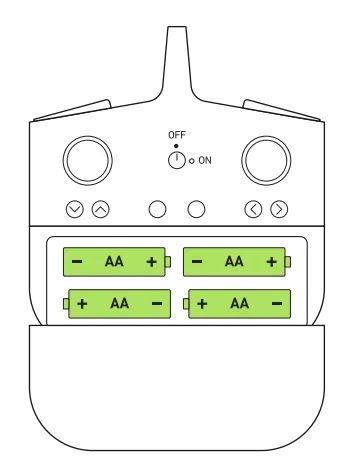
Open battery cover and install 4 AA 1 .SV batteries as shown.
RECHARGEABLE BATTERY WARNINGS
There is a risk of fire and personal injury if the battery is punctured, damaged, or misused.
- Do not dismantle, crush, incinerate, eat, or short-circuit the unit’s battery.
- Never expose the battery to extreme temperatures or moisture
- Keep away from flammable materials and direct sunlight
- Only charge using the provided charger, cable, and/or adapters
- A rechargeable battery is only to be charged by an adult.
- Adult Supervision of the battery while it is charging is required
- Allow the battery to cool to room temperature before charging.
- Charge on a non-flammable surface and keep away from flammable products
- Discontinue charging if the battery becomes hot, swells, smokes, or gives off a strong odor.
- Battery chargers used with the product are to be regularly examined for damage to the cord, plug. Enclosure, and other parts, and in the event of such damage, they must not be used until the damage has been repaired.
- Remove batteries (if removable) before storin.g
- Recycle or dispose of the battery according to federal, state, and local la.ws
- Cells or batteries should not be disassembled, crushed, punctured, opened, or otherwise mutilated.
- Seek medical advice immediately if a cell or battery has been swallowed.
- If the electrolyte comes into contact with the skin or eyes, immediately flush with fresh water for at least 15 minutes and seek medical advice.
- Store cells and batteries in their original packaging and away from metal objects, which may short-circuit them.
- Do not drop or subject the cell or battery to strong mechanical shock.
- Keep cells or batteries clean and dry both during use and storage. Wipe metal terminals with a soft, dry cloth if they become dirty.
- Charge cells or batteries before use.
- On first use, or after prolonged periods of storage, it may be necessary to charge and discharge the cell or battery two or three times before obtaining maximum performance.
- It is best to charge the cell or battery at temperatures between 15°C and 30°C unless otherwise specified by the manufacturer.
- Retain original product literature for future reference.
BATTERY WARNINGS
- Do not mix old and new batteries.
- Do not mix alkaline, standard (carbon-zinc), or rechargeable batteries.
- Alkaline batteries are recommended. Use only the specified voltage
- Insert batteries using the correct polarity. Always use, replace, and recharge (if applicable) batteries under adult supervision.
- Do not charge with non-rechargeable batteries.
- Do not short-circuit the battery supply terminals.
- Do not dispose of batteries in a fire; batteries may explode or leak.
- Remove batteries (if removable) before storing.
- Recycle or dispose of batteries according to federal, state, and local laws.
DRONE
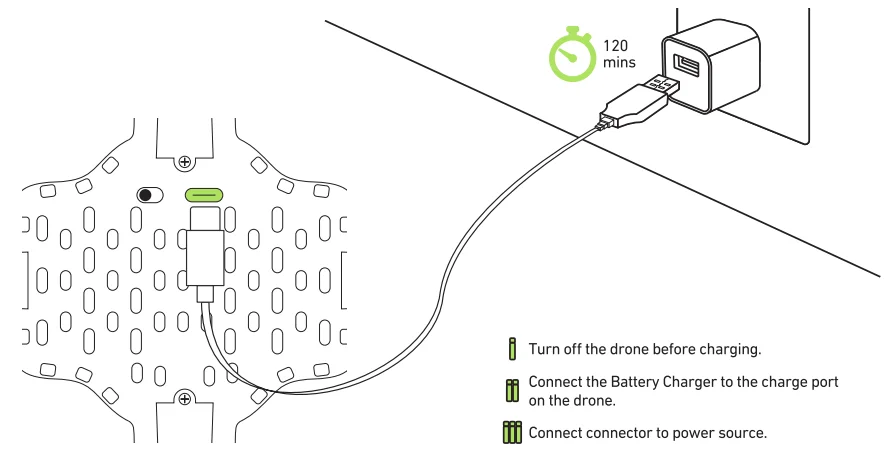
Note: The red rear lights will light up while the battery is charging and will turn off when the battery is fully charged. Charge time is approximately 120 minutes.
OVERVIEW
OPERATING DRONE
- Preflight Checklist
- Read all warnings a11d instn.1ctions.
- Install remote batteries. (See page 4)
- Make sure that the drone and remote are powered off.
- Charge batteries. {See page 4)
- First-time operators should practice indoors.
- Choose an indoor location
 Always turn off the remote before retrieving or picking up the drone. This will help you avoid accidentally activating propellers.
 - Pairing Drone

- Make sure your remote is off.

- Slide the drone switch on.

- Place the drone on a flat, even surface.
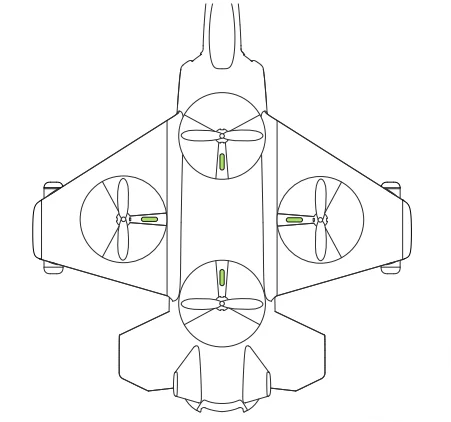
 For ease ofcontrolL the red rear lights should be toward you.
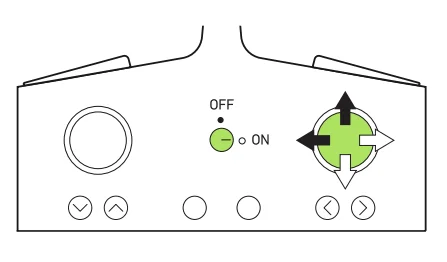
 - Turn on the remote controlpress , the left throttle stick up and then down.

- The drone’s lights will flicker during the pairing process and then remain on once it has paired.

- Make sure your remote is off.
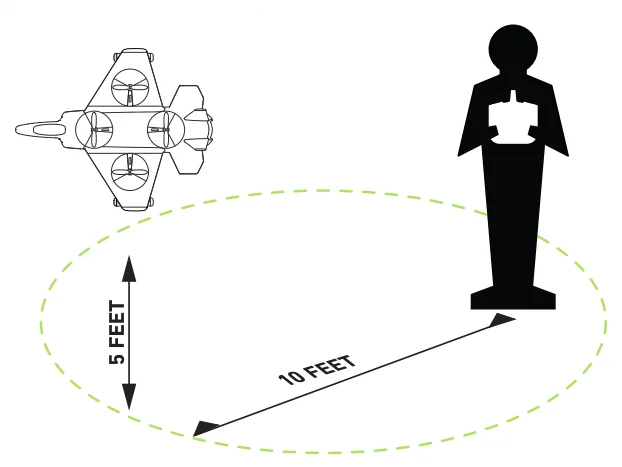 Always turn off the remote before retrieving or picking up the drone. This will help you avoid accidentally activating propellers.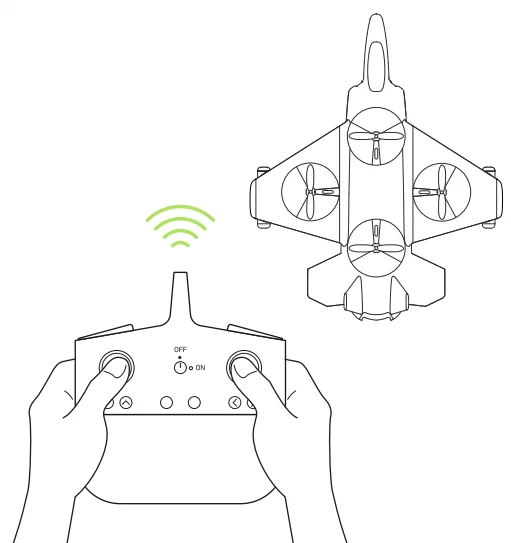
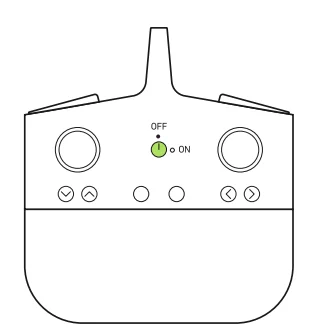
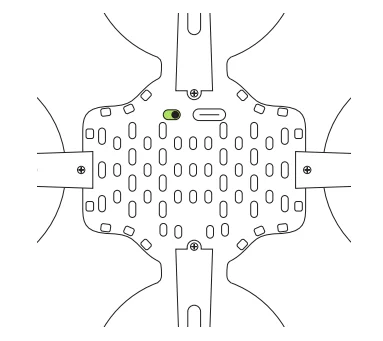
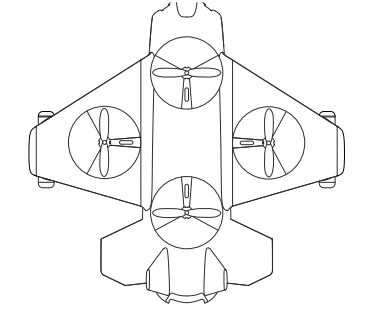 For ease ofcontrolL the red rear lights should be toward you.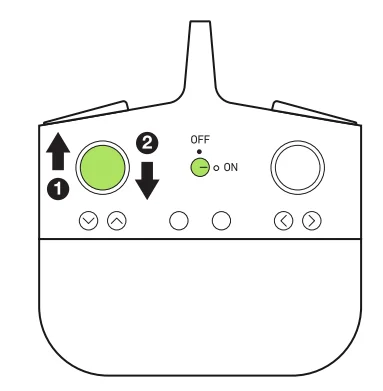
TAKE OFF
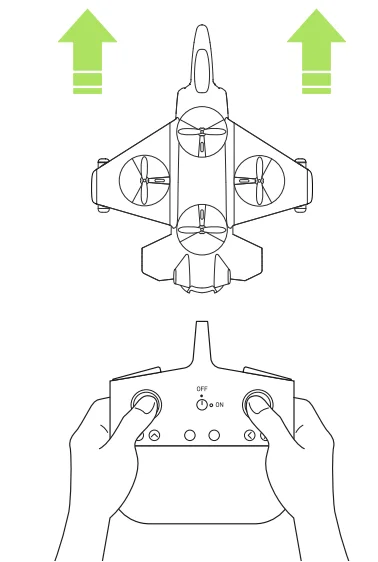
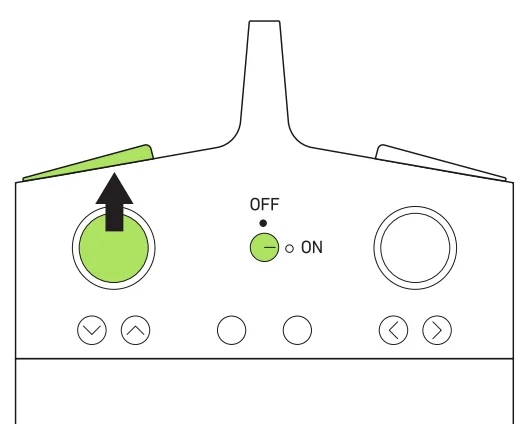
There are 2 ways to launch the drone:
- Slowly press the left throttle stick forward. The drone will begin to rise.
- Press the FLIGHT button. The drone will rise and hover.
LAND
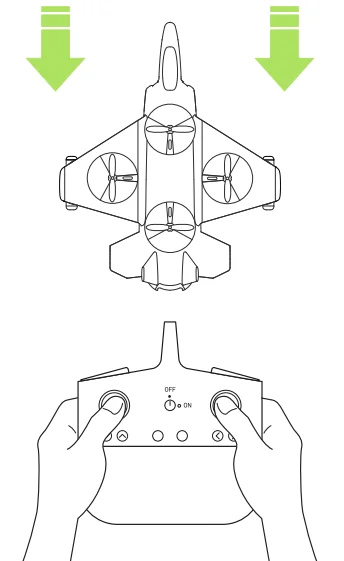
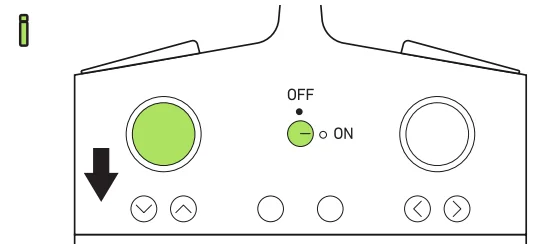
There are 2 ways to land the drone:
- Slowly and carefully press the left throttle stick down until the drone la rids.
- Press the FLIGHT Button to initiate auto landing.
For emergency stop, press and hold the FLIGKT button for 2 seconds or until the propellers stop spinning.
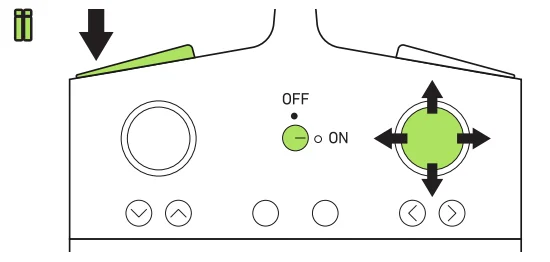
If the drone begins to drift, you can correct the drone·s direction with the direction stick on the right.
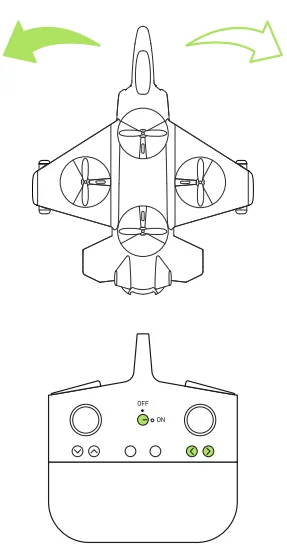
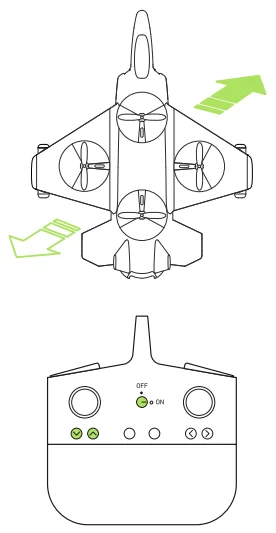
FINE-TUNING/DIRECTION
- Drifts Left and Right

- Hover Up and DOWN

- Turn Left and Right

- Drifts Farwards and Backwards

- Forward and Backward

- Sideways

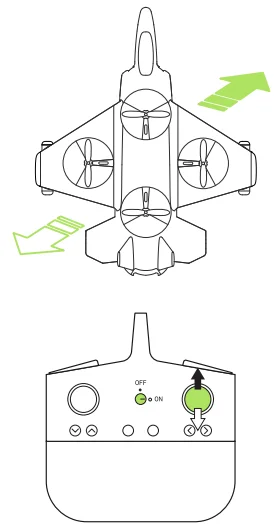
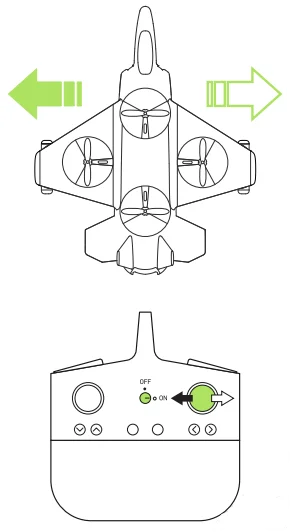
ADVANCED MODES
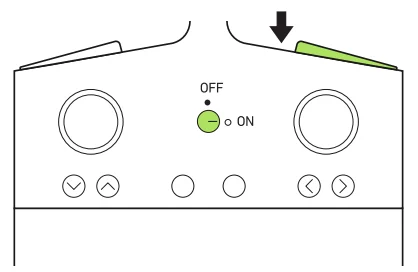
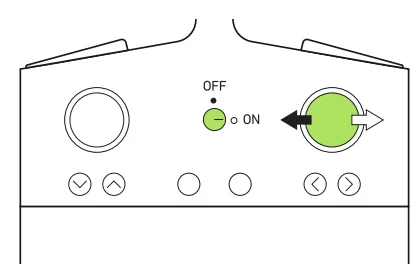
STUNT
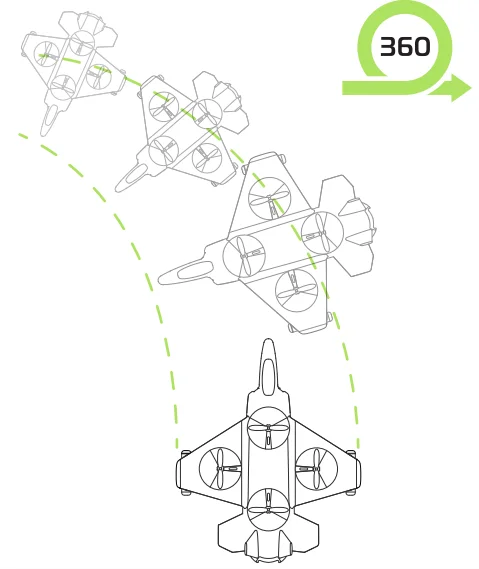
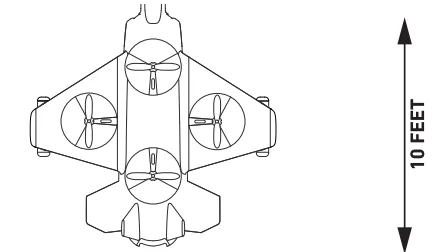
- Fly the drone to a height of at least 10ft.

- Press the stunt bumper.

- Press the right direction stick to the left or right.

AUTO-ORIENTATION/SPEED
When the drone is in auto orientation mode, the drone will orient to the user remotel), no matter what direction the drone is facing.
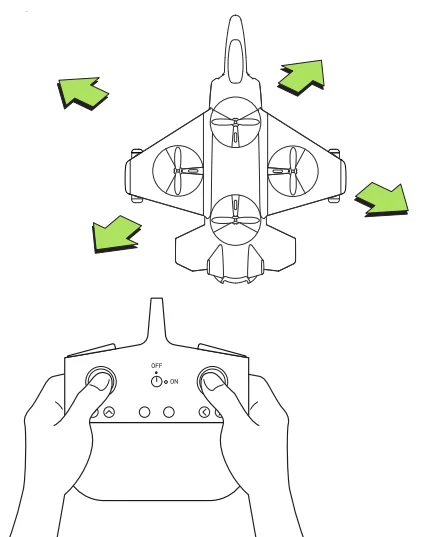
- Press the auto orientation button. The remote will beep every 6 seconds while in this mode. Press the auto orientation button again to turn off the mode.

- Push the right direction stick to control the direction the drone moves.
 Press the speed button to change the flight speed. The default speed is low. Press the button once to enter mid speed, again to enter high speed, and once more to return to low speed.
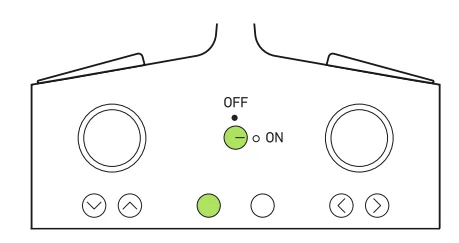
 Press the speed button to change the flight speed. The default speed is low. Press the button once to enter mid speed, again to enter high speed, and once more to return to low speed.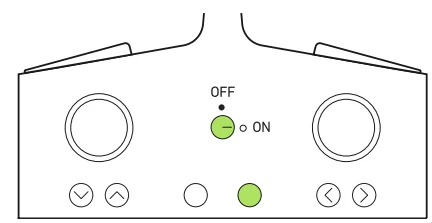
TIPS AND TROUBLESHOOTING
TIPS
- Do not crash the drone into sand or dirt. Drone gears may become clogged.
- When first learning to fly, practice lifting off and hovering.
- Stay several feet from walls and buildings.
- Always press the throttle all the way down after crashing or when something gets stuck in the propellers.
- Never fly drones above or near people; sudden changes in wind or other conditions could lead to unexpected crashes.
- Always use caution when flying drone vehicles, obey relevant laws, and respect the privacy and property rights of others.
- Do not modify the drone or use it in any way except for its intended purpose.
WARNING: Changes or modifications to this unit not expressly approved by the party responsible for compliance could void the user’s authority to operate the equipment.
TROUBLE SHOOTING
When the remote switch is turned on, the remote light does not illuminate
- Check that the batteries in the remote are installed correctly
- OR turn off the drone and remote controller and turn them on again.
- If the remote light still does not turn on, replace the batteries with new batteries. During flight, the remote power LED is dim or the remote distance is short:
- The remote batteries are low. Land the drone immediately.
- Replace old batteries.
Drone and remote properly pair, but the drone will not lift off
- The drone battery needs to be charged. Use the USB Charge Cable to connect the drone to a power source.
After trimming the drone, the flight is very unstable, and it cannot fly properly.
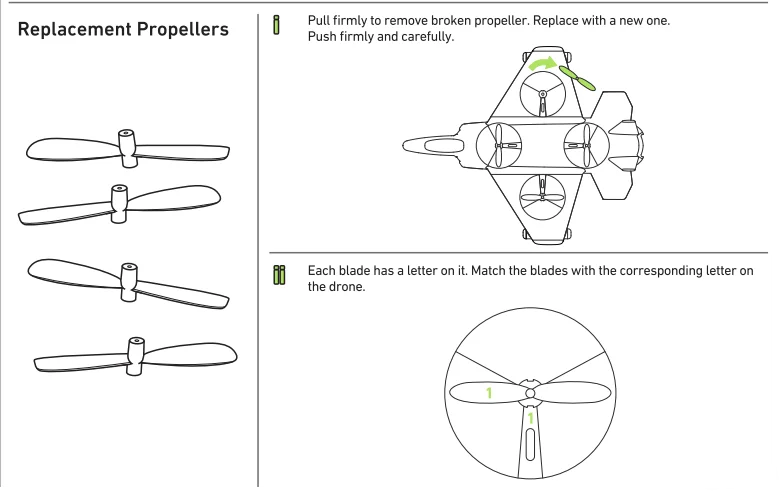
- One or more blades may be damaged. Replace damaged blades with replacement blades and try flying again. (See page 3)
- Press and hold the two joysticks s to toe out for 3s to reset the gyrocope.
- Turn on the drone and remote, and then repeat the pairing process. (See page 6)
The remote and drone cannot be The remote
- must be within 12 feet of the drone.
Note: If there is more than one unpaired drone within 12 feet, one must be successfully paired before others may be paired.
For more manuals by Sharper Image, visit ManualsLibraryy
Sharper Image Jet X-2 Thunderbolt Drone- FAQs
How long does the Jet X-2 Thunderbolt Drone take to charge and fly?
It takes about 70 minutes to fully charge, providing around 5 minutes of flight time per charge.
How long does the battery last?
The drone battery typically lasts up to 2 hours on standby, but flight time is about 5 minutes per full charge.
How do I pair the drone with the remote control?
Power on both the drone and the controller, then quickly move the left joystick up and down. If pairing fails, turn both devices off and try again.
How do I fly the Sharper Image Jet X-2?
Use the throttle to ascend or descend, and the direction lever to move forward, backward, left, or right.
How do I know when the battery is fully charged?
The charger light stays on while charging and turns off once the battery is fully charged (about 180 minutes).
What is Auto-Orientation mode?
In Auto-Orientation, the drone aligns itself to your remote, so controls remain the same no matter which way the drone is facing.
Why does my drone battery drain so quickly?
Can this drone crNo, the Jet X-2 is designed only for recreational flying and light aerial stunts.ush ice or carry heavy objects?
Can I connect the drone to my phone?
Yes, connect via the controller’s phone holder and app (if supported) for viewing and saving photos or videos.
Do I need to calibrate the drone every time?
Yes, calibration before each flight ensures stable flight and better control.