
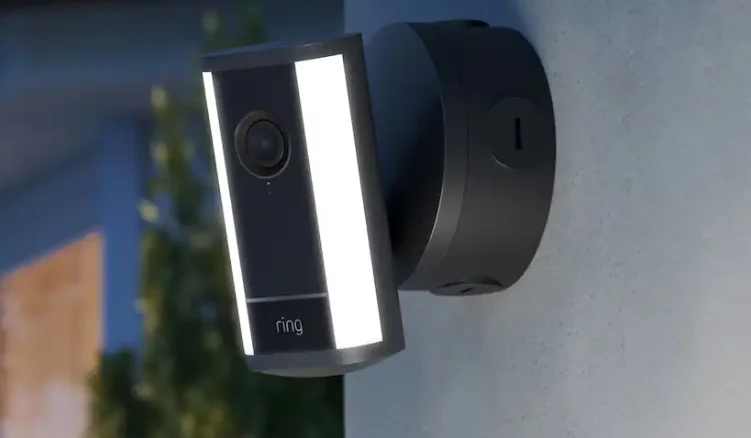

Spotlight Cam Pro (2nd Gen) PoE
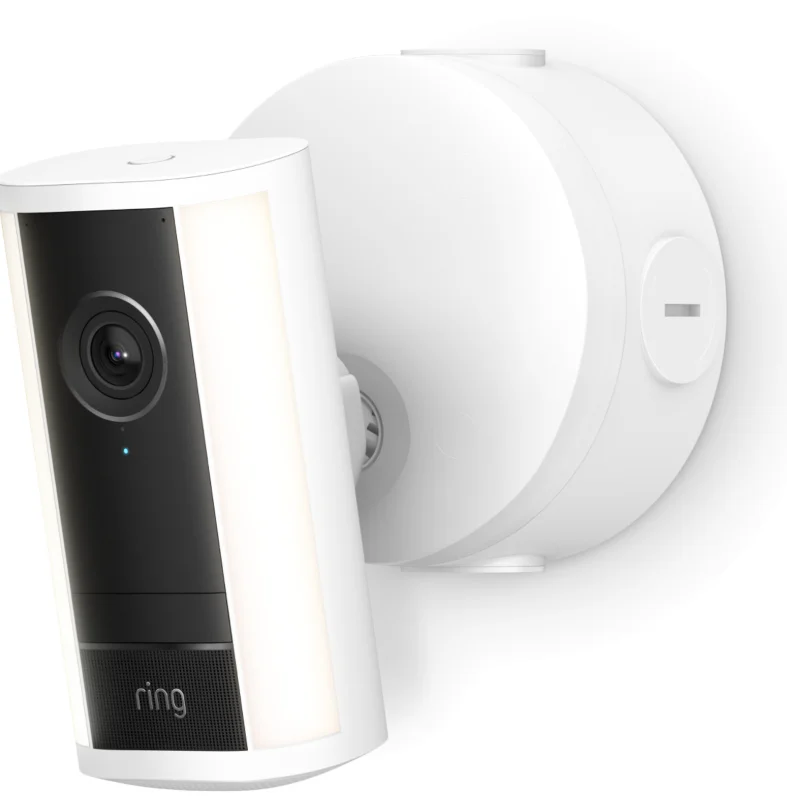
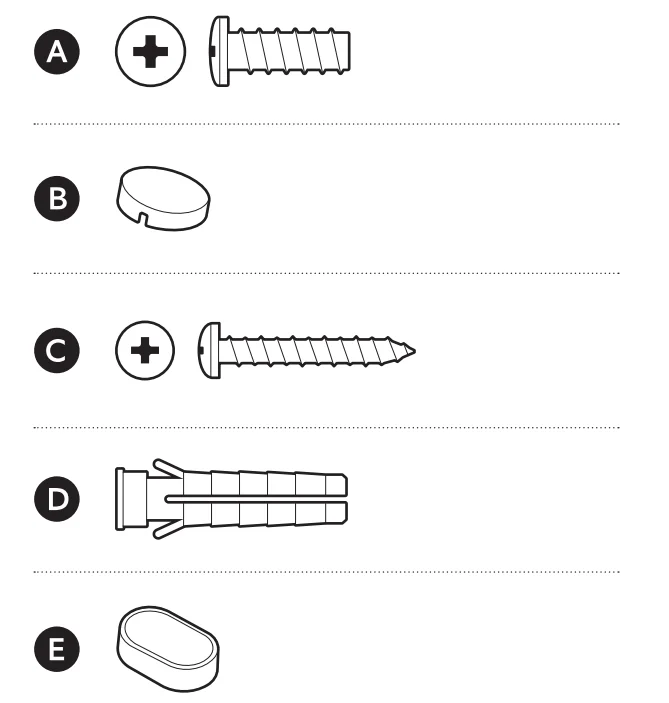
Hardware included
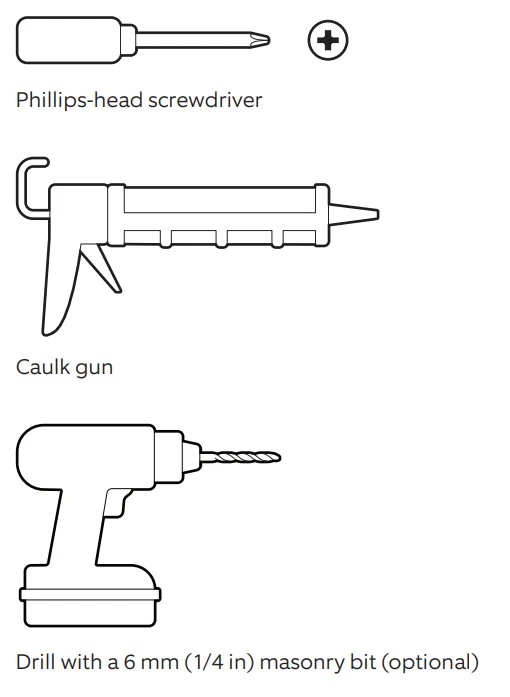
Tools needed
- Remove the protective wrap.

- Download the Ring app.

- Scan the QR code on your device.

- Choose a location.

NOTE: Before installation, ensure your Power over Ethernet (PoE) switch or injector capable of PoE+ is active and connected to a functioning Category 5 or above Ethernet cable.



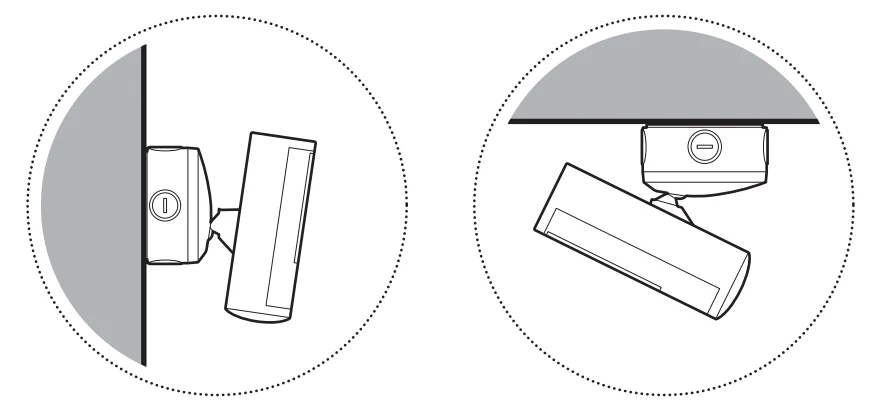
Junction box installation
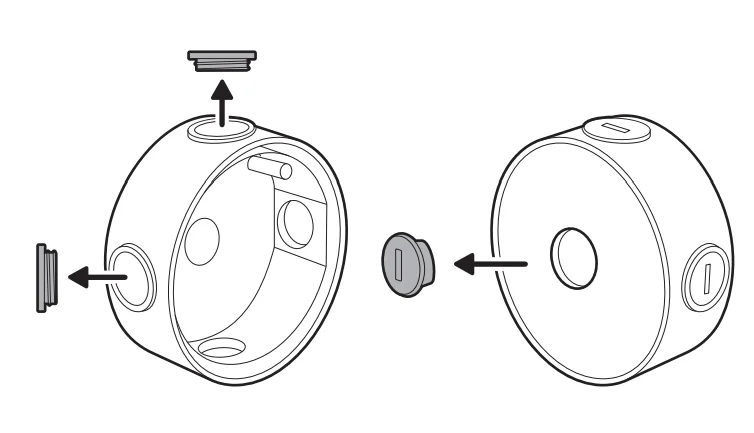
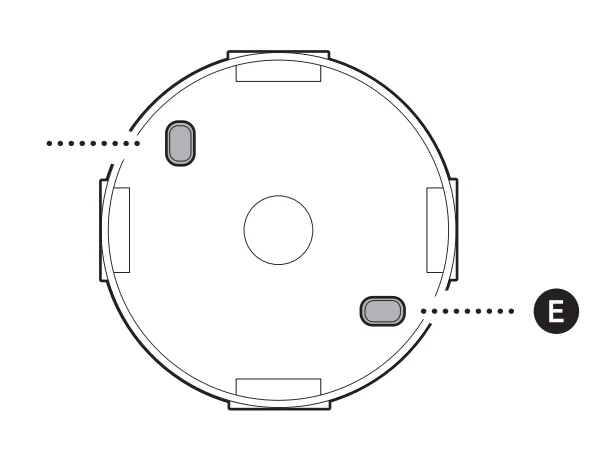
- Use a coin to unscrew a cap from the side or back of the junction box for the Ethernet cable, depending on where the Ethernet cable enters the junction box.

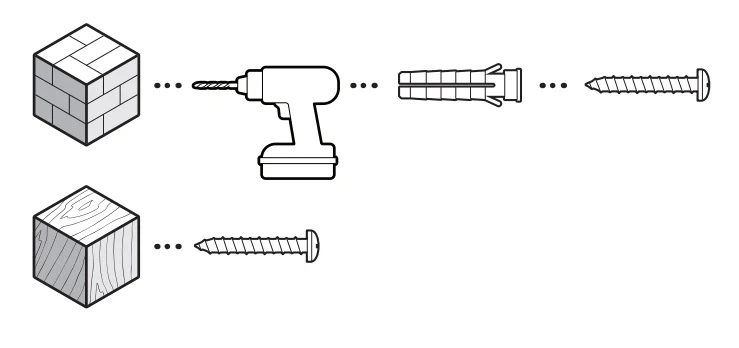
- Install the included junction box on the wall or ceiling with the included screws.

On stucco, brick, or concrete, use a 6mm (1/4 inch) masonry bit to drill holes for the included wall anchors.
- Cover the screw holes with the included rubber caps.

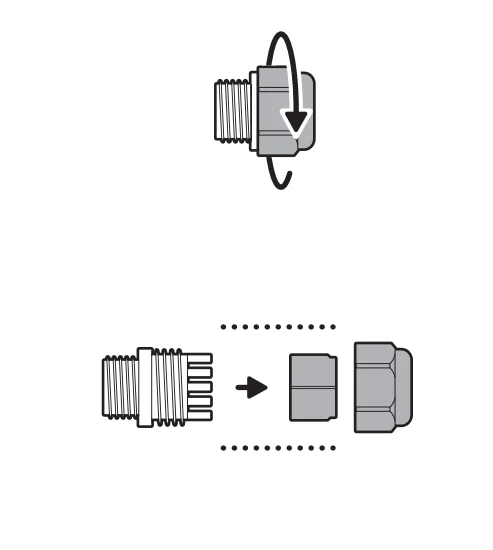
- Disassemble the cable gland by unscrewing the cap from the body.
NOTE: If the Ethernet cable is entering the junction box through the back, you do not need to attach the cable gland.
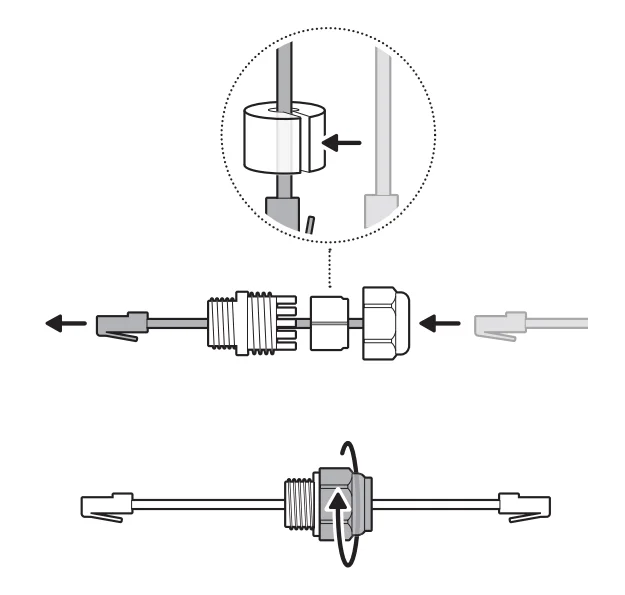
- Thread the Ethernet cable through the cable gland, wrapping the O-ring around the cable, and screw tightly until there is a secure seal.
NOTE: If installing the junction box directly over your PoE switch, you do not need to attach the cable gland.
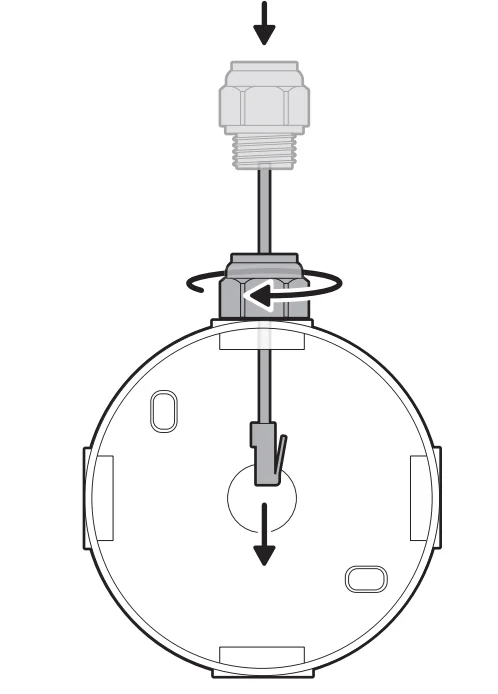
- Insert the Ethernet cable through the knockout, ensuring the cable gland is snug.

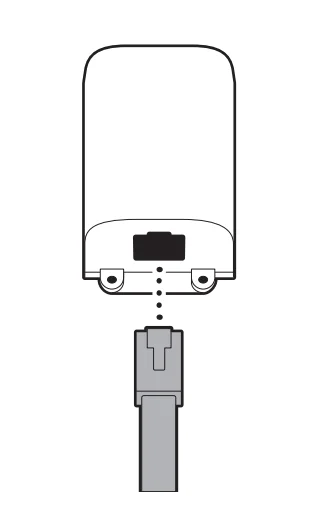
- Plug the Ethernet cable into the adapter.

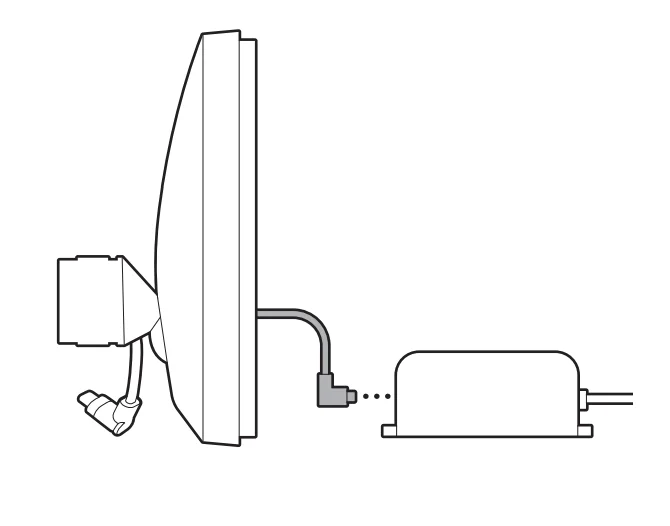
- Plug the USB-C cable within the junction box cover mount into the adapter, ensuring it is fully inserted.

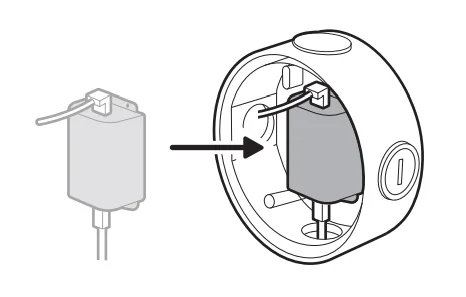
- Slot the adapter into the center of the junction box.

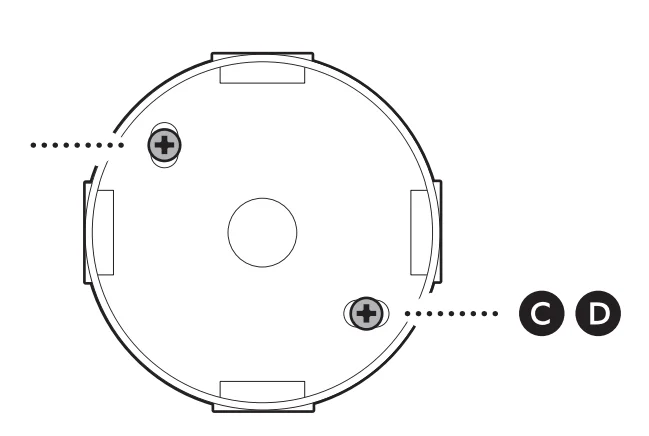
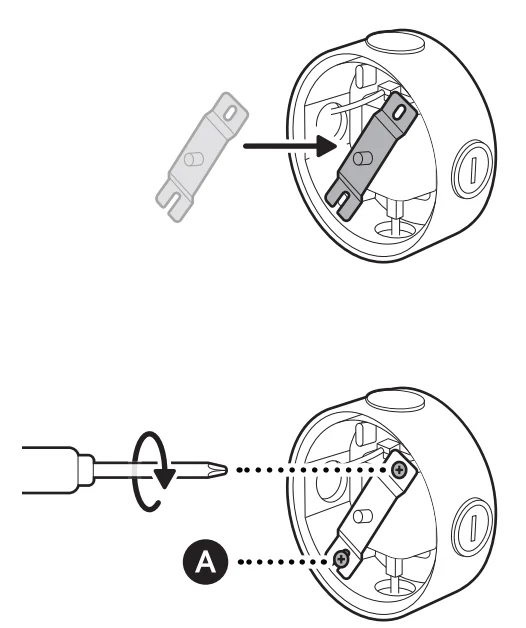
- Attach the metal crossbar with the screws included with your adapter, starting with the closed screw hole.

- Close the junction box with the cover mount.

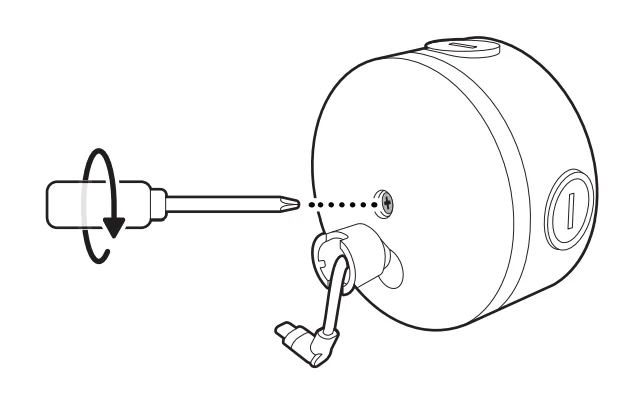
- Tighten the center screw to secure the junction box cover mount in place.

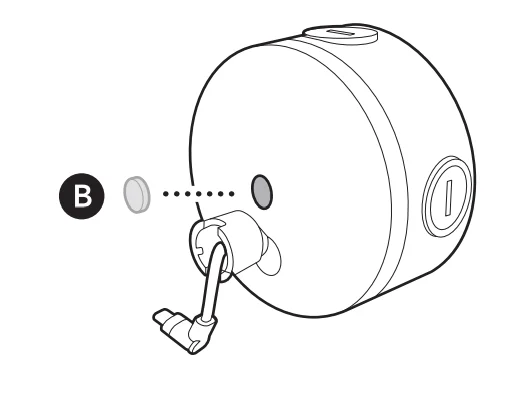
- Cover the center screw hole with the included rubber cap.

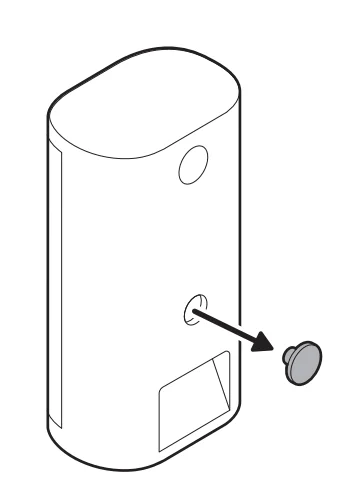
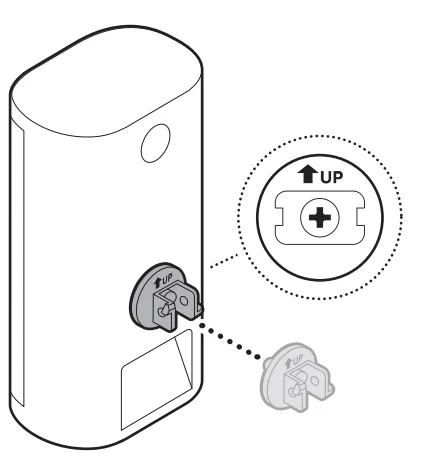
- Remove the middle rubber cap on the back of your camera.

- Tighten the included hex joint onto the back of your camera, ensuring the UP indicator is pointing up.

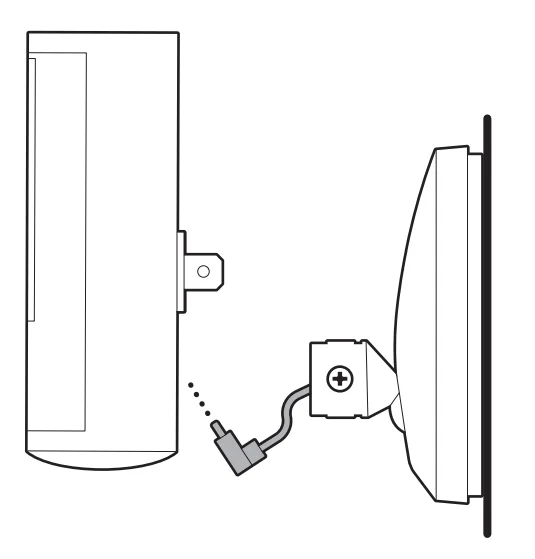
- Plug the USB-C cable on the junction box cover mount into your camera, ensuring it is fully inserted.

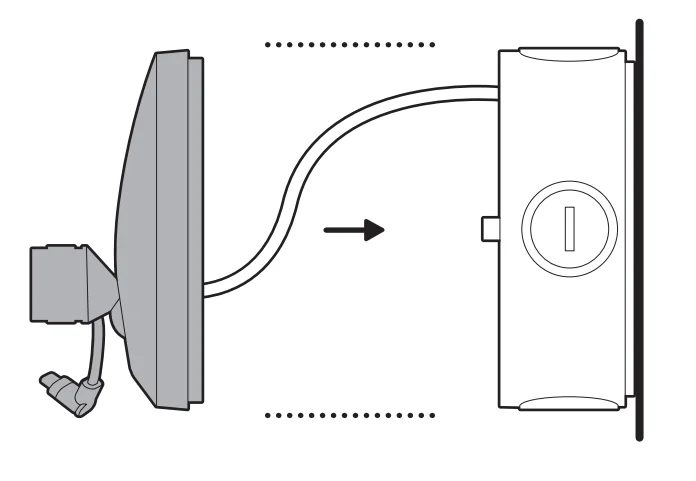
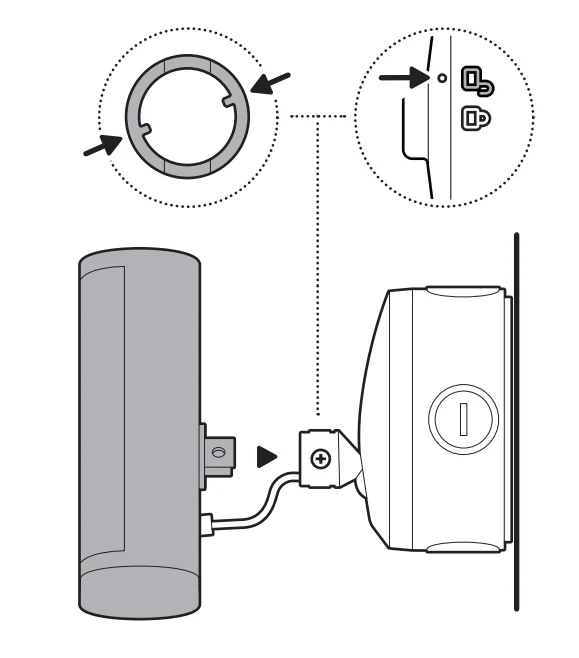
- Align the hex joint with the junction box cover mount and insert.

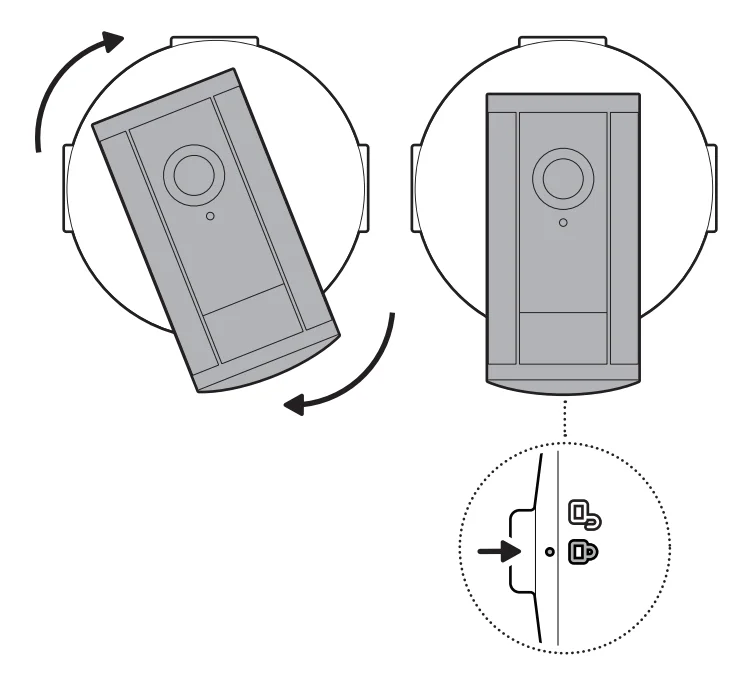
- Turn until your camera locks in place.

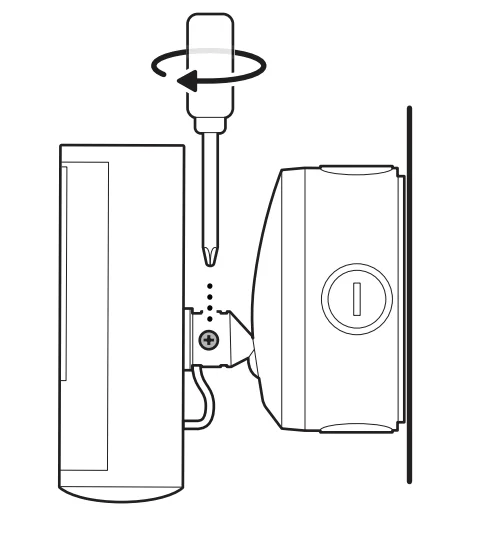
- Tighten the security screw.

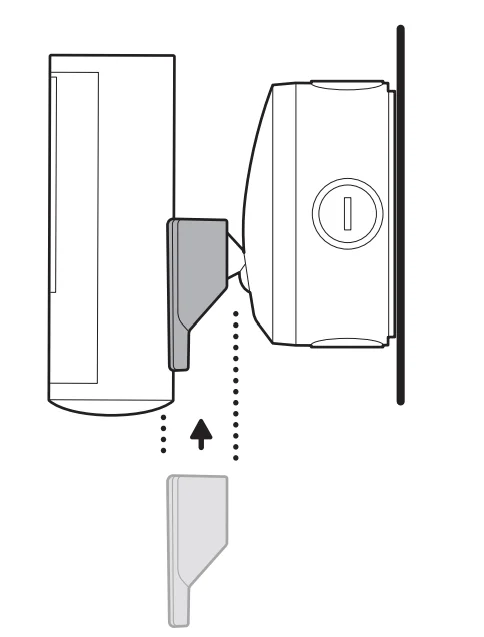
- Install your camera’s decorative cover by sliding until you hear a click to secure.

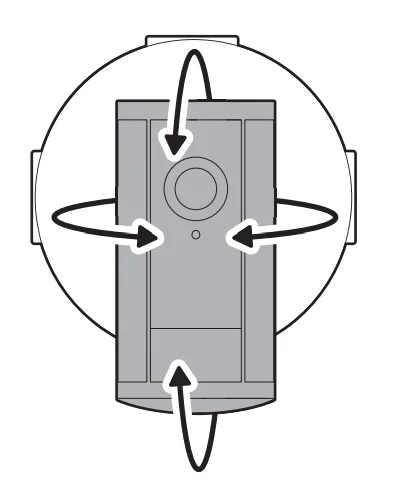
- Adjust your camera’s position, if necessary.

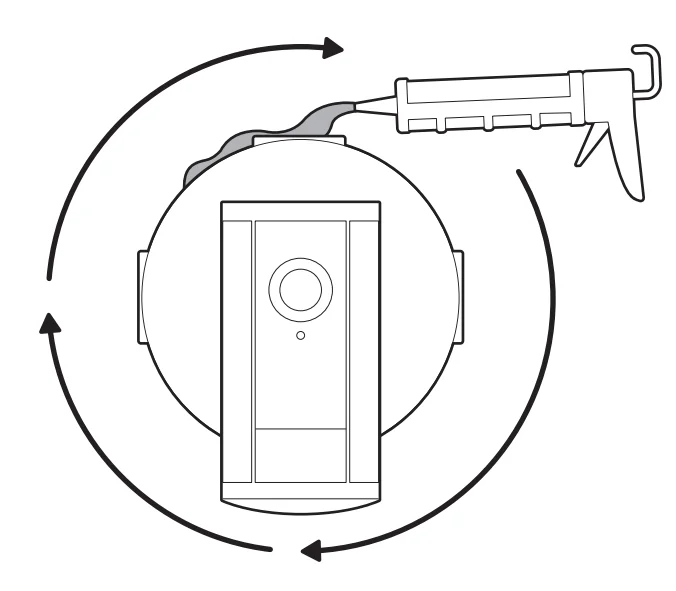
- Must apply proper silicone or caulk around the junction box knockouts, between the junction box and junction box cover mount, and between the junction box and mounting surface to seal any gaps.

For more manuals by Ring, visit ManualsLibraryy
Spotlight Cam Pro (2nd Gen) PoE-FAQS
Which Ring cameras support Power over Ethernet (PoE)?
Only a few Ring devices support Power over Ethernet, which allows a single Ethernet cable to deliver both power and internet. Models such as the Ring Stick Up Cam Elite and Ring Video Doorbell Elite are designed for PoE connections. The Spotlight Cam Pro (2nd Gen) PoE is part of this category, providing a reliable wired connection for consistent power and stable network performance. PoE is especially useful for outdoor installations where Wi-Fi signals may be weak or unreliable.
How do I install the Spotlight Cam Pro (2nd Gen) PoE?
Installation typically involves connecting the camera to a PoE-enabled network switch or PoE injector using a compatible Ethernet cable (usually CAT5e or higher). Once connected, the same cable provides both power and internet to the camera. After mounting the camera in your preferred location, you can complete setup through the Ring App. The app guides you through device detection, network configuration, and motion-detection settings.
Does the Spotlight Cam Pro (2nd Gen) PoE have a battery backup?
The PoE version mainly relies on its wired Ethernet connection for power. Unlike battery-powered models, it does not primarily operate on rechargeable batteries. However, some Spotlight Cam Pro models support optional batteries as backup power. If you use a battery variant, it can be charged through a USB cable connected to a power source. This flexibility helps maintain camera operation during short power interruptions.
What are the advantages of using PoE with a security camera?
PoE technology simplifies installation because a single Ethernet cable provides both power and data connectivity. This reduces cable clutter and eliminates the need for a separate power adapter. A wired Ethernet connection is generally more stable than Wi-Fi and less prone to signal interference. For security cameras like the Spotlight Cam Pro (2nd Gen) PoE, this means more reliable video streaming, consistent performance, and fewer connectivity issues.
Is PoE better than Wi-Fi for security cameras?
In many cases, PoE offers more reliable performance than Wi-Fi. Because PoE uses a dedicated Ethernet connection, it is not affected by wireless interference from routers, walls, or other devices. This leads to more stable video transmission and improved data speeds. While Wi-Fi cameras are easier to install in some locations, PoE cameras are often preferred for professional-grade home security setups where reliability is essential.
What voltage does PoE typically use?
Standard Power over Ethernet systems normally operate around 48 volts DC according to IEEE PoE standards. Some non-standard systems may operate at lower voltages such as 12V or 24V, but most modern PoE security cameras follow the standardized power levels for safe operation. When installing a device like the Spotlight Cam Pro (2nd Gen) PoE, it’s important to ensure your switch or injector supports the correct PoE standard.
What is the difference between Ring Spotlight and Floodlight cameras?
Spotlight and floodlight cameras both offer motion-activated lighting and security monitoring, but they differ mainly in brightness and coverage. Spotlight cameras use smaller lights designed for focused illumination and compact installations. Floodlight cameras produce significantly brighter light and cover larger outdoor areas. For smaller spaces such as entryways or patios, the Spotlight Cam Pro offers effective lighting and security without the intensity of floodlights.
Can a PoE security camera work without Wi-Fi?
Yes, PoE cameras can operate without Wi-Fi because they connect directly to a network through an Ethernet cable. As long as the cable connects to a router or network switch with internet access, the camera can transmit video and support features like motion alerts and live viewing. This makes PoE cameras especially useful in environments where wireless networks are weak or unavailable.
What are some potential drawbacks of PoE security cameras?
Although PoE cameras provide reliable performance, they may require additional networking equipment such as a PoE switch or injector. Installation can also be more complex because Ethernet cables must be routed through walls or ceilings. Additionally, Ethernet cables typically have a maximum recommended distance of about 100 meters (328 feet) between the camera and the power source.