
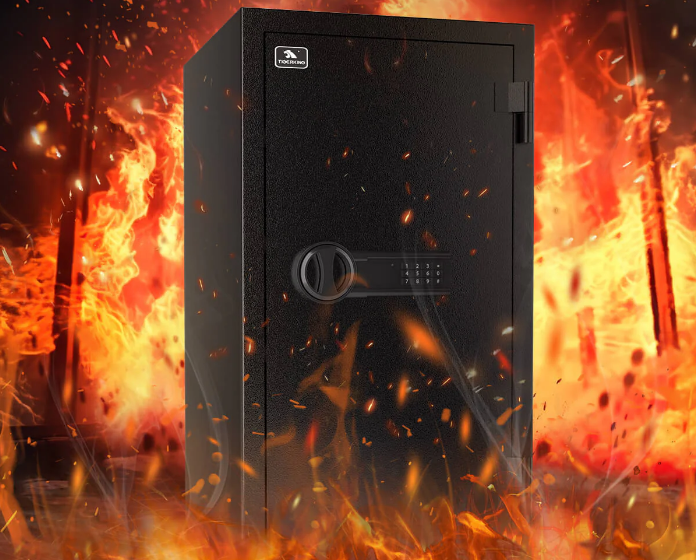

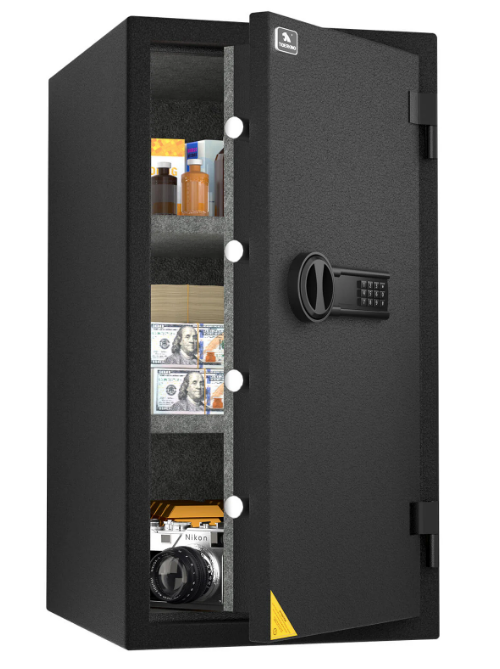
Tigerking PFSD66 Fireproof Safe Box
STRUCTURE

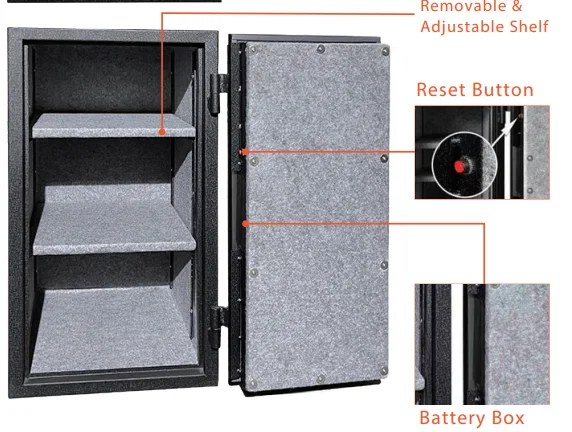
NOTICE: Different modes have different numbers of shelves.
WARNING
- Please do not move the safe while the door is open.
- Please close the door before moving the safe.
- Tigerking Safe recommends that you do not store loaded guns in this unit.
- If you experience any problems or challenges with your safe, please feel free to contact us for a quick response. Many issues can be resolved promptly without the product needing to be returned.
- Our customer support team is always available to answer any questions and help resolve all concerns you may have.
Email: [email protected]
Facebook: @TIGERKINGSAFES
Messenger: m.me/TIGERKINGSAFES
Go to our web: www.tigerkingsafe-us.com and click chat with us to have a live conversation.
FIRST OPENING
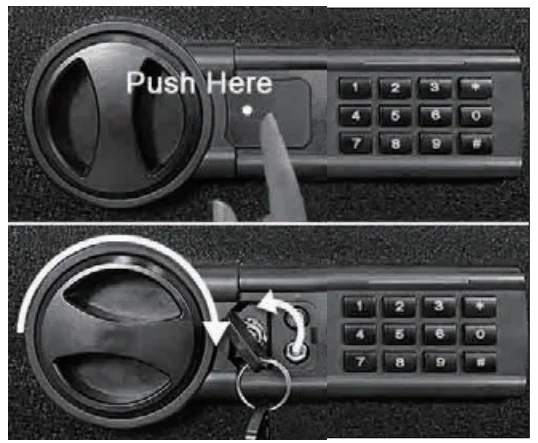
- STEP 1: Locate the 2 emergency keys (the black key) in the same bag as the instruction booklet.
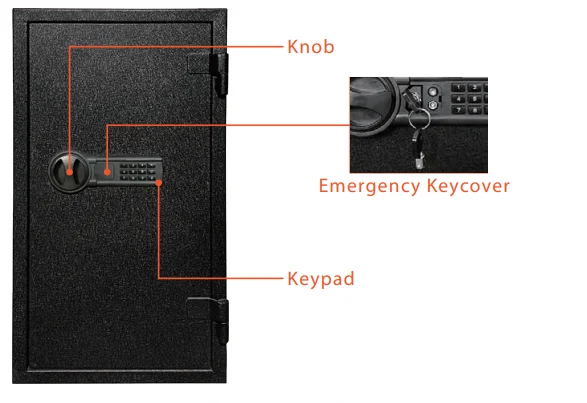
- STEP 2: Locate the emergency keyhole by pushing the left side of the emergency lock cover.
- STEP 3: Align the emergency key with the keyhole and fully insert it, turn the key counterclockwise to the limit, and hold it.
- STEP 4: At the same time, rotate the knob clockwise to open the safe.

NOTICE:
- When you rotate the knob clockwise, you must have the key fully inserted and turned counterclockwise to the limit, keeping the key until the safe unlocks and opens.
- Please keep the keys in a secure place. Do not lock the keys inside the safe.
INSTALL BATTERIES
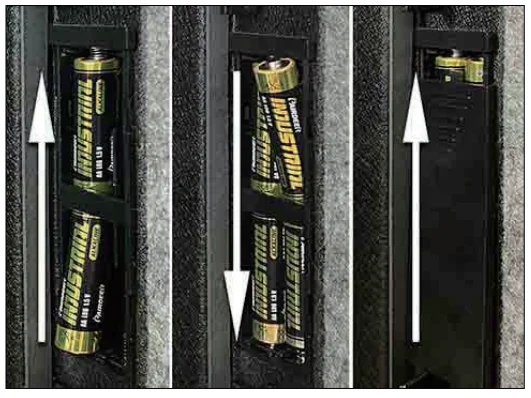
- STEP 1: After first opening, keep the safe open and locate the battery compartment on the hinge.
- STEP 2: Prepare 4 brand-new AA batteries (not included) and insert them into the battery compartment by matching the + and – electrodes.

NOTICE:
- Please use brand-new batteries. Do not mix used batteries with new batteries.
- Replace the batteries when the red indicator light turns on; it means the batteries are running out of power.
SET UP THE CODE
The default code is “159”. The safe can be set with two codes.
SET UP FIRST CODE
- STEP 1: Open the safe, keep the safe open.
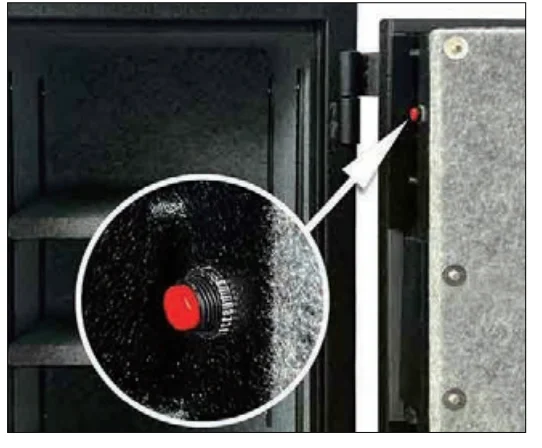
- STEP 2: Press the reset button (a red button on the hinge side of the door). The safe beeps twice; meanwhile, the blue indicator light flashes twice, then stays lit.
- STEP 3: Input a new code, 3–8 digits, and press #. The new code will be confirmed by two beeps, and the blue indicator light will flash twice, then turn off.
- STEP 4: Test the code before you close the door.

SET UP SECOND CODE
- STEP 1: Open the safe, keep the safe open.
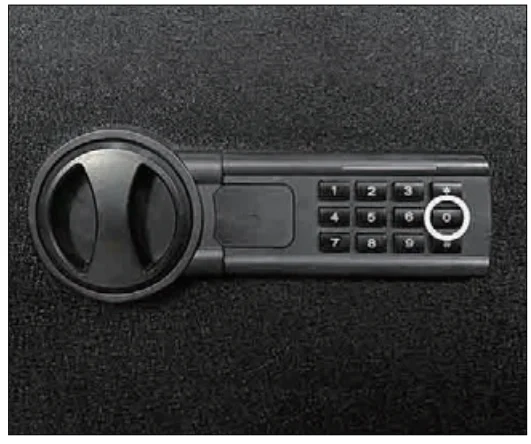
- STEP 2: Press “0” twice and then press the reset button (a red button on the hinge side of the door). The safe beeps three times; meanwhile, the blue indicator light flashes three times, then stays lit.
- STEP 3: Input a new code, 3–8 digits, and press #. The new code will be confirmed by two beeps, and the blue indicator light will flash twice, then turn off.
- STEP 4: Test the code before you close the door.

NOTICE:
- Ten seconds without any operation after pressing the reset button will make it go back to standby mode. You need to retry from STEP 1.
- Please set up both codes immediately after receiving the safe.
OPEN THE DOOR
This safe can be unlocked in the following two ways:
FIRST WAY:
Open the safe with a key. Please refer to the step “FIRST OPENING.”
SECOND WAY:
Open the safe with a code.
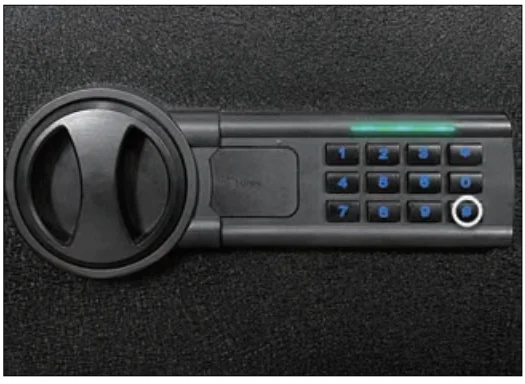
- STEP 1: Enter your owner code. Each press results in one buzzer beep and a blue light flash.
- STEP 2: Press the # button to confirm. If the code is correct, the blue light will flash twice and the buzzer will beep twice. Then the green light will turn on for 6 seconds, and the inner LED light will turn on for 30 seconds. If the code is incorrect, the blue light will flash three times and the safe will beep three times.

- STEP 3: Turn the knob clockwise to open the safe after you enter the correct code and while the green light is on.
NOTICE:
- When you press the wrong digit, press “*” to remove all digits inputted, then re-enter the code.
- The inner LED light will only turn on when you use the second way to open the safe.
- The default code is “159#”.
CLOSE THE SAFE
Close the door and rotate the knob counterclockwise.
DUAL ALARM SYSTEM
- Continuously inputting the wrong code three times will make the safe automatically lock for about 20 seconds, and the buzzer will go off. Any action at the keypad is invalid.
- Continuously entering the wrong code three times after the first alarm will make the safe automatically lock for about 5 minutes, and the alarm will go off for the second time. Any action at the keypad is invalid during that time.
- The beeps can be stopped by:
- Step 1: Use the key to open the safe.
- Step 2: Remove the battery to cut off the power.
SILENCE MODE
Sound Off
Press “00” and then press “*” to confirm. The sound will turn off, and there will be no beep during operation.
Sound On
Press “66” and then press “*” to confirm. The sound will turn on, and the beep and sound will be restored.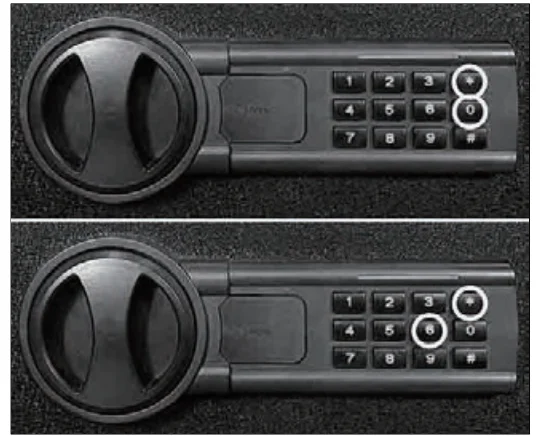
NOTICE:
After a power cut, the sound will turn on.
CUSTOMER SUPPORT & WARRANTY
Where can I find the instruction video?
To see the tutorial video:
- Go to our Facebook: @TIGERKINGSAFES
- Go to our YouTube channel: https://www.youtube.com/@tigerkingsafe
- Contact us to get the videos (24/7): Messenger: m.me/TIGERKINGSAFES Email: [email protected], Go to our web www.tigerkingsafe-us.com and click chat with us to have a live conversation.
What should I do if I lose the keys?
If you lose the emergency key. Check the numbers on the emergency key or the number in the emergency keyhole.
Customer Support / Warranty
The possible problems you might encounter:
- Cargo damaged
- Missing accessories
- Unsatisfied with the safe
- Any other setting problem
We encourage you to contact us (24/7):
Messenger: m.me/TIGERKINGSAFES
Email: [email protected]
We offer a 1-year warranty for our clients, and we shall find a solution for you. For details, please refer to our warranty card or contact us at [email protected]. Thank you for your time to read.
For More Manuals By Tigerking, Visit ManualsLibraryy.
Tigerking PFSD66 Fireproof Safe Box-FAQs
Is the Tigerking PFSD66 Safe fireproof?
Yes. The Tigerking PFSD66 Safe is UL 72 certified and can withstand temperatures up to 1200°F (650°C) for 30 minutes, keeping your valuables safe from fire damage.
Is Tigerking a reliable safe brand?
Absolutely. Tigerking is known for producing high-quality, durable, and affordable safes. Customers often praise the brand for its solid construction and easy-to-use design.
How do I change the code on my Tigerking PFSD66 Safe?
To change the code, open the safe with your current password, press the reset button inside the door, then enter a new code followed by the “#” key. Check the user manual for detailed steps specific to your model.
Will my cash survive inside this fireproof safe during a fire?
Yes, up to the safe’s fire rating limit. The PFSD66 model protects your cash and documents during typical house fires but avoid extreme conditions beyond 1200°F or 30 minutes.
Is a 30-minute fire rating enough for home use?
For most homes, yes. A 30-minute fireproof rating provides sufficient protection as fire departments typically respond within that time frame in urban areas.
Where is the best place to install the Tigerking PFSD66 Safe?
Install your safe in a cool, low-level area, preferably on the first floor and against two exterior walls. This location offers better fire protection and makes it harder for intruders to access.
What items should not be stored in a fireproof safe?
Avoid storing credit cards, key cards, or other plastic items, as they can melt under high temperatures even inside a fireproof safe.
Can a locksmith open my Tigerking safe if I forget the code?
Yes. A professional locksmith or safe technician can unlock your safe safely without damaging it. You can also use the emergency override key if your model includes one.
Do fireproof safes really survive house fires?
In most standard house fires, a fireproof safe like the PFSD66 performs effectively. It maintains internal temperatures low enough to protect paper documents and small valuables.
How do I open the safe if I forget my passcode?
If you forget your code, use the emergency override key or contact Tigerking customer support for a reset procedure. Avoid forcing the lock to prevent damage.