
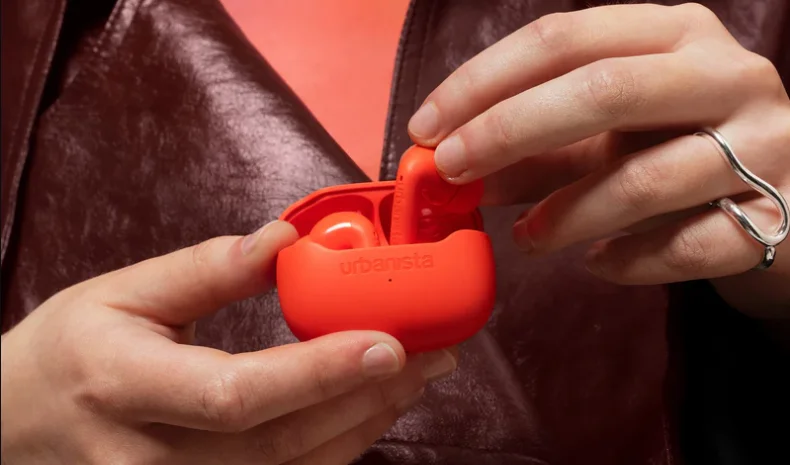

Urbanista Palermo Wireless Earphones
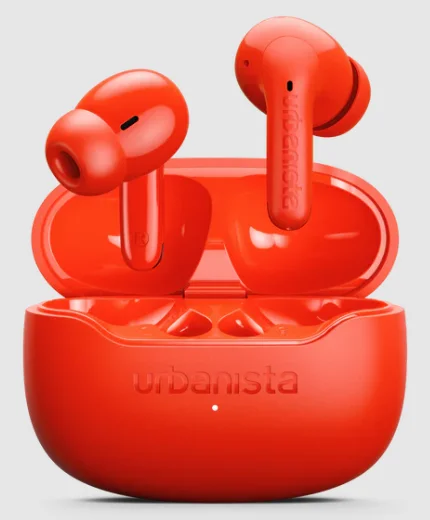
Experience everyday freedom with the Urbanista Palermo Wireless Earphones — designed for people who want style, comfort, and reliable sound on the go. These sleek true wireless earbuds deliver clear audio with balanced bass, making them perfect for music, calls, and podcasts throughout the day.
With a compact charging case and lightweight ergonomic design, the Palermo earphones fit comfortably in your ears while staying secure during daily activities. Bluetooth connectivity ensures quick pairing with your smartphone, while the built-in microphone allows for smooth hands-free calls. Whether you’re commuting, working out, or relaxing, the Urbanista Palermo Wireless Earphones combine modern style with convenient wireless performance to keep you connected wherever you go.
WELCOME TO URBANISTA
Thank you for choosing Urbanista Urbanista Palermo. This guide will help you get started and make the most of your new earphones.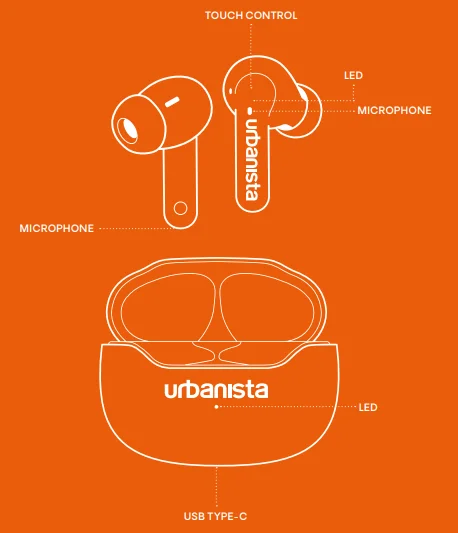
FIRST-TIME SETUP
To activate and connect your Urbanista Palermo earphones:
- Remove the earphones from the charging case and peel off the protective stickers.
- Place the earphones back into the case, then remove them again to activate pairing mode.
- Open Bluetooth settings on your device and select “Urbanista Palermo” to connect.
Your earphones are now connected and ready to use. They will automatically power off when placed back in the charging case or after five minutes of disconnection.
RECONNECTING OR PAIRING A NEW DEVICE
- To power on and reconnect to your last paired device, simply remove the earphones from the charging case.
- To connect to a new device, first disconnect the current device through its Bluetooth settings. Then, select “Urbanista Palermo” from the new device’s Bluetooth settings.
BLUETOOTH MULTIPOINT CONNECTION
Urbanista Palermo supports Bluetooth multipoint, allowing you to stay connected to two devices simultaneously — seamlessly switching between, for example, your phone and computer. Note that audio from two devices cannot be played at the same time; pause playback on one device before switching.
To activate Bluetooth multipoint:
- Press and hold both the left and right earphones simultaneously. You will hear a tone to indicate that the earphones are activated to be paired with a second device.
- Go to Bluetooth settings on your second device and select “Urbanista Palermo” to connect.
- Your earphones will now automatically reconnect to both devices whenever powered on.
PRESET SOUND MODES
Choose from three different preset sound modes — Default, Bass Boost, and Voice — to match your sound preferences. Loop through them until you find your perfect beat.
TOUCH CONTROLS
Control your music, calls, and voice assistant with intuitive touch gestures:
- Play/Pause – Double-tap (left or right)
- Answer/Hang up calls – Double-tap (left or right)
- Reject a call – Long-press (left or right)
- Activate voice assistant – Single tap + Long-press (left)
- Next song – Triple-tap (right)
- Previous song – Triple-tap (left)
- Toggle Active Noise Cancelling – Long-press (right)
- Toggle preset sound modes – Long-press (left)
- Activate Bluetooth multipoint – Long-press both earphones simultaneously
- Factory reset – Remove both earphones from the charging case and tap each earphone five times independently.
CHARGING & BATTERY
Your Urbanista Palermo earphones charge automatically when placed in the charging case. A low battery alert notifies you at the 10% battery level. The earphones will power off when fully drained. To check the charging case battery level, open the charging case lid. The battery indication will be displayed for 3s before the LED turns off.
- 0–5%: LED rapidly flashing
- 5–25%: LED pulses
- 25–100%: LED solid
To charge the case and earphones:
- Use a certified USB-C cable and charging adapter.
- The charging case LED flashes while charging and turns solid when fully charged.
FACTORY RESET
If your earphones experience connectivity issues or become unresponsive, reset them as follows:
- Tap each earphone five times independently.
- Both earphones will start to flash to indicate that the factory reset has started.
- When the reset is fully done, the LED will start to flash synchronized to indicate pairing mode.
- Once reset, follow the setup instructions to reconnect.
NEED SUPPORT?
For FAQs and troubleshooting, visit www.support.urbanista.com. Enjoy your Urbanista Palermo earphones.
For More Manuals By Urbanista, Visit ManualsLibraryy.
Urbanista Palermo Wireless Earphones -FAQs
What are the key features of the Urbanista Palermo wireless earphones?
The Urbanista Palermo Wireless Earphones are true wireless earbuds designed for everyday listening with modern features like active noise cancellation (ANC), touch controls, and Bluetooth connectivity. They include preset EQ sound modes for bass or voice optimization and offer a compact charging case for portability. The earbuds also support multipoint Bluetooth connections, letting users switch between devices easily. Their lightweight in-ear design with silicone tips provides a comfortable fit for extended listening sessions.
How long does the battery last on the Urbanista Palermo earphones?
The Urbanista Palermo earbuds deliver up to about seven hours of listening on a single charge, while the charging case extends the total playback time to around 32 hours. With active noise cancellation enabled, playback time may be slightly shorter. The earbuds also support fast charging, where around ten minutes of charging can provide roughly two hours of playtime, making them convenient for quick top-ups before leaving home.
Do Urbanista Palermo earbuds have active noise cancellation?
Yes, the Urbanista Palermo wireless earphones feature feedforward active noise cancellation that can reduce external noise by up to about 30 dB. This technology uses built-in microphones to detect surrounding sounds and counter them, helping create a quieter listening environment. ANC is useful when commuting, traveling, or working in noisy environments because it minimizes distractions and allows you to focus on music, podcasts, or calls.
Are the Urbanista Palermo earphones waterproof or sweat-resistant?
The Urbanista Palermo earbuds come with an IPX4 water-resistance rating, meaning they are protected against splashes of water and sweat. This level of protection makes them suitable for workouts, outdoor walks, or light rain. However, they are not fully waterproof, so they should not be submerged in water or used during swimming. Proper care and drying after intense workouts can help extend their lifespan.
What sound quality can you expect from Urbanista Palermo earphones?
Urbanista Palermo earbuds are equipped with a 13 mm dynamic driver that produces balanced audio with clear vocals, crisp highs, and strong bass. The earbuds also include preset EQ modes that allow users to adjust the sound profile depending on whether they are listening to music, podcasts, or voice content. This flexibility helps improve the listening experience across different audio types and personal preferences.
Do Urbanista Palermo earbuds support multipoint Bluetooth connection?
Yes, Urbanista Palermo supports Bluetooth multipoint connectivity, allowing the earbuds to connect to two devices at the same time. This feature is useful for people who frequently switch between devices, such as a smartphone and a laptop. For example, you can listen to music on your computer and quickly answer a phone call without needing to disconnect and reconnect manually.
How long does it take to charge the Urbanista Palermo earbuds?
The Urbanista Palermo earbuds typically take around 1.5 hours to fully charge when placed in the charging case. The case itself charges via USB-C and can be recharged in roughly two hours, depending on the power adapter used. Fast charging support also allows users to get several hours of listening time with just a short charging session, which is helpful for busy schedules.
Are Urbanista Palermo earphones comfortable for long listening sessions?
Urbanista Palermo earbuds are designed with a compact in-ear shape and soft silicone ear tips available in multiple sizes. This helps users achieve a secure and comfortable fit during extended use. The lightweight build, around 5 grams per earbud, reduces ear fatigue and makes them suitable for long music sessions, commuting, or video calls without causing significant discomfort.
Do Urbanista Palermo earbuds support voice assistants and touch controls?
Yes, the earbuds include touch controls that allow users to manage music playback, adjust volume, and answer calls directly from the earbuds. They also support voice assistants, enabling hands-free commands for tasks like checking the weather, sending messages, or controlling smart devices. These features make the earbuds convenient for everyday use without constantly reaching for your phone.
Are Urbanista Palermo wireless earphones good for calls and online meetings?
Urbanista Palermo earphones are designed with four built-in microphones and environmental noise cancellation (ENC) technology to improve call clarity. These microphones help reduce background noise so your voice sounds clearer during phone calls or online meetings. This makes them suitable for remote work, virtual classes, or everyday communication while on the move.