
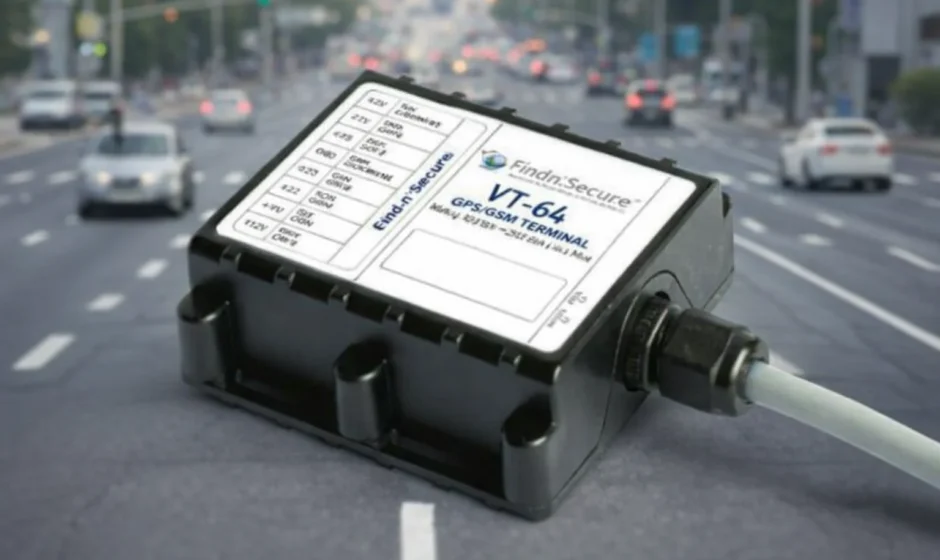
VTP Vehicle Tracking Control
To illuminate the keypad:
Pressing any button will illuminate the keypad.
To program a new, personalized PIN code (a PIN code can range from 1 to 10 digits):
- Make sure the system is disarmed or in Valet Mode.
- Turn on the ignition.
- Enter the existing PIN code and then press
 . The LED will flash once.
 - Within 5 seconds, enter the new PIN code followed by (the LED will flash twice).
- Within 5 seconds, enter the new PIN code again, followed by
 (the LED will light solidly for 1 second).
 - Your new PIN code has been programmed. Turn the ignition off for 5 seconds to exit programming.
 . The LED will flash once.
To disarm:
- Enter your personalized PIN code, then press
 .
.
To activate or deactivate Valet Mode:
- Make sure that the system is disarmed.
- Press
 .
. - Press
 (labeled VALET on the keypad). The light will stay solid red; the system has now entered Valet Mode.
 (labeled VALET on the keypad). The light will stay solid red; the system has now entered Valet Mode.
NOTE: Valet Mode prevents the system from arming. This feature is useful when washing or servicing your vehicle.
To arm immediately:
- Press
 .
. - Press
 (labeled ARM on the keypad).
 (labeled ARM on the keypad).
NOTE: When not in Valet Mode, the VTP system will automatically arm itself 15 seconds after the ignition is turned off.
For More Manuals By VTP, Visit ManualsLibraryy
VTP Vehicle Tracking Control-FAQS
What is vehicle tracking control (VTP)?
Vehicle Tracking Control refers to methods used to monitor and manage vehicle movement. In environmental contexts, it also helps reduce soil or debris carried by tires from a site into nearby drains or water bodies.
What is a vehicle tracking system?
A vehicle tracking system uses a GPS device installed in a vehicle along with software to monitor location, movement, speed, and other data in near real time. It is widely used for fleet management and security.
How does a vehicle tracking system work?
The GPS tracker receives signals from satellites to determine the vehicle’s location. This data is then sent through mobile or satellite networks to a monitoring platform or mobile app.
Can I track my vehicle in real time?
Yes. Most modern tracking systems allow real-time vehicle tracking through a web dashboard or smartphone app, as long as the device has power and network access.
Does a vehicle tracker work when the car is turned off?
Some trackers continue to work even when the car is off because they have an internal backup battery. These devices can still transmit location data for a limited time.
Do vehicle tracking devices require the internet?
GPS itself does not need the internet to determine location. However, internet or cellular connectivity is usually required to send that location data to your phone or computer.
Do GPS trackers need a SIM card?
Most real-time vehicle trackers require a SIM card to transmit data. Trackers without SIM cards can record locations internally but do not support live tracking.
How much does vehicle tracking usually cost?
Basic vehicle tracking services typically involve a monthly fee, while advanced systems may include higher hardware costs plus installation and subscription charges.
How can I tell if my vehicle is being tracked?
You can visually inspect areas such as under the car, wheel wells, and near the battery for unfamiliar devices. For accuracy, a professional mechanic can inspect the vehicle for installed trackers.
Can a mobile phone track a vehicle?
Yes, but only if a phone with location services enabled is inside the vehicle. Apps like Google Maps or Find My can share the phone’s live location, not the vehicle itself.