
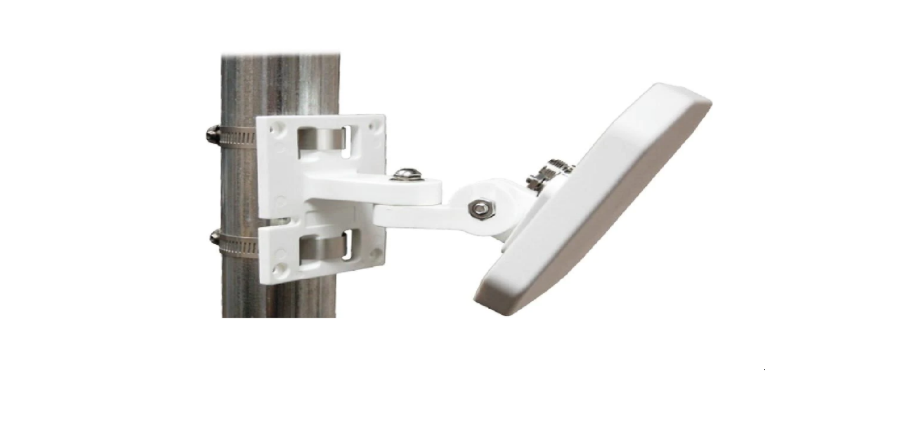

Waveform FlexMount Antenna Bracket
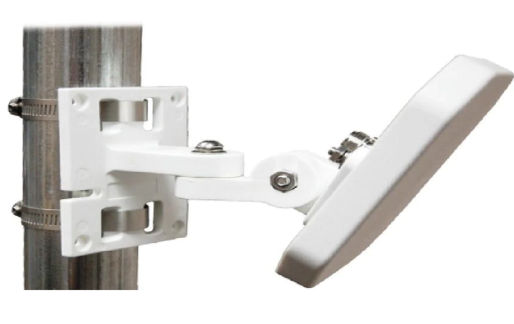
What’s In The Box
- FlexMount Bracket

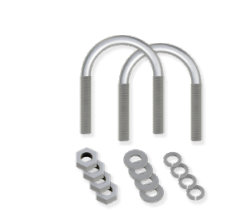
- 2x U-Bolt Assemblies

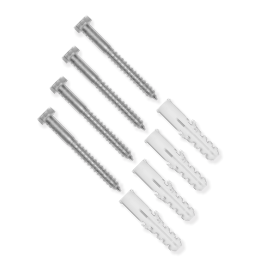
- 4x Screws & Wall Anchor

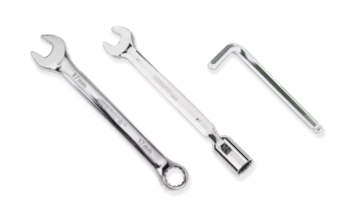
- 1x 17mm Combination Wrench/1x 5mm Allen Wrench/1x 10mm Socket Wrench

Where To Mount
Poles or railings
The included U-bolt assemblies are compatible with any pole between 1.5 and 2.5 inches (3.7 and 6.4 cm) in diameter.
Flat surfaces (walls, sidings, or fascias)
The included screws and anchors are compatible with any sturdy flat surface. The anchors insert into pre-drilled holes for hard surfaces like concrete, brick, and masonry.
Step 1. Mount FlexMount
A To A Pole or Railing
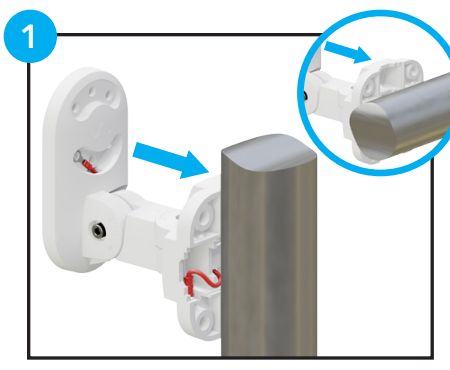
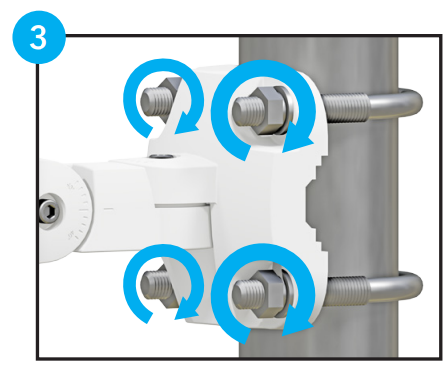
- Position against your vertical or horizontal pole.

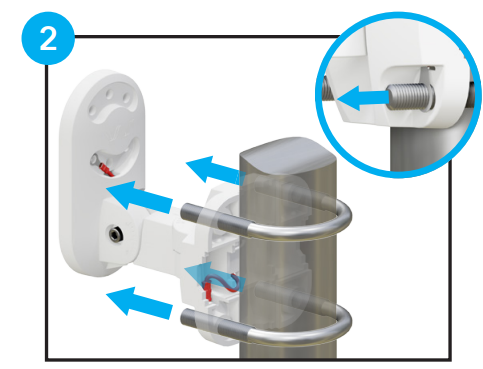
- Insert the U-bolts through the mount’s integrated ground wire.

- Secure each U-bolt with its washers and nuts.

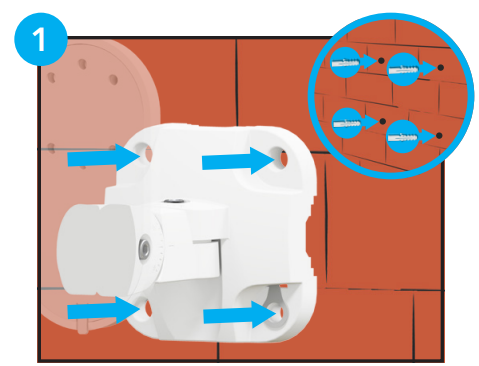
B To A Flat Surface or Wall
- If necessary, drill pilot holes and insert wall anchors.

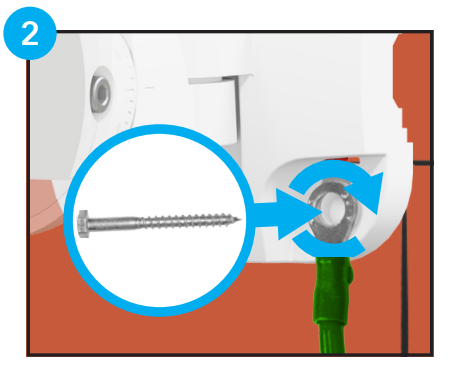
- Attach a ground to the bottom right wire and screw it into the wall.

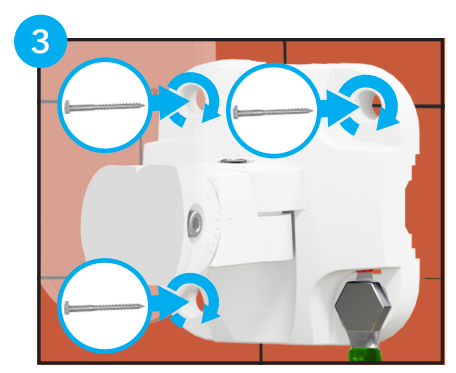
- Fully secure your FlexMount with the remaining screws.

Step 2. Attach Antenna
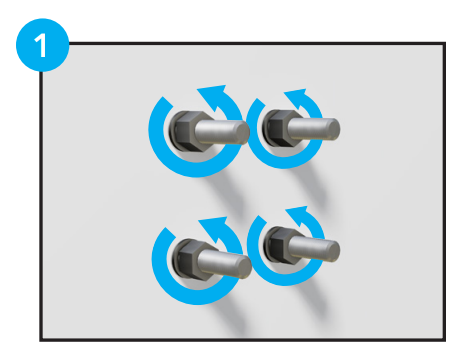
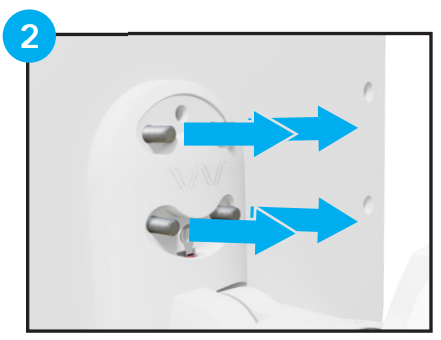
- Remove the washers and nuts from your antenna.

- Place those bolts into your FlexMount.

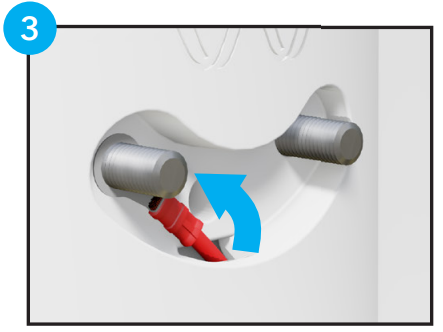
- Hook the ground wire over one of the lower bolts.

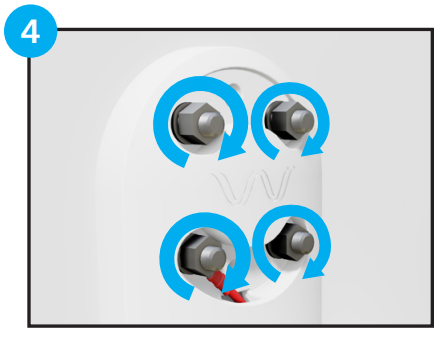
- Tightly secure each bolt with the washers and nuts.

Step 3. Adjust to Aim Antenna
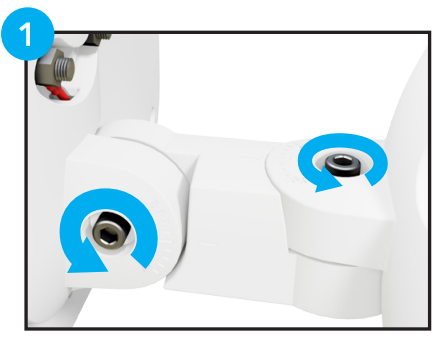
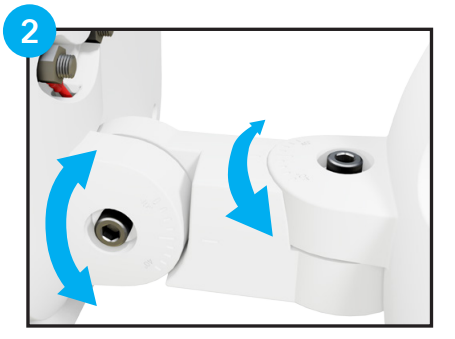
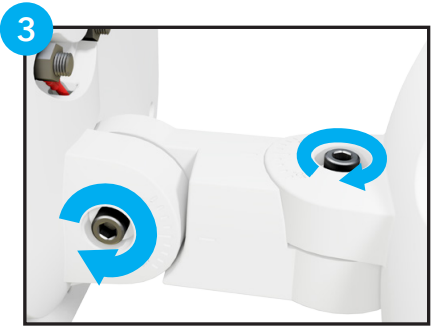
Adjust your FlexMount to aim horizontally and vertically using the 5mm allen wrench.
- Loosen each locking bolt.

- Rotate each arm to aim.

- Tighten each locking bolt.

Step 4. Grounding
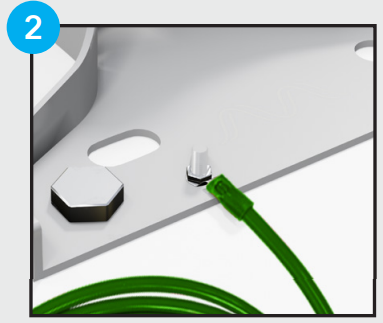
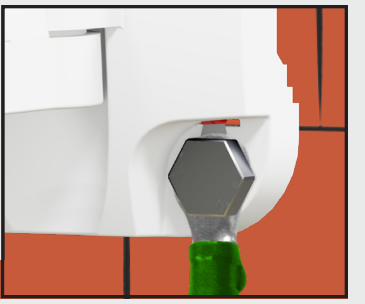
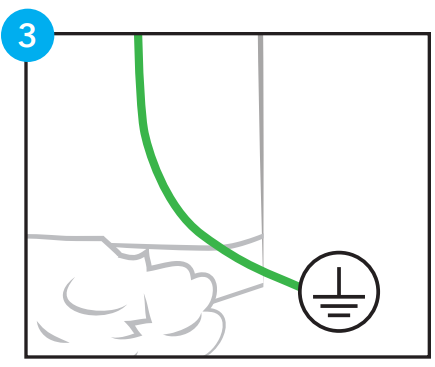
Ground your FlexMount to protect your equipment (it’s required by the National Electric Code). Use a 10-gauge or thicker grounding wire (not included).
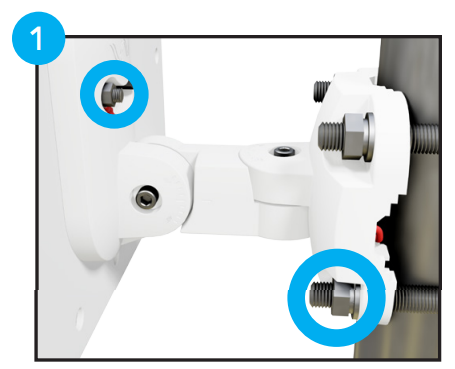
- Check that your integrated ground wire is secured at each end.

- For pole-mounted antennas, attach the 10 AWG or thicker ground wire to your metal pole.

- For wall-mounted antennas, attach the 10 AWG or thicker ground wire to the grounded FlexMount screw.

- Connect the ground wire (not included) to your electrical ground.

Grounding Tips
- If you’re unsure about your grounding setup, reach out to an electrical contractor.
- Learn which electrical grounds are suitable and more at waveform.com/grounding
Questions? Suggestions? Need help? Call 1-800-761-3041, or email [email protected]
Your FlexMount is designed, sold, and supported by Waveform and our team of Signal Specialists.
If you have any questions or feedback on how we could make this mount or manual better, please reach out! We’d love to hear about your experience with our products.waveform.com
For More Manuals By Waveform, Visit ManualsLibraryy.
Waveform FlexMount Antenna Bracket-FAQs
What is an antenna bracket?
An antenna bracket is a mounting device that securely holds an antenna in place, ensuring stability and proper alignment for the best signal reception.
How do I position a FlexMount antenna bracket?
Install the bracket on a solid surface, adjust the angle as needed, and tighten the screws to keep the antenna stable and pointed in the correct direction.
What types of antennas can be mounted with this bracket?
The FlexMount bracket supports a wide range of antennas, including directional, omni, and panel antennas commonly used for Wi-Fi, cellular, and RF applications.
Can the bracket be used indoors and outdoors?
Yes, the FlexMount bracket is designed for both indoor and outdoor use, built with durable materials to withstand different weather conditions.
How do I improve antenna performance after mounting?
Ensure the antenna is mounted high, clear of obstructions, and directed toward the nearest signal source for optimal reception.
Is the installation process complicated?
No, the FlexMount bracket comes with a simple setup. Basic tools are usually enough for mounting, making installation quick and straightforward.
What tools are needed for installation?
Usually, only basic tools like a drill, wrench, and screwdriver are required. All necessary mounting hardware is typically included.
Can I adjust the bracket after installation?
Yes, the FlexMount allows easy adjustments. You can change the angle or direction of the antenna without removing the entire setup.
How do I maintain the bracket?
Check the screws and bolts periodically, especially after strong winds or weather changes, to make sure the bracket remains tight and secure.