
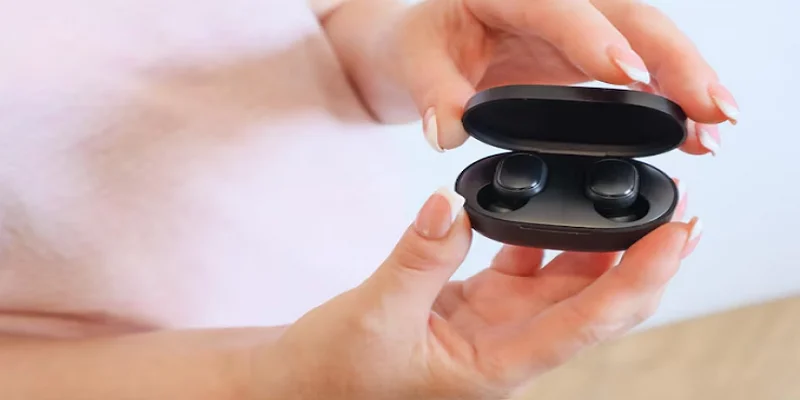
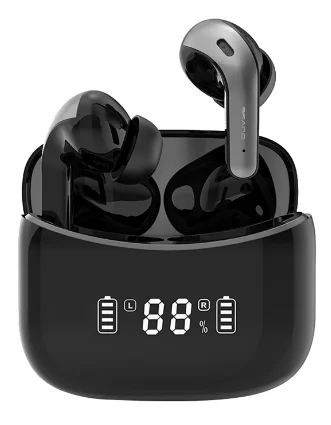
Besing Technology X15 True Wireless Earbuds
Before Use
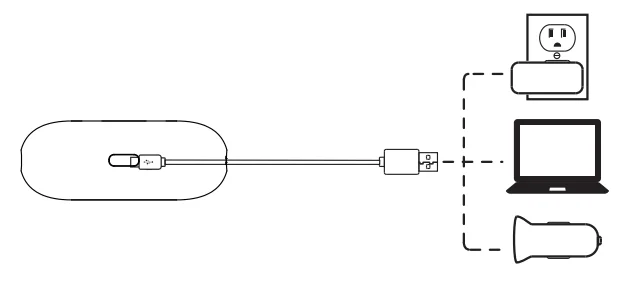
- Fully charge the earbuds and charging case.

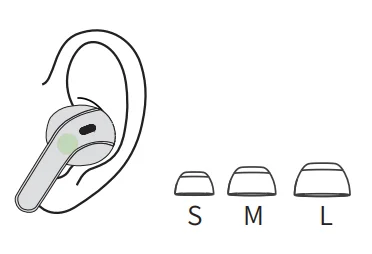
- Choose the right angle and eartips.

Connect
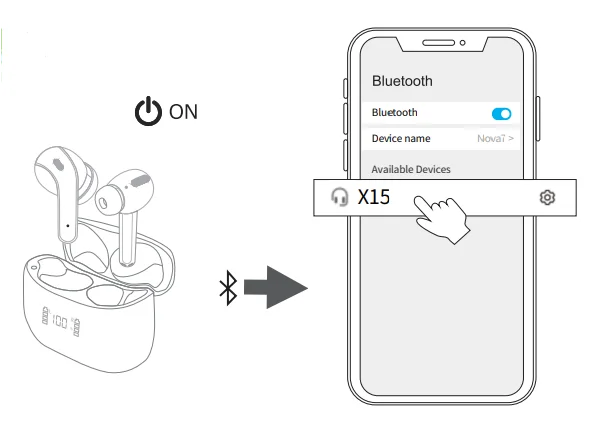
- Take out the earbuds (Earbuds auto power on)
- After opening the phone Bluetooth, click the <X15> to Pairing
Reset
If the earbuds have any connection or function problems, please reset the earbuds.
- Delete the BT pairing information on the phone.
- Take the earbuds into the charging case to charge.
- Take out the earbuds and wait for 20 seconds.
(If the above operation does not work, please try again.n)
Operation
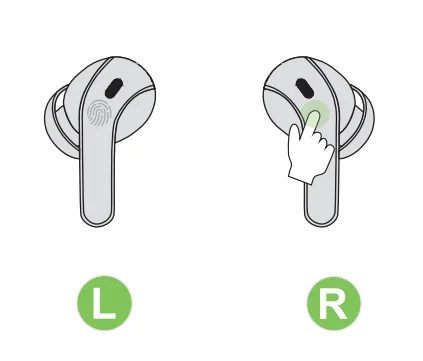
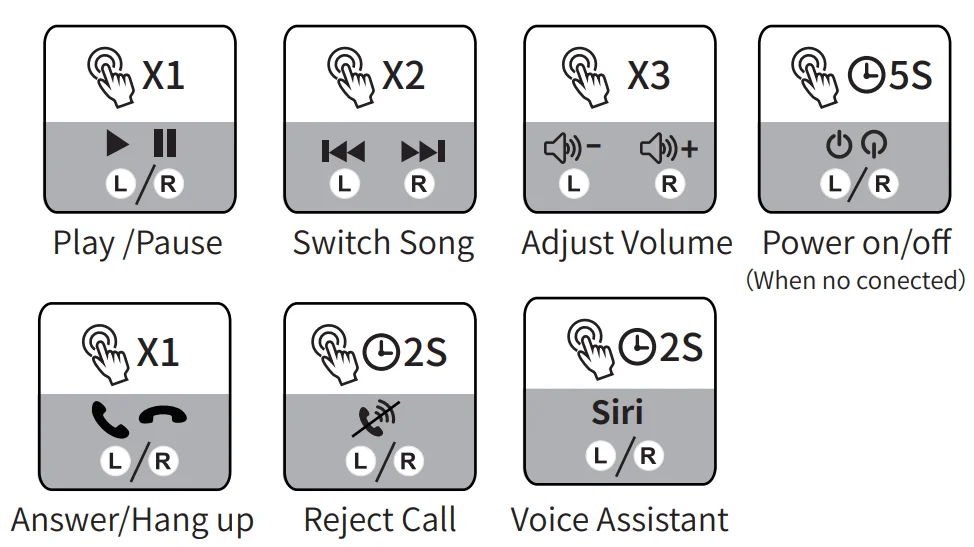
- X1: Click Once
- X2: Click 2 times
 2S: Press and hold for 2 seconds
 2S: Press and hold for 2 seconds
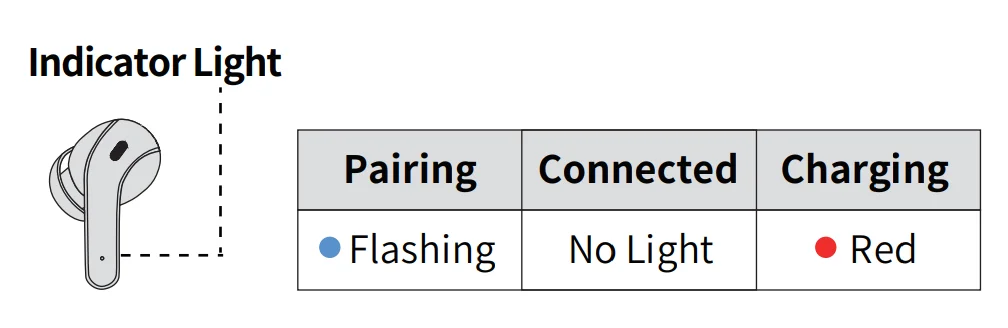
Battery Indicator
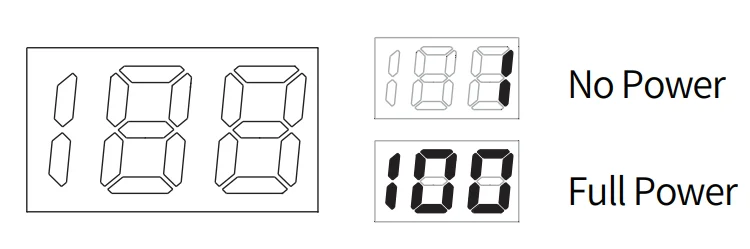
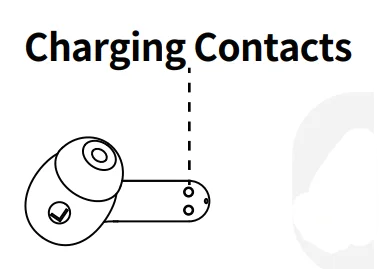

Wipe and dry charging contacts ithe f the earbuds can’t be charged.
FCC Rules
Warning: Changes or modifications to this unit not expressly approved by the party responsible for compliance could void the user’s authority to operate the equipment.
NOTE: This device complies with part 15 of the FCC Rules. Operation is subject to the following two conditions: (1) This device may not cause harmful interference, and (2) this device must accept any interference received, including interference that may cause undesired operation.
FCC Statement
This equipment has been tested and found to comply with the limits for a Class B digital device, pursuant to part 15 of the FCC Rules. These limits are designed to provide reasonable protection against harmful interference in a residential installation. This equipment generates, uses, and can radiate radio frequency energy and, if not installed and used in accordance with the instructions, may cause harmful interference to radio communications. However, there is no guarantee that interference will not occur in a particular installation. If this equipment does cause harmful interference to radio or television reception, which can be determined by turning the equipment off and on, the user is encouraged to try to correct the interference by one or more of the following measures:
- Reorient or relocate the receiving antenna.
- Increase the separation between the equipment and receiver.
- Connect the equipment into an outlet on a circuit different from that to which the receiver is connected.
- Consult the dealer or an experienced radio/TV technician for help.
For more manuals by Blogs, visit ManualsLibraryy
Besing Technology X15 True Wireless Earbuds- FAQs
How do I use the X15 earbuds for the first time?
Open the charging case — the earbuds will power on automatically and pair with each other. Turn on your phone’s Bluetooth, search for “X15,” and tap to connect.
How do I charge the X15 earbuds and case?
Place the earbuds in the charging case; a red light indicates charging and turns off once fully charged. To charge the case, connect it using a 5V/1A USB cable until the indicator light turns solid green.
How do I pair my X15 earbuds manually?
If auto-pairing fails, press and hold both earbuds’ touch panels until the LED flashes red and blue. Then select “X15” from your device’s Bluetooth list to connect.
How can I reset my X15 earbuds?
Place both earbuds into the charging case. Hold the touch area on both earbuds for 10–15 seconds until the LED lights flash three times. This restores factory settings and clears previous pairings.
How do I know when the earbuds are fully charged?
When charging, the earbuds show a red indicator light. Once the battery is full, the red light turns off automatically. The case indicator will also stop blinking when it’s fully charged.
How long does the battery last on the X15 earbuds?
The earbuds offer up to 6 hours of continuous playback on a single charge and up to 60 hours with the charging case, depending on usage and volume levels.
Are the X15 earbuds waterproof?
Yes, the X15 earbuds come with an IPX7 waterproof rating, making them safe for sweat and light rain. However, they should not be used while showering or swimming.
Why is only one earbud working?
Ensure both earbuds are charged. If one side isn’t working, unpair the earbuds from your phone, reset them, and pair again. Cleaning the charging pins and earbuds can also help resolve connection issues.