
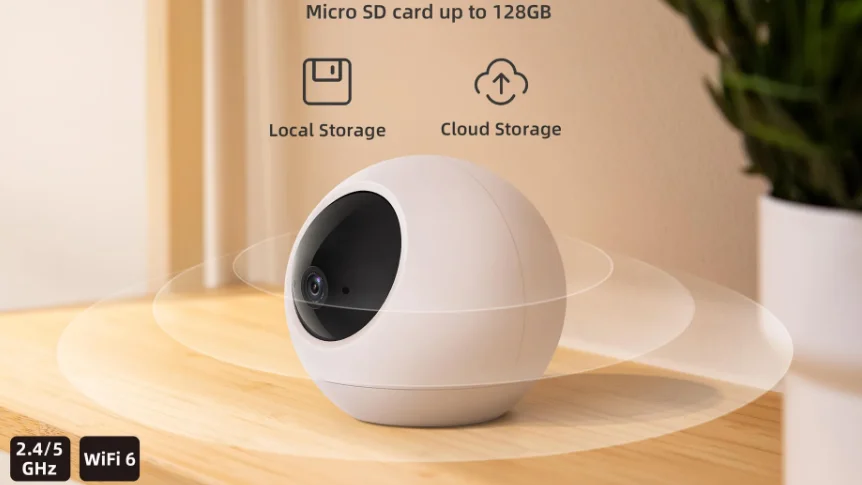

Noorio T110 Pan-Tilt Indoor Security Cam
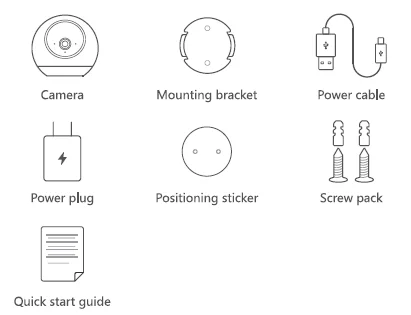
What’s Included
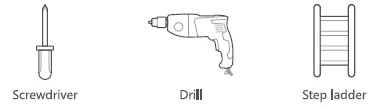
You may need
Product Overview
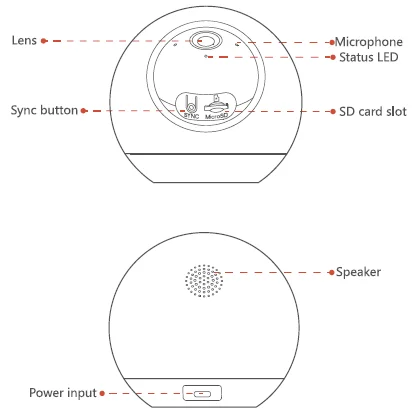
LED Indication
LED Light and Camera Status
- Flashing blue: Ready for setup
- Solid blue: Working properly
- Solid red: Booting up or recording event
- Flashing Red: Disconnected from the Internet
Setting Up
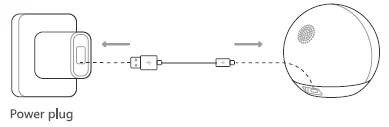
Set Up Your Device
- Scan the code below to get the Noorio app.
- Tap “Set Up a Device” to add your camera.


For online help and support, visit https://support.nooriolife.com/
Notice
FCC Statement
This device complies with Part 15 of the FCC Rules. Operation is subject to the following two conditions:
- This device may not cause harmful interference.
- This device must accept any interference received, including interference that may cause undesired operation.
Caution: Any changes or modifications not expressly approved by the party responsible for compliance could void the user’s authority to operate the equipment.
Note: This equipment has been tested and found to comply with the limits for a Class B digital device under Part 15 of the FCC Rules. These limits are designed to protect reasonably against harmful interference in a residential installation. This equipment generates uses and can radiate radio frequency energy and, if not installed and used according to the instructions, may cause harmful interference to radio communications. However, there is no guarantee that interference will not occur in a particular installation.
Suppose this equipment does cause harmful interference to radio or television reception, which can be determined by turning the equipment off and on. In that case, the user is encouraged to try to correct the interference by one or more of the following measures:
- Reorient or relocate the receiving antenna.
- Increase the separation between the equipment and receiver.
- Connect the equipment to an outlet on a circuit different from the receivers.
- Consult the dealer or an experienced radio/TV technician for help.
Radio Frequency Exposure Statement
The device has been evaluated to meet general RF exposure requirements. The device can be used in fixed/mobile exposure conditions. The min separation distance is 20cm.
Customer Service
Warranty
1 year limited warranty
Email Us
Customer Support [email protected]
Noorio Innovations Limited
Office 216 2nd Floor, Alpha House, 27-33 Nathan Road, Tsim Sha Tsui, Kowloon, Hong Kong
For more Manuals by Noorio, visit ManualsLibraryy
Noorio T110 Pan-Tilt Indoor Security Cam-FAQs
Does the Noorio T110 have night vision?
Yes. The Noorio T110 features high-quality infrared night vision, allowing it to capture clear images and videos even in low-light or complete darkness.
Can the Noorio T110 work without Wi-Fi?
The camera requires Wi-Fi for remote access, live viewing, and cloud features. However, if it has an SD card installed, it can still record locally without an internet connection.
How far can the Noorio T110 see at night?
The Noorio T110 provides a night vision range of around 50–60 feet, depending on lighting conditions and camera placement.
Can I connect the Noorio T110 to my phone?
Yes. You can connect it through the Noorio App on your smartphone to view live footage, receive alerts, and control the camera remotely.
Does the Noorio T110 camera record continuously?
You can choose between motion-based recording or continuous recording modes, depending on your storage capacity and settings in the Noorio App.
Can the Noorio T110 camera rotate or pan automatically?
Yes. The T110 features pan and tilt functions, allowing you to remotely move the camera for a 360° view of your room.
How do I know if my Noorio camera is being watched or accessed remotely?
If the status light turns on without your command or moves unexpectedly, check the app for active connections. It’s also recommended to update firmware regularly to protect against unauthorized access.
Can I use the Noorio T110 with mobile data?
Yes. The camera can connect through mobile data if your hotspot or router supports stable connectivity, but Wi-Fi is generally more reliable for streaming and alerts.