
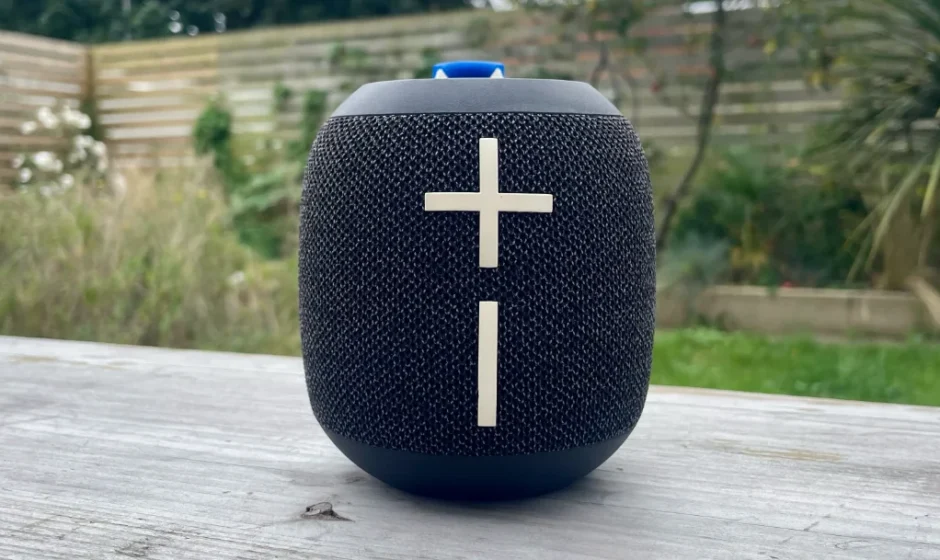

Ultimate Ears WONDERBOOM 4 Bluetooth Outdoor Speakers
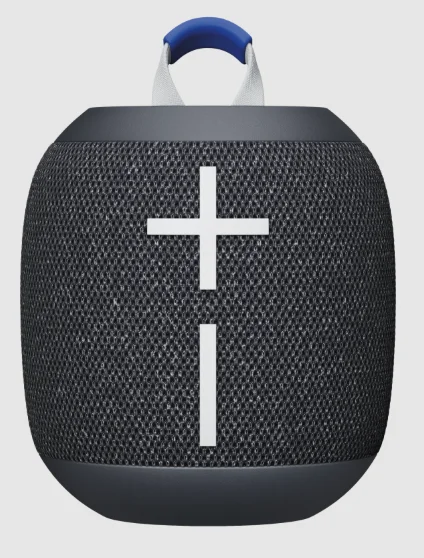
Getting Started – UE WONDERBOOM 4
POWER ON THE SPEAKER
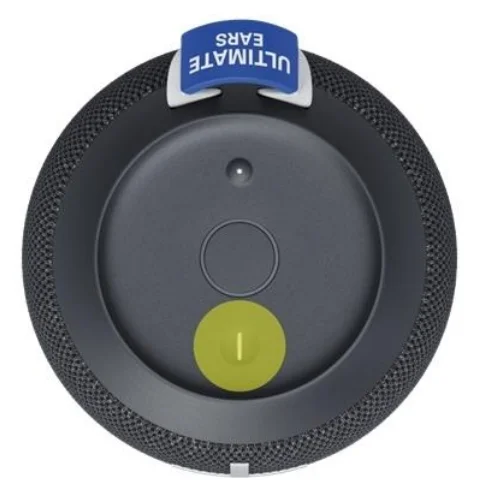
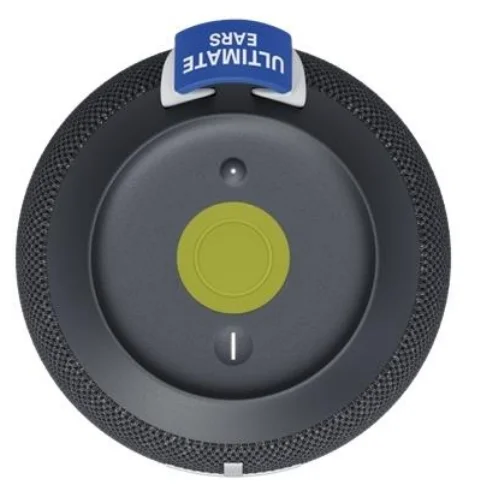
PRESS the power button located on the top of your speaker to turn on your WONDERBOOM 4. Once powered on, WONDERBOOM 4 automatically reconnects to the last mobile device it was connected to.
PAIR YOUR PHONE TO THE SPEAKER
To put your speaker in pairing mode, PRESS AND HOLD the Bluetooth® button until you hear a tone. Go to the Bluetooth settings on your phone and select WONDERBOOM 4 to connect. Once connected, you’ll hear an audible confirmation from your speaker.
PLAY MUSIC
Once your WONDERBOOM 4 is on and connected to your device, just hit play to begin streaming your music.
CONTROL MUSIC
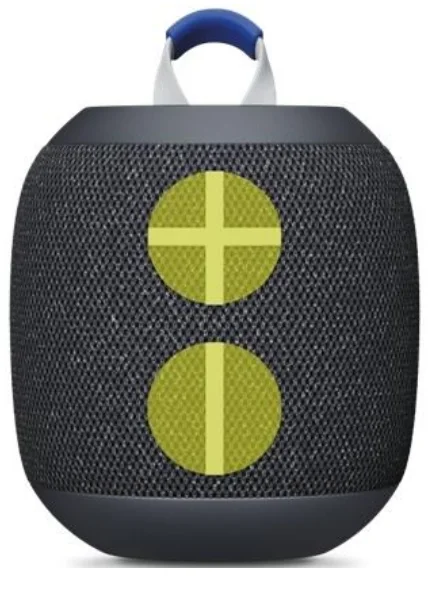
You can control the music directly from your WONDERBOOM 4 without picking up your phone. To pause the stream, simply PRESS the center button located at the top of the speaker. Press again to resume playing. DOUBLE-PRESS the center button to skip to the next track.
ADJUST VOLUME
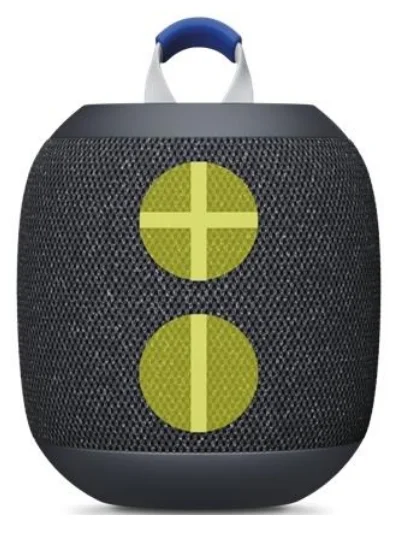
PRESS the “+” / “–” buttons to increase / decrease volume.
EXPLORE OUR EQ MODES
Outdoor Boost
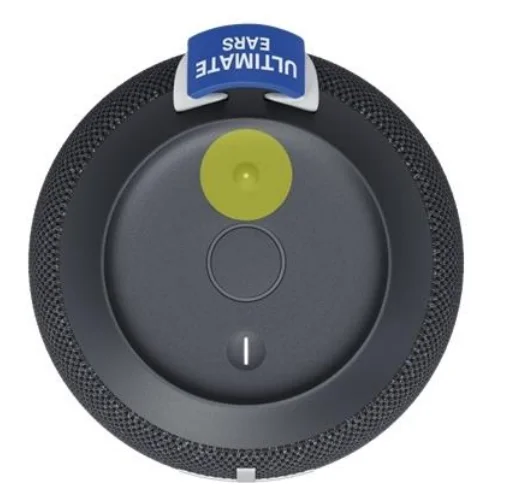
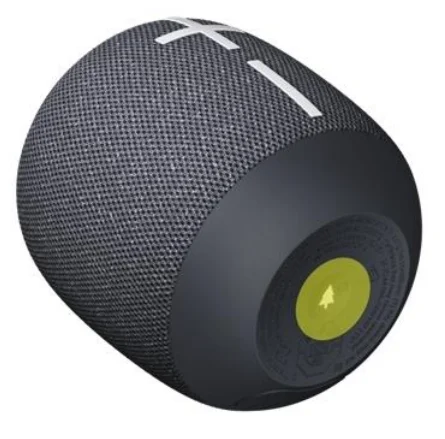
Press the OUTDOOR BOOST button located at the bottom of your speaker to experience a louder sound. You will hear this audio message when you’ve entered Outdoor Boost mode.
Podcast Mode
Press the OUTDOOR BOOST button again to enter Podcast Mode, specifically tuned for podcasts and audiobooks. You will hear this audio message when you’ve entered.
Podcast Mode.
Press the button again when you’re in Podcast Mode to return to standard acoustic mode. You will hear this audio message when you return to Standard Mode.
CHARGE YOUR SPEAKER
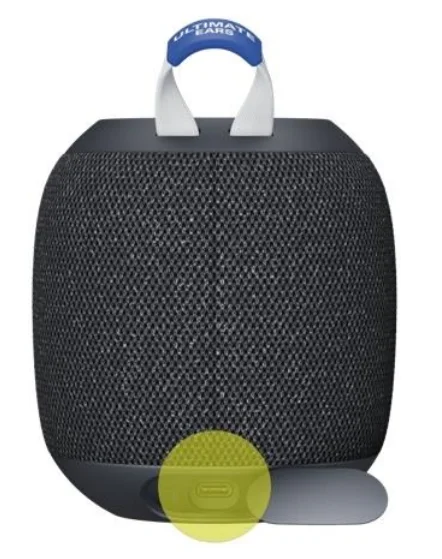
Lift the weather door to charge using the Type-C cable. The power button will blink to indicate the speaker is charging.
A wet or contaminated Type-C connector may cause excessive heat or melting and may lead to fire damage or personal injury. Always charge your speaker with a clean, dry Type-C connector.
CHECK BATTERY LEVEL
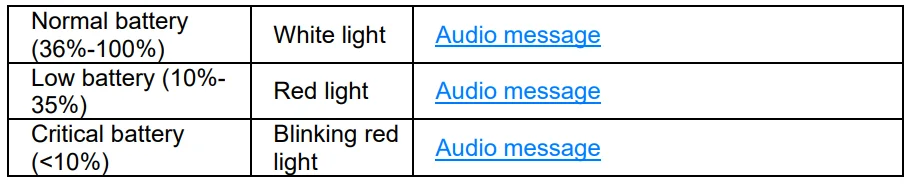
Simultaneously press the “+” and “–” volume buttons to check the speaker’s battery level. An audio message will play to inform you of the current battery level. The power button will also light up to display the battery level as follows:
DOUBLE UP
You can connect your WONDERBOOM 4 with another WONDERBOOM 4 or WONDERBOOM 3 for a bigger sound. To Double Up, LONG-PRESS the center button on one speaker for three seconds, and you will hear a repeating tone indicating your speaker is ready for Double Up. Then, LONG-PRESS the center button on the other speaker until you hear the same tone. When you hear a pairing tone from both speakers, your two WONDERBOOM 4s have paired successfully.
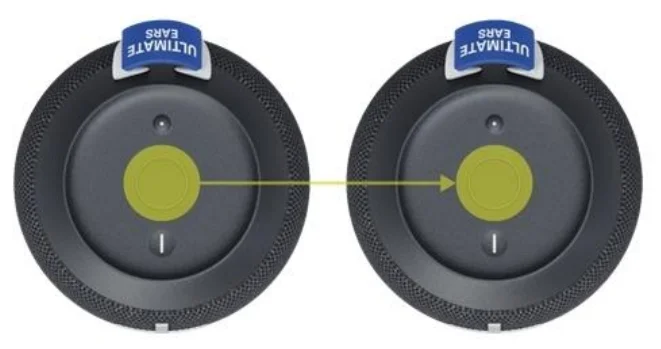
After pairing, LONG-PRESS the center button on either speaker to toggle between the standard mono mode (louder volume) and two-channel stereo mode.
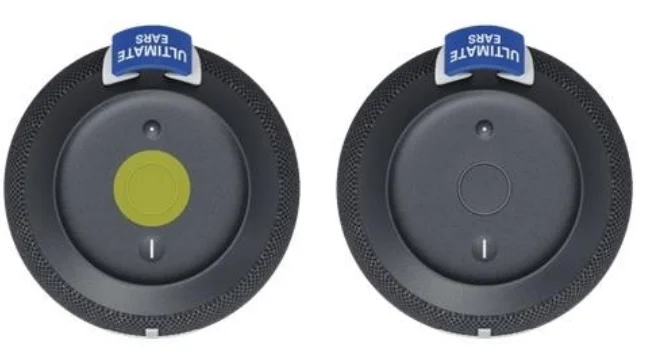
- If you hear this confirmation tone, you are in double sound mode.
- If you hear this confirmation tone, you are in stereo mode.
LONG-PRESS the Bluetooth button on either speaker to leave Double Up mode.
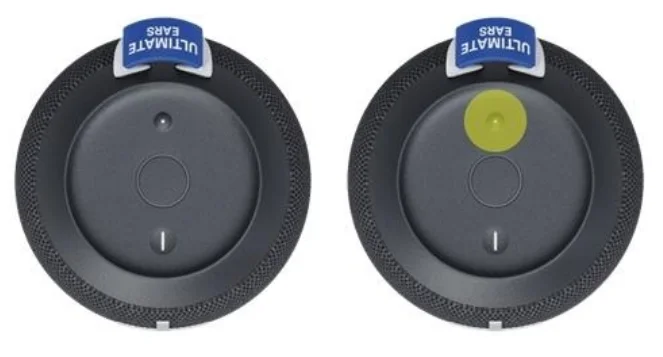
CONNECT TO MORE DEVICES
Your UE speaker will remember the last eight devices it connected with.
Pairing additional devices
After you pair the first device, here’s how to pair additional devices:
- Turn the speaker on.
- Hold down the power button until you hear a tone.
NOTE: The Bluetooth connection button will blink rapidly, indicating that the speaker is ready for pairing. - On your device, go to the Bluetooth menu and scan for devices.
- Select the name of your speaker from the list of devices.
Once paired and connected, you’ll hear an audible confirmation from the speaker. Your speaker is now ready to use with the device you added.
Reconnecting to a device
To reconnect a device to your Ultimate Ears speaker after the initial pairing or after pairing another device:
- Turn the speaker on.
- On your device, go to the Bluetooth menu and select the name of your speaker from the list of devices.
Once reconnected, you’ll hear an audible confirmation from the speaker. Your speaker is now ready to use with the device you selected.
MULTI-HOST
WONDERBOOM 4 can simultaneously connect with up to two Bluetooth mobile devices.
Simply pair and connect each mobile device to your WONDERBOOM 4, and then you can take turns playing music from each device.
For more manuals by Ultimate Ears, visit ManualsLibraryy
Ultimate Ears WONDERBOOM 4 Bluetooth Outdoor Speakers- FAQs
What are the main features of the WONDERBOOM 4?
The WONDERBOOM 4 offers 360° stereo sound, waterproof and dustproof IP67 protection, push-button controls, outdoor-boost mode, podcast EQ mode, and rugged outdoor-friendly construction.
How do I operate the WONDERBOOM 4?
Press the Power button to turn it on, use the Bluetooth button to pair, and control volume with the large + and – buttons. The Outdoor Boost button at the bottom adjusts sound modes.
How many WONDERBOOM 4 speakers can I pair together?
You can pair two WONDERBOOM 4 speakers for louder sound or for true left–right stereo. Note: It only pairs with another WONDERBOOM 4, not older models.
How long does the WONDERBOOM 4 take to fully charge?
It takes about 2.5 hours to recharge completely using a USB-C charger.
What is the battery life of the WONDERBOOM 4?
The speaker offers up to 13–14 hours of continuous playback on a full charge.
Can the WONDERBOOM 4 connect to Wi-Fi?
No. The speaker uses Bluetooth only and does not support Wi-Fi connections.
How do I check the battery level on the WONDERBOOM 4?
Press the Volume + and Volume – buttons together. A tone will indicate the remaining battery level.
Does the WONDERBOOM 4 have a built-in microphone?
No, the WONDERBOOM 4 does not include a microphone and does not support voice calls.
How do I know when the WONDERBOOM 4 is fully charged?
The charging LED changes to indicate full charge, and the speaker will stop drawing power once the battery is full.
What does the button on the bottom of the speaker do?
This is the Outdoor Boost button. Press once for louder outdoor sound, press again for Podcast Mode tuned for clearer voices.