
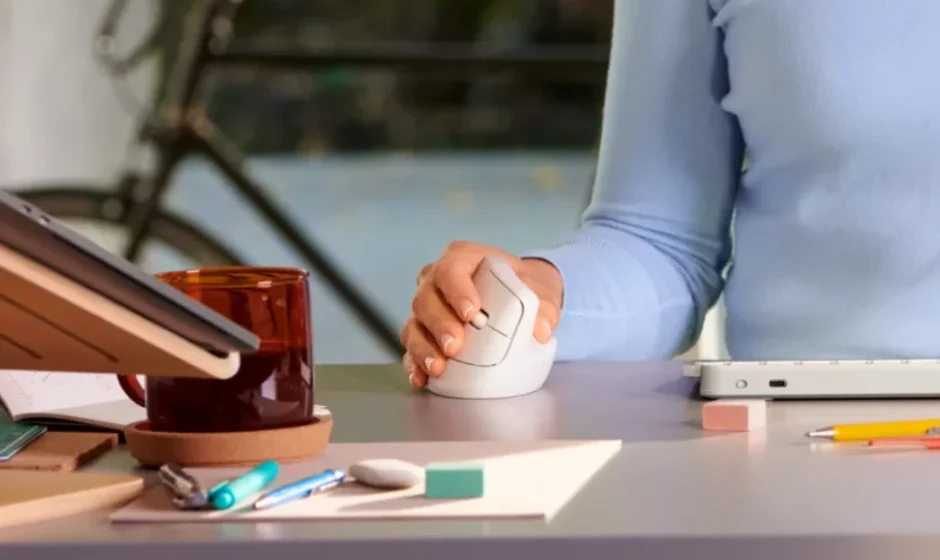

Logitech Lift Vertical Ergonomic Mouse
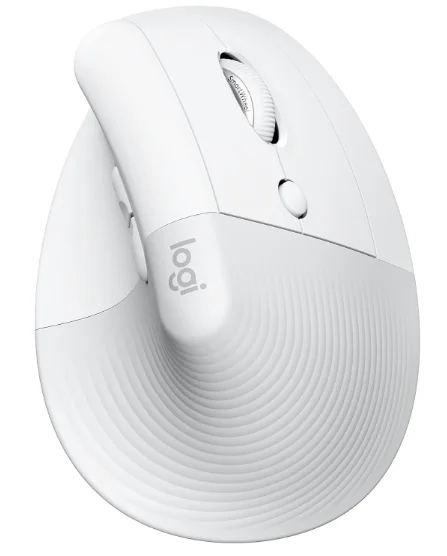
Product Description
The Logitech Lift Vertical Ergonomic Mouse is thoughtfully engineered to provide all-day comfort and support, making it an ideal choice for users seeking a healthier, more natural hand and wrist position. Its vertical design encourages a relaxed handshake posture that helps reduce forearm strain and discomfort associated with extended mouse use. Whether you’re working, browsing, or creating, the Lift delivers precise, responsive tracking across a variety of surfaces, giving you both comfort and performance in one sleek package.
Built with quality materials and a sculpted shape that fits comfortably in either hand, the Logitech Lift adapts to a wide range of hand sizes and grips. Its customizable buttons let you tailor controls to your workflow, and smooth scrolling enhances navigation through documents, web pages, and large spreadsheets. You can connect via Bluetooth or the included USB receiver, and easily switch between multiple devices without missing a click — perfect for multitasking setups.
With its long battery life and quiet, efficient operation, the Logitech Lift Vertical Ergonomic Mouse helps elevate everyday computing while prioritizing user comfort. It’s a smart ergonomic upgrade for professionals, students, and anyone who spends significant time at the computer.
Getting Started – LIFT Vertical Ergonomic Mouse
Time to make yourself comfortable!
Thank you for getting the new LIFT vertical mouse. To give you an overview of the product, we have prepared a few useful tips & tricksbelow. We hope you will enjoy this ergonomic mouse.
Please download Logitech Options+ to unlock the full potential of your LIFT vertical mouse.
Connect your mouse to your device.
You can pair your LIFT mouse to your device through a Bluetooth® Low Energy connection or through our new Logi Bolt receiver. (Logi Bolt is a cutting-edge wireless protocol, engineered to meet rising enterprise security expectations. Learn more about it here.)
Connect using Bluetooth
- Make sure the battery pull tab is removed and your LIFT is turned on.
- Press the Easy-Switch button and select the channel you want to pair with. (Make sure the LED is blinking fast. If it’s not, press andhold the button for 3 seconds.)
- Open the Bluetooth settings on your computer:
- On MacOS, Open System Preferences> Bluetooth > Add LIFT.
- On Windows: Select Start > Settings > Devices > Add Bluetooth device > Add LIFT.
- Connected.
Connect using the Logi Bolt USB receiver.
- Open the battery door and take out the Logi Bolt receiver.
- Plug the Logi Bolt receiver into a USB-A port on your computer.
- Remove the pull tab and make sure LIFT is turned on.
- Press the Easy-Switch button and select the channel you want to pair with.
- Connected.
LIFT at a glance
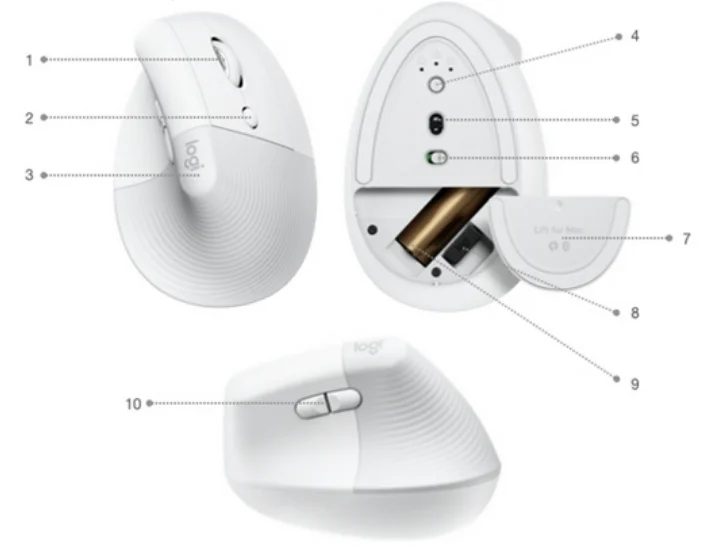
- SmartWheel
- Cursor speed switch button (adjusts the cursor speed)
- Textured rubber grip
- Easy-Switch and Connect button (pairing with up to three different devices)
- High precision sensor
- On/Off button
- Magnetic battery door
- Logi Bolt receiver
- AA battery
- Back/Forward button
FEATURE OVERVIEW
Ergonomic vertical shape
The LIFT vertical mouse is designed to help you work better. The vertical design lifts your hand, wrist, and forearm into a more naturalposture through a unique 57-degree vertical angle.
The textured rubber panel provides a soft, comfortable feel while giving a good grip. Try to keep your wrists straight and your hand ina natural, relaxed position while using, to get the best experience.
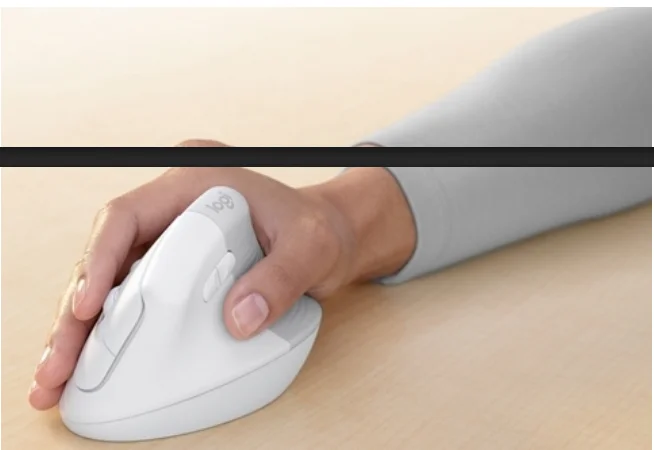
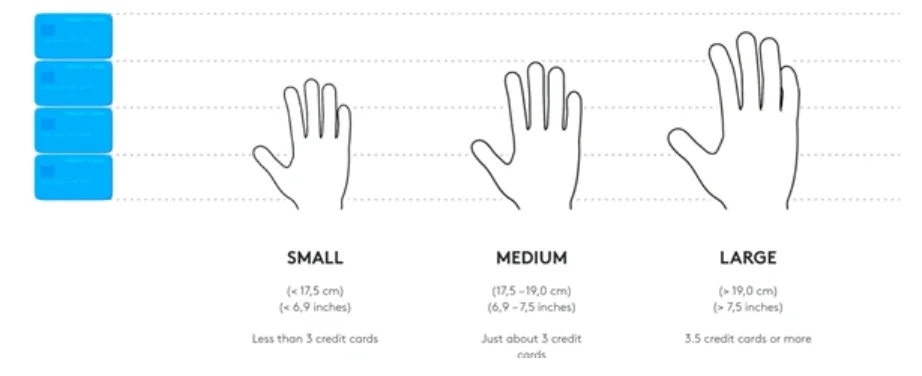
LIFT was designed especially for people looking for a small-to-medium-sized fit for their hands. If you do not know your hand size, wecan help you. Please see below to determine your hand size:
Logitech SmartWheel
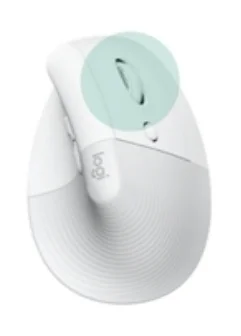
LIFT features SmartWheel scrolling that delivers precision or speed the moment you need it. The magneticwheel lets you seamlessly switch between two scrolling styles with the flick of your finger.
- Line-by-line (ratchet) scroll — Get line-by-line precision when you need to focus on the details. Scroll slowly, you will feel each step on the wheel. Ideal for reading or precise navigation ofitems and lists.
- Speed (inertia) scroll — scroll faster for less friction spinning. It will let you scroll faster andwith less effort through long documents and web pages.
Horizontal scroll
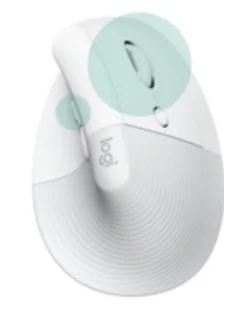
You can scroll horizontally with your mouse. This is done with a two-button combination: Press and holdone of the side buttons and scroll with the wheel simultaneously.
NOTE: The horizontal scroll is ON by default. You can customize this feature in the Point & Scroll tab in Logitech software.
For more detailed information on Horizontal scroll, click here.
Back/Forward buttons
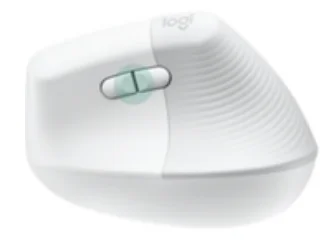
The back and forward buttons enhance navigation and simplify tasks.
To move back and forward, press the back or forward button to navigate web or document pages, depending on the location of the mouse pointer.
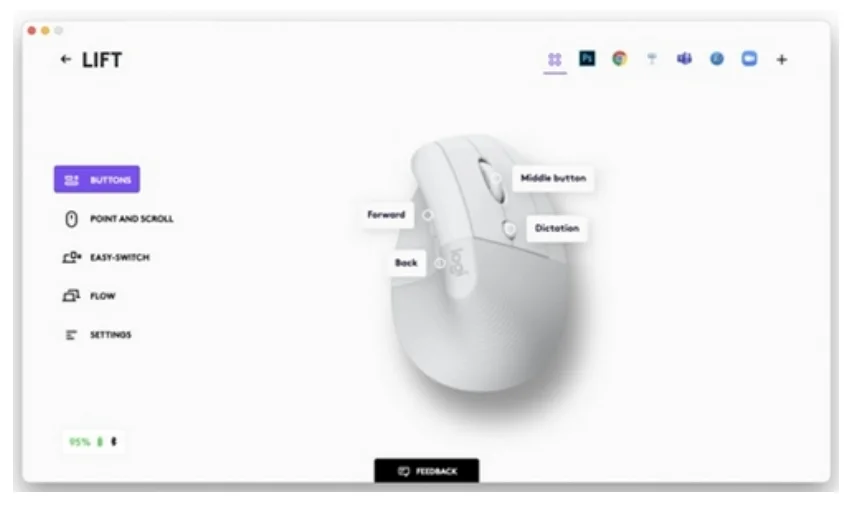
Logitech software lets you assign other useful functions to the buttons, including undo/redo, OSnavigation, volume up/down, and more.
High precision sensor and cursor speed switch
LIFT has an advanced high-precision sensor with 4000 adjustable DPI and an instant DPI Switch.
DPI Switch
The cursor speed switch allows you to toggle between two cursor speeds with the press of a button.
- Cursor speed 1: 1000 DPI
- Cursor speed 2: 1600DPI
With Logitech Options, you will receive an on-screen notification when switching between cursor speed 1and cursor speed 2.
You can also fully customize the speed to your needs. Press and hold the cursor speed switch until theoverlay appears, and then simply move the mouse left or right to adjust the speed.
Easy-Switch
LIFT can connect up to three devices and seamlessly switch between them with a press of a button.
The Easy-Switch button is located at the bottom of the mouse.
Power Management
- LIFT is powered by one AA battery.
- Battery life: Up to 24 months
Logitech Options+
LIFT is supported by Logitech Options+. Logi Options+ Beta is a next-gen app that lets you manage and customize your supportedmice and keyboards — so they all seamlessly work towards your goals. Combining the best features of Options with a brand new, easy-to-use interface, Options+ Beta is designed to transform your daily tasks.
Check out all the possibilities of Logitech Options+ here.
Flow between two computers
You can work on multiple computers with one single mouse.
With Logitech Flow, you can use the mouse cursor to move from one computer to the next. You can even copy and paste betweencomputers, and if you have a compatible Logitech keyboard, the keyboard will follow the mouse and switch computers at the same time.
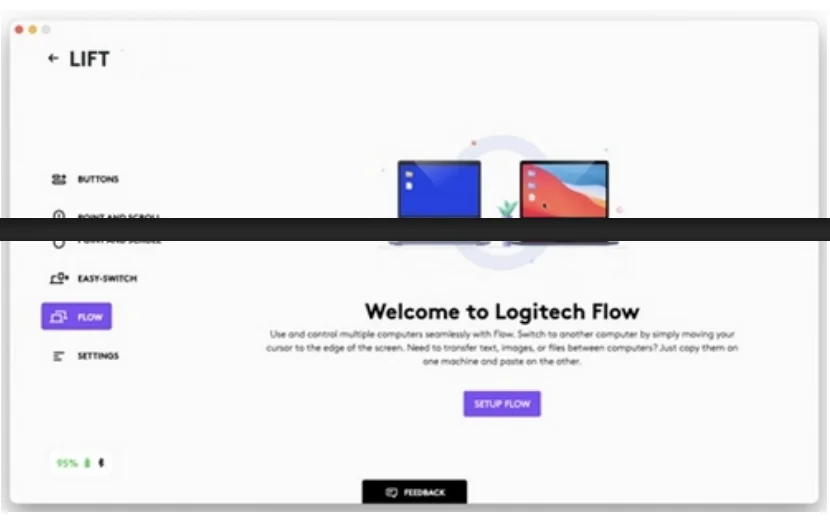
You will need to install Logitech software on both computers and follow these instructions.
STILL NEED HELP?
Want to ask other users with the same product a question? Join the conversation.
For more manuals by Logitech, visit ManualsLibraryy
Logitech Lift Vertical Ergonomic Mouse- FAQs
How does the Logitech Lift mouse improve comfort?
Its vertical design keeps your hand in a relaxed handshake position, reducing pressure on the wrist and forearm.
How many devices can the Logitech Lift connect to?
The mouse can connect to up to three devices and switch between them using the Easy-Switch (1/2/3) button.
What do the 1, 2, and 3 buttons on the mouse mean?
These buttons allow you to quickly switch between paired devices such as a laptop, desktop, or tablet.
What buttons are available on the Logitech Lift mouse?
It includes left and right click, scroll wheel (middle click), forward, back, pointer speed (DPI) button, Easy-Switch button, and power button—up to eight programmable actions.
Can I customize the buttons on the Logitech Lift?
Yes. You can reprogram buttons using Logi Options+ software on Windows and macOS.
Can I change the DPI on the Logitech Lift mouse?
Yes. The mouse supports adjustable DPI up to 4000 DPI, allowing you to toggle cursor speed with a dedicated button.
What does the middle mouse button do?
The middle button enables scrolling functions and can be customized for tasks like auto-scroll or app shortcuts.
How long does the Logitech Lift battery last?
The battery can last up to 24 months, depending on usage and connection mode.