
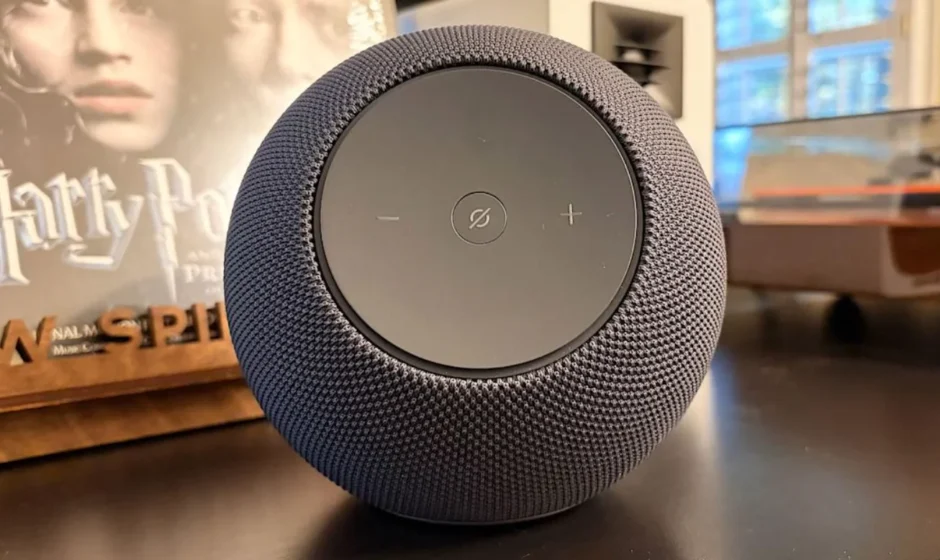

Amazon Echo Studio smart speaker
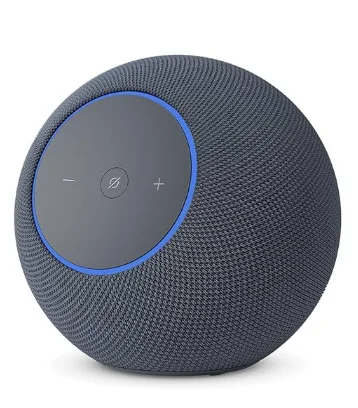
Introduction
The Amazon Echo Studio is a premium smart speaker designed for individuals who desire both exceptional sound quality and smart functionality in a single device. It features multiple built-in speakers—including a powerful woofer and tweeters—that work together to deliver deep bass, clear mids, and crisp highs, creating a rich, room-filling audio experience with Dolby Atmos and spatial audio support for immersive 3D sound. The Echo Studio also automatically adapts its audio to the acoustics of your room for consistently great playback.
Beyond music, the Echo Studio has Alexa built in, so you can use voice commands to play songs, check the weather, control compatible smart home devices, set reminders, and more. It even functions as a smart home hub that supports Zigbee and Matter devices, allowing you to manage lights, plugs, thermostats, and other smart products directly through the speaker.
With multi-room audio and Fire TV integration, Echo Studio can also enhance your home entertainment setup. Its sleek design fits easily into living rooms or common spaces, combining high-fidelity sound with everyday convenience.
MEET YOUR ECHO STUDIO
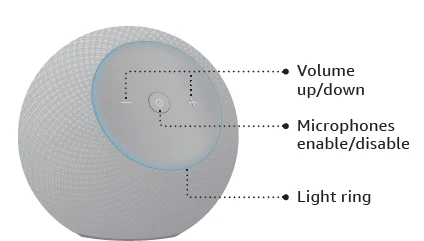
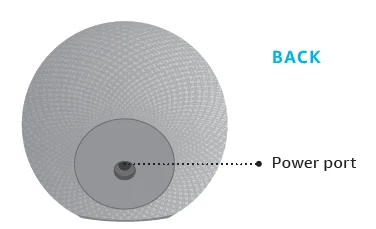
Also included: Power adapter
SET UP YOUR ECHO STUDIO
 Download the Alexa app from the app store
Log in with an existing Amazon account username and password or create a new account.
Note: Be sure to turn on your phone’s Bluetooth and have your wifi password ready. Plug in your Echo Studio
Use the included power adapter. A blue light will flash on the device. In about a minute, Alexa will tell you to complete the setup in the app. Complete setup in the app
If you aren’t prompted to set up your device after opening the Alexa app, tap the More icon to add your device manually. The app helps you get more out of your Echo Studio. It’s where you manage smart home devices, music, settings, and more.
Some features may require customization in the Alexa app, a separate subscription, or an additional compatible smart home device.
 Download the Alexa app from the app store
 Plug in your Echo Studio
 Complete setup in the app
 icon to add your device manually. The app helps you get more out of your Echo Studio. It’s where you manage
 PRIVACY AND SUPPORT
 Privacy controls
Disable the microphones by pressing the microphone enable/disable button. See when Alexa is recording and sending your request to Amazon’s secure cloud via a blue indicator light. Manage your voice history
You can view, hear, and delete the voice recordings associated with your account in the Alexa app at any time. Customer support
For help and troubleshooting, go to Help & Feedback in the Alexa app,or visit amazon.com/devicesupport.
 Privacy controls
  Manage your voice history
 Customer support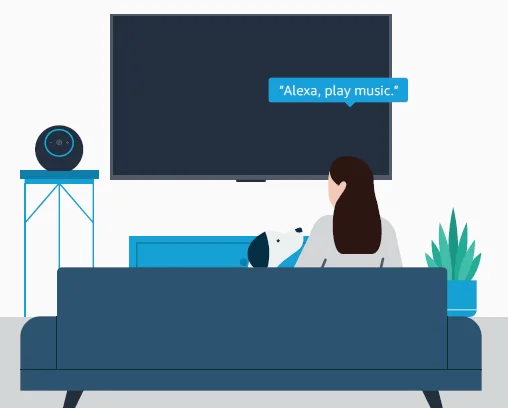
You have control over yourAlexa experience
Explore more at amazon.com/alexaprivacy or amazon.ca/alexaprivacy
Scan for more help
Scan the QR code or visit: amazon.com/setup/echostudio
For more manuals by Amazon basics, visit ManualsLibraryy
Amazon Echo Studio smart speaker-FAQs
What is the Amazon Echo Studio?
The Amazon Echo Studio is a premium smart speaker powered by Alexa. It delivers immersive 3D audio with Dolby Atmos support and lets you control music, smart home devices, and daily tasks using voice commands.
How do I set up the Echo Studio for the first time?
Plug in the speaker, open the Alexa app on your phone, go to Devices > Add Device > Amazon Echo, select Echo Studio, and follow the on-screen instructions.
Do I need the Alexa app to set up Echo Studio?
Yes. The Alexa app is required to connect Echo Studio to Wi-Fi, sign in to your Amazon account, and complete setup.
How does Echo Studio work?
Echo Studio listens for the wake word “Alexa,” processes your request in the cloud, and responds with audio, actions, or smart home control.
Is Echo Studio always listening?
Echo Studio only listens for the wake word. When Alexa is listening, the blue light ring appears.
What are the buttons on top of Echo Studio for?
The buttons control volume up/down, microphone on/off, and action (used for Alexa commands and setup).
How do I pair my phone with Echo Studio?
Say “Alexa, pair Bluetooth,” or go to Bluetooth settings on your phone and select Echo Studio from the device list.
Can Echo Studio be used as a Bluetooth speaker?
Yes. You can pair your phone or tablet via Bluetooth and use Echo Studio like a regular wireless speaker.