
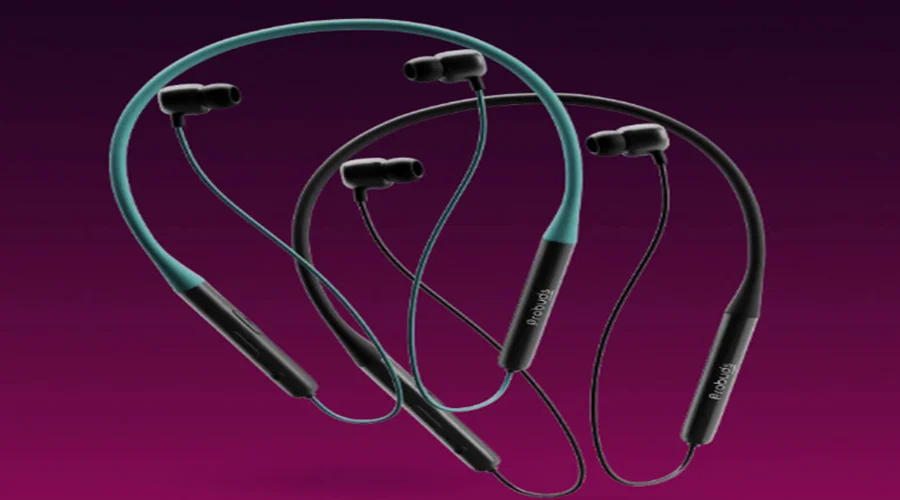

LAVA Probuds N12
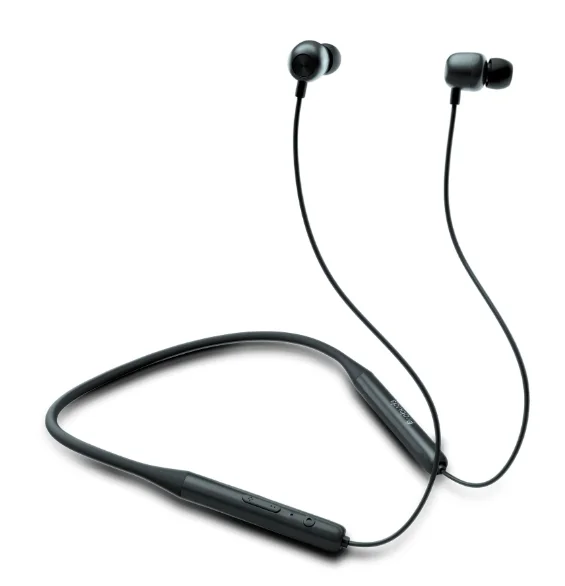
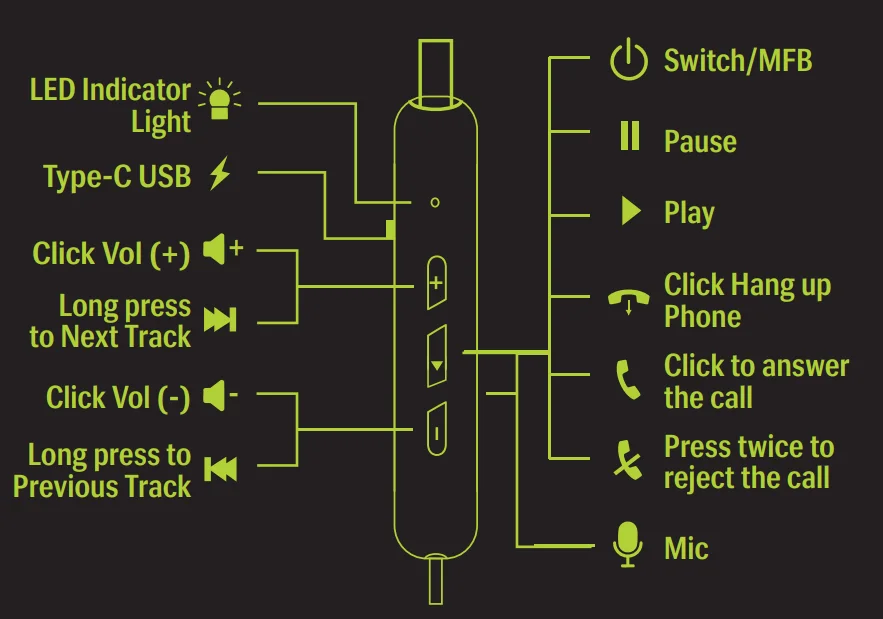
BUTTON OVERVIEW
STEPS TO FOLLOW BEFORE USE
 CHARGING
Fully charge the neckband before using it.
FIRST TIME PAIRING: Choose a Cell Phone which is compatible with a Bluetooth headset or other Bluetooth devices to pair with the “Probuds N12.”
 CHARGING
SWITCHING THE NECKBAND ON & OFF
 POWER ON/OFF
- POWER ON: Long-press the MFB for 3 seconds until the blue indicator light flashes for 1 second with the prompt tone “Power on”.
- POWER OFF: Long-press the MFB for 5 seconds until the red indicator light flashes for 1 second with the prompt tone “Power off”.
 POWER ON/OFF
NOTE: After powering on, if the device is not connected for 5 minutes, it’ll power off automatically.
CONNECTING WITH THE PHONE
 PAIRING
- STEP 1: Turn on your Device. Enters Bluetooth mode with Voice Prompt “Bluetooth Mode”. After 1 second Enters Pairing mode with voice Prompt “Pairing”.
- STEP 2: Search with Bluetooth on your Device.
- STEP 3: Choose “PROBUDS N12”
- STEP 4: *Blue LED + Prompt tone “ Connected” on PROBUDS N12

 PAIRING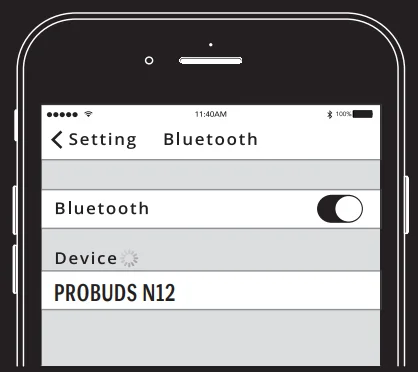
NOTE: When powered on, “PROBUDS N12” automatically connects with the last paired device if it is in the connection range with Bluetooth turned on: Notifies with a voice prompt, “Connected.” If the device disconnects, notify with the voice prompt “Disconnected.”
FACTORY RESET
 RESET FACTORY SETTING
Press both volume buttons “+” & “-” together for 5 seconds to reset the neckband. All pairing records of your neckband are now deleted. DUAL PAIRING
Follow the steps to connect 2 devices with PROBUDS N12:- Pair “PROBUDS N12” with “Device A”. Once pairing is done, disable the Bluetooth function of A.
- Pair “PROBUDS N12” with “Device B’ and after connecting successfully, enable the Bluetooth function of A.
- Both Devices A & B are now connected in parallel with the PROBUDS N12.
 RESET FACTORY SETTING
 DUAL PAIRING
NOTE: If your Device supports the automatic re-connection function, ‘PROBUDS N12” will be automatically connected to Device A.
CONTROLLING THE CALLS WITH MFB
- ANSWER/END CALL
Short-press the “Multi-function button” to answer or end a call—notifies with the voice prompt “Incoming call” or the phone ringtone.  CALL WAITING/SWITCHING A CALL
Press the “Multi-function button” to put the current call on hold and answer the waiting call. Long-press the “Multi-function button” to switch back to the first call. Press the “Multi-function button ” short,” and you can end the current call. REJECT CALL
Press the “Multi-function key” twice during an incoming call.- REDIAL LAST DIALED
Triple-click the “Multi-function button” to redial the last number from the device call list.
 ANSWER/END CALL
 CALL WAITING/SWITCHING A CALL
 REJECT CALL
NOTE: The above functions work in a standby or usage state
CONTROLLING THE MUSIC WITH MFB
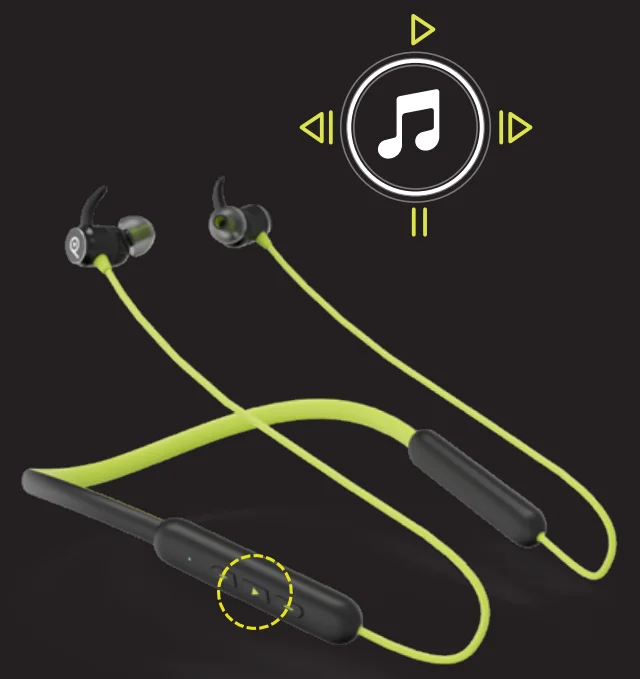
 MULTIMEDIA (MUSIC/VIDEO) PLAY/PAUSE
In music mode, press the “Multi-function button” once to pause, press it again to play. VOLUME UP/DOWN
Short-press the “–” button for volume down. Press the “+” button for volume up. The beep sound indicates the maximum/minimum volume.- PREVIOUS/NEXT SONG/VIDEO
Press the “-” button for 2 seconds to play the previous song/video. Press the “+” button for 2 seconds to play the next song/video.
 MULTIMEDIA (MUSIC/VIDEO) PLAY/PAUSE
 VOLUME UP/DOWN
 PREVIOUS/NEXT SONG/VIDEO
GAME
 GAME MODE
When the phone is connected, press the multifunction key twice to enter/exit game mode with a Voice Prompt “Pro- Game Mode.”
 GAME MODE
CONTROLLING THE VOICE ASSISTANT
 ENABLING/DISABLING THE VOICE ASSISTANCE
GOOGLE/SIRI:-At the standby or music state, press the MFB button for 2 seconds and release. A beep sound will enable the voice assistant. Pressing MFB again for 2 seconds will disable the same.
 ENABLING/DISABLING THE VOICE ASSISTANCE
BATTERY & CHARGING INDICATORS
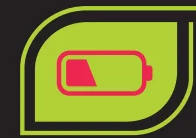
 LOW BATTERY
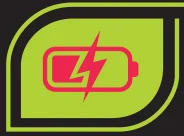
At 20% battery, the neckband will notify with a voice prompt “Low Battery”, and the red light flash after every 5 seconds.- CHARGING
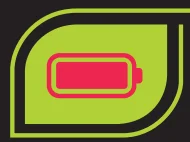
Red light indicator on.  FULL CHARGE
Blue Light on.
 LOW BATTERY
 CHARGING
 FULL CHARGE
SAFETY AND MAINTENANCE
Please read the suggestion below in order to help prolong the product lifespan and clearly understand the warranty clauses.
- Keep the product dry; do not put it in humid circumstances to avoid a short circuit.
- Do not expose it to the sun or high heat. High heating will short lifespan of electroniccomponents, damage the battery, and deform some plastic parts.
- Do not put it in cold circumstances to avoid damage to the PCB board.
- Do not attempt to take apart the product.
- Do not fall, vibrate strongly, or strike with hard objects, to avoid damage to the inner electronic circuit.
- Do not use high chemical products detergent to clean the item.
- Do not scratch the surface with sharp items to avoid damaging the case and appearance.
- Do not overcharge continuously for the sake of lifespan.
For more manuals by LAVA, visit ManualsLibraryy
LAVA Probuds N12-FAQs
What are the key features of the LAVA Probuds N12?
The LAVA Probuds N12 wireless neckband earphones offer long 35+ hours of playback, Bluetooth 5.3 connectivity, Environmental Noise Cancellation (ENC) for clearer calls, and fast charging that can give several hours of use from a short 10-minute charge. They also support low-latency gaming mode and are designed with sweat- and water-resistance for everyday use.
How do I pair my LAVA Probuds N12 with a phone?
To pair, power on the neckband by long-pressing the Multi-Function Button (MFB) until the LED flashes. Then enable Bluetooth on your phone, search for “PROBUDS N12”, and select it to connect. Once paired the first time, they’ll usually auto-reconnect when powered on and in range.
How can I control music and calls on the Probuds N12?
Use the inline buttons: press the MFB once to play/pause music or answer/end calls. The volume +/- buttons adjust audio, and long-pressing them skips tracks. Double-pressing the MFB usually rejects calls. These controls keep you from constantly reaching for your device.
What is ENC and how does it work on the Probuds N12?
Environmental Noise Cancellation (ENC) reduces background noise during calls, making your voice clearer to the person on the other end. ENC uses built-in microphones to detect ambient sounds and filter them out, which is especially useful in noisy environments like streets or offices.
How long does the battery last and how do I charge the Probuds N12?
The Probuds N12 deliver 35+ hours of playback on a full charge. They support fast charging, where a short 10-minute charge can provide significant additional playtime. Charging is via a USB-C port on the neckband itself.
Can I connect the Probuds N12 to two devices at once?
Yes — the Probuds N12 support dual device pairing. Pair with one device (Device A), then pair with a second (Device B). Re-enable Bluetooth on Device A and the neckband can stay connected to both simultaneously, letting you switch between them easily.
What should I do if my Probuds N12 won’t connect or pair?
If pairing fails, turn Bluetooth off and on on your phone, forget the “PROBUDS N12” device, and try pairing again. You can also reset the neckband (refer to the manual for reset steps) to clear stored connections and try fresh pairing.
What are common troubleshooting tips for audio quality issues?
For muffled or uneven sound, first check ear tip fit and placement in your ears. Low volume or distant sound can often be resolved by adjusting fit or reducing background noise. Updating Bluetooth settings or reconnecting devices can also help audio clarity if interference occurs
How do I activate voice assistant or gaming mode on the Probuds N12?
To activate your phone’s voice assistant (like Siri or Google Assistant), press and hold the MFB in standby or music mode. For gaming mode (low latency), press the MFB a specific number of times as outlined in the manual to toggle the mode on or off.