
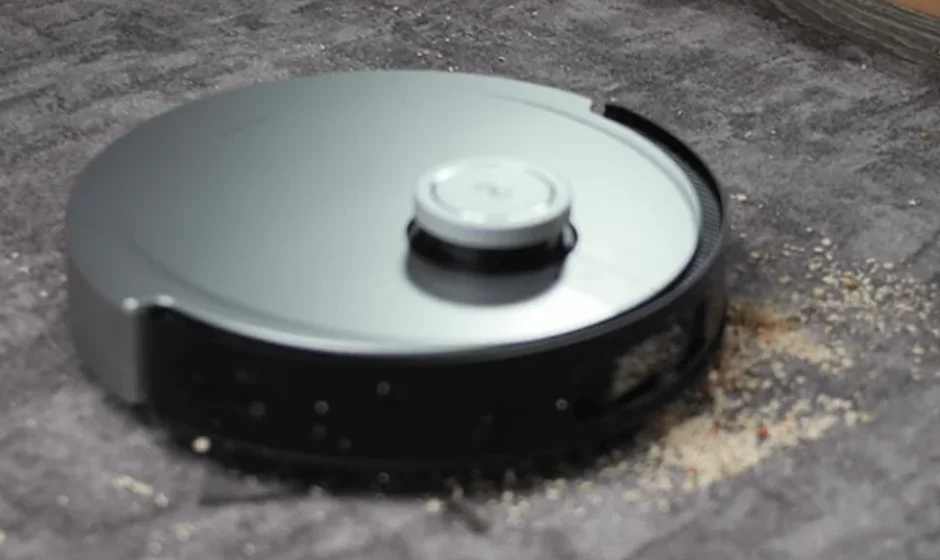

DEEBOT X1 PLUS Robot Vacuum
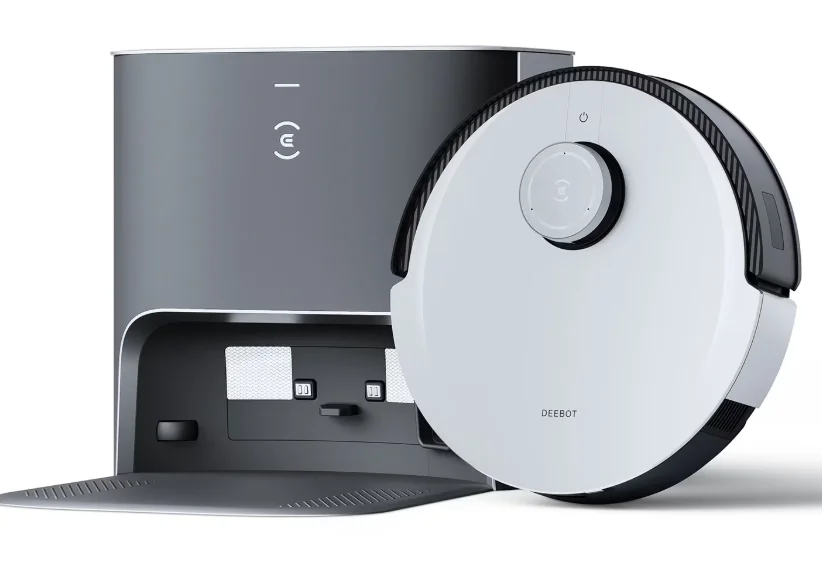
IMPORTANT SAFETY INSTRUCTIONS
When using an electrical Appliance, basic precautions should always be followed, including the following:
Important Safety Instructions:
READ ALL INSTRUCTIONS BEFORE USING THIS APPLIANCE. SAVE THESE INSTRUCTIONS
- This Appliance can be used by children aged 8 years and above and persons with reduced physical, sensory, or mental capabilities or lack of experience and knowledge if they have been given supervision or instruction concerning the use of the Appliance in a safe way and understand the hazards involved. Children shall not play with the Appliance. Cleaning and user maintenance shall not be made by children without supervision.
- Clear the area to be cleaned. Remove power cords and small objects from the floor that could entangle the Appliance. Tuck rug fringe under the rug base, and lift items such as curtains and tablecloths off the floor.
- If there is a drop off in the cleaning area due to a step or stairs, you should operate the Appliance to ensure that it can detect the step without falling over the edge. It may become necessary to place a physical barrier at the edge to keep the unit from falling. Make sure the physical barrier is not a trip hazard.
- Only use as described in this manual. Only use attachments recommended or sold by the manufacturer.
- Please make sure your power supply source voltage matches the power voltage marked on the Docking Station.
- For INDOOR household use ONLY. Do not use the Appliance in outdoor, commercial, or industrial environments.
- Use only the original rechargeable battery and Docking station provided with the Appliance from the manufacturer. Non-rechargeable batteries are prohibited.
- Do not use without a dust bin and/or filters in place.
- Do not operate the Appliance in an area where there are lit candles or fragile objects.
- Do not use in extremely hot or cold environments (below -5°C/23°F or above 40°C/104°F).
- Keep hair, loose clothing, fingers, and all parts of the body away from any openings and moving parts.
- Do not operate the Appliance in a room where an infant or child is sleeping.
- Do not use the appliance on wet surfaces or surfaces with standing water.
- Do not allow the Appliance to pick up large objects like stones, large pieces of paper or any item that may clog the Appliance.
- Do not use an appliance to pick up flammable or combustible materials such as gasoline, printer or copier toner, or use in areas where they may be present.
- Do not use the appliance to pick up anything that is burning or smoking, such as cigarettes, matches, hot ashes, or anything that could cause a fire.
- Do not put objects into the suction intake. Do not use if the suction intake is blocked. Keep the intake clear of dust, lint, hair, or anything that may reduce air flow.
- Take care not to damage the power cord. Do not pull on or carry the Appliance or Docking station by the power cord, use the power cord as a handle, close a door on the power cord, or pull the power cord around sharp edges or corners. Do not run the appliance over the power cord. Keep the power cord away from hot surfaces.
- If the power cord is damaged, it must be replaced by the manufacturer or its service agent to avoid a hazard.
- Do not use the Docking Station if it is damaged. The power supply is not to be repaired or used any longer if it is damaged or defective.
- Do not use with a damaged power cord or receptacle. Do not use the Appliance or Docking station if it is not working properly, has been dropped, damaged, left outdoors, or comes in contact with water. It must be repaired by the manufacturer or its service agent to avoid a hazard.
- Turn OFF the power switch before cleaning or maintaining the Appliance.
- The plug must be removed from the receptacle before cleaning or maintaining the Docking station.
- Remove the Appliance from the Docking station, and turn OFF the power switch to the Appliance before removing the battery for disposal of the Appliance.
- The battery must be removed and discarded according to local laws and regulations before disposal of the Appliance.
- Please dispose of used batteries according to local laws and regulations.
- Do not incinerate the Appliance even if it is severely damaged. The batteries can explode in a fire.
- When not using the Docking station for a long period of time, please unplug it.
- The Appliance must be used in accordance with the directions in this Instruction Manual. Ecovacs Home Service Robotics cannot be held liable or responsible for any damages or injuries caused by improper use.
- The robot contains batteries that are only replaceable by skilled persons. To replace the robot’s battery, please contact Customer Service.
- If the robot will not be used for a long time, power OFF the robot for storage and unplug the Docking station.
- WARNING: For the purposes of recharging the battery, only use the detachable supply unit CH2229 provided with the Appliance. The lithium battery type suitable for CH2229 is Max 8 cells, max. nominal voltage DC14.4V, rated capacity 5,900mAh.The battery must be removed and discarded according to local laws and regulations before disposal of the Appliance. To satisfy RF exposure requirements, a separation distance of 20 cm or more should be maintained between this device and persons during device operation.
To ensure compliance, operations closer than this distance are not recommended. The antenna used for this transmitter must not be co-located in conjunction with any other antenna or transmitter.
CAUTION: USE ONLY AS DIRECTED. KEEP OUT OF REACH OF CHILDREN AND PETS. EYE IRRITANT. Avoid contact with eyes, skin, and clothing. In case of contact with skin or eyes, wash immediately with plenty of water for 15 minutes. If eye irritation persists, consult a physician. Do not ingest. IF SWALLOWED, do not induce vomiting; call a physician or poison control center immediately. DO NOT PLACE NEAR HEAT OR OPEN FLAME. The product is not to be used by persons with reduced physical, sensory or mental capabilities. Used on DEEBOT and for indoor air deodorization only. Do not disassemble the capsule. Wash hands after handling. Keep away from foodstuffs, beverages and feed. Keep in a dry and well-ventilated place. ispose in accordance with local regulation.
WARNING: May cause an allergic skin reaction. Toxic to aquatic life with long-lasting effects. Harmful to aquatic life with long-lasting effects.
PACKAGE CONTENTS
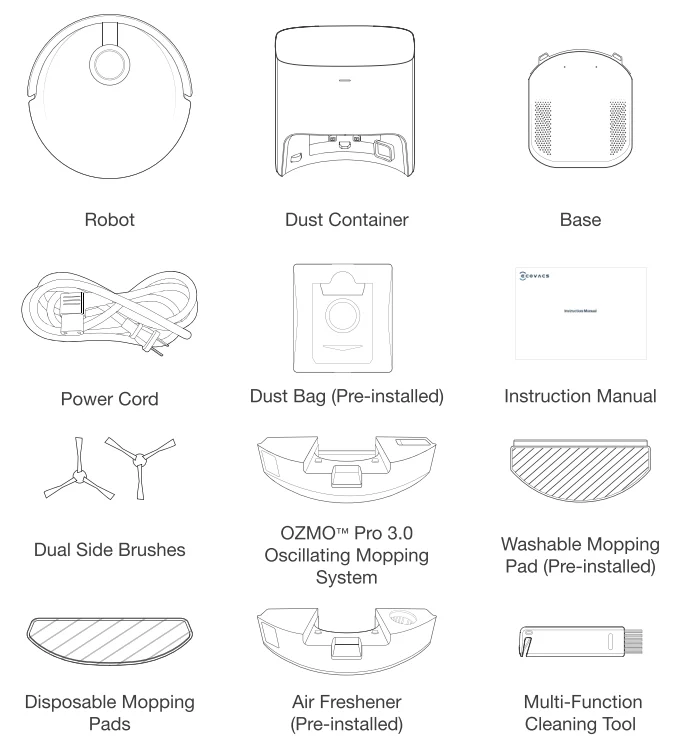
Note: Figures and illustrations are for reference only and may differ from actual product appearance. Product design and specifications are subject to changes without notice.
- Air Freshener Capsule is sold separately and works with Air Freshener. Explore more accessories at https://www.ecovacs.com/global.
Product Diagram
Robot
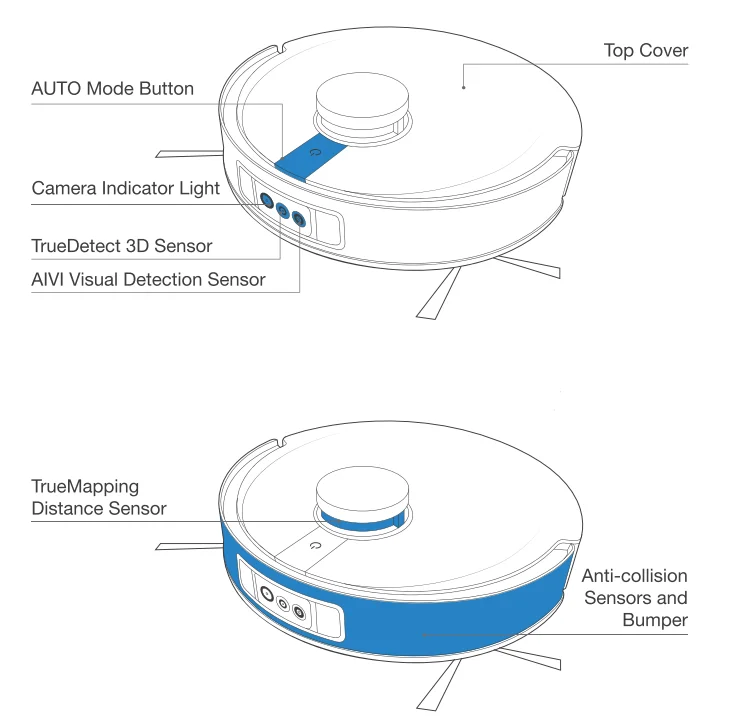
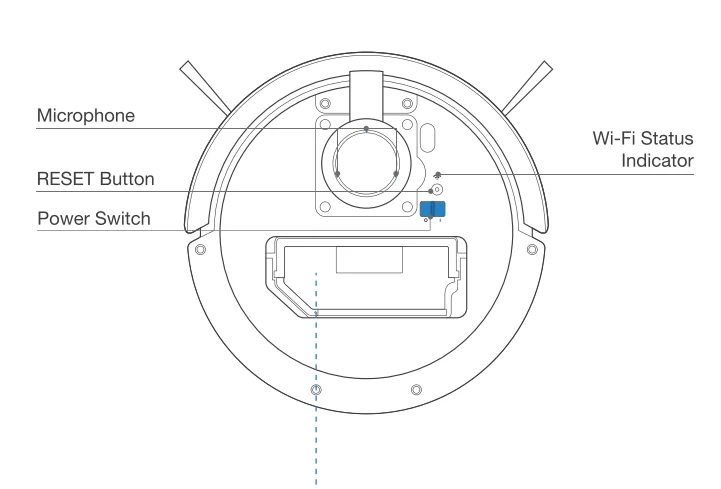
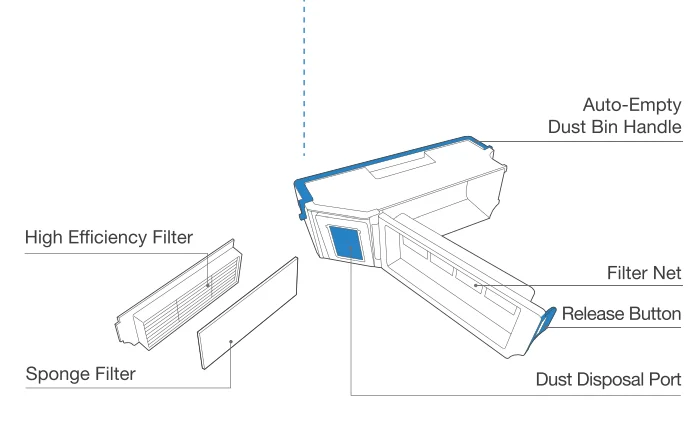
Auto-Empty Dust Bin
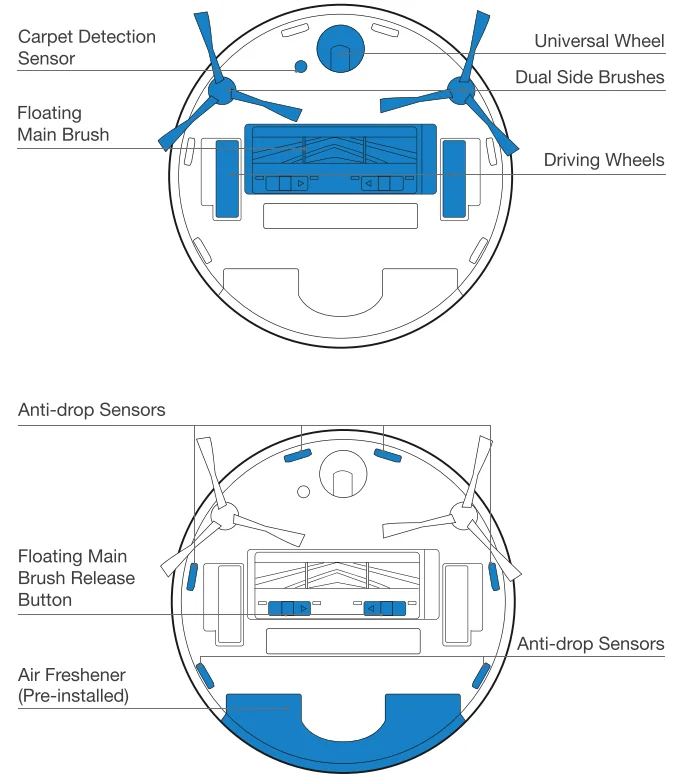
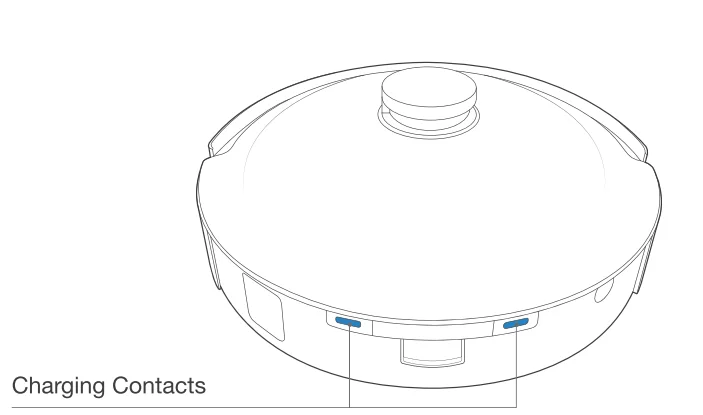
Bottom View
OZMO Pro 3.0 Oscillating Mopping System
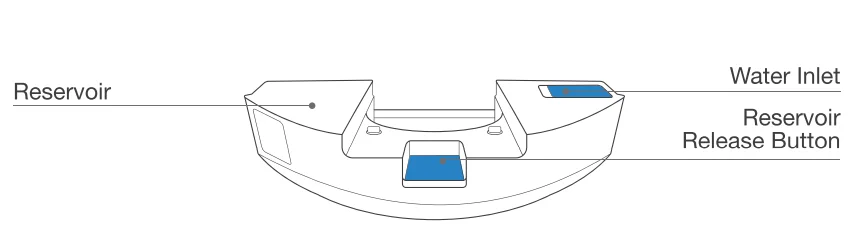
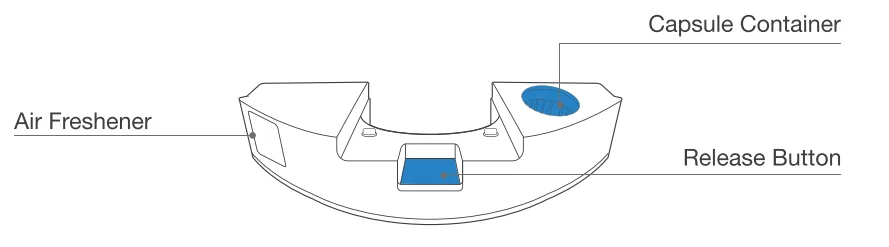
Air Freshener (Pre-installed)
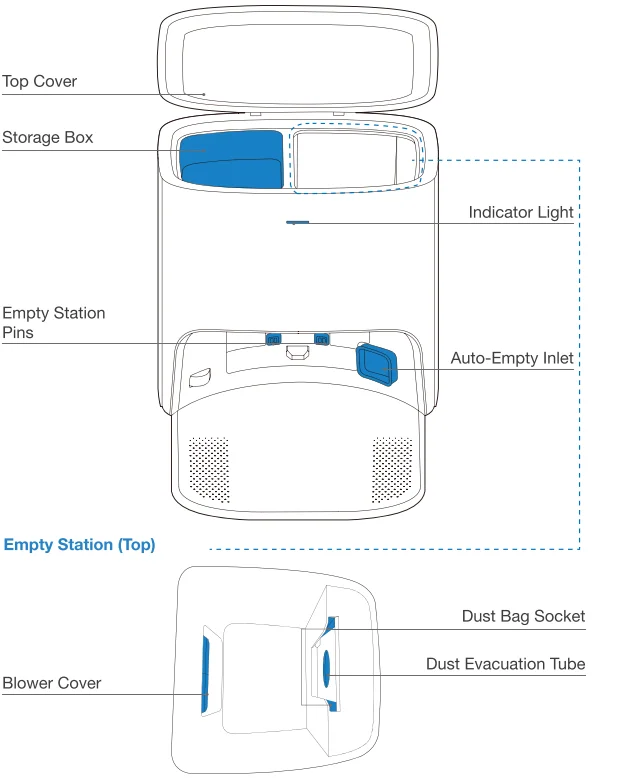
Empty Station
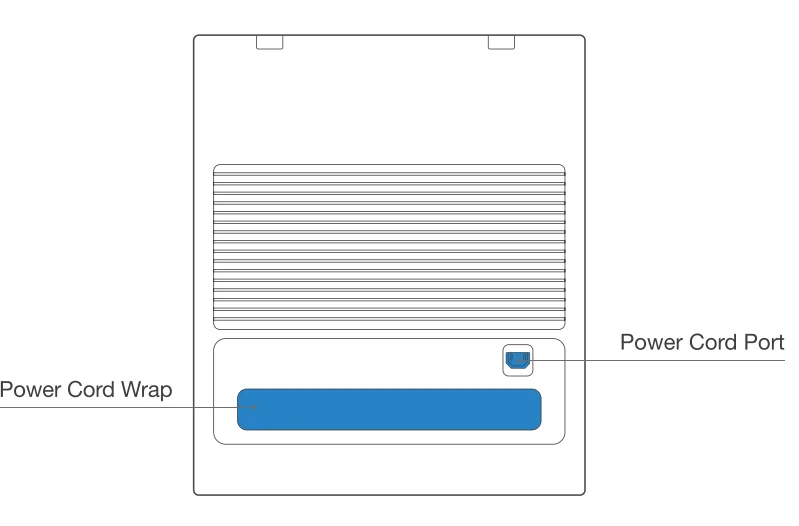
Empty Station (back)
 Dust Bag
 Dust Bag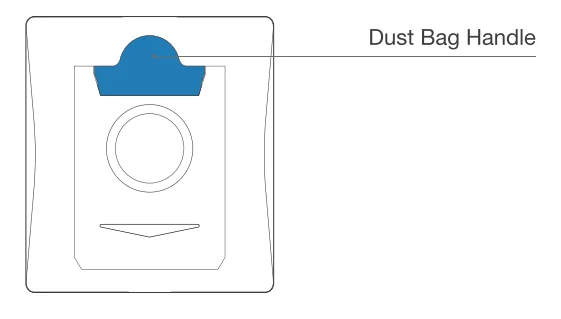
Notes Before Cleaning
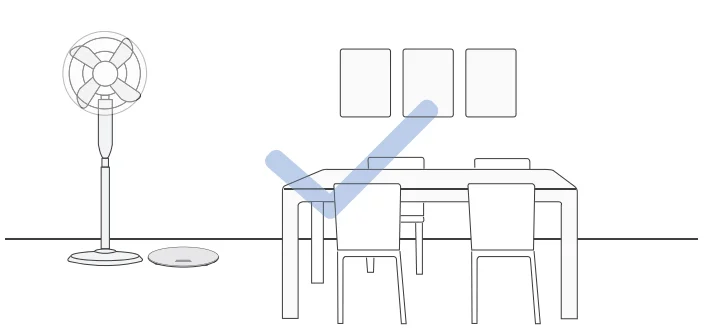
- Tidy up the area to be cleaned by putting furniture, such as chairs, in their proper place.

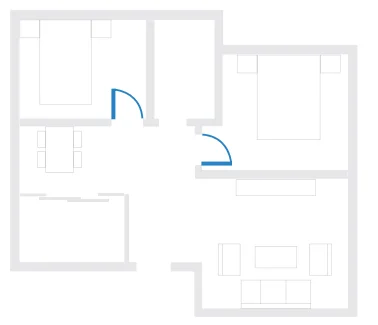
- During the first use, make sure each room door is open to help DEEBOT fully explore your house.

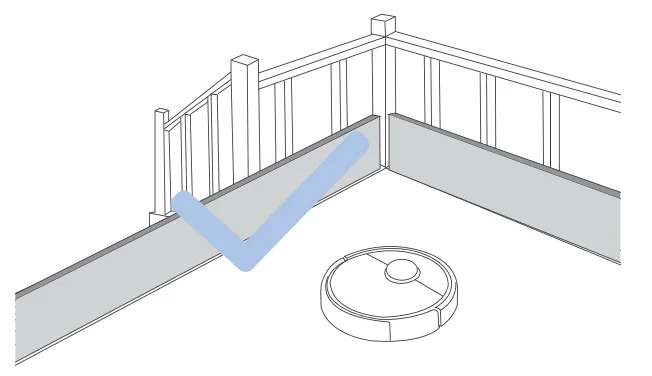
- It may be necessary to place a physical barrier at the edge of a drop to stop the unit from falling over the edge.

- Make sure areas to be cleaned are well illuminated so Visual Detection works properly. Remove power cords and small objects from the floor to ensure cleaning efficiency.
 Put away objects, including cables, clothes, and slippers, on the floor to improve cleaning efficiency.
 Clean the AIVI Visual Detection Sensor and TrueMapping Distance Sensor with a clean cloth, and avoid using any detergent or cleaning spray.
 Before using the product on a rug with tasseled edges, please fold the rug edges under.
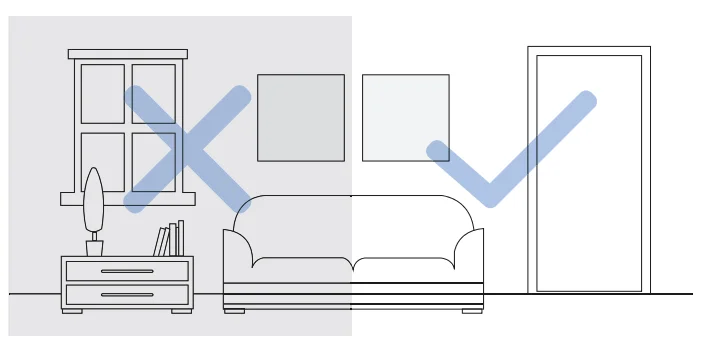
 Please do not stand in narrow spaces, such as hallways, and make sure not to block the Detection Sensor.
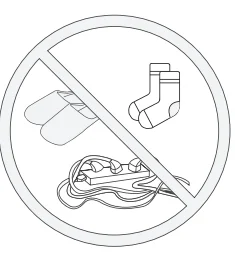 Put away objects, including cables, clothes, and slippers, on the floor to improve cleaning efficiency.
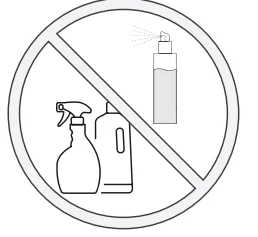 Clean the AIVI Visual Detection Sensor and TrueMapping Distance Sensor with a clean cloth, and avoid using any detergent or cleaning spray.
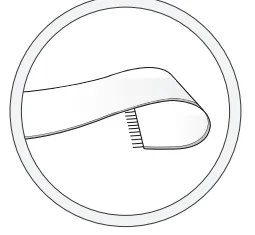 Before using the product on a rug with tasseled edges, please fold the rug edges under.
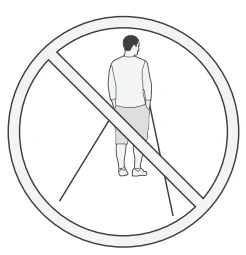 Please do not stand in narrow spaces, such as hallways, and make sure not to block the Detection Sensor.
Quick Start
Before using DEEBOT, please remove all protective films or protective strips from DEEBOT and the Empty Station.
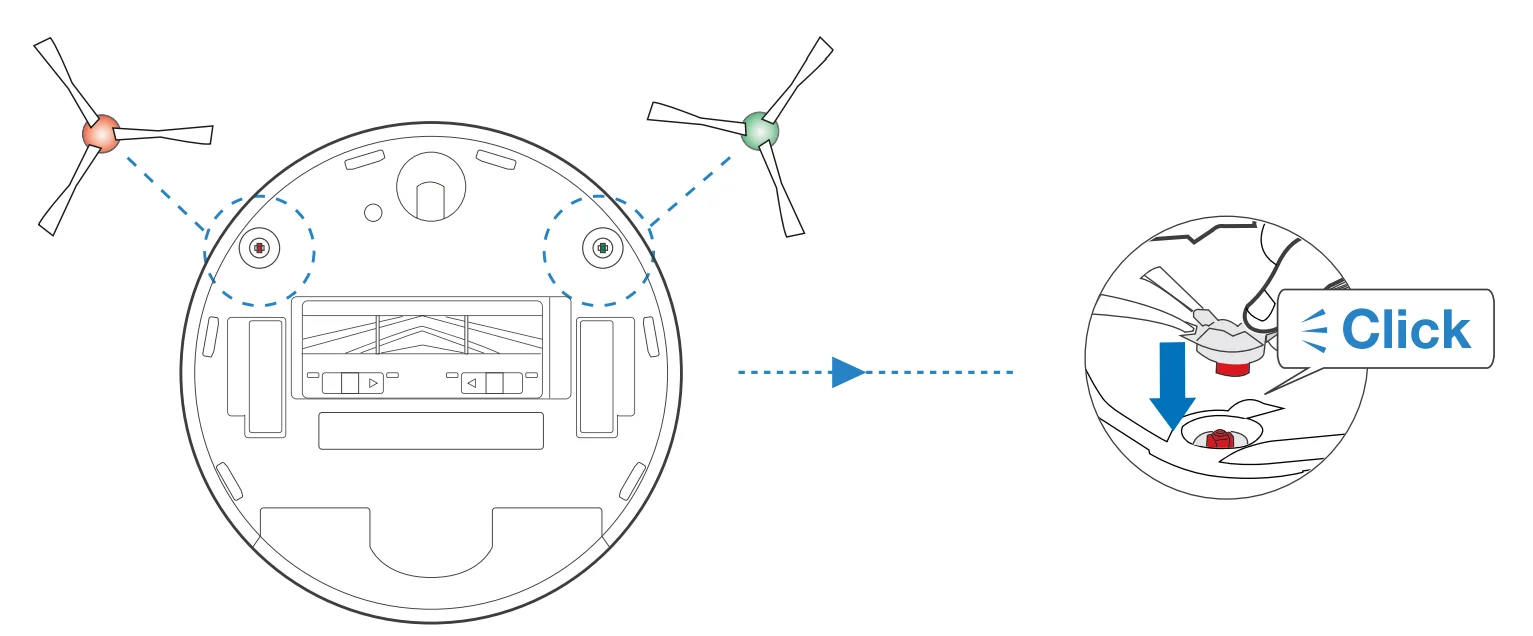
Install the Dual Sida Brushes
Make sure the color of the Dual Side Brushes is consistent with that of the mounting slot.
ECOVACS HOME App
To enjoy all available features, it is recommended to control your DEEBOT via the ECOVACS HOME app.
Before you start, make sure that
- Your mobile phone is connected to a Wi-Fi network
- The 2.4GHz band wireless signal is enabled on your router.
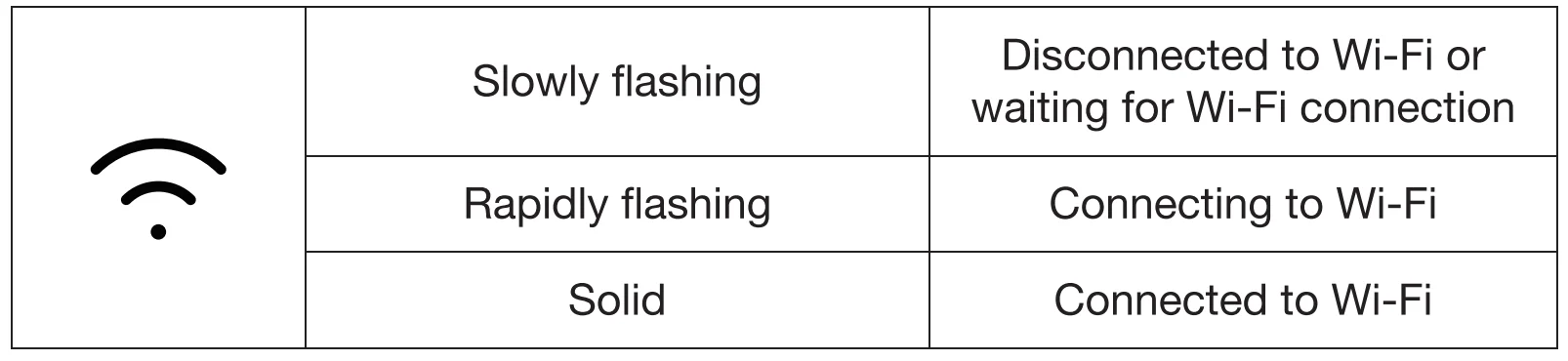
- The Wi-Fi indicator light on DEEBOT is slowly flashing.


Wi•Fi Indicator Light
Wi-Fi Connection
Before WI-Fl setup, make aura DEEBOT, mobile phone, and WI-Fl network meet the following requirements.
DEEBOT and Mobile Phone Requirements
- DEEBOT is fully charged, and the power switch of DEEBOT is turned on.
- Wi-Fi status light slowly flashes.
- Turn off your mobile phone’s cellular data (you can turn it back on after setup).
Wi-Fi Network Requirements
- You are using a 2.4GHz or 2.4/5 GHz mixed network.
- Your router supports 802.11 b/g/n and 1Pv4 protocol.
- Do not use a VPN (Virtual Private Network) or Proxy Server.
- Do not use a hidden network.
- WPA and WPA2 using TKIP, PSK, AES/CCMP encryption.
- WEP EAP (Enterprise Authentication Protoco0 is not supported.
- Use Wi-Fi channels 1-11 in North America and channels 1-13 outside North America (refer to local regulatory agency).
- If you are using a network extender/repeater, the network name (SSID) and password are the same as your primary network.
After Wi-Fi connection, DEEBOT will enter into Networked Standby mode if it has no signal input within 10 minutes. Please be aware that the realization of intelligent functions such as remote startup, voice interaction, 2D/3D map display, and control settings, and personalized cleaning (depending on different products) requires users to download and use the ECOVACS HOME App, which is constantly updated. You need to agree to our Privacy Policy and User Agreement before we can process some of your basic and necessary information and enable you to operate the product.If you do not agree with our Privacy Policy and User Agreement, some of the aforementioned intelligent functions cannot be realized through the ECOVACS HOME App, but you can still use the basic functions of this product for manual operation.
Charging DEEBOT
- Connect Power Cord

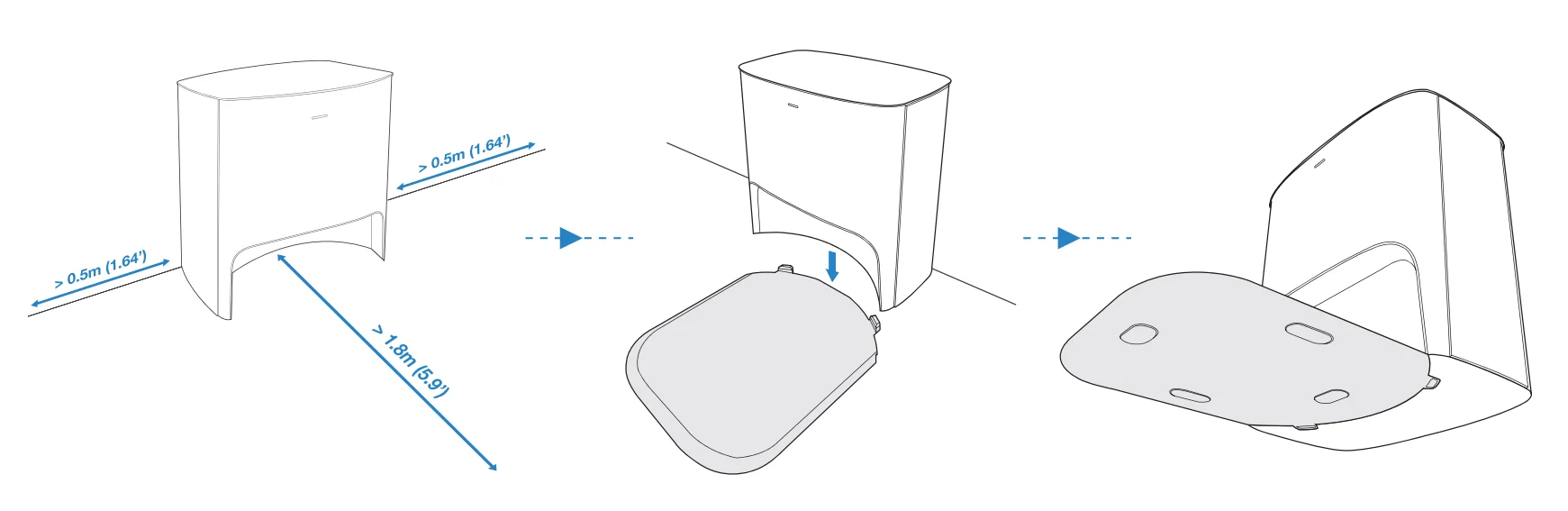
- Empty Station Placement and Assembly
Keep the area around the Station clear of objects and reflective object surfaces.
- Power ON
 Note: I = ON, 0 = OFF.
DEEBOT cannot be charged when being powered OFF. - Charge DEEBOT
 It is recommended that DEEBOT start cleaning from the Station. Do not move the Station while cleaning. When cleaning is complete,it is recommended to remove the Mopping Pad and manually place DEEBOT into the Station.
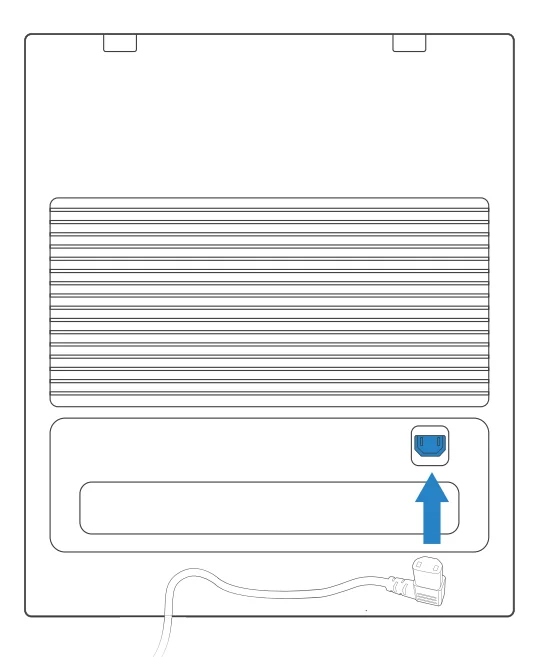
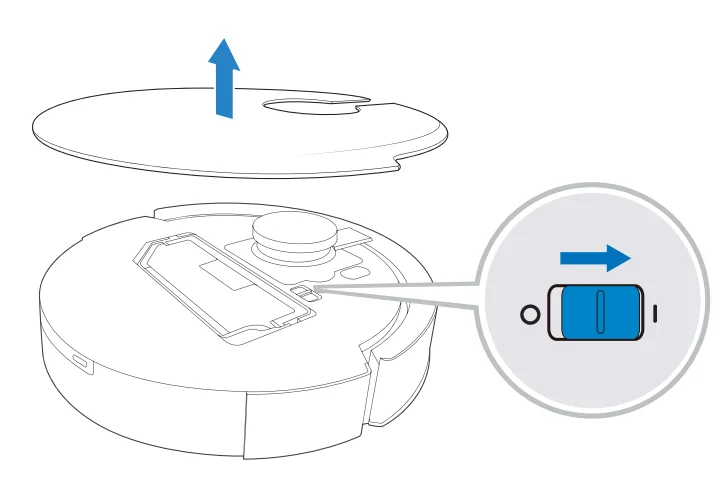 Note: I = ON, 0 = OFF.
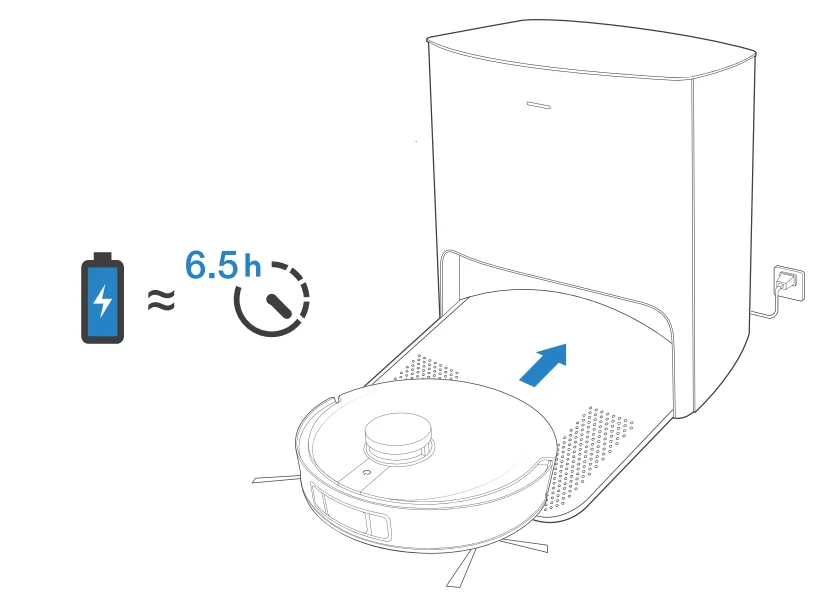 It is recommended that DEEBOT start cleaning from the Station. Do not move the Station while cleaning. When cleaning is complete,it is recommended to remove the Mopping Pad and manually place DEEBOT into the Station.
Operating DEEBOT
For the first-time cleaning, please ensure that DEEBOT is fully charged.
During the first cleaning:
- Please make sure to install the Air Freshener to create a home map in the ECOVACS HOME App
- Please ensure that DEEBOT is fully charged.
- Please supervise DEEBOT and assist it should there be a problem.
- Start

- Pause/Wake Up
 Note: The robot’s Control Panel stops glowing after the robot is paused for a few minutes. Press the AUTO Mode Button on DEEBOT to wake up the robot.
 - Return to Charge
Press for 3 seconds to send DEEBOT back to the Empty Station.
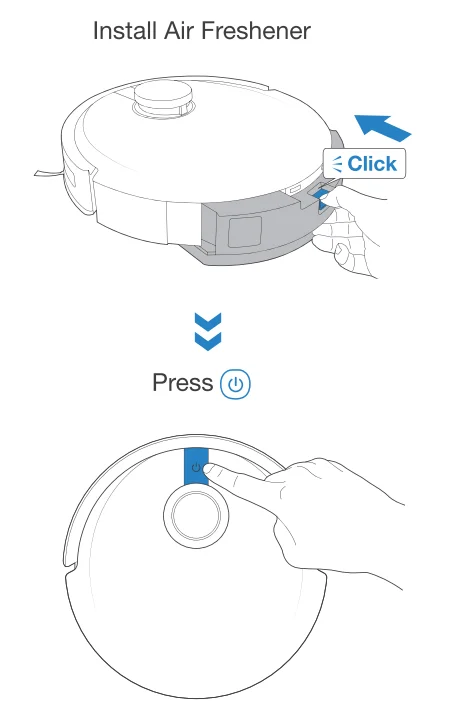
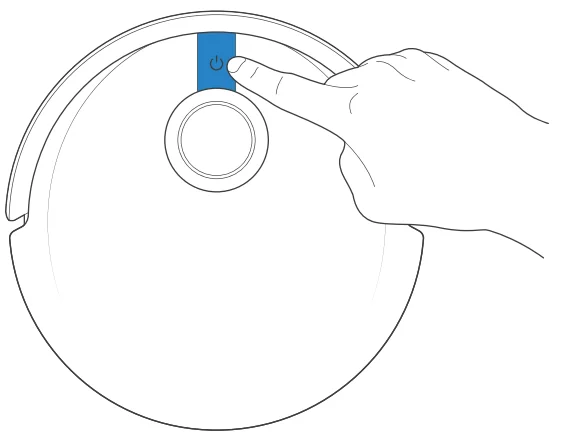 Note: The robot’s Control Panel stops glowing after the robot is paused for a few minutes. Press the AUTO Mode Button on DEEBOT to wake up the robot.
 for 3 seconds to send DEEBOT back to the Empty Station.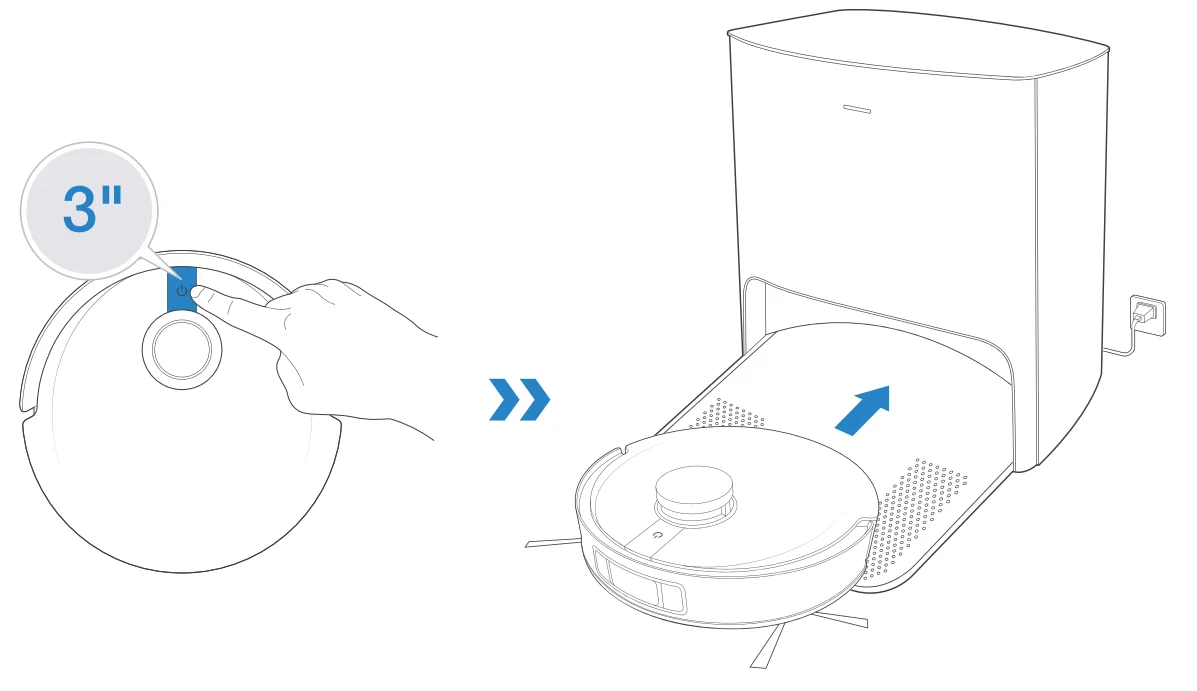
OZMO Pro 3.0 Oscillating Mopping System
Note:
- Install OZMO Pro 3.0 Oscillating Mopping System for floor scrubbing.
- Before installing OZMO Pro 3.0 Oscillating Mopping System, please make sure the contacts are thoroughly dry.
- Please avoid using OZMO Pro 3.0 Oscillating Mopping System on the carpet.
- It is recommended to drench and wring out the Mopping Pad before installing it to have a better cleaning.
- Add Water
 *To prolong the service life of OZMO Pro 3.0 Oscillating Mopping System, it is recommended to use purified water or softened water.
*Do not soak OZMO Pro 3.0 Oscillating Mopping System in water. - Dry Contacts Thoroughly

- Install OZMO Pro 3.0 Oscillating Mopping System

- Start Cleaning

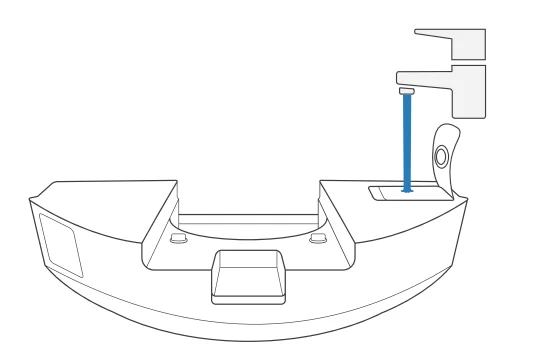 *To prolong the service life of OZMO Pro 3.0 Oscillating Mopping System, it is recommended to use purified water or softened water.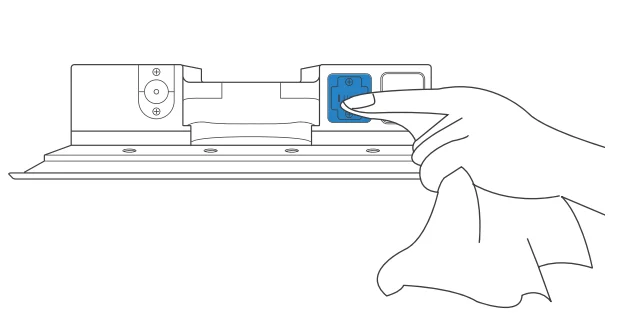
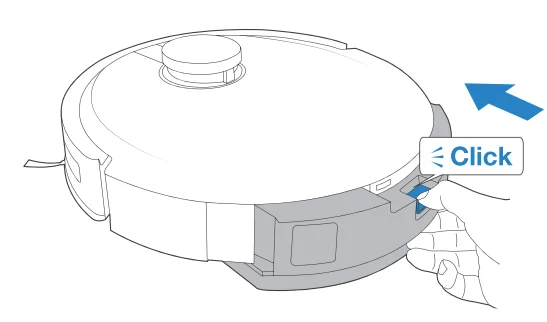
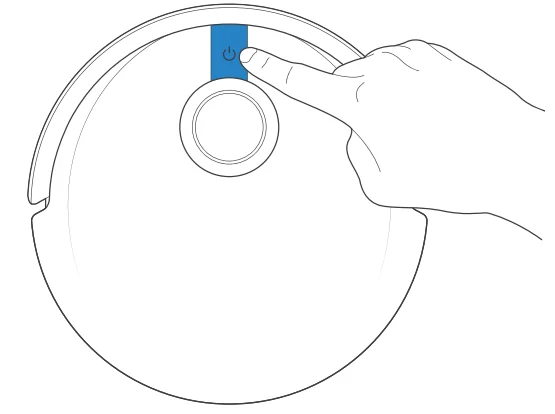
Air Freshener
- Install Air Freshener Capsule (sold separately)

- Install Air Freshener

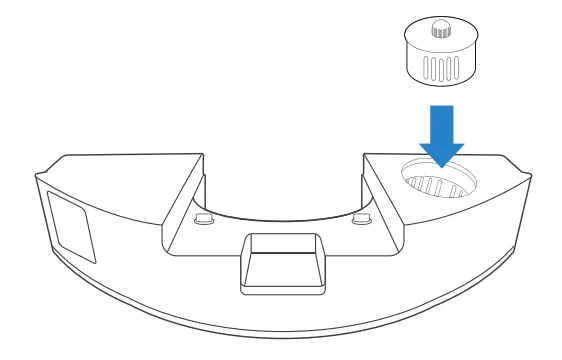
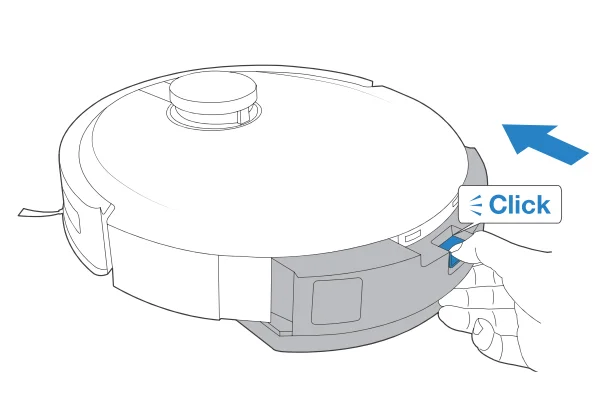
Regular Maintenance
To keep DEEBOT running at peak performance, perform maintenance tasks and replace parts with the following frequencies: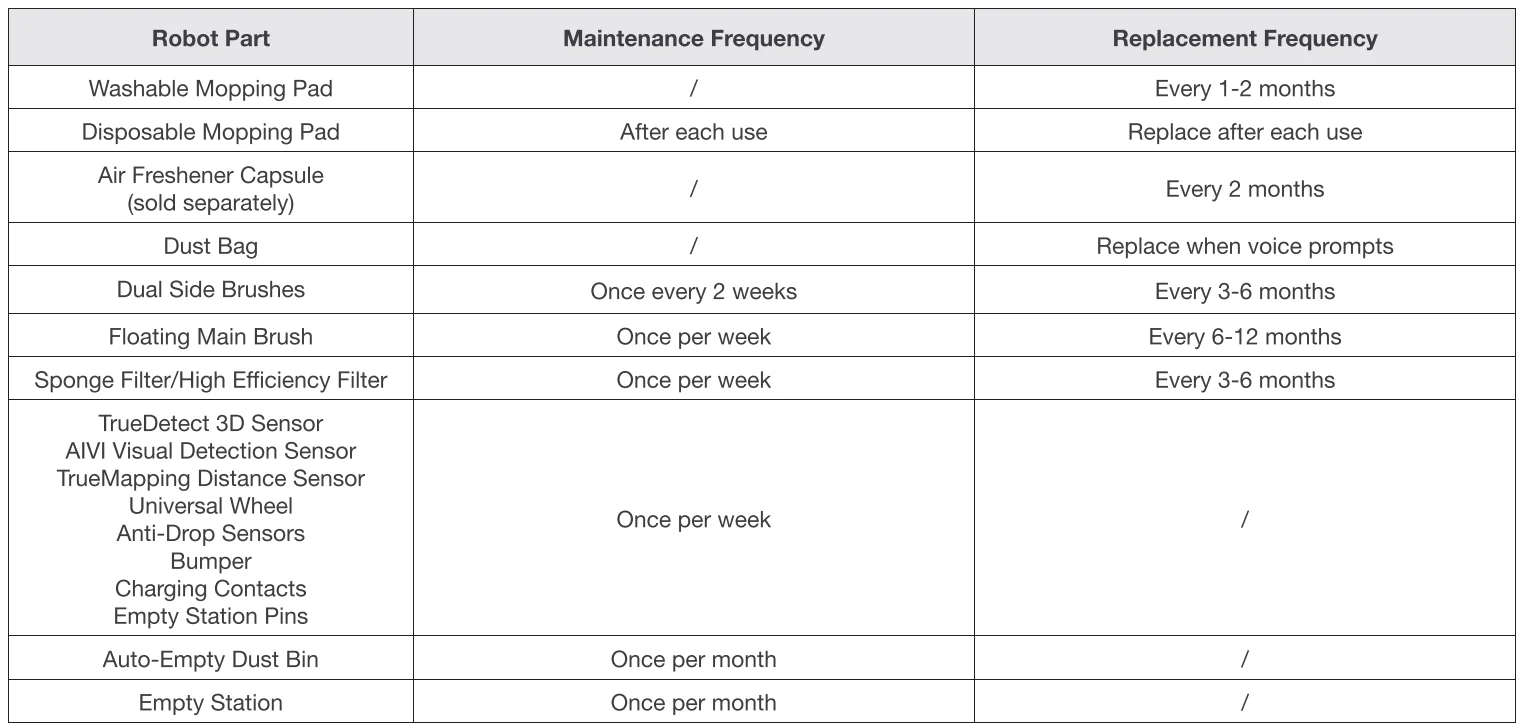
Before performing cleaning and maintenance tasks on DEEBOT, turn the robot OFF and unplug the Empty Station. A multi-function Cleaning Tool is provided for easy maintenance. Handle with care, this cleaning tool has sharp edges.
Note: ECOVACS manufactures various replacement parts and fittings. Please contact Customer Service for more information on replacement parts.
Maintain OZMO Pro 3.0 Oscillating Mopping System
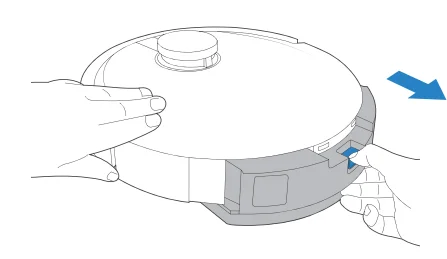
- Remove OZMO Pro 3.0 Oscillating Mopping System

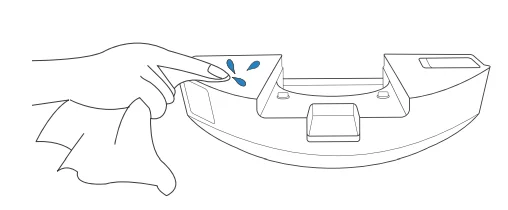
* After DEEBOT finishes mopping, please empty the reservoir. - Wipe OZMO Pro 3.0 Oscillating Mopping System Clean

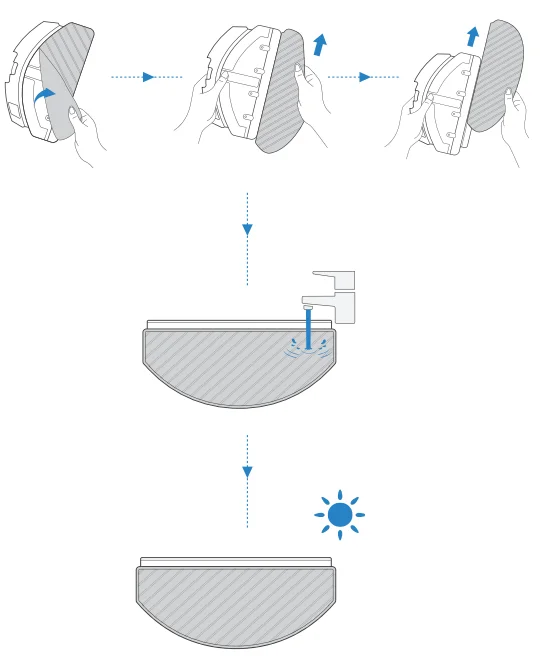
* Wipe OZMO Pro 3.0 Oscillating Mopping System with a clean, dry cloth. Do not soak into water. - Washable Mopping Pad

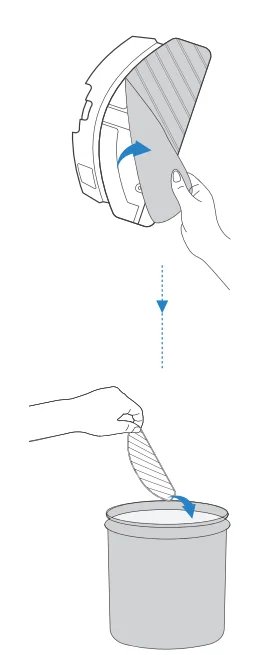
- Disposable Mopping Pad

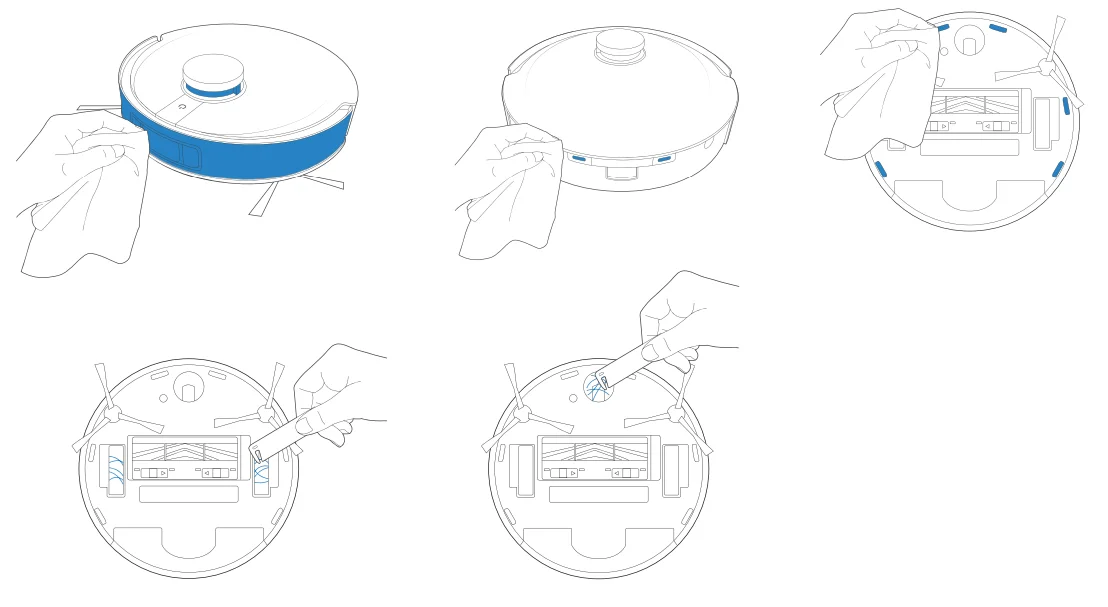
Maintain Other Components
Note: Wipe the components with a clean, dry cloth. Avoid using cleaning sprays or detergents.
Empty Station
The light effect of the Status Indicator on Empty Station corresponds to different conditions and solutions. For more support, please refer to ECOVACS HOME App or the Troubleshooting Section of this manual.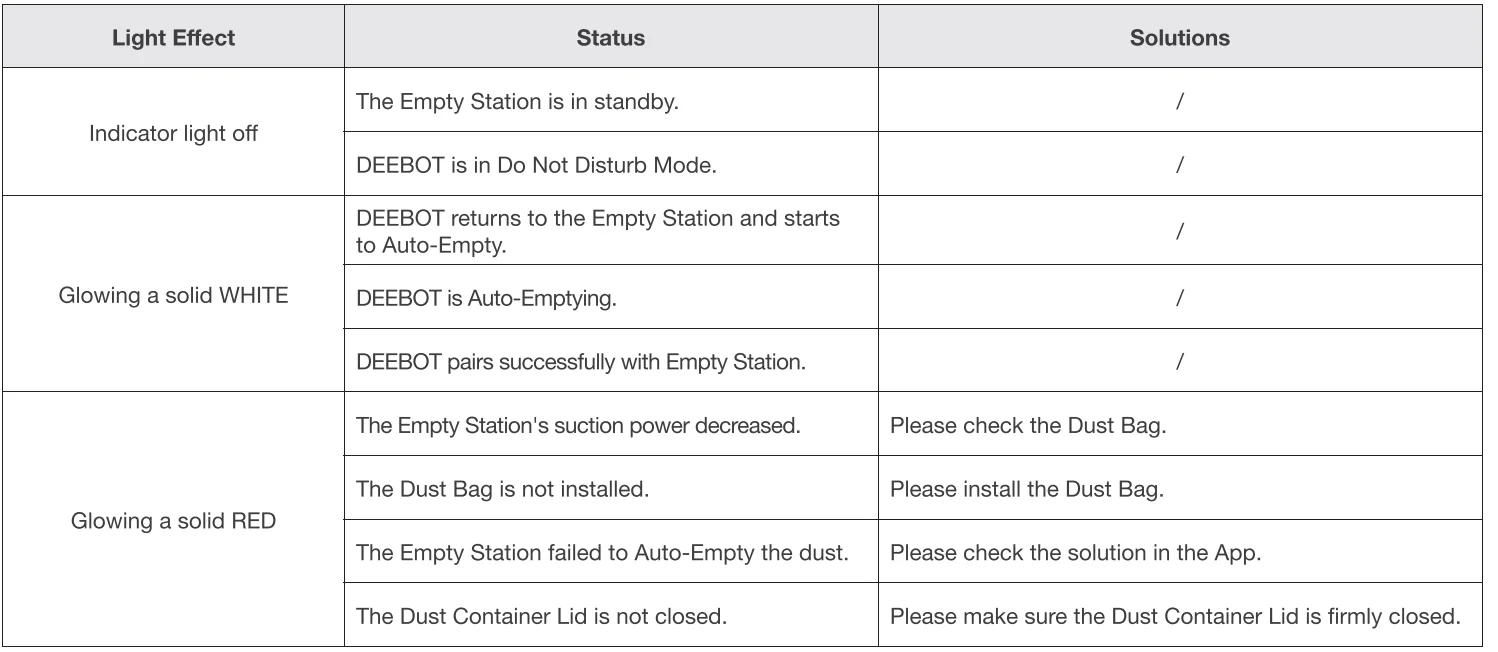
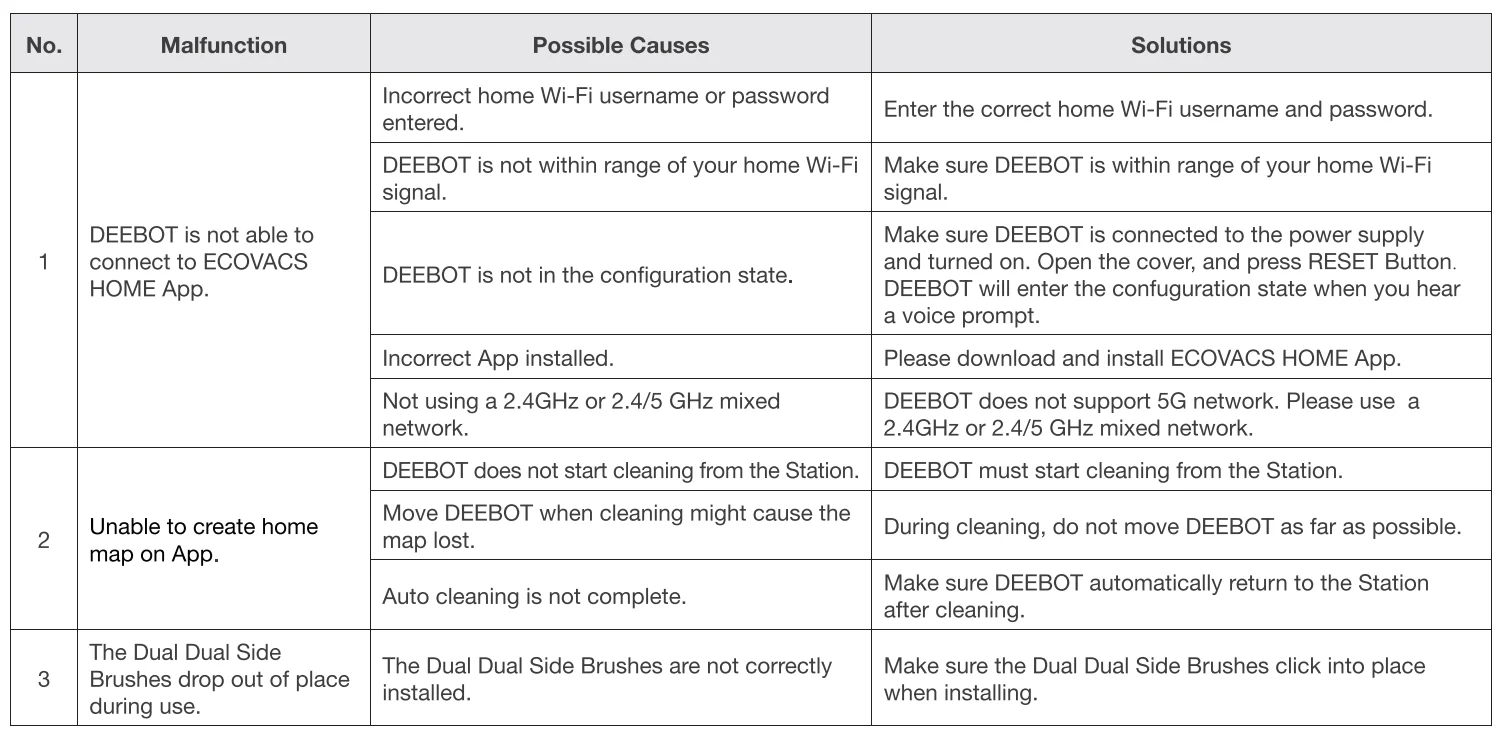
Troubleshooting
Technical Specifications
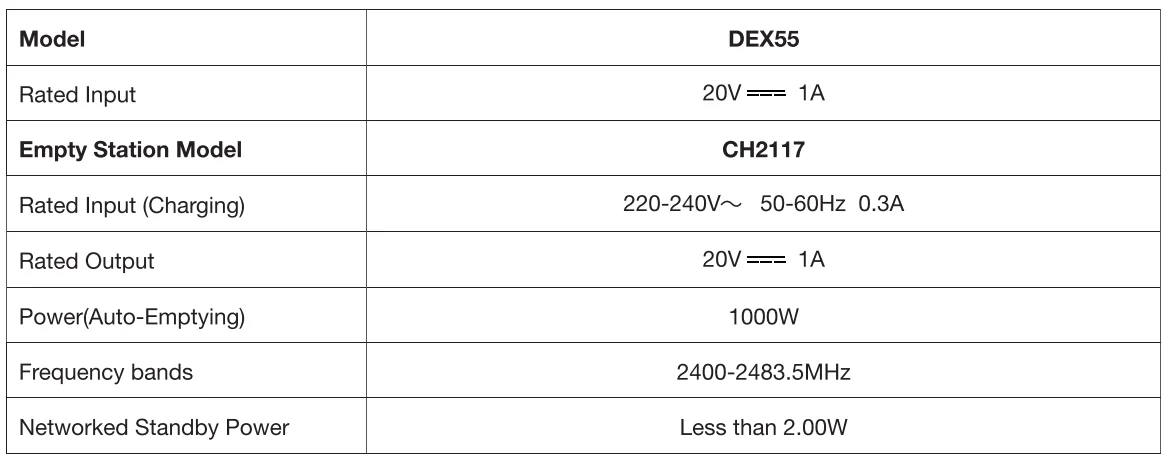
Output power of the Wi-Fi module is less than 1 00mW.
Note: Technical and design specifications may be changed for continuous product improvement. Explore more accessories at https://www.ecovacs.com/global.
For more manuals by ECOVACS, visit ManualsLibraryy
DEEBOT X1 PLUS Robot Vacuum-FAQs
Is the DEEBOT X1 PLUS a good robot vacuum?
Yes, the DEEBOT X1 PLUS is considered a high-performance robot vacuum. It offers powerful 5000Pa suction, smart navigation, and an Auto-Empty Station for hands-free cleaning. It performs well on both hard floors and carpets, making it suitable for homes with pets, dust, and everyday debris.
What is the suction power of the DEEBOT X1 PLUS?
The X1 PLUS delivers up to 5000Pa suction power, which is strong enough to lift dust, crumbs, and pet hair from carpets and hard floors. The increased suction ensures deeper cleaning compared to many standard robot vacuums.
Is DEEBOT a Chinese brand?
Yes. DEEBOT is a product line of Ecovacs Robotics, a Chinese technology company founded in 1998 and headquartered in Suzhou, China. The company specializes in smart home robotic appliances.
Can a robot vacuum replace a traditional vacuum cleaner?
A robot vacuum like the DEEBOT X1 PLUS can handle daily maintenance cleaning effectively. However, for deep cleaning of upholstery, stairs, or heavy messes, a traditional vacuum may still be useful. Many households use both for complete cleaning coverage.
Can I add cleaning solution to the DEEBOT X1 PLUS?
For vacuum-only models like the X1 PLUS, cleaning solution is not required. If using a mopping attachment (where applicable), always follow manufacturer guidelines and avoid harsh chemicals that may damage internal components.
What are common problems with DEEBOT vacuums?
Some users report issues such as brush roll jams, sensor errors, or battery wear over time. Most problems can be prevented by regularly cleaning the brushes, emptying dust bins, and wiping sensors to maintain optimal performance.
Can I replace the battery of the DEEBOT X1 PLUS?
Yes, the battery can be replaced if it loses performance over time. It’s recommended to use genuine replacement parts or contact authorized service centers to ensure safety and proper functioning.