
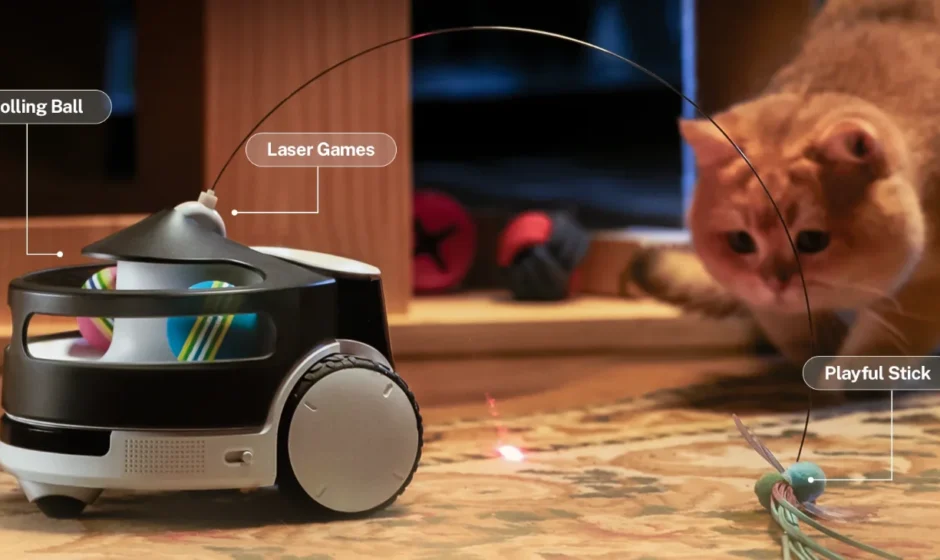

ROLA PetPal Interactive Toys
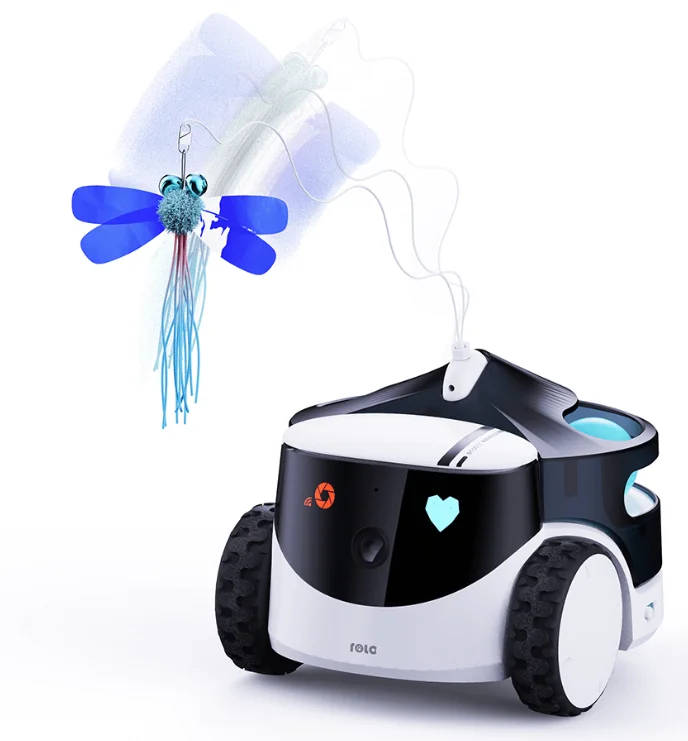

Check the electronic manual
Security Information
Please read the following safety instructions carefully and take normal safety precautions before using this product.
- Only authorized technicians can disassemble the product. Users should not try this themselves.
- Remove the protective film before use to ensure normal operation of the robot.
- To avoid damage from falling, do not place the robot in places where it may fall, such as tables, coffee tables, TV cabinets, etc.
- Do not use the robot in an environment with open flames, fragile items, or flammable items.
- Please do not drop or kick the product.
- Avoid using the product on wet floors, such as bathrooms or near kitchen sinks.
- Only use the product in an environment with a temperature between -10℃ and 45℃.
- Ensure that the Wi-Fi signal covers the product’s range of activity.
- Avoid excessively bending wires and placing heavy or sharp objects on the product.
- Do not let pets bite the product’s wires, as it may cause pet safety hazards.
- Any operation inconsistent with the instructions may cause damage to the product.
- The main unit of this product cannot be immersed or soaked in water.
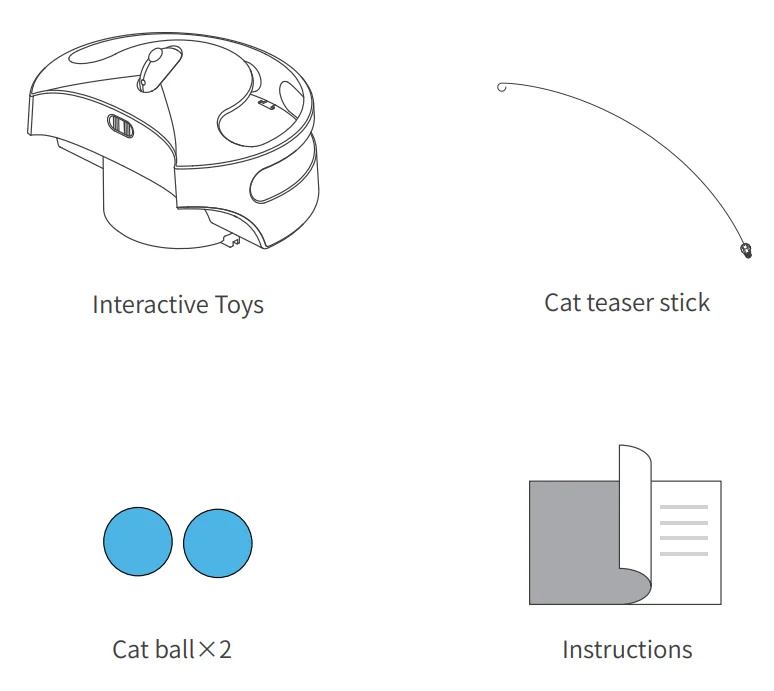
Packaging
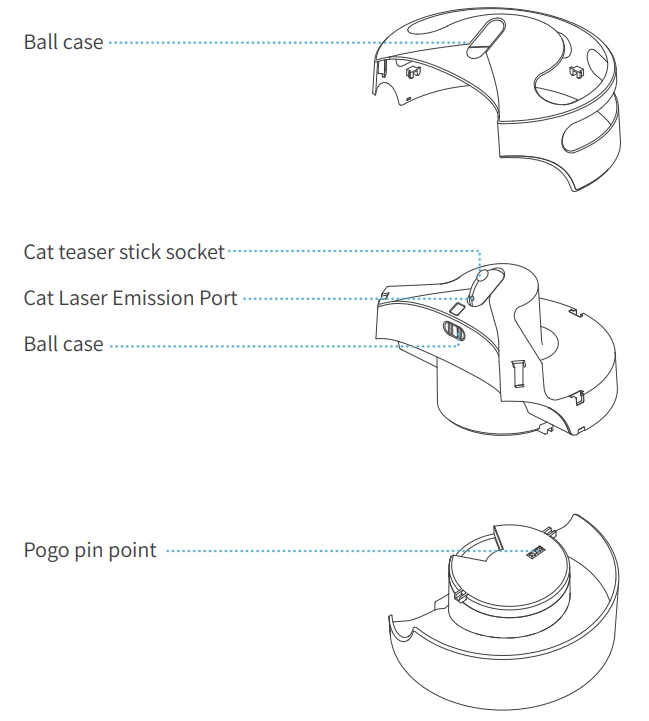
Product Description
Usage Instructions
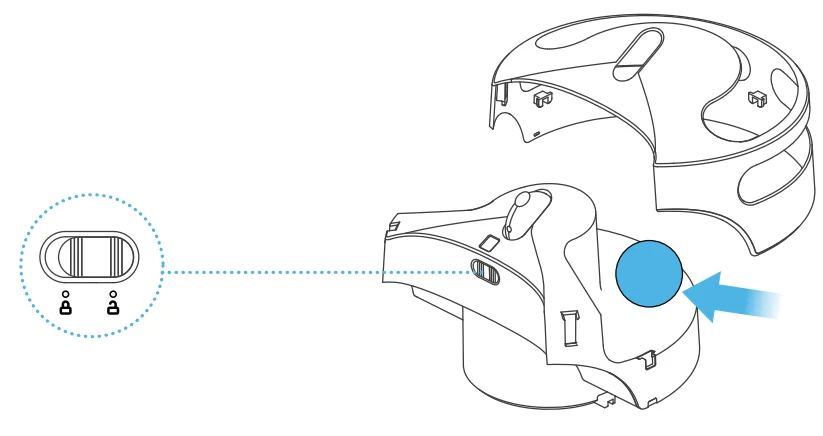
- Open the ball case latch and put the cat ball inside.

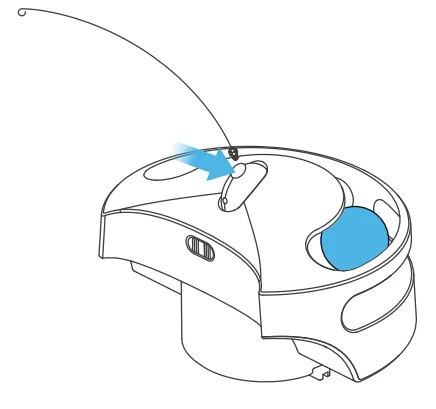
- Install the cat teaser stick into the stick socket.

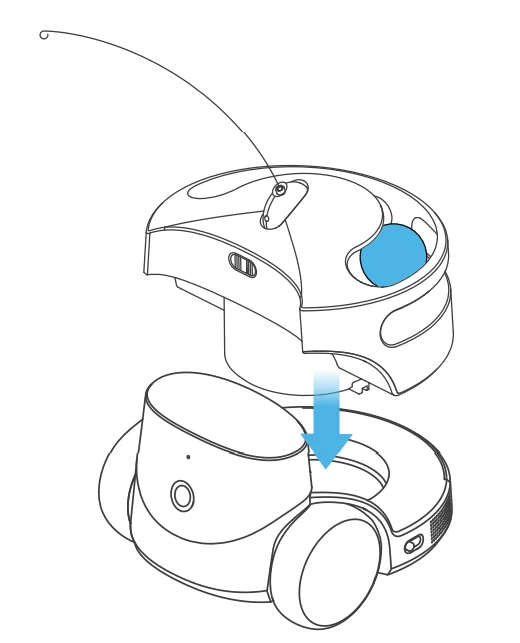
- Install it on the robot.

Legal Notices
- Before using the product, please read this document and keep it for reference.
- The illustrations and descriptions in this document are for reference only, and the actual product should take precedence. For certain specifications and configurations, please check the relevant specification documents or consult the seller.
- The nominal storage capacity and technical performance indicators are only specifications. Actual data may vary depending on the environment and settings, etc. Factors vary.
- If you use other products or software, you are solely responsible for compatibility and legality.
- No content in this document shall constitute a modification of Enabot’s product warranty policy.
- This product is not designed for organ transplantation or other life support system applications. In such applications, product failure may result in personal injury or death.
- No one may copy, delete, compile, store, transmit, or translate this document without Enabot’s authorization.
For more manuals by Enabot, visit ManualsLibraryy
ROLA PetPal Interactive Toys-FAQs
How do I set up the ROLA PetPal for the first time?
To set up your ROLA PetPal, download the ROLA app, power on the robot, and connect it to your 2.4GHz Wi-Fi network. Follow the in-app instructions to scan the QR code and complete pairing. Once connected, you can control movement, camera view, and voice features directly from your smartphone. Ensure the robot is fully charged before starting setup for smoother configuration.
What is the ROLA PetPal robot used for?
The ROLA PetPal is a mobile pet companion robot designed for monitoring and interacting with pets remotely. It features a 2.5K QHD camera for live video streaming, two-way voice communication, and a built-in call button your pet can press (with training) to contact you. It’s ideal for pet parents who want real-time engagement and monitoring while away from home.
How do I reset the ROLA PetPal to factory settings?
To restore factory settings, press and hold the reset button located on the bottom of the robot for more than five seconds. Release it when you hear the confirmation tone. After resetting, reconnect the device to your Wi-Fi network using the app. A factory reset is useful if you’re troubleshooting connection issues or transferring ownership.
How do I put the ROLA PetPal into pairing mode?
To enter pairing mode, power on the device and ensure it’s not already connected to Wi-Fi. If needed, perform a reset first. The indicator light will begin flashing, showing it’s ready for pairing. Open the app, select “Add Device,” and follow the instructions to reconnect the robot to your wireless network.
How do I charge the ROLA PetPal or ROLA Mini?
The ROLA Mini uses a magnetic charging cable, but it can also be charged directly with a USB-C cable once the magnetic connector is removed. For best performance, use a 5V/2A (or higher) adapter. Charging typically takes a few hours, and a full charge provides several hours of interactive use.
What can the ROLA Mini robot do?
The ROLA Mini offers upgraded mobility and can cross small obstacles up to 10 mm high and climb slopes up to 15°. Through the mobile app, you can remotely drive it around your home, monitor pets in real time, record videos, and communicate using built-in speakers and microphones.
Does the ROLA PetPal require Wi-Fi to function?
Yes, Wi-Fi is required for remote viewing, app control, and voice communication features. The robot connects to your home’s 2.4GHz Wi-Fi network. Without Wi-Fi, live streaming and remote operation will not work, although the device can still power on and move locally.
Is the ROLA Mini worth buying for pet owners?
For pet owners seeking remote interaction and monitoring, the ROLA Mini offers strong value. It combines mobility, high-resolution video, and two-way audio in one compact device. Unlike stationary pet cameras, it moves around the home, giving broader coverage and more engaging interaction with pets.
Where is the ROLA Mini manufactured?
The ROLA Mini is manufactured in China and designed for global distribution. It supports Wi-Fi connectivity and app compatibility, making it accessible for users in many regions. Always check packaging or retailer details for region-specific information.
Are pet companion robots safe to use at home?
Yes, pet companion robots like the ROLA PetPal are designed with safety in mind. They use low-voltage charging systems, enclosed wheels, and stable movement controls. However, supervision is recommended initially to ensure pets interact safely and comfortably with the device.