
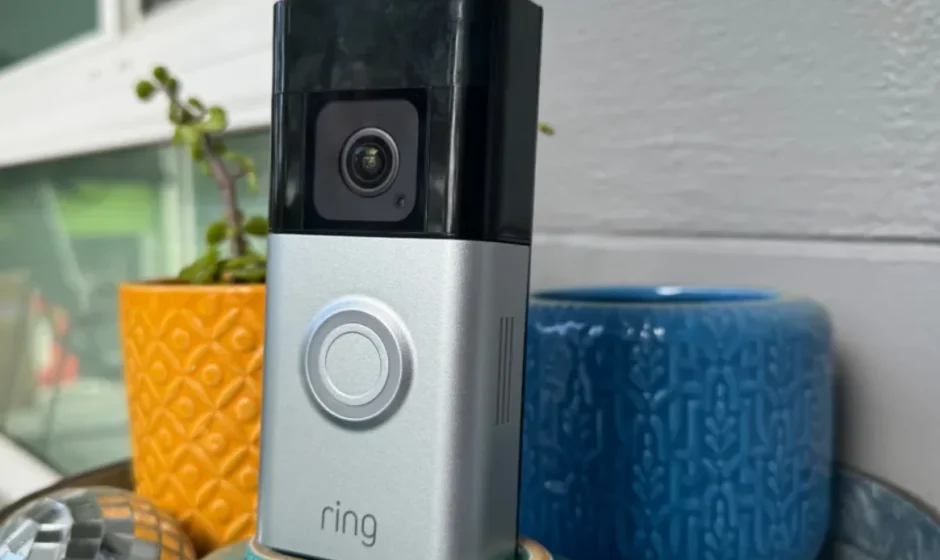

Ring Battery Doorbell Pro
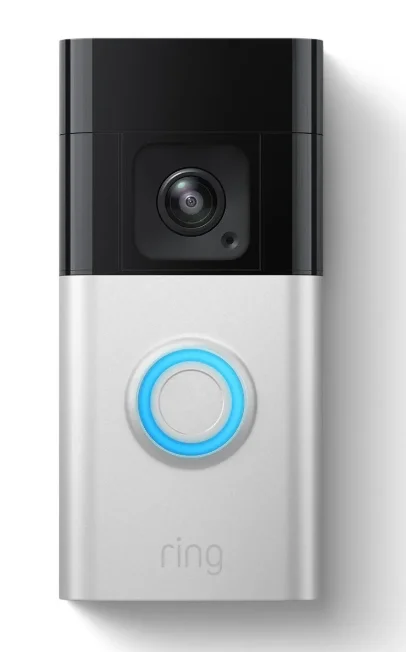
Description
The Ring Battery Doorbell Pro is a premium wireless smart doorbell designed to enhance home security and convenience. It allows homeowners to monitor their front door in real time using a smartphone, tablet, or compatible smart device. With its advanced camera system, the device delivers 1536p HD+ video that provides sharp, detailed footage of visitors, packages, and activity around your entrance. The doorbell also features color night vision, ensuring clear visibility even in low-light conditions. One of the standout features of the Ring Battery Doorbell Pro is its 3D Motion Detection with Bird’s Eye Zones, which uses radar technology to track motion and map where visitors move on your property. This helps reduce false alerts and allows users to customize motion detection areas for better security monitoring. The device also offers real-time notifications and Live View, so you can instantly see and respond to activity at your door through the Ring mobile app. In addition, the doorbell includes two-way audio with noise cancellation, allowing you to speak directly with guests or delivery drivers from anywhere. It operates on a rechargeable battery pack and can also be hardwired to an existing doorbell system for continuous power. With a wide 150° horizontal and vertical field of view, the camera provides a head-to-toe view of visitors and packages at your doorstep. Easy to install and packed with intelligent security features, the Ring Battery Doorbell Pro is an ideal solution for homeowners who want a reliable and smart way to monitor their entryway.
Hardware included
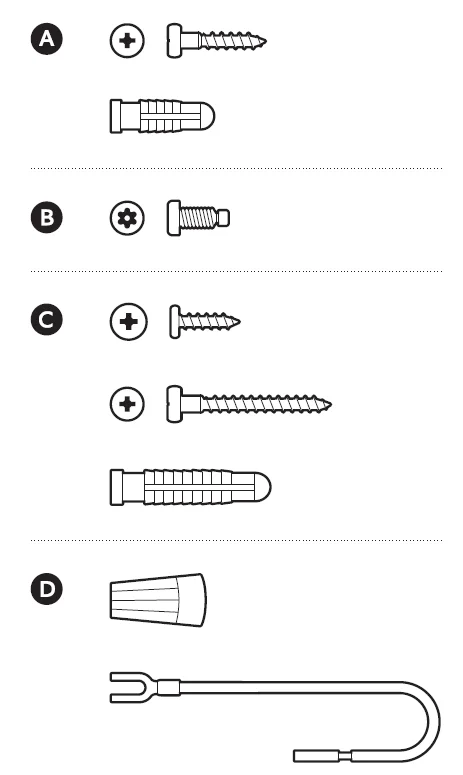
Tools included

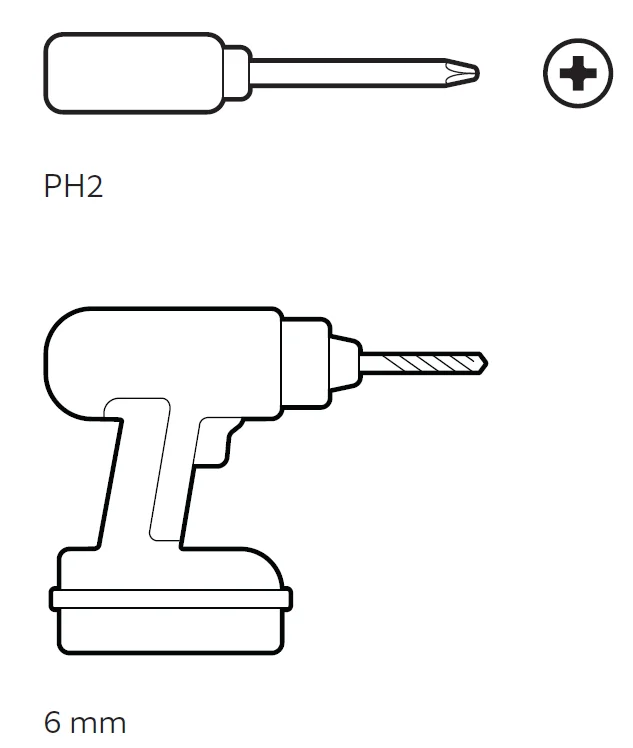
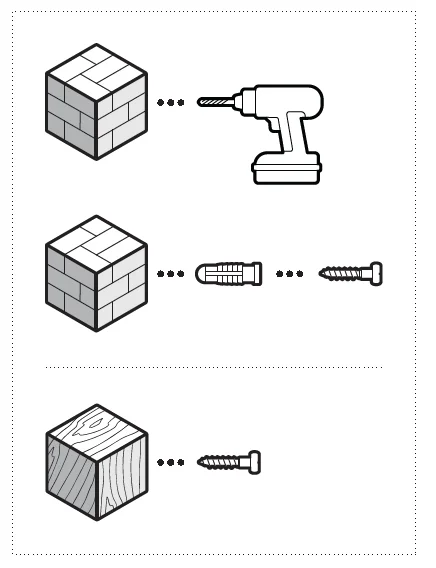
Tools needed
- Download the Ring app.

- Scan the QR code.

- Remove protective film.

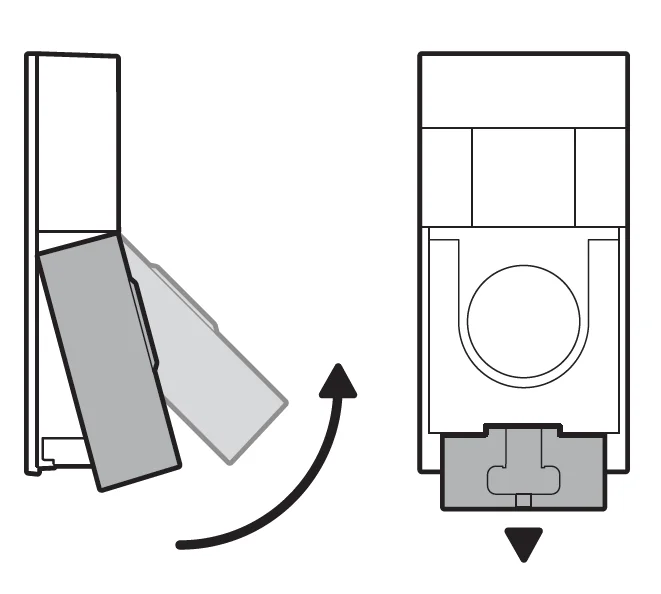
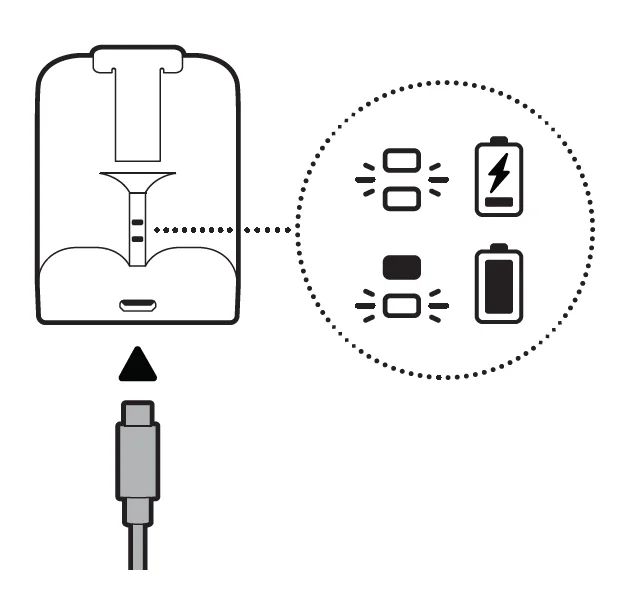
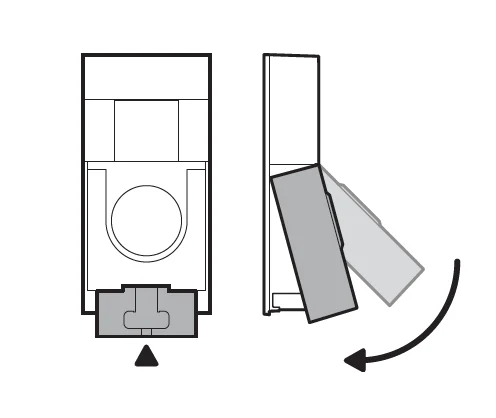
- Remove the faceplate and fully charge the battery.

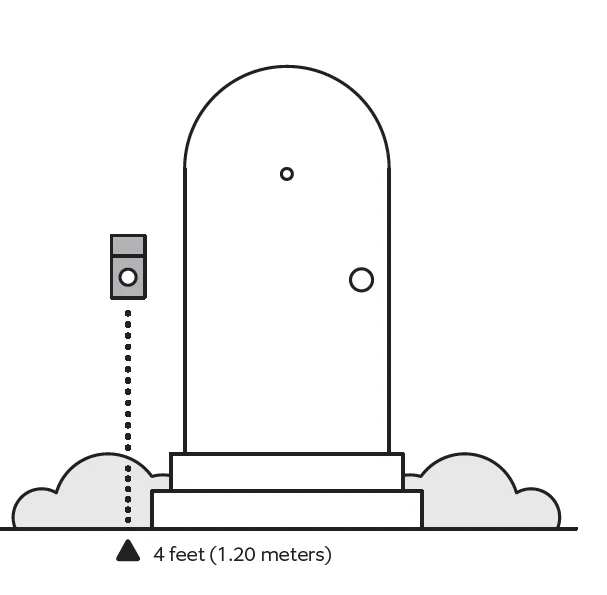
- Choose a location for your doorbell.


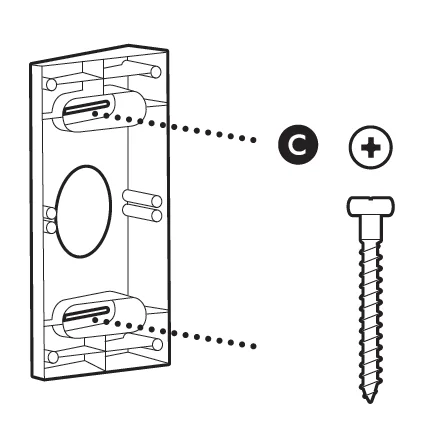
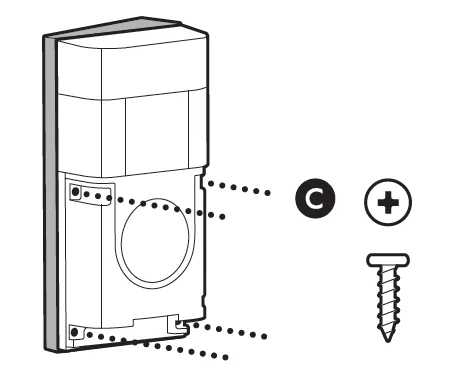
Install your doorbell without connecting to an existing chime. - Optional: Install the corner mount. Then, install your doorbell on the corner mount.


WARNING! Only use the included corner bracket screws when securing the corner bracket.
CAUTION! DO NOT drill into your home’s electrical wiring.
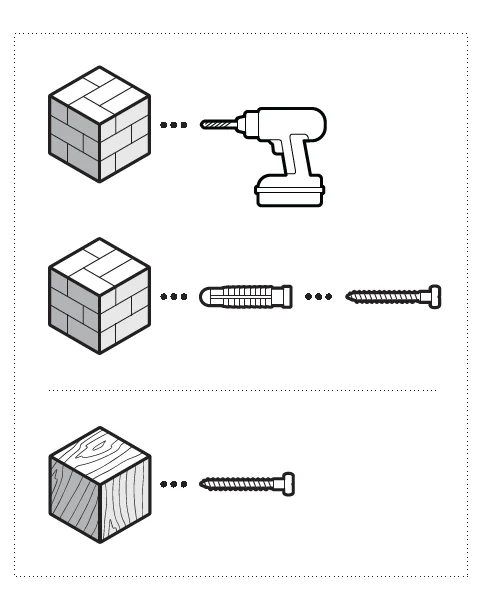
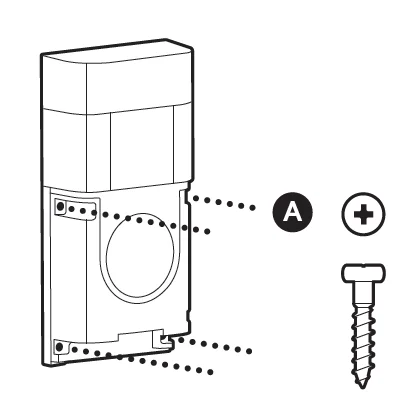
Optional: Mount your doorbell to the wall.

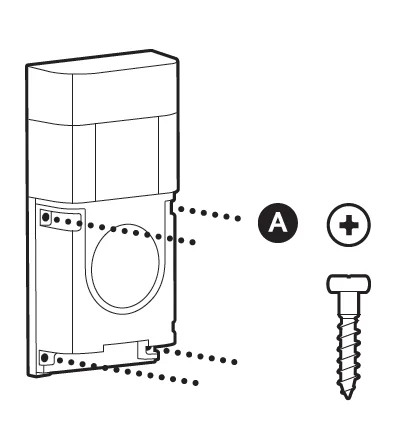
WARNING! Only use the included wall mounting screws when securing the doorbell.
CAUTION! DO NOT drill into your home’s electrical wiring.- b. Install your doorbell and connect to an existing chime.

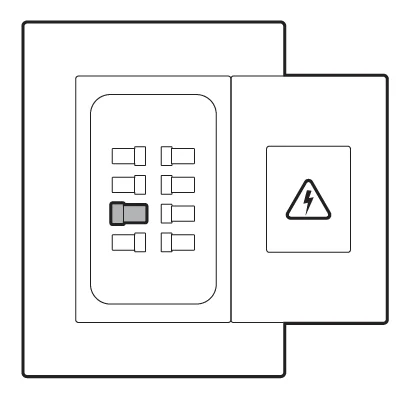
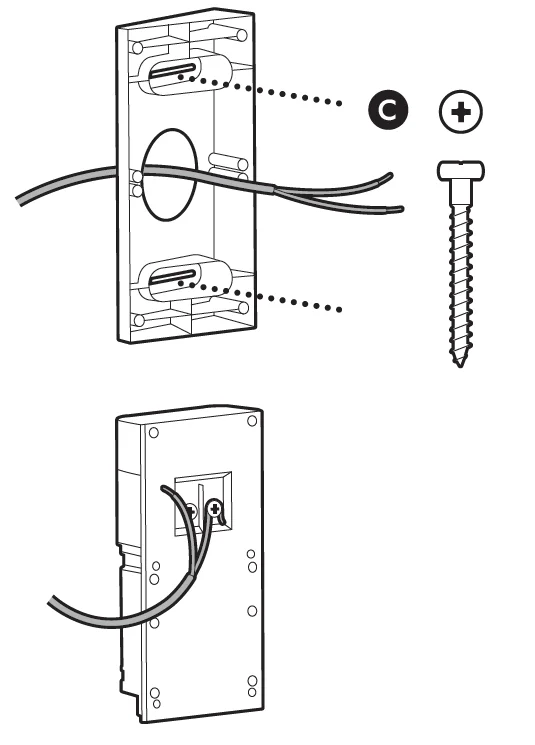
CAUTION! You’ll be working with electrical wires during the install process. If you are uncomfortable or inexperienced with doing so, consult with a licensed electrician. Do not wire your Ring Doorbell to a DC-powered intercom system.
- b. Install your doorbell and connect to an existing chime.
- a.


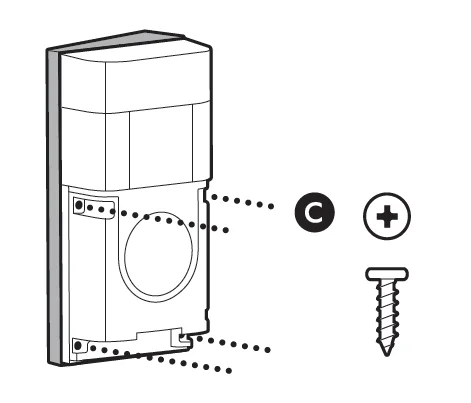
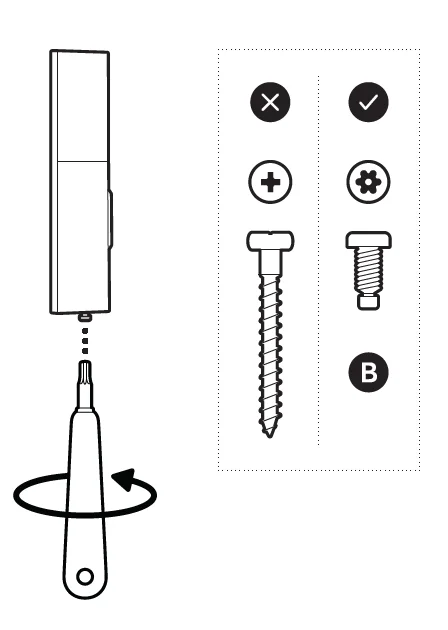
CAUTION! If you use the wrong screws to secure the faceplate, you could damage the battery during installation, create a fire hazard, and be seriously injured.
DO NOT USE any screw other than the included short security screws when securing the faceplate. Lastly, use the included screwdriver to insert and tighten one of the security screws from Bag B.- Optional: Install the corner mount. Then, install your doorbell on the corner mount.


Optional: Mount your doorbell to the wall.
- Optional: Install the corner mount. Then, install your doorbell on the corner mount.

Free Ring Protect Plan for 30 Days
Your new device comes with a free, 30-day trial of Ring Protect. This comprehensive subscription service lets you review, save, and share your video and photo history anytime so you never miss a moment.* To continue using Ring Protect after your free trial ends, visit ring.com/protect-plans to compare plans and pricing. *Your free trial isn’t applicable for locations with an existing Ring Protect subscription. See ring.com/protect-plans to learn more about your plan’s retention period.
For more manuals by Ring, visit ManualsLibraryy
Ring Battery Doorbell Pro-FAQs
How long does the battery last on the Ring Battery Doorbell Pro?
The battery in the Ring Battery Doorbell Pro typically lasts about 6–12 months under normal usage. Battery life depends on factors such as motion frequency, number of live view sessions, Wi-Fi signal strength, and weather conditions. Homes with frequent motion alerts may need to recharge the battery sooner. Using motion zones and reducing unnecessary notifications can help extend battery life and reduce charging frequency.
How long does it take to fully charge the Ring doorbell battery?
Charging the removable battery of the Ring Battery Doorbell Pro usually takes around 5–10 hours using the provided USB charging cable. The exact time depends on the power adapter used. For best results, use a charger that provides at least 1 amp of output. Some users purchase an extra battery pack so they can swap batteries and avoid downtime while one is charging.
What is the difference between the Ring Battery Doorbell Plus and the Ring Battery Doorbell Pro?
The main difference is that the Ring Battery Doorbell Pro includes more advanced security features. It offers 3D Motion Detection, Bird’s Eye Zones, Bird’s Eye View tracking, Color Pre-Roll video previews, and enhanced Audio+ technology. The Plus model still provides excellent video monitoring but lacks some of these premium motion-tracking and detection features, making the Pro version the more advanced option.
Does the Ring Battery Doorbell Pro require Wi-Fi to work?
Yes, Wi-Fi is necessary for most features of the Ring Battery Doorbell Pro. While the device can still power on without Wi-Fi, features like live video streaming, motion alerts, recording clips, and mobile notifications require a stable internet connection. Without Wi-Fi, the doorbell will not send alerts to your phone or store video recordings in the cloud.
Can the Ring Battery Doorbell Pro help prevent burglaries?
The Ring Battery Doorbell Pro can act as a strong deterrent against opportunistic burglars. Visible smart doorbell cameras often discourage suspicious activity because visitors know they are being recorded. It also provides motion alerts, two-way communication, and recorded footage that may help identify suspicious individuals. However, it works best when combined with other home security measures such as lighting and additional cameras.
Can the Ring Battery Doorbell Pro call the police automatically?
The doorbell itself cannot automatically call the police. However, when used with certain Ring security subscriptions and compatible alarm systems, users may have options for professional monitoring where emergency services can be contacted if an alarm is triggered. Most users rely on motion alerts and live video to monitor activity and decide when to contact authorities themselves.
Does the Ring Battery Doorbell Pro have night vision?
Yes, the Ring Battery Doorbell Pro includes infrared night vision that allows the camera to record clear video even in low-light or complete darkness. The built-in infrared LEDs automatically activate when lighting conditions drop. This ensures you can still monitor your entrance at night and capture video clips if motion is detected after dark.
Do you need a smartphone to use the Ring Battery Doorbell Pro?
A smartphone is strongly recommended to use the Ring Battery Doorbell Pro because the setup process and daily controls are handled through the Ring mobile app. The app allows you to receive motion alerts, watch live video, talk to visitors, and adjust settings. Without a phone or tablet, you would lose most smart features that make the doorbell useful.