
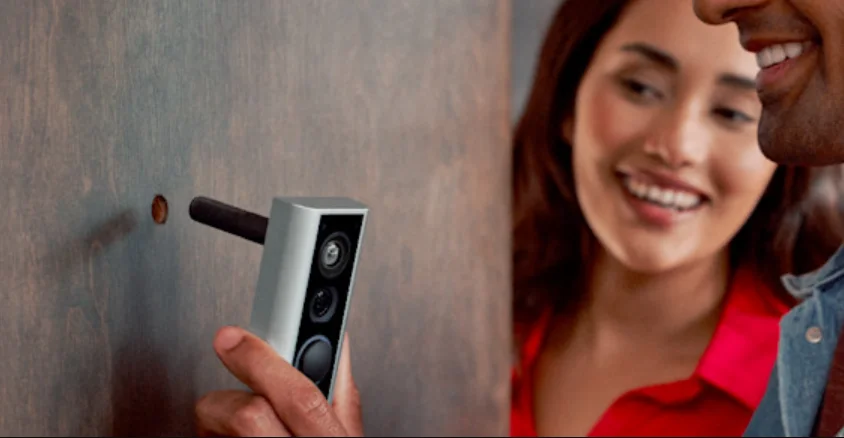

Peephole Cam (Door View Cam)
Description
A Peephole Cam (Door View Cam) is a smart security device that replaces or upgrades the traditional door peephole with a modern camera system. Instead of simply looking through a small optical lens, homeowners can view visitors through a digital camera that provides clear video, motion alerts, and real-time monitoring. This technology improves home security while maintaining the simplicity of a standard door viewer’s installation. Modern peephole cameras typically feature HD video, night vision, and wide-angle lenses, allowing users to see a larger area outside their door compared with traditional peepholes. Some devices offer a field of view of over 150 degrees, helping capture visitors, packages, and surrounding movement near the doorway. Another advantage of a Door View Cam is smart connectivity. Many models connect to Wi-Fi and allow users to monitor their doorstep through a mobile app. With built-in motion detection and instant notifications, the camera alerts you whenever someone approaches your door. Some systems even include two-way audio, letting you communicate with visitors without opening the door. Peephole cameras are especially useful for apartments, rental homes, and dorm rooms** because they usually install without drilling or complex wiring. They simply replace the existing peephole, making them an easy and effective upgrade for modern home security. With convenience, safety, and smart features, a Peephole Cam offers a reliable way to monitor your front door anytime, from anywhere.
Quick Start
- Open the Ring app and select Set Up a Device.
Then follow the in-app instructions.
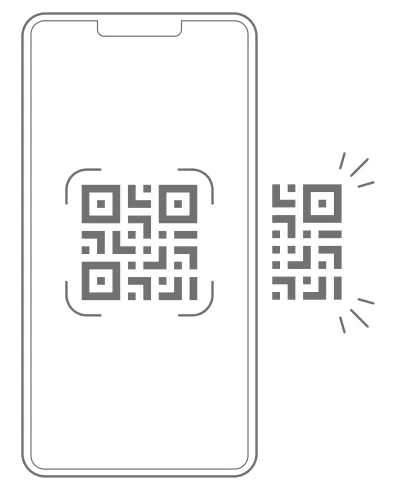
- Scan this code.
This identifies your Ring device to make setup fast and easy.
Tool included
- Remove protective film.


 Continue setup in Ring app.
 Inside
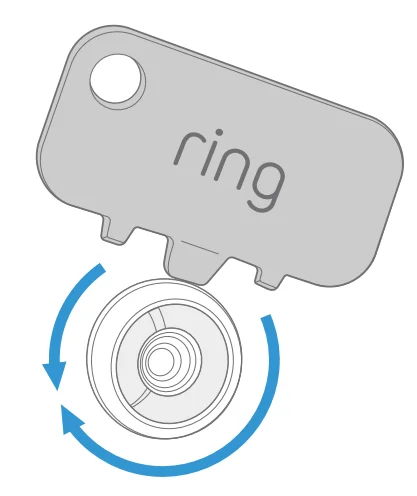
Outside Put the tool’s flat edge in the slots to unscrew.
 Smooth out the hole’s edges with the tool.
 Outside
- Remove cap.
 Optional: Install the large view hole adapter if needed.
 Inside
 Draw the cable out of the tube until there’s no slack.

 Gently pull excess cable through clip.


 Slide peephole cover up for privacy.
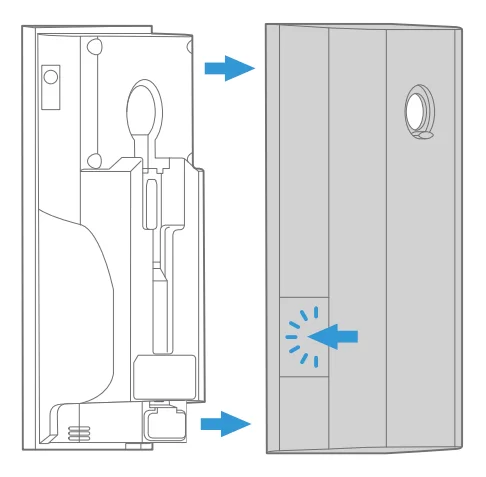
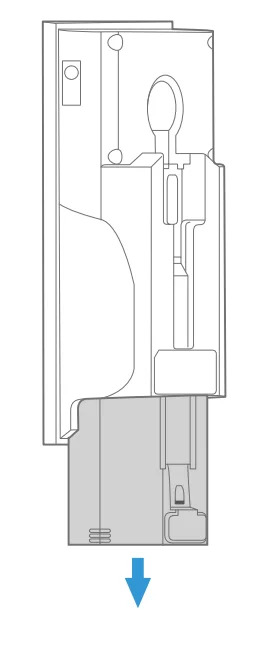
 Continue setup in Ring app.
 Inside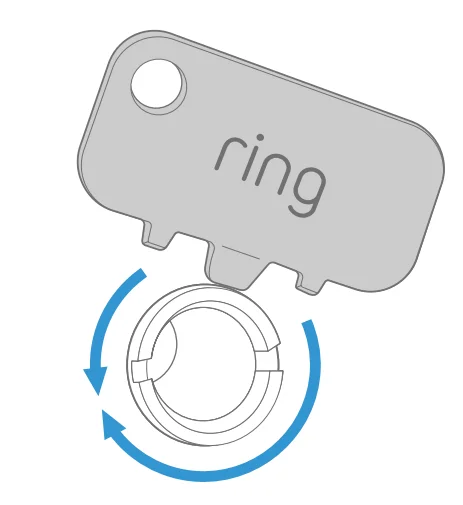
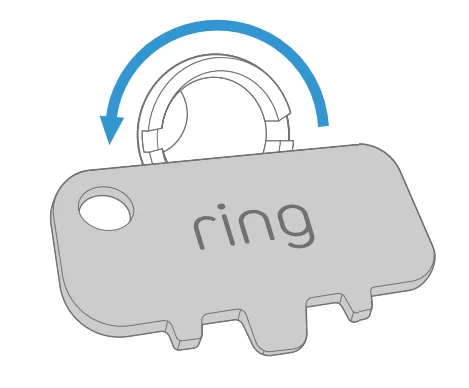 Put the tool’s flat edge in the slots to unscrew.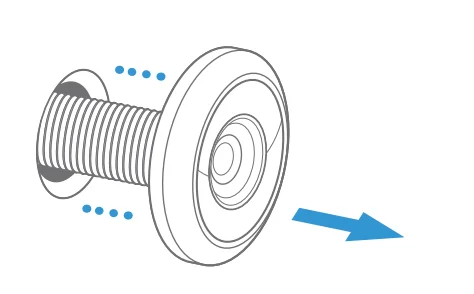
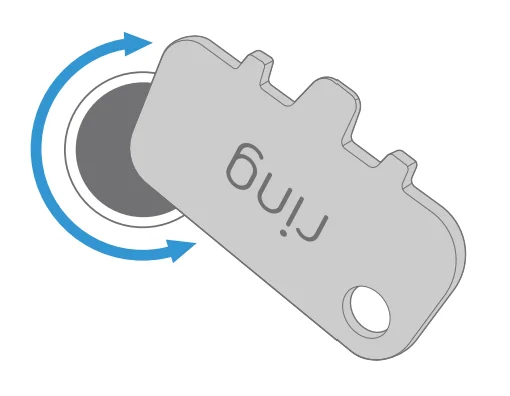 Smooth out the hole’s edges with the tool.
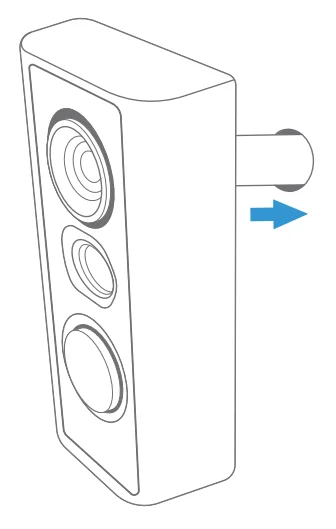 Outside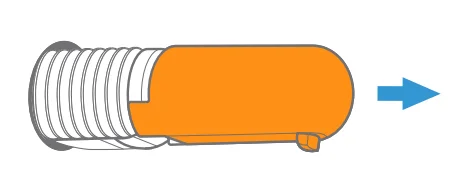
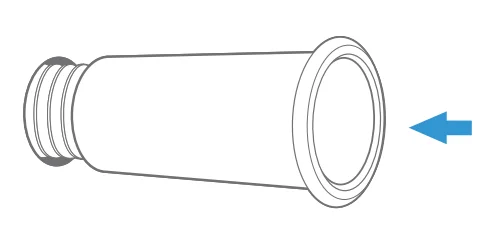 Optional: Install the large view hole adapter if needed.
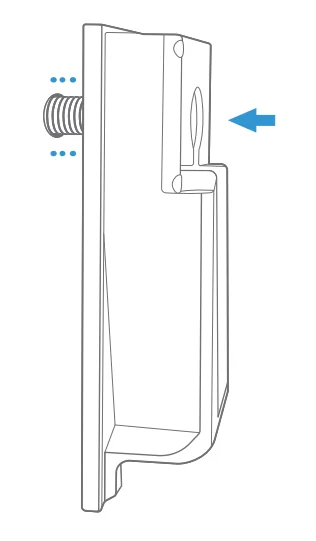 Inside
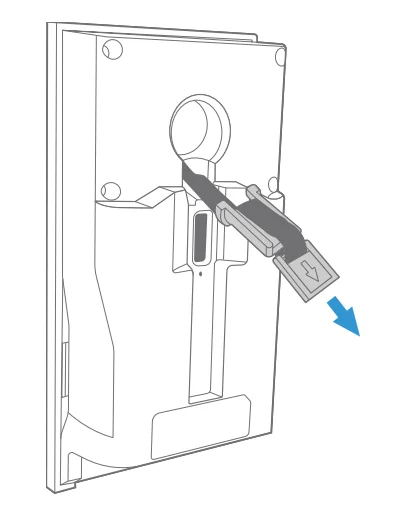 Draw the cable out of the tube until there’s no slack.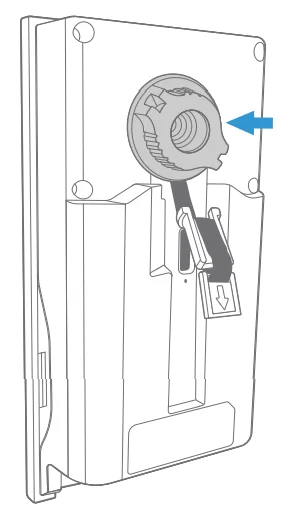
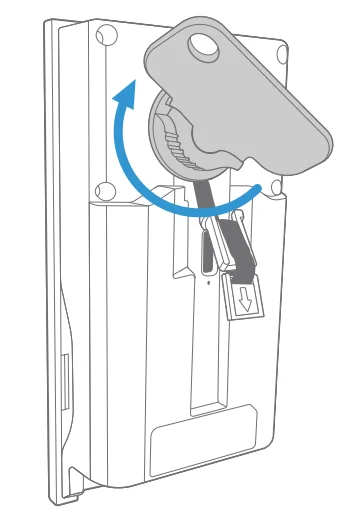
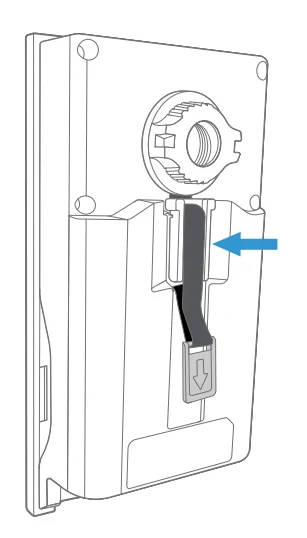 Gently pull excess cable through clip.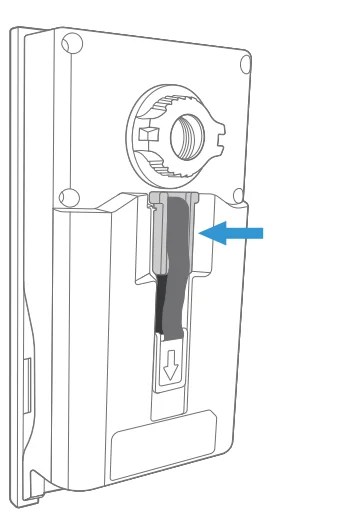
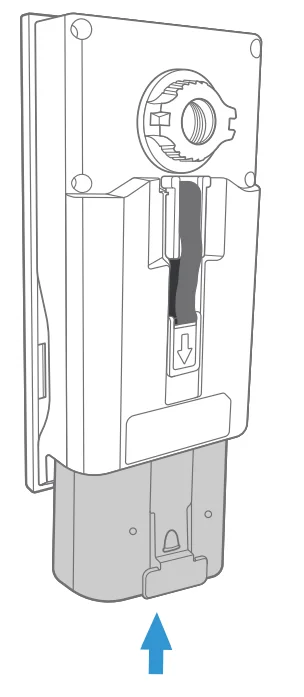
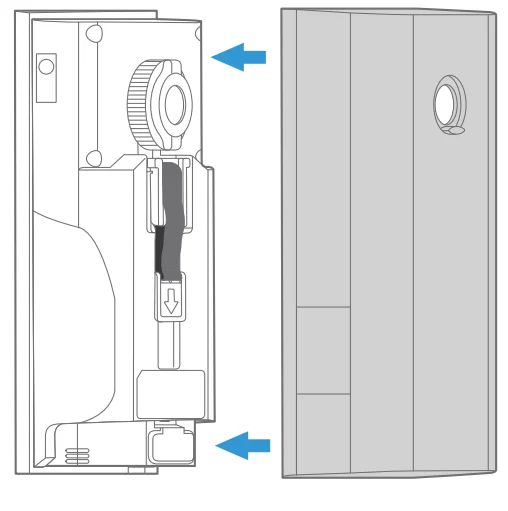
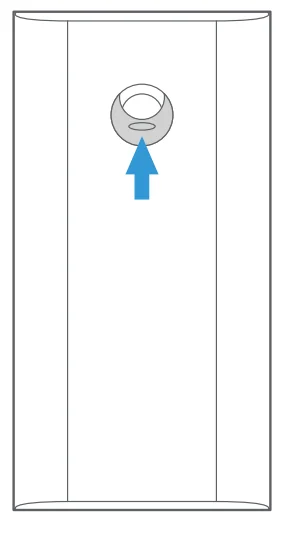 Slide peephole cover up for privacy.
Free Ring Protect Plan for 30 Days
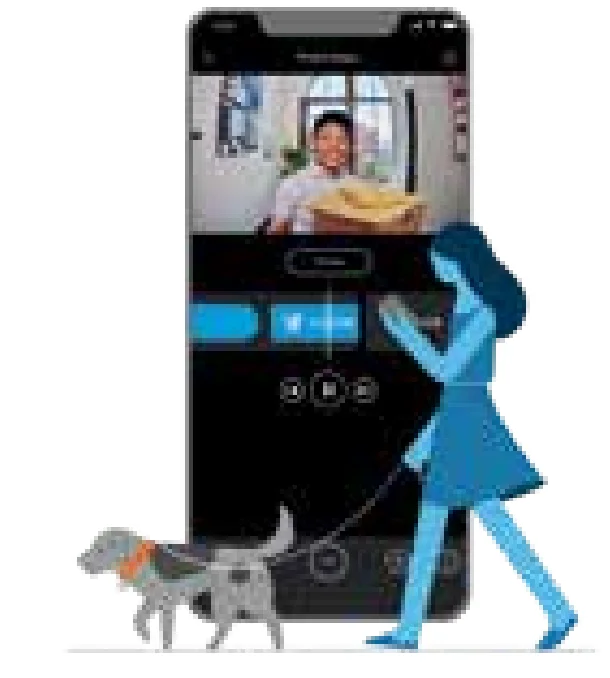
Your new device comes with a free, 30-day trial of Ring Protect. This comprehensive subscription service lets you review, save, and share your video and photo history anytime so you never miss a moment.*
To continue using Ring Protect after your free trial ends, visit ring.com/protect-plans to compare plans and pricing.
*Your free trial isn’t applicable for locations with an existing Ring Protect subscription. See ring.com/protect-plans to learn more about your plan’s retention period.
For information on our warranty, theft protection, and Ring Protect Plans, visit ring.com/legal
For more manuals by Ring, visit ManualsLibraryy
Peephole Cam (Door View Cam)-FAQs
1. What is a Peephole Cam (Door View Cam)?
A Peephole Cam, also called a door view camera, is a smart security device that replaces the traditional door peephole. It includes a small camera on the outside of the door and a viewing unit or mobile app on the inside. This allows homeowners to see visitors clearly without opening the door. Many models also support motion alerts, video recording, and two-way communication, improving security and convenience for apartments and houses.
2. How do you install a Peephole Cam (Door View Cam)?
Installing a Peephole Cam is usually simple and requires replacing your existing door peephole. First, remove the old peephole lens using the provided tool. Clean and smooth the hole edges if necessary. Insert the camera unit from the outside of the door and connect the indoor display or mounting plate from inside. Tighten the components securely and install the battery. Once mounted, follow the app instructions to complete the setup.
3. How do I set up a Peephole Cam after installation?
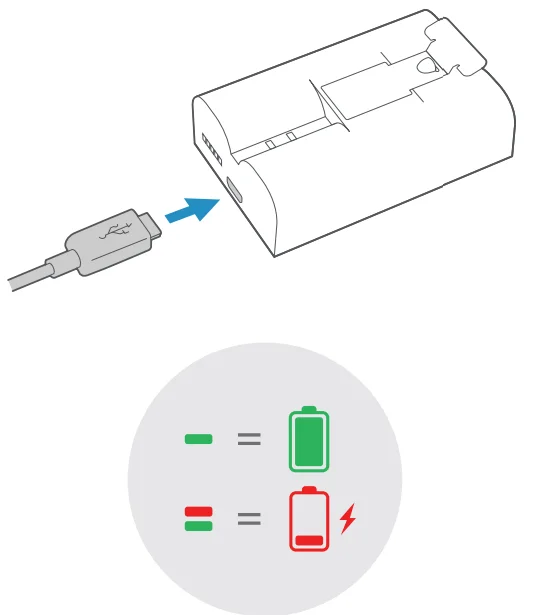
After installing the device, download the compatible mobile app and create an account. Insert the battery into the camera unit and press the setup button to enter pairing mode. Open the app and follow the instructions to connect the camera to your Wi-Fi network. Once connected, you can view live video, adjust settings, and enable motion alerts directly from your smartphone.
4. How do you reset a Peephole Cam (Door View Cam)?
To reset a Peephole Cam, locate the setup or reset button inside the indoor unit, usually near the battery compartment. Remove the battery pack and press and hold the setup button for about 15–20 seconds. Release the button and reinsert the battery. The device will restart and return to factory settings, allowing you to reconnect it to the app or troubleshoot connection problems.
5. Can a Peephole Cam work without Wi-Fi?
Some peephole cameras can operate without Wi-Fi, but their features may be limited. Without an internet connection, you may still be able to view visitors through the indoor screen or store recordings on a local memory card if supported. However, functions like remote viewing, mobile notifications, and cloud storage typically require a stable Wi-Fi connection.
6. How does a peephole camera work?
A peephole camera works by placing a small wide-angle lens outside the door that captures video of the area in front of it. The camera sends the video signal to an indoor display or mobile application through Wi-Fi or a wired connection. This design allows you to see who is at your door without opening it, providing better visibility and increased home security.
7. Can a Peephole Cam record video and send alerts?
Yes, most modern peephole cameras can record video and send real-time alerts. When motion is detected near the door, the device can automatically start recording and send a notification to your smartphone. Many models also support live viewing, video playback, and two-way audio so you can speak with visitors directly from the app.
8. How do I remove or uninstall a Peephole Cam?
To uninstall the device, first remove the indoor unit and battery cover. Disconnect the cable linking the indoor and outdoor parts. Unscrew the tightening nut that secures the camera to the door. Carefully pull the exterior camera unit out from the outside of the door. If needed, you can reinstall the original peephole using the same opening.
9. What door sizes are compatible with a Peephole Cam?
Most peephole cameras are designed to fit standard peephole openings. Typically, they work with holes measuring about 12–14 mm (½–9/16 inch) in diameter and doors that are approximately 34–55 mm thick. Before installation, it’s important to measure your existing peephole and door thickness to ensure the camera will fit properly.
10. Why is my Peephole Cam not working properly?
If your peephole camera stops working, several issues may be responsible. Common causes include low battery power, weak Wi-Fi signal, incorrect app setup, or outdated firmware. Restarting the device, checking the battery, and reconnecting it to the network usually resolves most problems. If the issue persists, performing a full reset and setting up the camera again may help restore normal operation.