
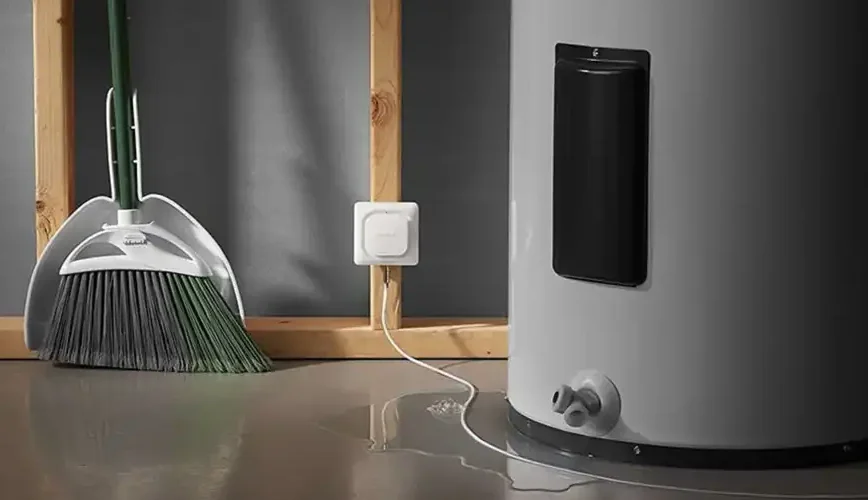

Treatlife WiFi Water Leak Detector
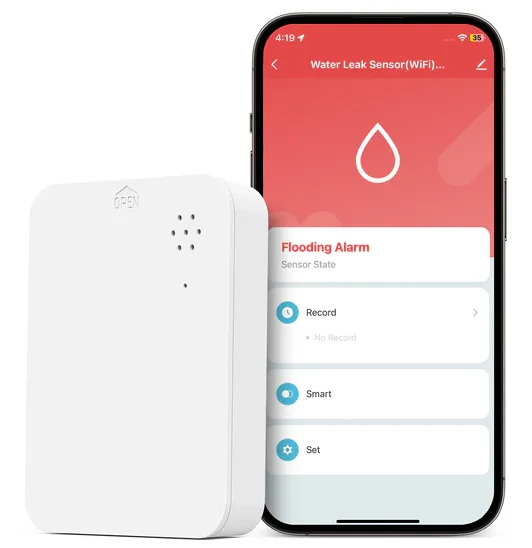
Water Leak Detector
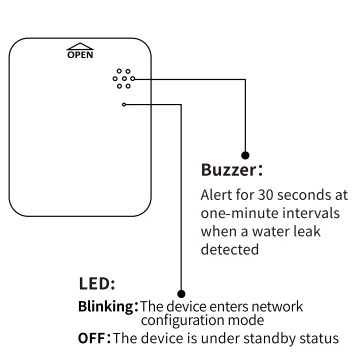
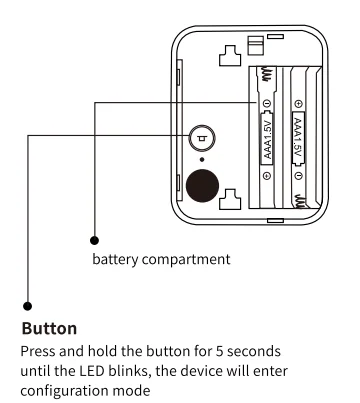
Quick Installation Guide
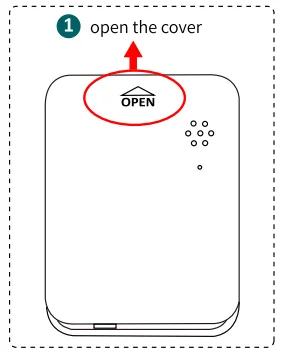
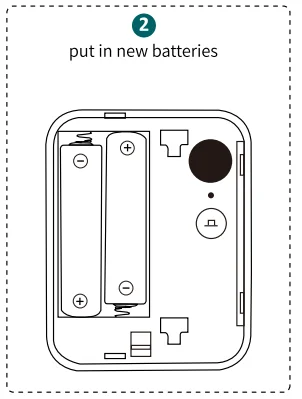
- Open the battery cover and insert the battery into the battery compartment (please note the battery’s positive and negative).


- Scan the QR code below or search Treatlife from the App Store or Google Play and install the app. New users must register for an account first.

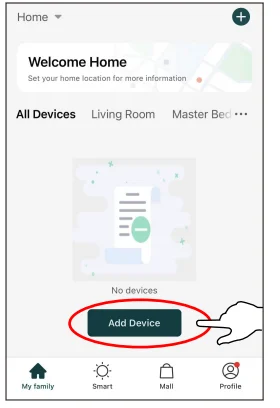
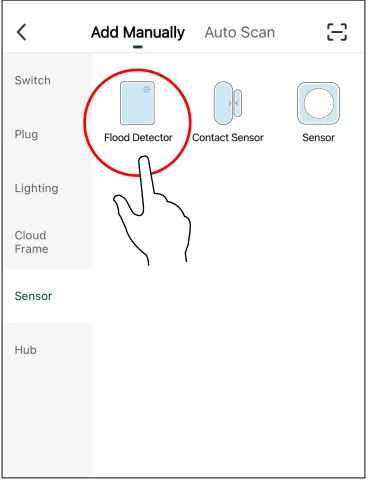
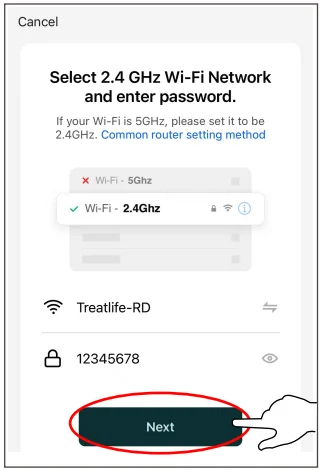
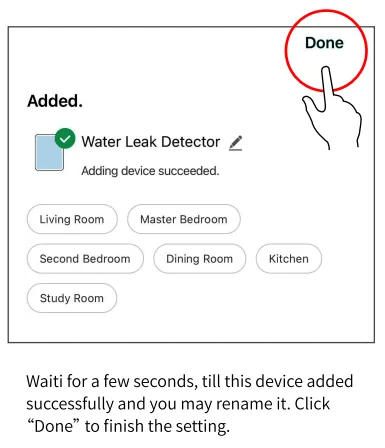
- Connect your mobile device to your 2.4GHz Wi-Fi router (with internet), then run the Treatlife app to add the device (select Sensor->Flood Detector). Note: the device only supports a 2.4G WiFi router.


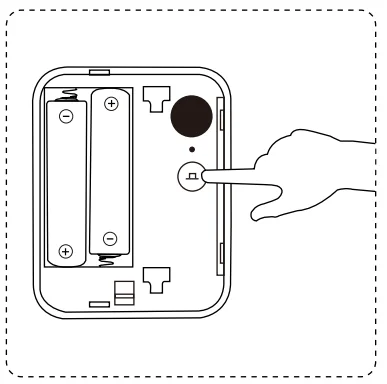
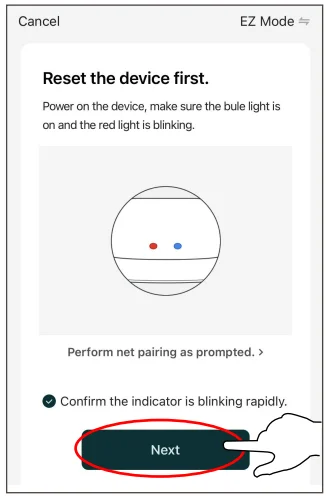
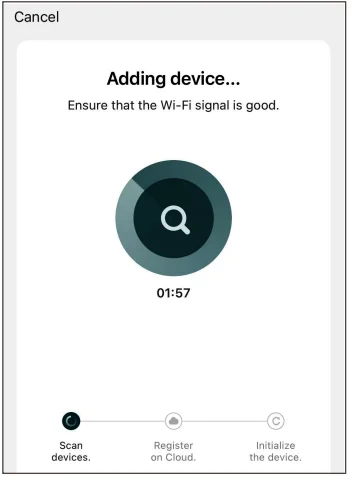
- Press the reset button for 5 seconds, till the LED blinks, then check “Confirm the indicator is blinking rapidly” and follow the in-app instructions to connect the sensor to your network.


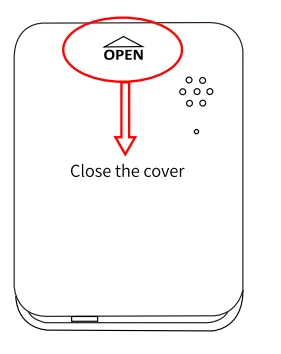
- Close the battery cover and put it where you need it.


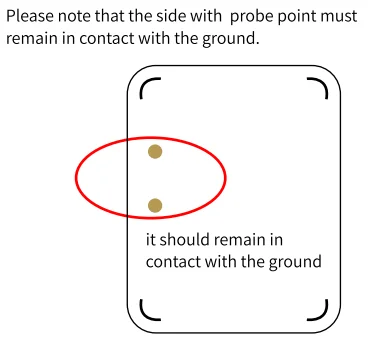
- When there is water leakage, this device should trigger a sound alarm for 30 seconds at one-minute intervals, and the Smart Life app should receive the water leakage alarm at the same time. To disable the alarm, you must remove the sensor from the area of water leakage.

FCC Caution:
This device complies with part 15 of the FCC Rules. Operation is subject to the following two conditions:
- This device may not cause harmful interference, and
- This device must accept any interference received, including interference that may cause undesired operation. Any Changes or modifications not expressly approved by the party responsible for compliance could void the user’s authority to operate the equipment.
Note: This equipment has been tested and found to comply with the limits for a Class B digital device, pursuant to part 15 of the FCC Rules. These limits are designed to provide reasonable protection against harmful interference in a residential installation. This equipment generates uses and can radiate radio frequency energy and, if not installed and used in accordance with the instructions, may cause harmful interference to radio communications.
However, there is no guarantee that interference will not occur in a particular installation. If this equipment does cause harmful interference to radio or television reception, which can be determined by turning the equipment off and on, the user is encouraged to try to correct the interference by one or more of the following measures:
- Reorient or relocate the receiving antenna.
- Increase the separation between the equipment and receiver.
- Connect the equipment into an outlet on a circuit different from that to which the receiver is connected.
- Consult the dealer or an experienced radio/TV technician for help.
This equipment complies with FCC radiation exposure limits set forth for an uncontrolled environment. This equipment should be installed and operated with a minimum distance of 20cm between the radiator & your body.
ISEDC Warning:
This device complies with Innovation, Science, and Economic Development Canada’s licence-exempt RSS standard(s). Operation is subject to the following two conditions:
- This device may not cause interference, and
- This device must accept any interference, including interference that may cause undesired operation of the device. The device is in compliance with RF exposure guidelines, and users can obtain Canadian information on RF exposure and compliance. The minimum distance from the body to use the device is 20cm.
For More Manuals By Treatlife, Visit ManualsLibraryy.
Treatlife WiFi Water Leak Detector-FAQs
What is the Treatlife WiFi Water Leak Detector, and how does it work?
The Treatlife WiFi Water Leak Detector is a smart sensor designed to detect water leaks or drips in real time. It uses built-in probes to sense moisture and immediately triggers a loud alarm while sending notifications to your smartphone via the app. This allows you to act quickly and prevent serious water damage, even when you are away from home.
Does the Treatlife WiFi Water Leak Detector require a hub?
It depends on the model. Some Treatlife leak detectors require a Zigbee hub to function, while others are standalone WiFi versions that connect directly to a 2.4GHz network. The WiFi model is easier to set up since it doesn’t need additional hardware, but hub-based versions offer better scalability and integration with other smart devices.
What kind of alerts does the detector provide?
The device provides dual alerts: a loud built-in alarm of around 60 dB and instant app notifications. The alarm helps alert anyone nearby, while mobile notifications ensure you’re informed even when you’re not at home. This combination makes it effective for preventing costly damage caused by unnoticed leaks.
Where should you place the Treatlife water leak detector?
It is best placed near areas prone to leaks, such as under sinks, near washing machines, water heaters, dishwashers, or in basements. Its compact size allows it to fit into tight spaces, ensuring early detection of leaks in hidden or hard-to-reach areas. Proper placement is key to maximizing protection.
How long does the battery last?
The detector is powered by AAA batteries, which can last up to around 1–2 years depending on usage. The app also provides battery status updates and alerts when replacement is needed, ensuring continuous protection without unexpected downtime.
Can the Treatlife water leak detector work with Alexa or Google Assistant?
Yes, the device is compatible with voice assistants like Alexa and Google Assistant. This allows you to check device status or integrate it into smart home routines. For example, you can create automations that trigger other devices when a leak is detected.
How easy is it to install the Treatlife WiFi Water Leak Detector?
Installation is simple and requires no wiring. You just place the sensor in the desired location, connect it to your 2.4GHz WiFi network through the app, and it’s ready to use. Some models include adhesive or magnetic mounting options for flexible placement.
Does the detector support smart home automation?
Yes, the detector can be integrated into smart home routines. For example, it can trigger alerts, activate alarms, or work alongside other Treatlife devices to enhance home safety. This makes it more than just a sensor—it becomes part of a broader home automation system.
Is the Treatlife WiFi Water Leak Detector worth buying?
The Treatlife WiFi Water Leak Detector is a cost-effective solution for protecting your home from water damage. It offers real-time alerts, easy installation, and smart home compatibility. While it may depend on stable WiFi for optimal performance, it provides excellent value for homeowners looking for simple, reliable leak detection.